
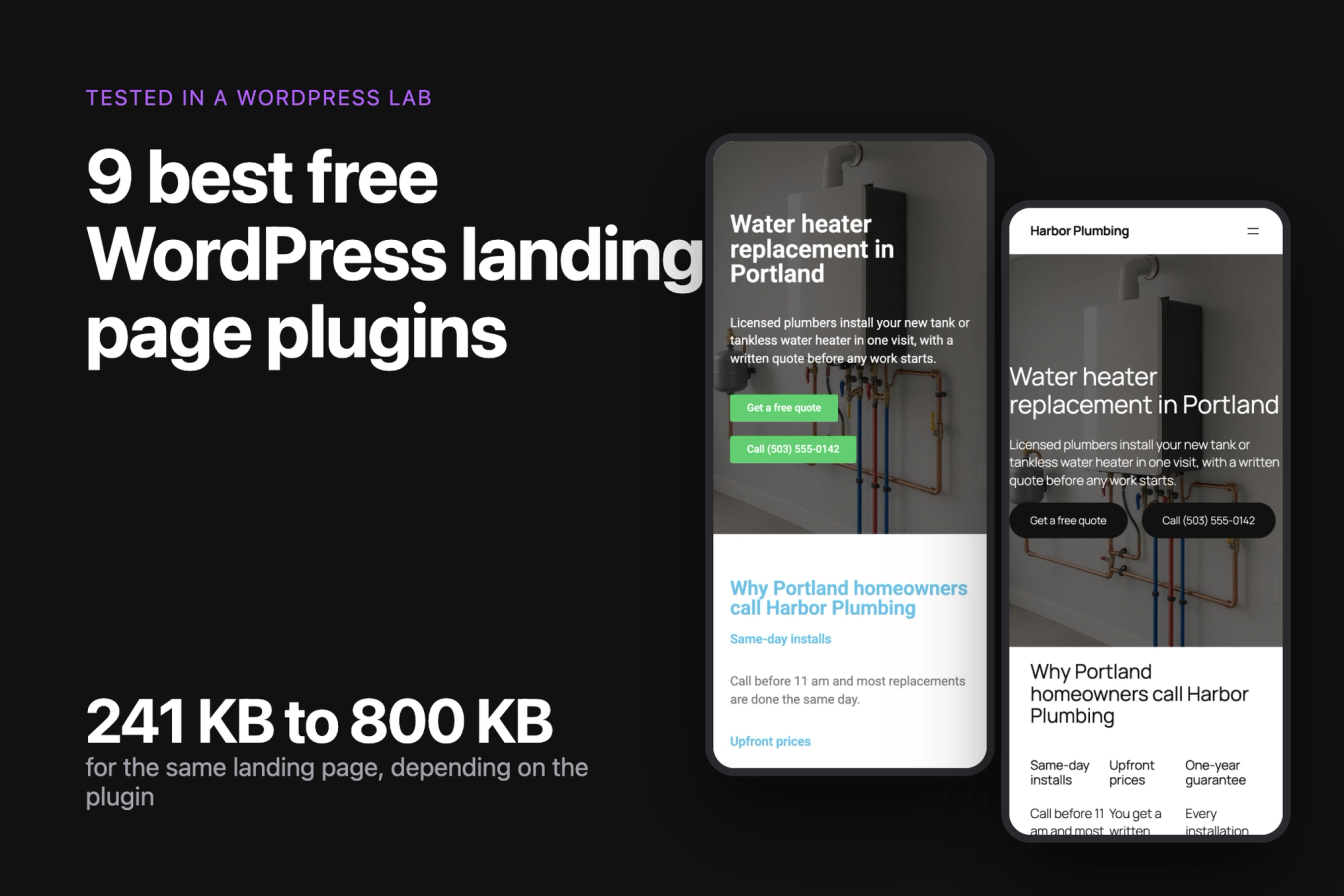
A landing page plugin for WordPress gives you one focused page: a headline, a reason to act, proof, and a form or a phone number, often without the menu and footer of the rest of the site. We built the same landing page for a plumbing company with eight free plugins and the block editor alone, then measured what each one costs a visitor in kilobytes, how it behaves on a phone, whether its free form works, and what the free version keeps behind an upgrade.
Best overall free: Otter Blocks, whose free form block sent our test submission without any settings, on a 369 KB page. Best free form builder: Kadence Blocks. Lightest, with a free blank canvas: GreenShift, at 241 KB for the whole page. Most visual drag and drop: Elementor, the heaviest page in the test at 800 KB. For the same landing page in many towns or for many services, such as service area pages: LPagery.
Last tested 13 October 2026 on WordPress 7.1.3. We make LPagery, a plugin that creates landing pages in bulk. We are not affiliated with any other plugin on this list, and nobody paid to be included.
Plugin | Best for | Free version limit | Page weight | Paid from (read 13 October 2026) | Active installs |
|---|---|---|---|---|---|
Otter Blocks | Most landing pages | Forms work out of the box; no blank canvas | 369 KB | $139/yr ($69 first year) | 300k+ |
Kadence Blocks | Lead forms | No blank page template | 411 KB | $99/yr | 600k+ |
Elementor | Visual drag and drop | Form widget is Pro | 800 KB | EUR 60/yr | 10M+ |
GreenShift | Fastest page | No form or testimonial block | 241 KB | $39.99/yr | 70k+ |
Spectra | Many block types | Set the form's recipient yourself | 580 KB | $69/yr | 1M+ |
SeedProd Lite | Pages outside your theme | Form, FAQ and testimonial blocks are Pro | 459 KB | $79/yr ($39.50 first year) | 600k+ |
Stackable | Design-heavy sections | No form block | 410 KB | $49/yr | 100k+ |
Beaver Builder Lite | Classic front-end builder | No form, FAQ or testimonial module | 436 KB | $89/yr | 100k+ |
LPagery | Many landing pages from one | Three placeholder columns | 317 KB per page | $171/yr | 3k+ |
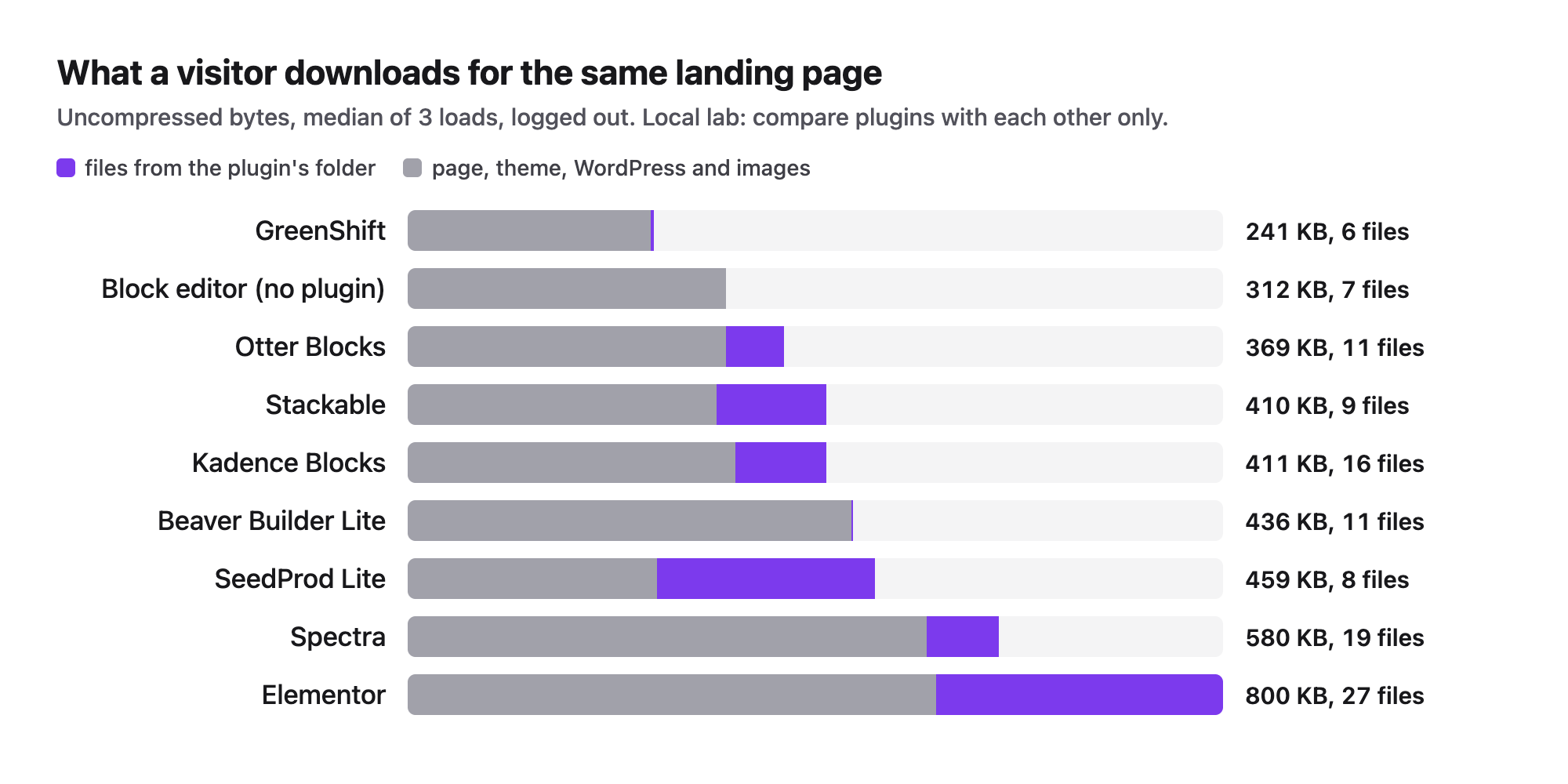
Without any plugin, the block editor version of the page weighed 312 KB in 7 files. Page weight counts every file a logged-out visitor downloads for the page: HTML, scripts, styles, fonts and the three photos.
From us: LPagery
If you need the same landing page for many cities or services, LPagery creates them from one template page and a spreadsheet. In our test the free version made 20 location landing pages from a three-column CSV in 22.9 seconds, each with its own title, H1 and meta description. We make LPagery, so it has its own slot at the end of the list and is not ranked against the page builders; the Bulk Page Generator page shows what it does.
How we tested
Jonas Lindemann, who works on the LPagery plugin, ran every test in a local WordPress lab: WordPress 7.1.3, the Twenty Twenty-Five theme, PHP 8.3 on Apache in Docker, and Chrome driven by Playwright. Each plugin was the current free version from WordPress.org, installed alone on a freshly reset site. We installed eleven landing page and page builder plugins: eight built the full page and are on the list, and three are covered under the plugins we left out or in the Spectra section. LPagery was tested separately for the many-pages case.
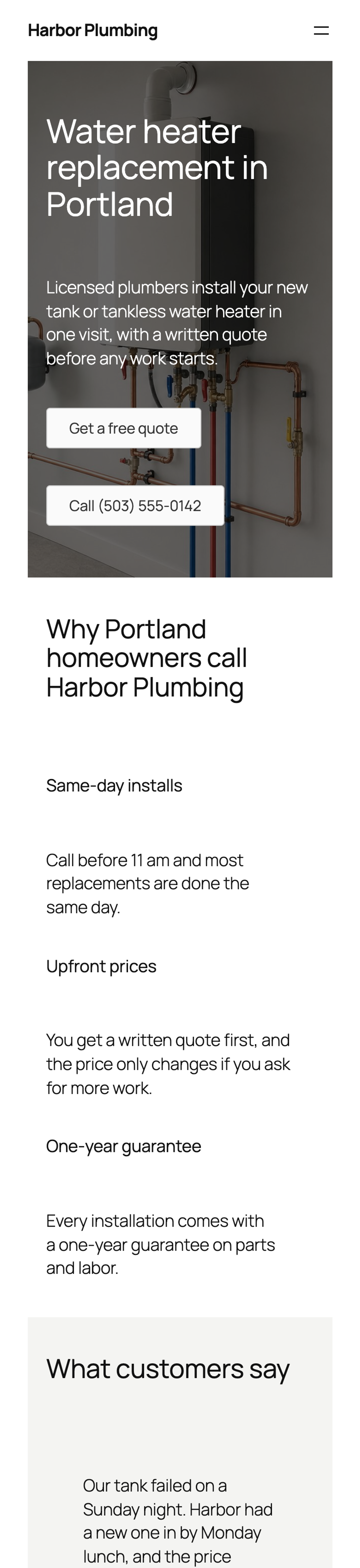
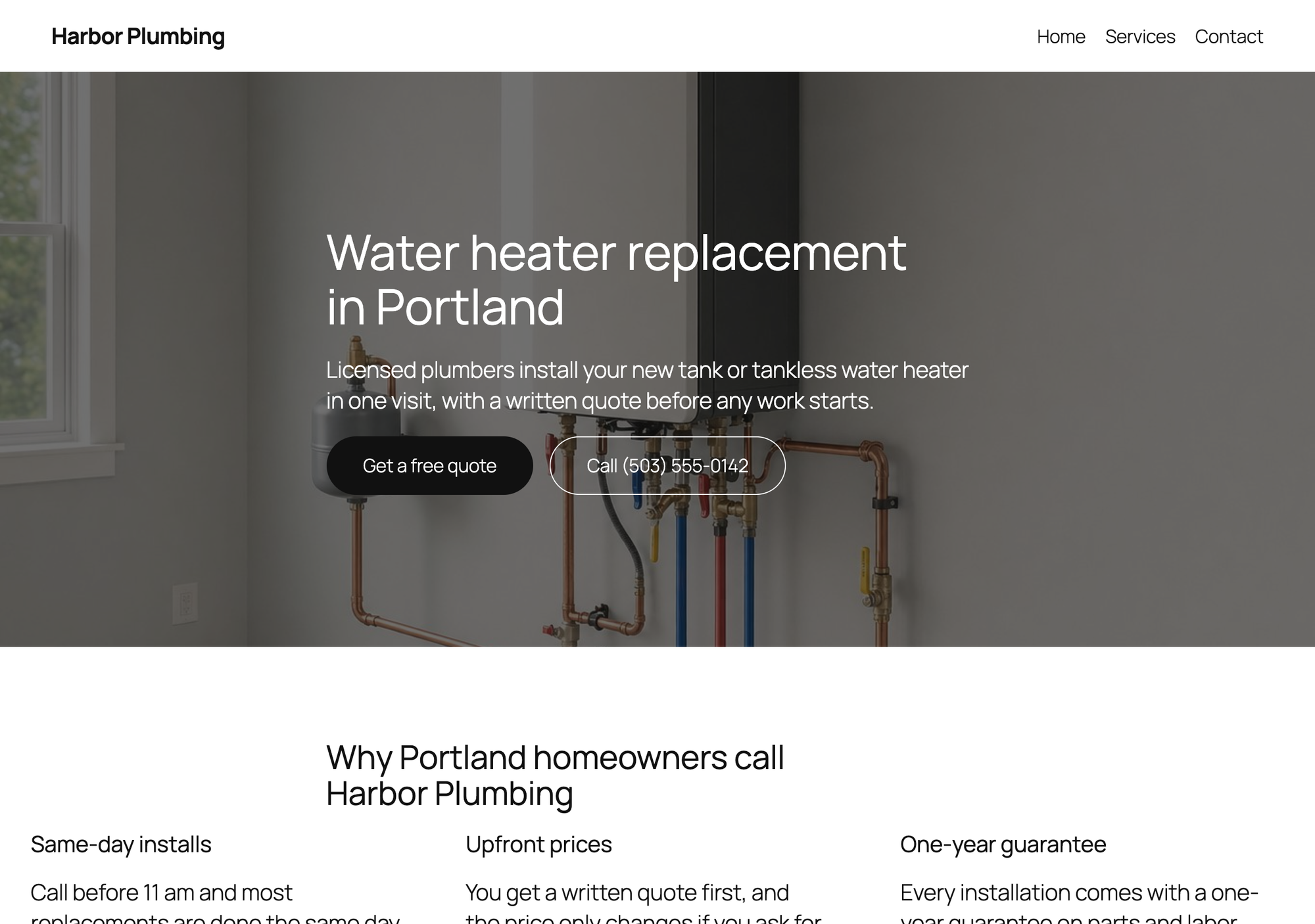
The task was the same for every plugin. Harbor Plumbing, a made-up plumbing company, needs a landing page for water heater replacement in Portland with these sections, word for word the same in every build:
- A hero with an H1, one sentence, a quote button, a call button and a photo.
- Three benefits.
- Two customer quotes.
- A quote form with name, phone, email and message.
- Four FAQ items.
- A closing call to action.
Each page was built with the plugin's own blocks or widgets where the free version has them, and with the closest free alternative where it does not (the block editor's Quote block when a plugin has no testimonial block, for example). The script typed the text through each editor's own data format, then opened the page in that editor and saved it there, so the markup we measured is the markup the editor writes. Setup steps count the clicks and screens from activating the plugin to a published page, including the steps a form needs before it can send.
Then we opened every published page as a logged-out visitor and measured:
- Page weight: every file the browser downloads for the page, the median of three loads, uncompressed, and the share that comes from the plugin's folder.
- Site-wide weight: the same count on an ordinary page without any of the plugin's blocks, to see whether the plugin loads its files everywhere.
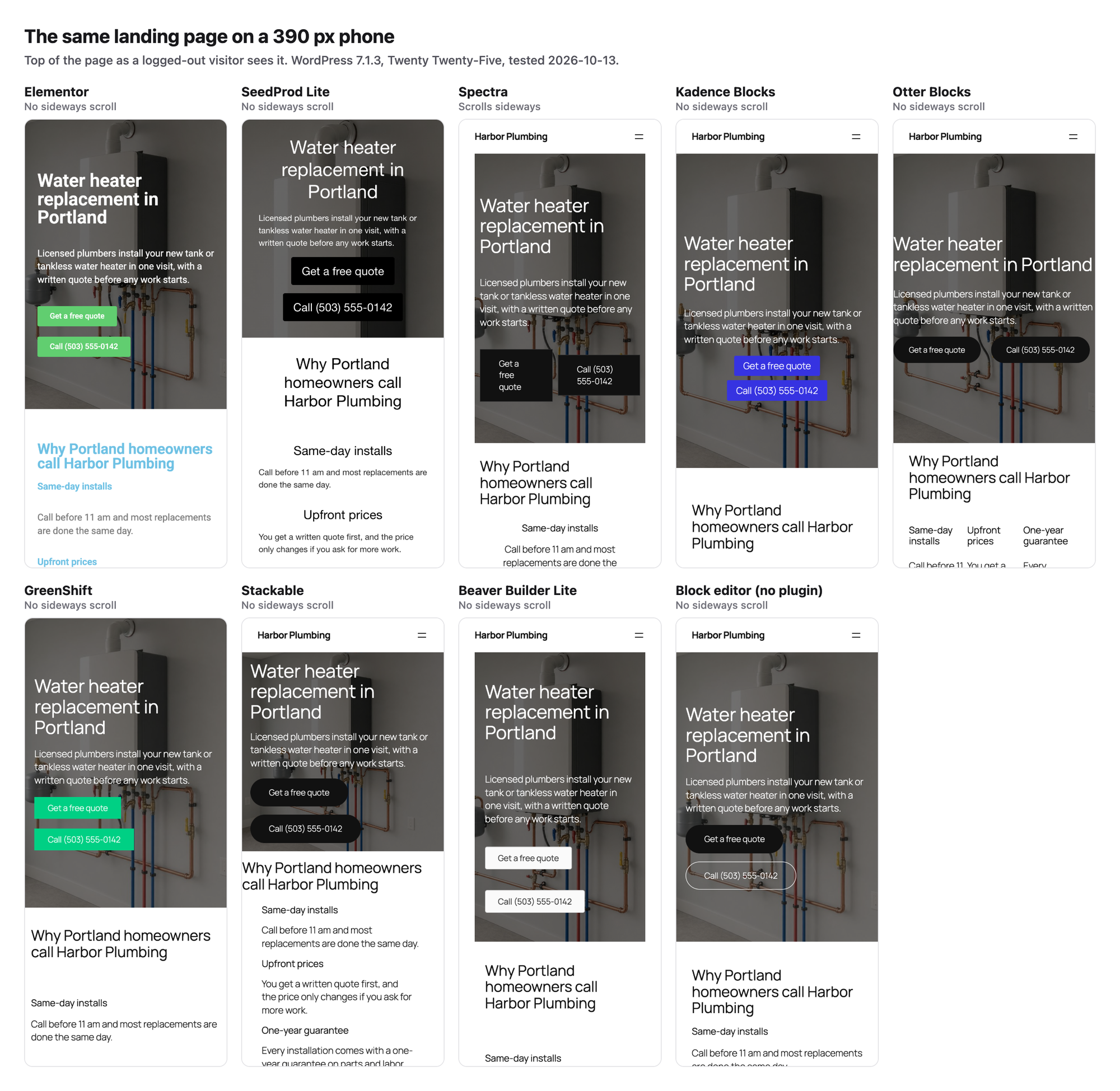
- A mobile lab run like Lighthouse's: a 390 by 844 px phone screen, four times slower CPU, a 1.6 Mbps connection with 150 ms latency and no cache. We recorded Largest Contentful Paint (LCP), Cumulative Layout Shift (CLS) and blocking time from Chrome's own performance entries, median of three runs.
- Mobile layout at 390 px: whether the page scrolls sideways and which element sticks out.
- The form: a visitor fills it in and sends it. A small must-use plugin in the lab records whether WordPress was asked to send the email and to whom.
- Whether the theme header and footer can be removed with the free version, for a distraction-free page.
The numbers come from a local lab, so compare plugins with each other rather than with your own site. Other test jobs shared the machine, so timing numbers moved between repeat runs: the block editor page measured an LCP of 1.6 s in one run and 1.2 s as an LPagery-generated copy in another. Treat LCP differences under half a second as noise. Page weight and file counts did not move between runs.
1. Otter Blocks
Otter Blocks is the plugin to pick for most landing pages: its free form block sent our test submission without any settings, and the page stayed light.
Otter adds its blocks to the block editor, so a landing page starts as a normal page. We used its Section, Advanced Heading, Button Group, Form and Accordion blocks. The two customer quotes are the block editor's Quote block inside an Otter Section.
The Form block needed no settings before it worked. With the recipient left empty, the submission went to the site's admin email address. Otter also rejects any form sent within five seconds of the page loading as a bot (its error code 110). Our first scripted submission was that fast and failed; a person filling in four fields will not notice.
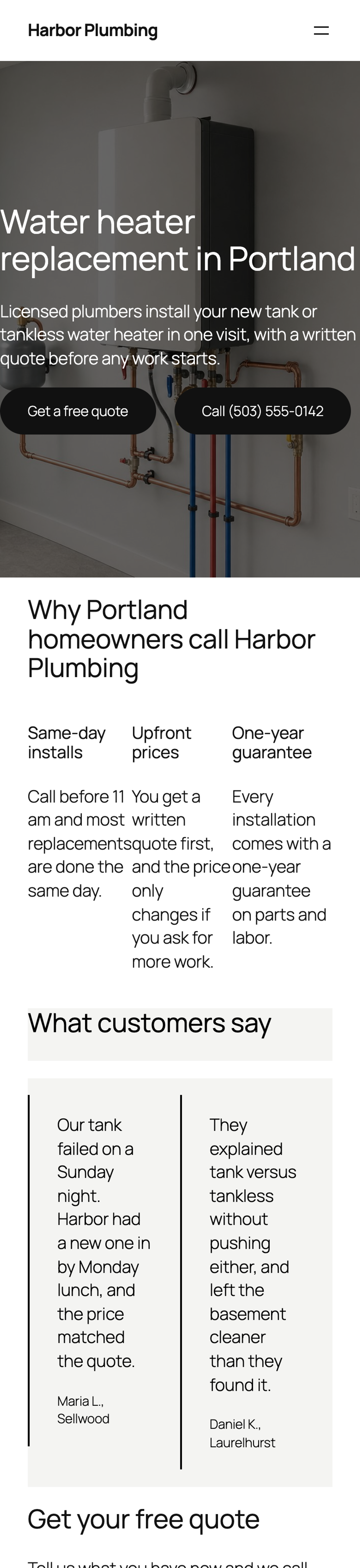
There is no blank page template in Otter, so the Twenty Twenty-Five header and footer stay on the page. Its full-width Section also put the hero text right against the edge of the screen until padding is added in the block settings. On a 390 px phone the three benefit columns stayed side by side, each about a hundred pixels wide; Otter's Section has a separate mobile layout setting for that, which we left at its default.
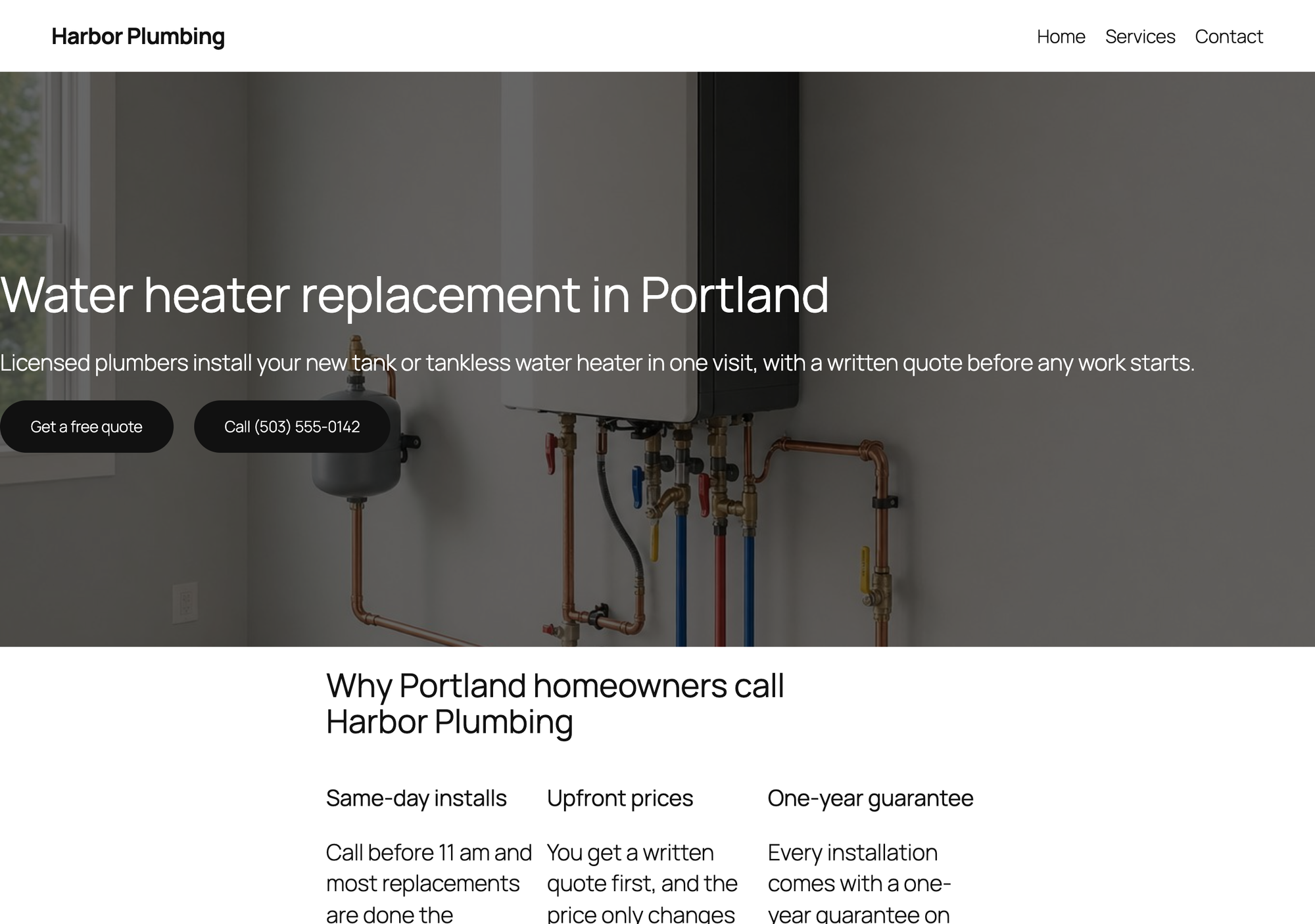
- Setup: 5 steps from activation to a published page.
- Page weight: 369 KB in 11 files, of which 57 KB in 4 files come from the plugin's folder (15 KB JavaScript, 42 KB CSS).
- Mobile lab run: LCP 2.2 s, CLS 0.001, blocking time 0 ms.
- Mobile layout: no sideways scroll at 390 px.
- Theme header and footer: kept.
- Form: free. The test submission reached WordPress's mail function, addressed to office@harbor-plumbing.example.
Pros
- The free form works with no settings and sends to the admin email.
- Light for a block plugin: 57 KB in 4 files.
- Accordion and form are normal blocks, so the page stays editable in the block editor.
Cons
- No blank page template, so the theme header and footer stay.
- Columns stay side by side on a phone until you change the Section's mobile layout.
- Activation opens Otter's welcome screen instead of returning to the Plugins screen.
Otter Pro Personal costs $69 for the first year for one site and renews at $139 a year, read on Themeisle's pricing page on 13 October 2026. It adds stored form submissions, file uploads, popups and display conditions.
Otter Blocks on WordPress.org and the Otter Blocks site.
2. Kadence Blocks
Kadence Blocks is the plugin to pick when the form is the point of the page: its free Advanced Form block has ready layouts, a success message and sends without extra settings.
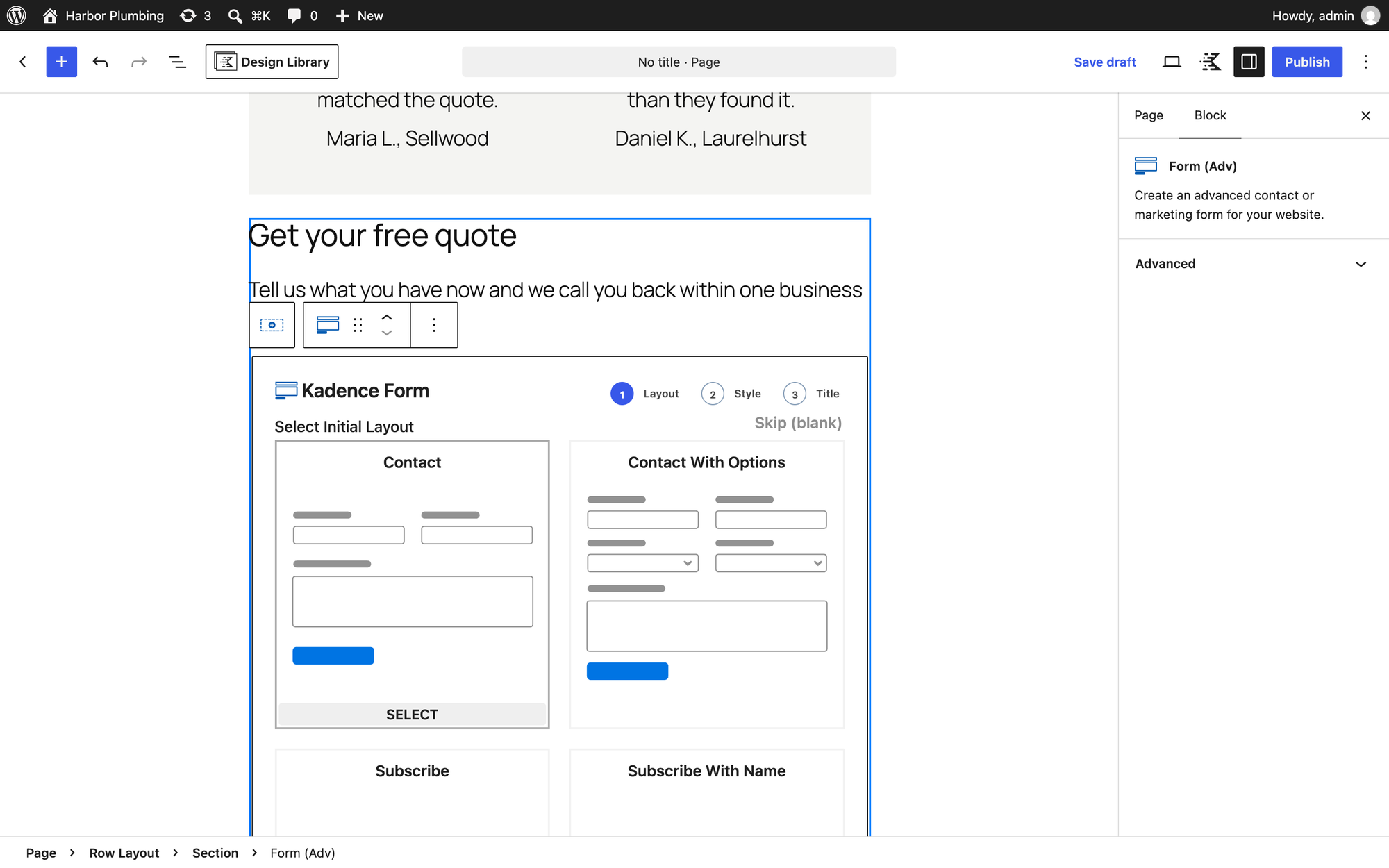
We built the page with Kadence's Row Layout, Advanced Heading, Advanced Button, Info Box, Testimonials and Accordion blocks. The Advanced Form block opens its own setup inside the editor: Create New, then a layout (we chose Contact), then a style, then a form title and Create. Those five clicks are why Kadence has the most setup steps in this test.
The Contact layout gives you name, email and message fields. Our test submission reached the site's admin email, and the page showed Submission Success, Thanks for getting in touch!. A phone field is one more block inside the form.
The Testimonials block shows the placeholder job title CEO of Company under each name until you switch the occupation line off. Kadence Blocks adds no blank page template, so the theme header and footer stay.
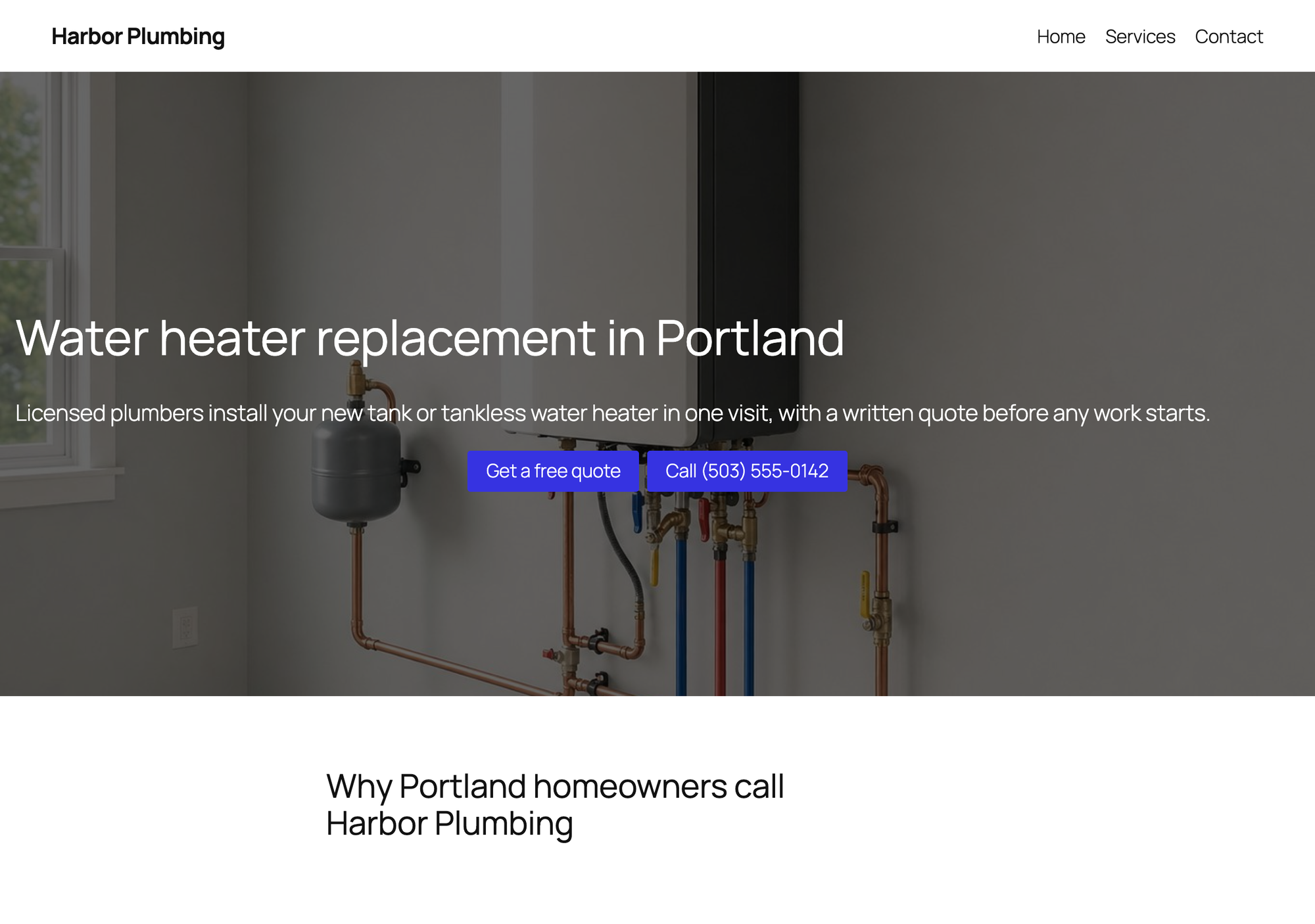
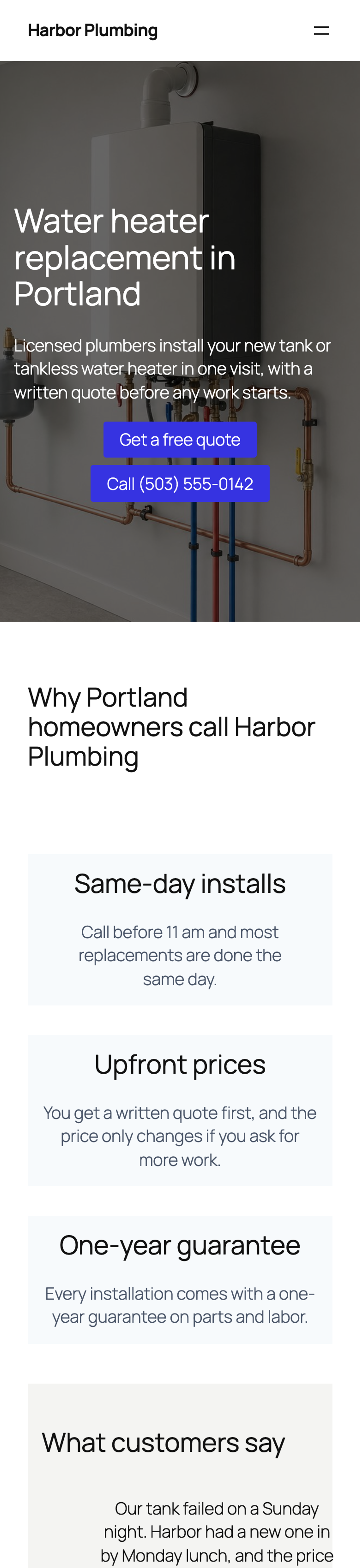
- Setup: 10 steps from activation to a published page.
- Page weight: 411 KB in 16 files, of which 90 KB in 10 files come from the plugin's folder (25 KB JavaScript, 65 KB CSS).
- Mobile lab run: LCP 2.4 s, CLS 0.001, blocking time 0 ms.
- Mobile layout: no sideways scroll at 390 px.
- Theme header and footer: kept.
- Form: free. The test submission reached WordPress's mail function, addressed to office@harbor-plumbing.example.
Pros
- The free form builder has layouts, styles and a success message.
- Testimonials and accordion blocks are free.
- No sideways scroll on a phone, and an LCP of 2.4 s in the mobile lab run.
Cons
- The most setup steps in the test (10), most of them in the form's setup.
- Placeholder job titles in the Testimonials block until you hide them.
- No blank page template.
Kadence's Essentials plan costs $99 a year, priced per site, read on its pricing page on 13 October 2026. It adds Kadence Blocks Pro, the Kadence theme's Pro features and the header and footer builder. A/B testing and popups are only in the $499 Elite plan.
Kadence Blocks on WordPress.org and the Kadence site.
3. Elementor
Elementor is the plugin to pick when you want to drag sections around on the page itself and need a blank canvas for free.
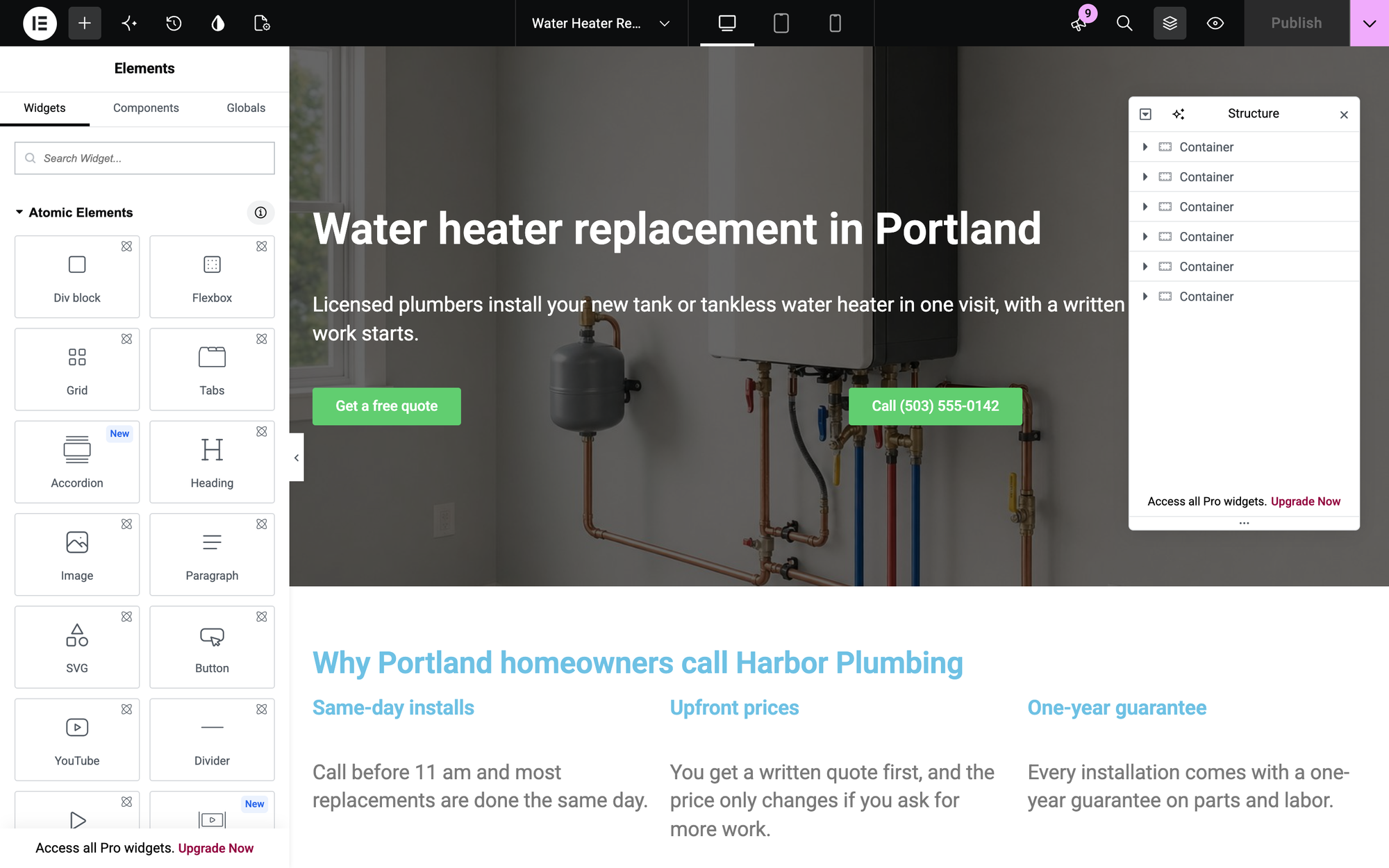
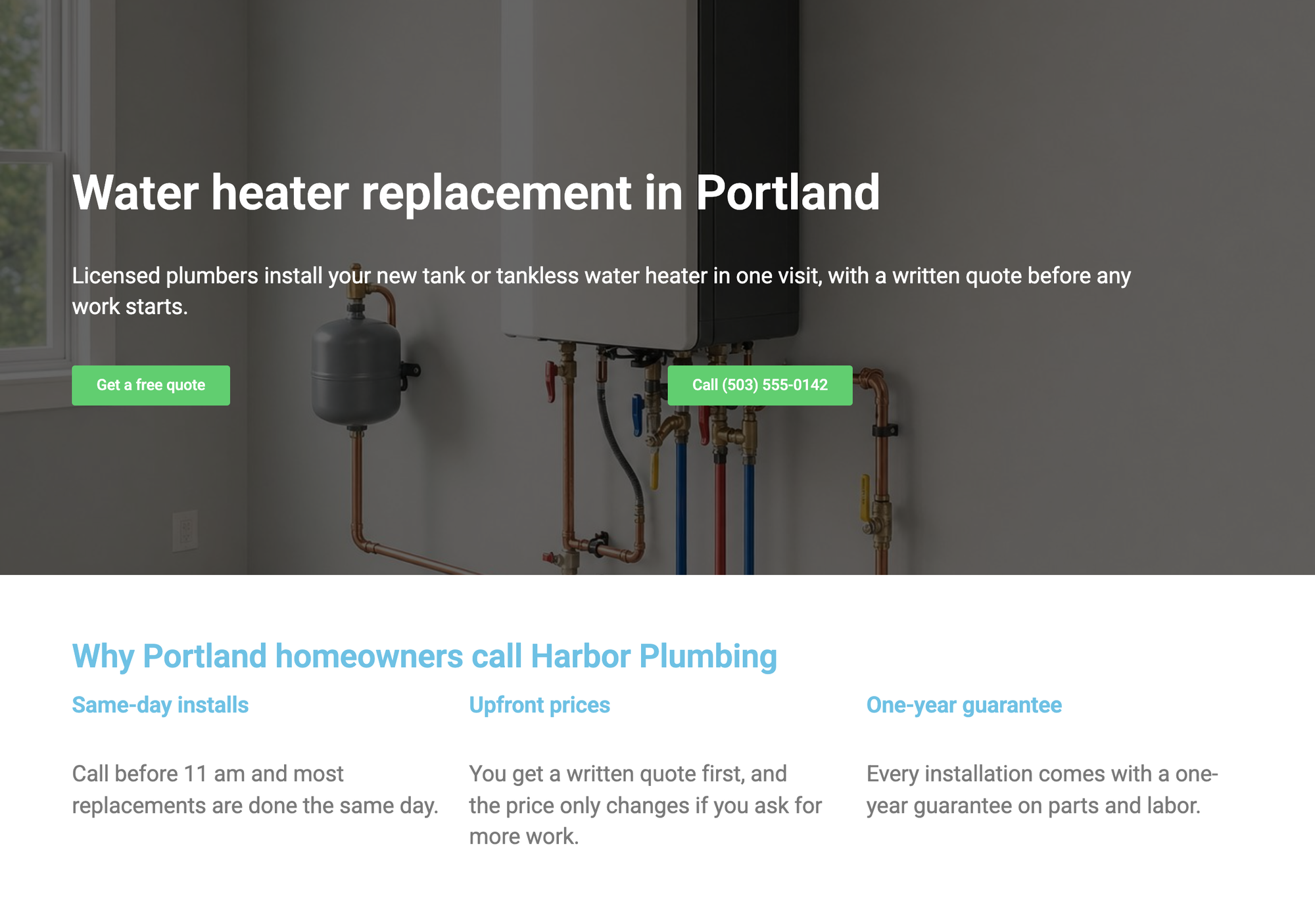
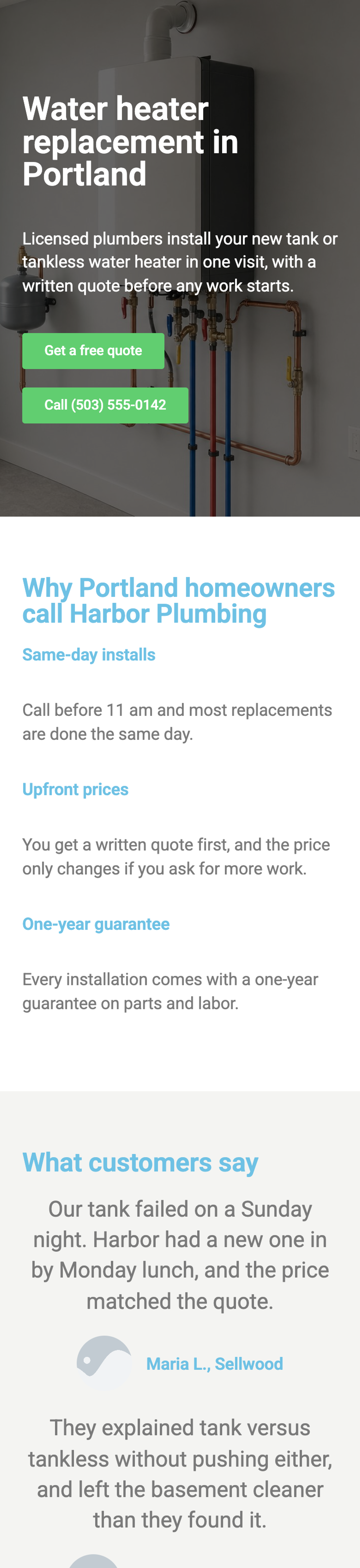
Elementor works in its own editor. From a new page we clicked Edit with Elementor, opened the page settings and set Page Layout to Elementor Canvas, which removes the theme's header and footer in the free version. The page used Elementor's Container, Heading, Text Editor, Button, Testimonial and Accordion widgets.
The Form widget is in the Pro group, behind an Upgrade label, and so is the new Atomic Form. So a free Elementor landing page has no quote form, and ours offers the phone number in the quote section instead. If you need a form, a free form plugin such as WPForms Lite or Contact Form 7 can be placed with Elementor's Shortcode widget.
Elementor produced the heaviest page in the test: 800 KB in 27 files, 282 KB of them from Elementor itself. The page also loaded jQuery files (117 KB) and the Roboto and Roboto Slab fonts from Google's servers (158 KB), which none of the block editor plugins did. Elementor loaded none of its files on an ordinary page without Elementor content.
- Setup: 8 steps from activation to a published page.
- Page weight: 800 KB in 27 files, of which 282 KB in 13 files come from the plugin's folder (215 KB JavaScript, 61 KB CSS).
- Mobile lab run: LCP 3.3 s, CLS 0.005, blocking time 0 ms.
- Mobile layout: no sideways scroll at 390 px.
- Theme header and footer: removed.
- Generated files: 14 KB of CSS and JavaScript that the plugin writes into the uploads folder, on top of its own folder.
- Also loads jQuery from WordPress (117 KB), which the block editor page did not need.
- Also loads Google Fonts from fonts.googleapis.com and fonts.gstatic.com (158 KB), a request to Google on every visit.
- Form: not in the free version (Pro widget).
Pros
- Elementor Canvas removes the header and footer for free.
- Testimonial and accordion widgets are free.
- No sideways scroll on a phone.
Cons
- The heaviest page: 800 KB, 215 KB of it Elementor JavaScript.
- LCP of 3.3 s in the mobile lab run, more than a second above the block editor page (1.6 s).
- No form widget in the free version.
- Fonts load from Google's servers unless you change Elementor's font settings.
Elementor's pricing page showed Elementor Pro Essential at EUR 60 a year for one site for our location on 13 October 2026; the page's own description says plans start from $60 a year. It adds the Form widget, the theme builder and Pro templates; the popup builder starts with the Advanced plan.
Elementor on WordPress.org and the Elementor site.
4. GreenShift
GreenShift is the plugin to pick when speed comes first and you want a page without the theme's header and footer, for free.
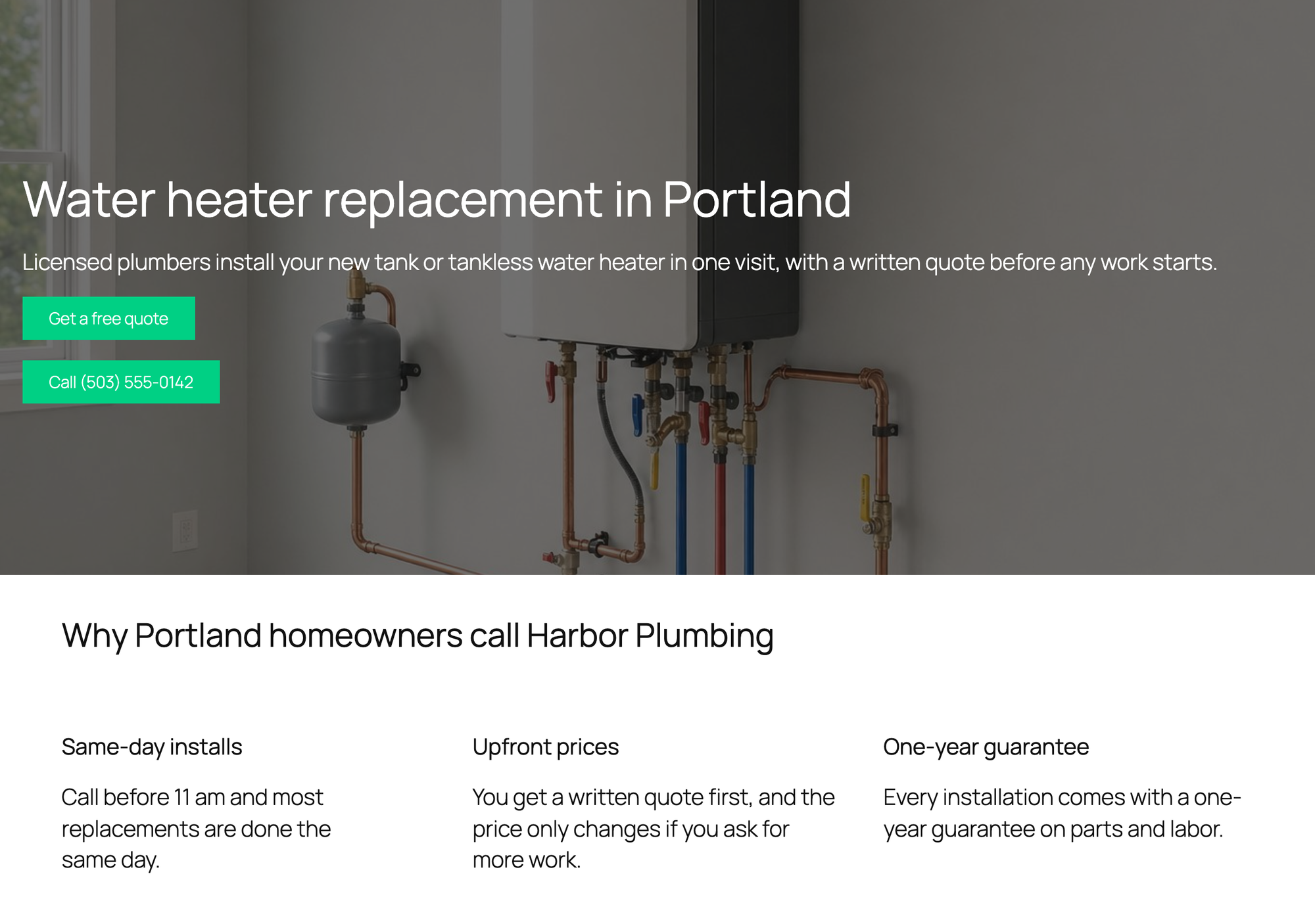
GreenShift adds a page template called GreenShift Clean Canvas, which removes the theme header and footer. We chose it in the page settings and built the page with GreenShift's Row, Heading, Text, Button and Accordion blocks.
The page loaded 3 KB from GreenShift's folder, in 2 files. The whole page came to 241 KB, less than the block editor version, because the canvas also drops the theme's header and footer.
GreenShift has no form block and no testimonial block in the free version. The quotes are Quote blocks, and the hero is the block editor's Cover block, which we used instead of setting a background image on GreenShift's Row.

- Setup: 6 steps from activation to a published page.
- Page weight: 241 KB in 6 files, of which 3 KB in 2 files come from the plugin's folder (3 KB JavaScript, 0 KB CSS).
- Mobile lab run: LCP 1.7 s, CLS 0.016, blocking time 0 ms.
- Mobile layout: no sideways scroll at 390 px.
- Theme header and footer: removed.
- Form: no form block in the free version.
Pros
- The lightest page in the test: 241 KB in 6 files.
- LCP of 1.7 s in the mobile lab run, within noise of the block editor page (1.6 s).
- Clean Canvas removes the header and footer for free.
Cons
- No form block; you need a form plugin.
- No testimonial block.
- Activation opens the GreenShift dashboard instead of returning to the Plugins screen.
GreenShift's Design Pack starts at $39.99 a year, read on its pricing page on 13 October 2026. It adds animations and more design blocks; the pricing page lists no form builder in any plan.
GreenShift on WordPress.org and the GreenShift site.
5. Spectra
Spectra is the plugin to pick when you want one block collection with forms, FAQ and testimonials, and you are fine checking the mobile layout yourself.
The plugin we tested, with 1 million active installs, is now called Spectra Legacy on WordPress.org. Its maker moved new features to a separate plugin, Spectra Blocks, and keeps Legacy on security and compatibility updates. We installed Spectra Blocks 1.0.11 as well: its 16 blocks include Container, Buttons, Accordion, Tabs, Slider and Modal, and no form or testimonial block yet, so the full page was built with Legacy. The page used Spectra's Container, Heading, Buttons, Info Box, Testimonials, Form and FAQ blocks.
The Form block has one trap. Its Email Address setting, the recipient, starts empty, and with it empty a visitor who sends the form sees the failure message and nothing is sent. We found this in Spectra's form script after the first test sent nothing. With the address filled in, our submission arrived.
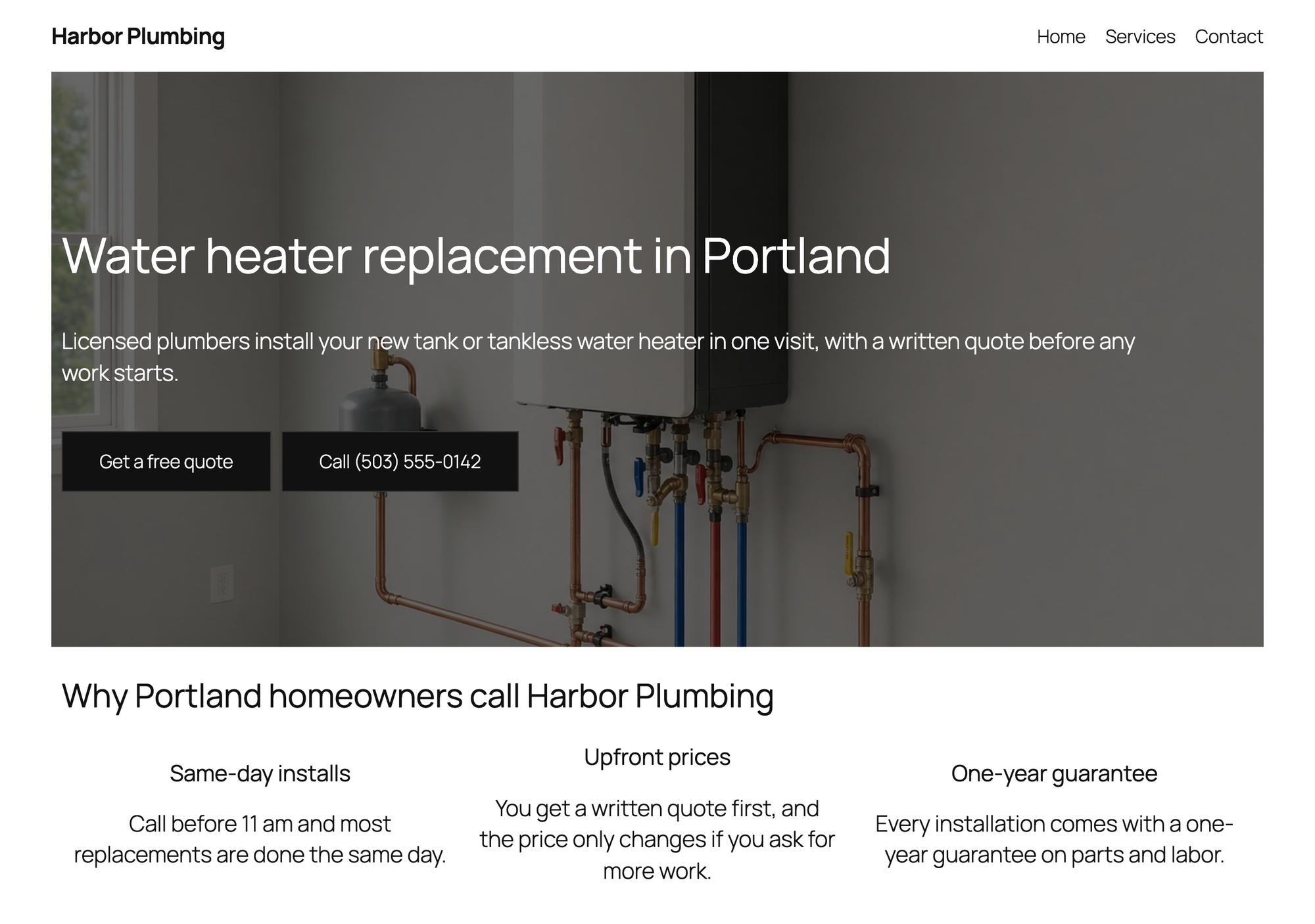
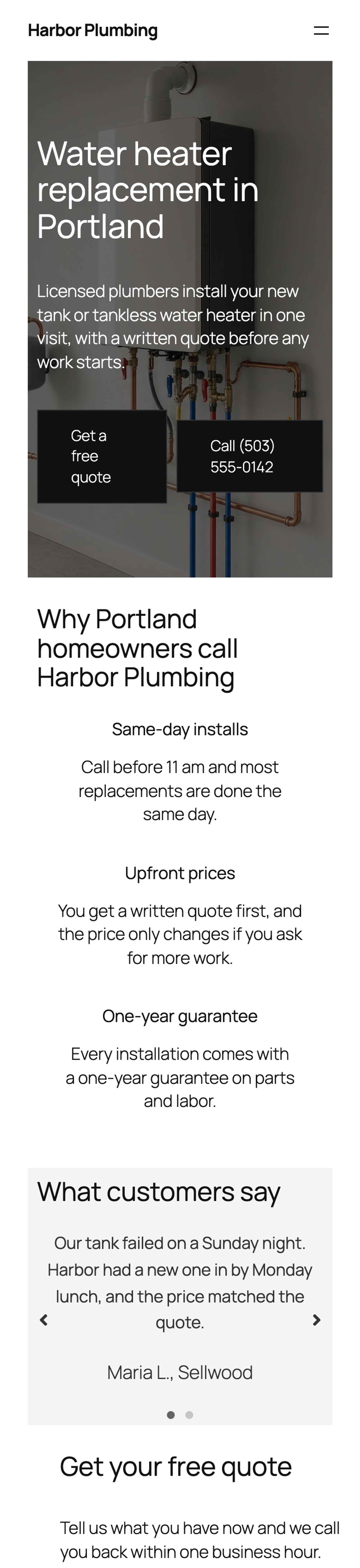
On a 390 px phone the page scrolls sideways (400 px wide on a 390 px screen): the form section is 10 px wider than the screen. The Testimonials block is a slider with arrows on mobile, and it brings the Slick slider script (43 KB). Spectra also writes the page's block CSS into one file in the uploads folder, 106 KB for this page, a large part of why the page came to 580 KB. Spectra was the only plugin with blocking time in the mobile lab run (49 ms).
- Setup: 6 steps from activation to a published page.
- Page weight: 580 KB in 19 files, of which 71 KB in 9 files come from the plugin's folder (67 KB JavaScript, 4 KB CSS).
- Mobile lab run: LCP 3.0 s, CLS 0.001, blocking time 49 ms.
- Mobile layout: scrolls sideways (400 px wide on a 390 px screen).
- Theme header and footer: kept.
- Generated files: 109 KB of CSS and JavaScript that the plugin writes into the uploads folder, on top of its own folder.
- Also loads jQuery from WordPress (99 KB), which the block editor page did not need.
- Form: free. The test submission reached WordPress's mail function, addressed to office@harbor-plumbing.example.
Pros
- Form, FAQ and Testimonials blocks are all free.
- The form shows a confirmation message after sending.
- It loaded none of its files on an ordinary page.
Cons
- The form sends nothing until you fill in its Email Address setting.
- The page scrolled sideways on a phone because of the form.
- The second-heaviest page, 580 KB, with 109 KB of generated CSS and JavaScript in the uploads folder.
Spectra Pro costs $69 a year for up to three sites, read on its pricing page on 13 October 2026. It adds a popup builder, dynamic content and display conditions.
Spectra on WordPress.org and the Spectra site.
6. SeedProd Lite
SeedProd Lite is the plugin to pick when the landing page should stand apart from your theme, with no theme header or footer, and a call button is enough.
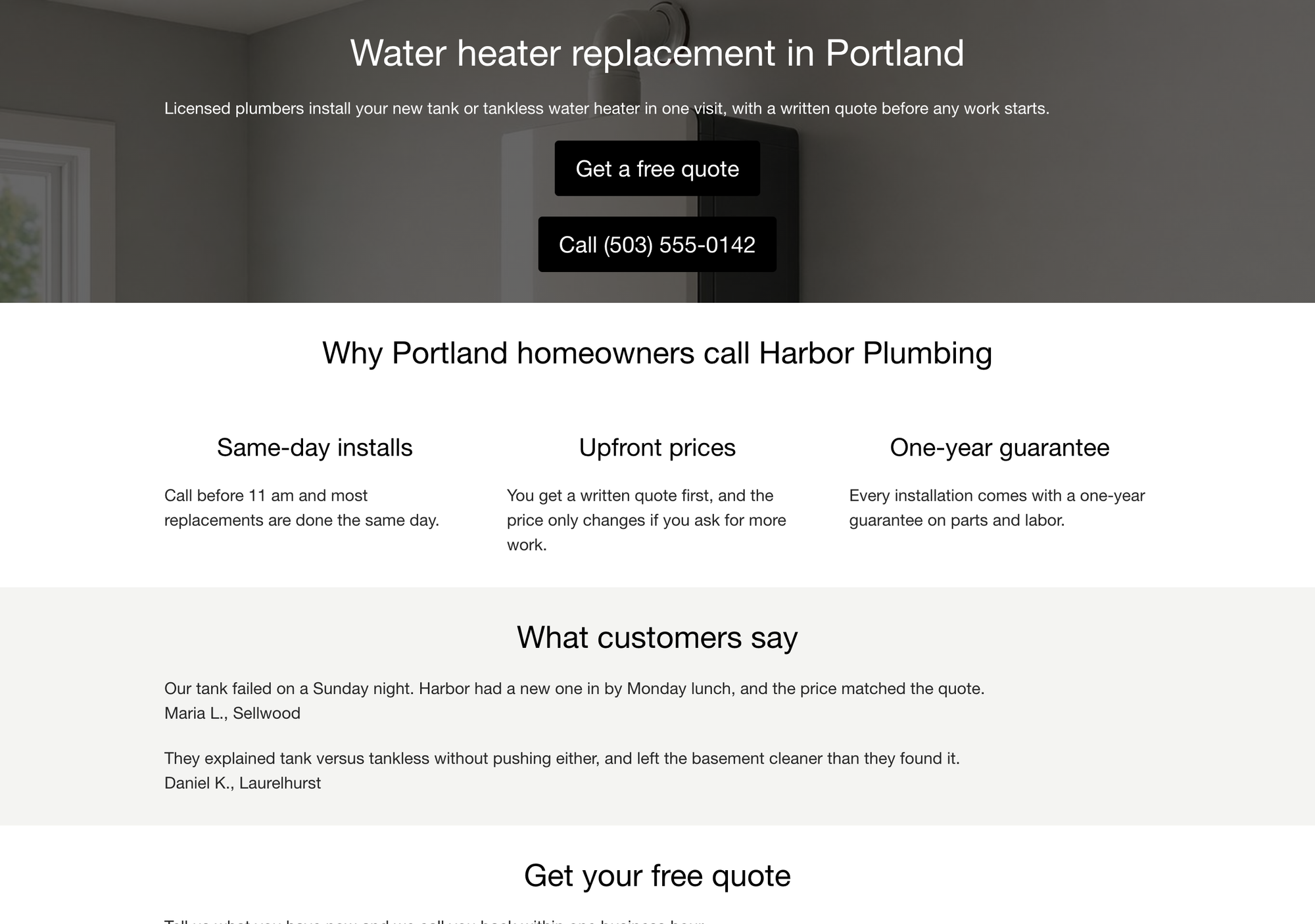
SeedProd keeps landing pages in its own list under SeedProd > Landing Pages. We clicked Add New Landing Page, typed the page name and URL, clicked Next: Choose Template and picked Blank Template, which takes a hover and a click on its check mark. The template screen opens with an orange banner that asks for an email address in exchange for 10 free templates.
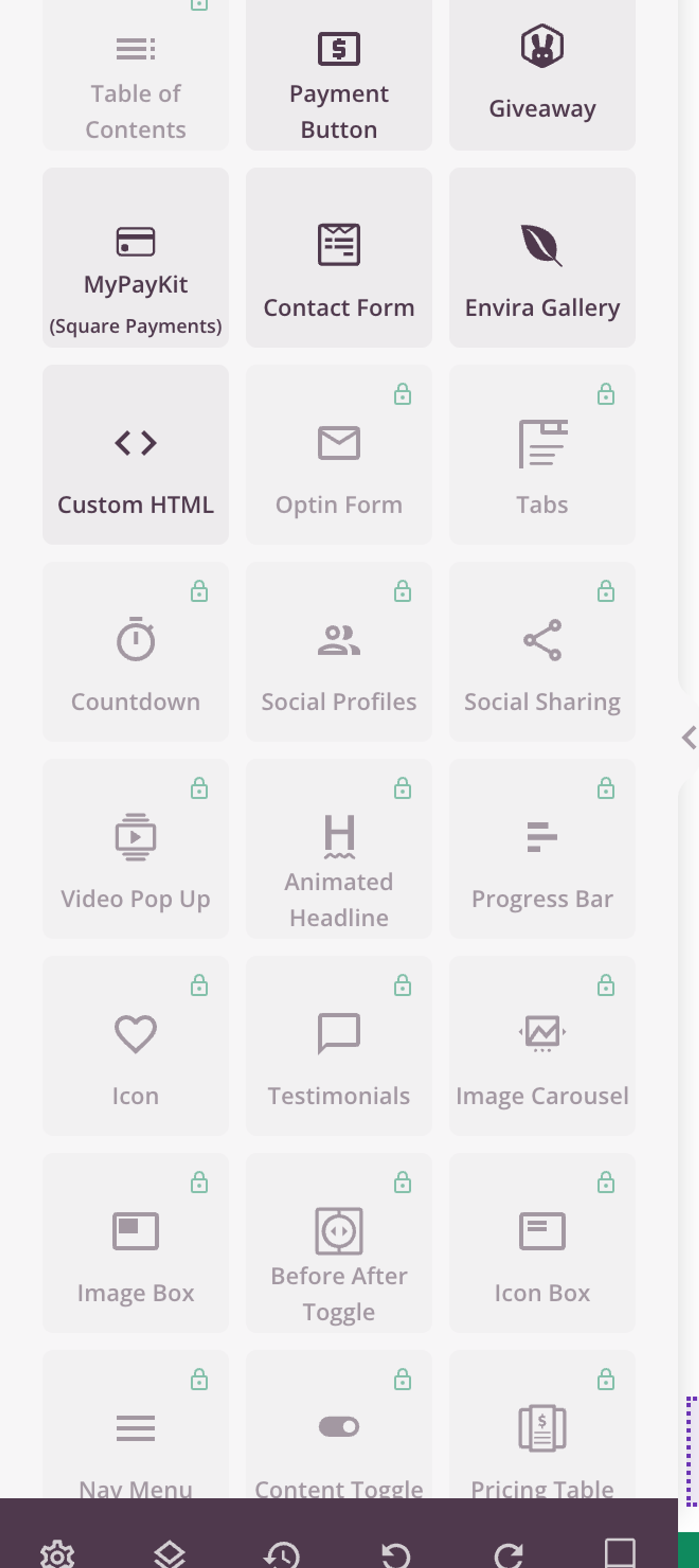
SeedProd renders its landing pages without the theme, so the header and footer were gone without any setting. The free version is narrow, though: of the 110 blocks in SeedProd's block list, 17 are free in Lite, according to the plugin's own block registry. Optin Form, Testimonials and Accordion are Pro, and the free Contact Form block shows a WPForms form, so it needs the WPForms plugin.
So the Lite page uses Headline, Text and Button blocks only: the customer quotes are text, the FAQ is headings and text, and the quote section offers the phone number. SeedProd's own files came to 214 KB: Tailwind CSS (75 KB), the Font Awesome icon stylesheet (94 KB) and a script (45 KB). The icon stylesheet loads although the page shows no icons, and the page also loaded jQuery.
- Setup: 7 steps from activation to a published page.
- Page weight: 459 KB in 8 files, of which 214 KB in 3 files come from the plugin's folder (45 KB JavaScript, 169 KB CSS).
- Mobile lab run: LCP 2.2 s, CLS 0, blocking time 0 ms.
- Mobile layout: no sideways scroll at 390 px.
- Theme header and footer: removed.
- Also loads jQuery from WordPress (99 KB), which the block editor page did not need.
- Form: none in Lite (Optin Form is Pro; Contact Form needs WPForms).
Pros
- Landing pages render without the theme header and footer, for free.
- Few files: 8 files for the whole page.
- A separate list for landing pages, coming soon and maintenance pages.
Cons
- Testimonials, Accordion and Optin Form are Pro.
- 169 KB of CSS from SeedProd's folder for a page that uses four block types.
- Upgrade banners on the builder and template screens.
SeedProd Pro Basic costs $39.50 for the first year for one site and renews at $79 a year, read on SeedProd's pricing page on 13 October 2026. It adds the Pro blocks, including Optin Form, Testimonials and Accordion, and Pro templates.
SeedProd on WordPress.org and the SeedProd site.
7. Stackable
Stackable is the plugin to pick for polished sections, cards and testimonials in the block editor, when the form comes from somewhere else.
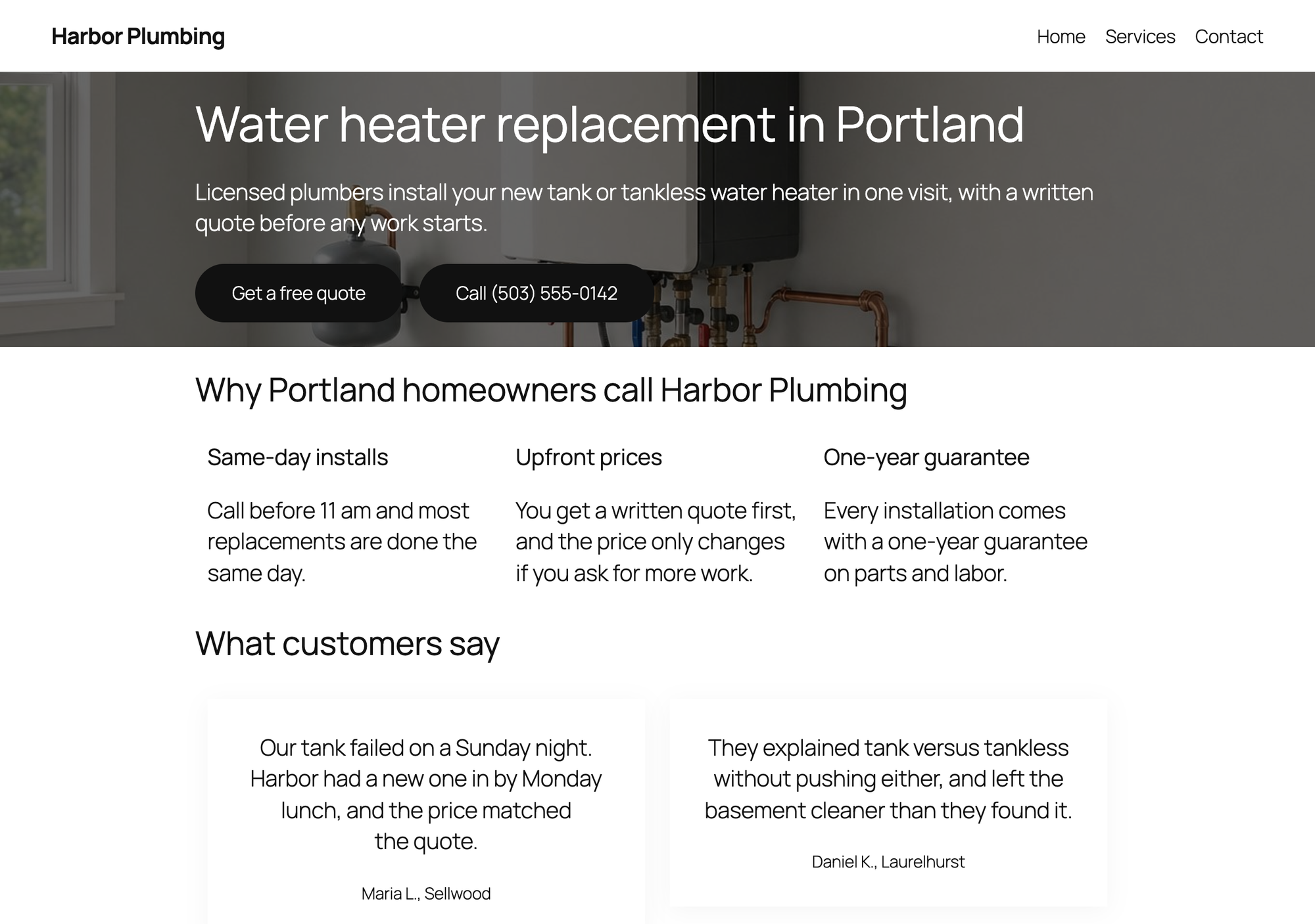
We built the page with Stackable's Columns, Column, Heading, Text, Button Group, Testimonial and Accordion blocks. Stackable's blocks are built from smaller Stackable blocks: an accordion item is a heading row and a content column, and a testimonial is a card with text inside.
Stackable has no form block in the free version, so the quote section offers the phone number. Its styles are the bulk of its weight: 103 KB of CSS from Stackable's folder against 4 KB of JavaScript.
There is no blank page template, so the theme header and footer stay.

- Setup: 5 steps from activation to a published page.
- Page weight: 410 KB in 9 files, of which 107 KB in 3 files come from the plugin's folder (4 KB JavaScript, 103 KB CSS).
- Mobile lab run: LCP 2.3 s, CLS 0.001, blocking time 0 ms.
- Mobile layout: no sideways scroll at 390 px.
- Theme header and footer: kept.
- Form: no form block in the free version.
Pros
- Testimonial cards and accordion look finished without extra styling.
- Little JavaScript: 4 KB.
- No sideways scroll on a phone.
Cons
- No form block.
- 103 KB of CSS, the most of the block plugins.
- No blank page template.
Stackable Premium costs $49 a year for one site, read on its premium page on 13 October 2026. It adds dynamic content, display conditions and a larger design library; features keep working after the license expires.
Stackable on WordPress.org and the Stackable site.
8. Beaver Builder Lite
Beaver Builder Lite is the plugin to pick for a simple front-end drag and drop builder with few options to learn.
Beaver Builder opens on the page itself. We found no launch button in the block editor in this version, so we opened the page with Beaver Builder's own address (the page URL with ?fl_builder), turned down the tour with No Thanks, and later published with Done and Publish.
Lite has 16 modules (15 on its WordPress.org list plus Star Rating), among them Heading, Text Editor, Photo, Button, Button Group and Callout. There is no form, accordion or testimonial module in Lite, so the customer quotes are text, the FAQ is headings and text, and the quote section offers the phone number. There is no blank page template either.
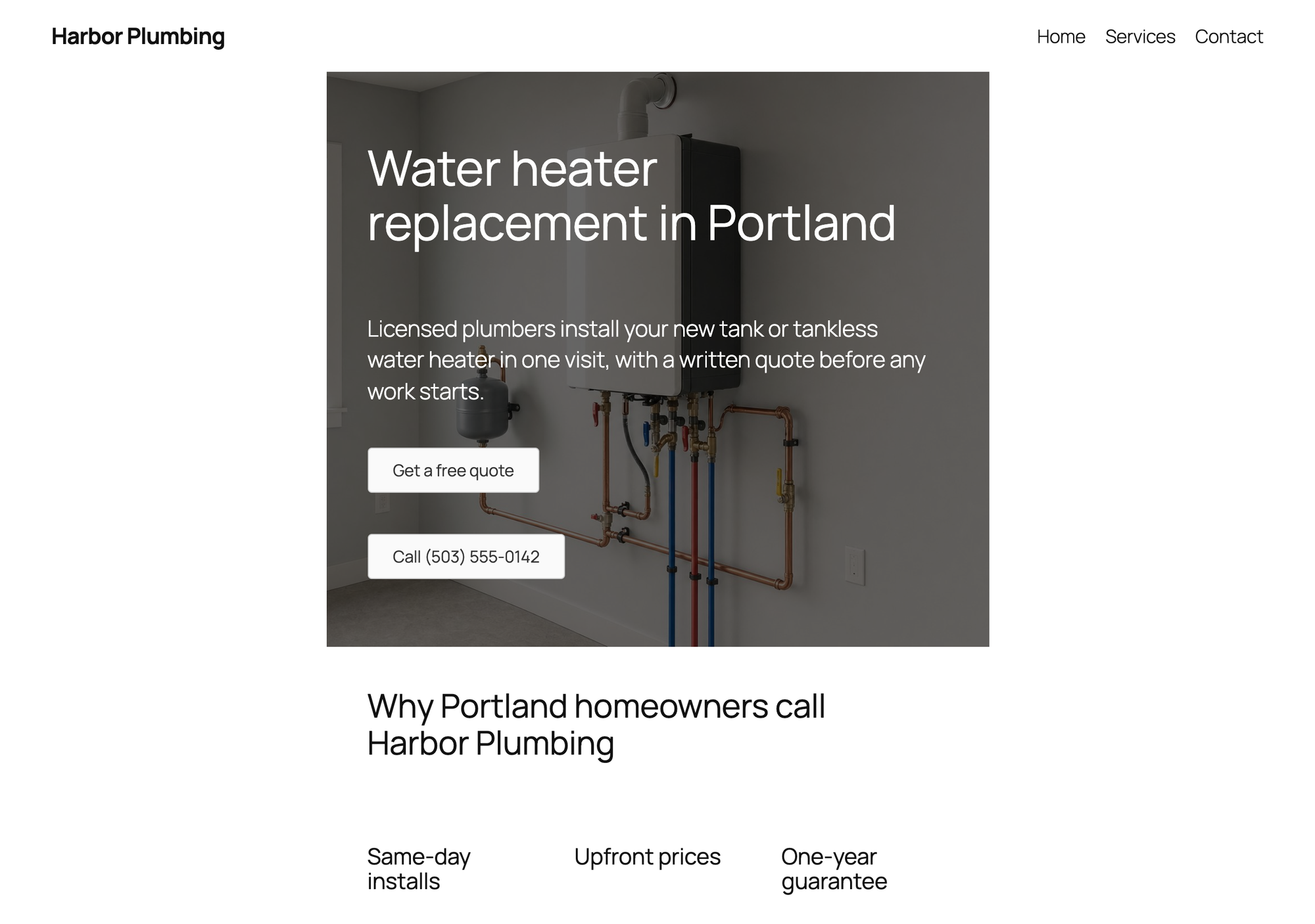
Beaver Builder's own folder sent only 2 KB, but the page still weighed 436 KB, 124 KB more than the block editor version. Beaver Builder writes the page's layout CSS and JavaScript into the uploads folder (49 KB), and the page also loaded jQuery (99 KB), which the block editor page did not need. On Twenty Twenty-Five the rows stayed inside the theme's content column, so the hero was not full width.
- Setup: 8 steps from activation to a published page.
- Page weight: 436 KB in 11 files, of which 2 KB in 1 file comes from the plugin's folder (0 KB JavaScript, 2 KB CSS).
- Mobile lab run: LCP 2.7 s, CLS 0, blocking time 0 ms.
- Mobile layout: no sideways scroll at 390 px.
- Theme header and footer: kept.
- Generated files: 49 KB of CSS and JavaScript that the plugin writes into the uploads folder, on top of its own folder.
- Also loads jQuery from WordPress (99 KB), which the block editor page did not need.
- Form: no form module in Lite.
Pros
- Few modules, so there is little to learn.
- No sideways scroll on a phone.
- Edits happen on the page as visitors see it.
Cons
- No form, accordion or testimonial module in Lite.
- No blank page template; the theme header and footer stay.
- Rows stayed inside the theme's content width on Twenty Twenty-Five.
Beaver Builder Starter costs $89 a year for one site, read on its pricing page on 13 October 2026. Its WordPress.org page lists the premium additions as more modules, among them Contact Form, Subscribe Form, Tabs, Slider and Pricing Table, plus the Beaver Themer theme builder and pre-made templates.
Beaver Builder Lite on WordPress.org and the Beaver Builder site.
9. LPagery (for many landing pages)
LPagery is the plugin to pick when you need the same landing page many times, one per town or one per service, each with its own title, headline and details. It is not a page builder: you design one template page with whatever builder you like, and LPagery creates the copies from a spreadsheet.
We used the block editor page from the baseline as the template, with three placeholders, {city}, {county} and {note}, which is the most the free version allows. Yoast SEO, one of the free SEO plugins we tested before, held the template's SEO title and meta description with the same placeholders. The source file was a CSV with 20 towns around Portland, one row per town, the same way you would create pages from a spreadsheet.
In LPagery 3.1.0 from WordPress.org it took 8 steps from activation to 20 published pages from a three-column CSV and one ready template page: skip the opt-in screen, open Create Pages, choose the template page, upload the CSV, click Review & Create, then Create 20 Pages and confirm. From opening Create Pages to Pages Created Successfully took 22.9 seconds in the lab, including our clicks. Before anything is created, the Confirm Creation step lists every row and runs its checks.
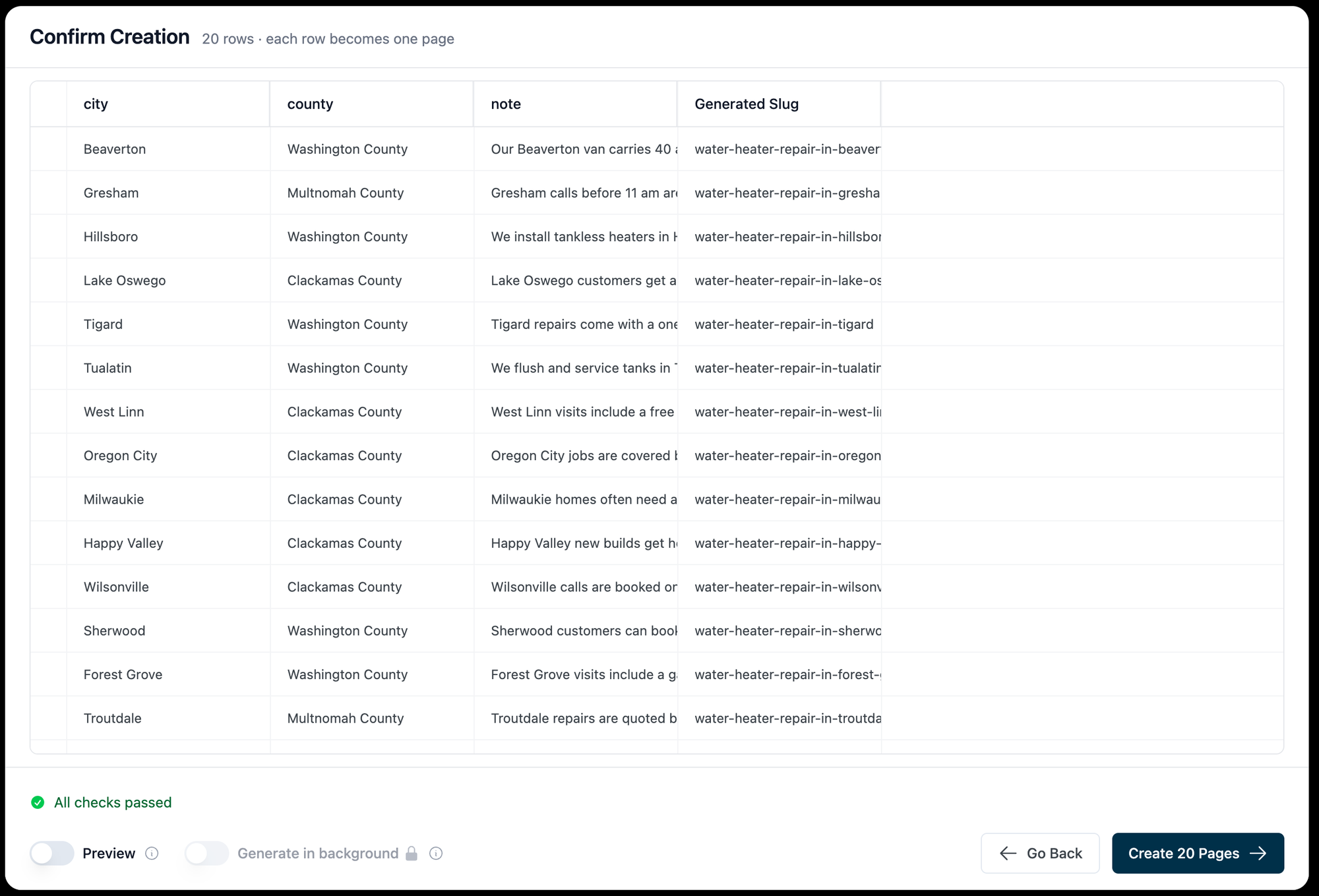
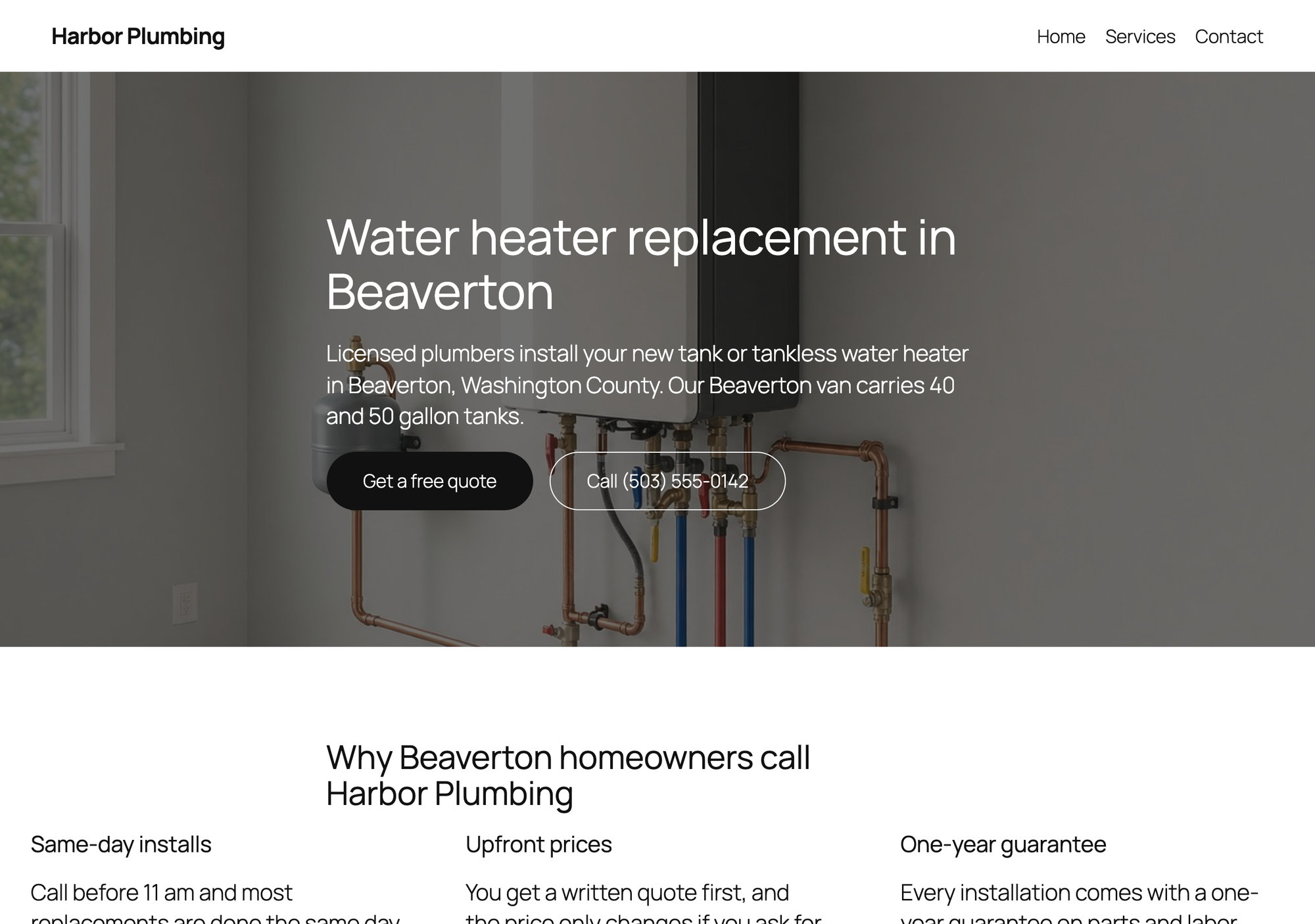
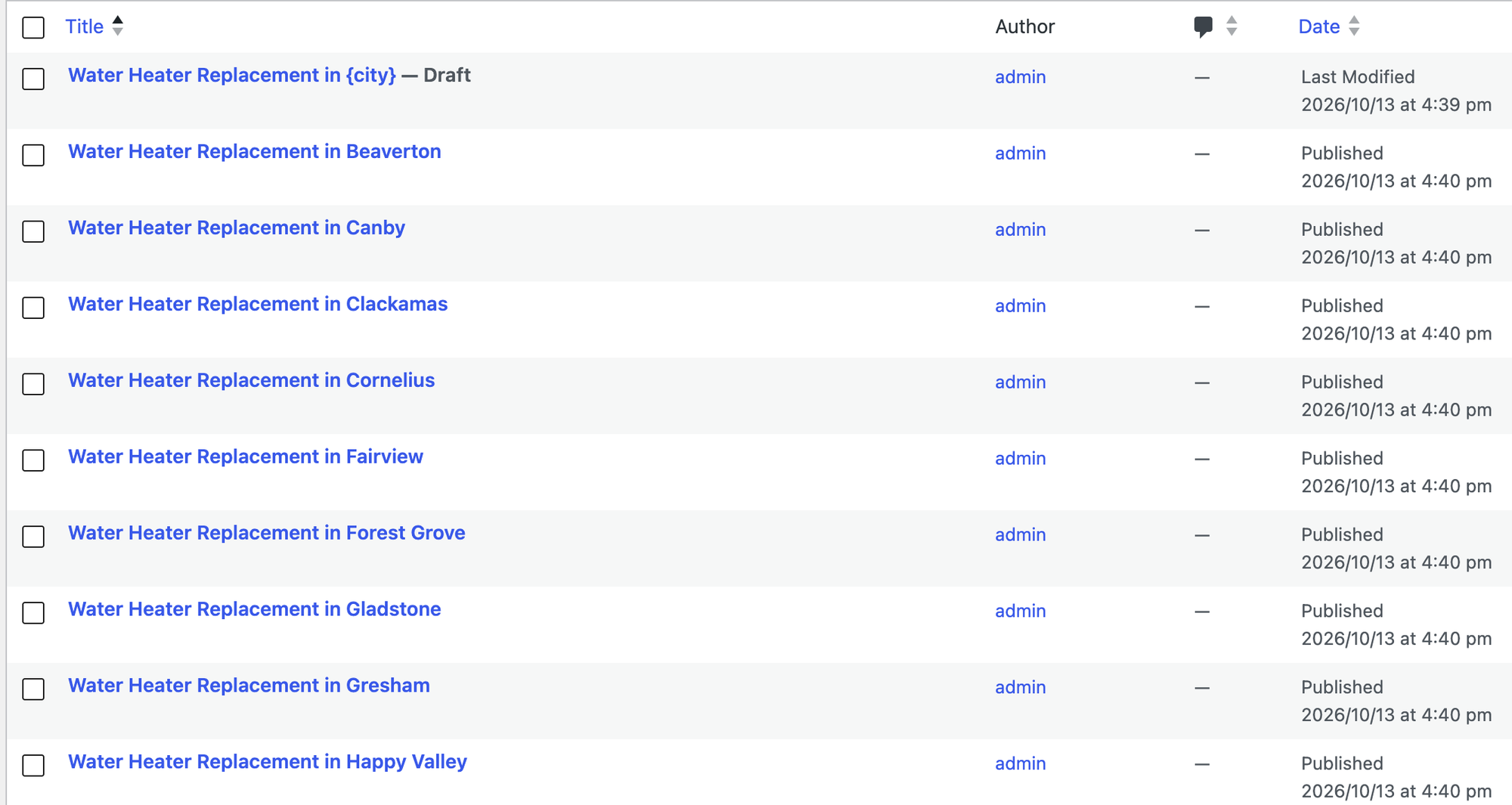
- Setup: 8 steps from activation to 20 published landing pages (task: one existing template page, a three-column CSV, no other settings).
- Pages: 20 of 20 opened for a visitor, 20 unique SEO titles, 20 unique H1s (20 pages with exactly one H1), 20 unique meta descriptions, 0 pages with a leftover placeholder.
- Page weight of one generated page: 317 KB in 7 files, 0 KB of them from LPagery. The block editor original weighed 312 KB.
- Mobile lab run of one generated page: LCP 1.2 s, CLS 0.001; no sideways scroll at 390 px.
- Similarity: the one pair of generated pages we compared (2 of the 20) shared 96% of their visible words, because only three facts change per page in the free version.
That last number is the one to act on. Pages that differ only by a town name are thin, and Google's spam policies name town-by-town pages that funnel visitors to one place as doorway pages. Give each page its own facts (a local note, the right phone number, real jobs in that town), which is what the extra placeholder columns in the paid plans are for. Our guide to local landing pages covers what to vary, the plumber location pages tutorial builds a set with unique content per town, and local SEO for multiple locations covers what else each location needs.
Pros
- Twenty landing pages from one template in seconds, each with its own title, H1 and meta description.
- Works with the template's builder: the generated pages are normal WordPress pages.
- Loads no files of its own on the generated pages.
Cons
- Not a page builder: the design, form and layout come from your editor or builder.
- The free version takes three placeholder columns, so pages stay similar unless you upgrade.
- URL slug, page status and parent page are paid settings.
From the plugin's code: the free plan allows three placeholder columns and, on installs from 2025 on, 100 pages per run. URL slug, page status and parent page need the Standard plan. Google Sheet Sync, which keeps pages in step with a Google Sheet (our guide to syncing Google Sheets with WordPress compares the options), needs the Extended plan, and updating pages that already exist is part of the paid build. We tested the free version only. LPagery Standard costs $171 a year for one site and Extended $243 a year, read on the LPagery pricing page on 13 October 2026.
LPagery also works with templates built in Elementor and other builders; bulk creating pages with Elementor shows that route, and our test of mass page generators compares LPagery with similar plugins.
Can you build a landing page without a plugin?
Yes, with one gap. The block editor alone built every section except the form: Cover for the hero, Columns for the benefits, Quote for the reviews and Details for the FAQ. The page weighed 312 KB in 7 files, had an LCP of 1.6 s in the mobile lab run and did not scroll sideways on a phone. Every plugin in this test made the same page heavier, except GreenShift, whose blank canvas dropped the theme's header and footer.
What the block editor does not give you is a form, and with Twenty Twenty-Five it keeps the header and footer unless you build a blank page template in the site editor yourself. If you want a ready-made layout to start from, our list of places to find WordPress landing page templates covers the free and paid sources.
Test results side by side
Plugin | Page weight | Plugin files | Files | LCP (mobile lab) | Sideways scroll | Free form | Header and footer | Steps |
|---|---|---|---|---|---|---|---|---|
Block editor only | 312 KB | 0 KB | 7 | 1.6 s | No | None | Kept | 4 |
GreenShift | 241 KB | 3 KB | 6 | 1.7 s | No | None | Removed | 6 |
Otter Blocks | 369 KB | 57 KB | 11 | 2.2 s | No | Sends | Kept | 5 |
Kadence Blocks | 411 KB | 90 KB | 16 | 2.4 s | No | Sends | Kept | 10 |
Stackable | 410 KB | 107 KB | 9 | 2.3 s | No | None | Kept | 5 |
SeedProd Lite | 459 KB | 214 KB | 8 | 2.2 s | No | None | Removed | 7 |
Spectra | 580 KB | 71 KB | 19 | 3.0 s | Yes | Sends | Kept | 6 |
Beaver Builder Lite | 436 KB | 2 KB | 11 | 2.7 s | No | None | Kept | 8 |
Elementor | 800 KB | 282 KB | 27 | 3.3 s | No | None | Removed | 8 |
On an ordinary page without its blocks or widgets, no plugin loaded any files from its own folder, so in this test the extra weight only applies to the pages you build with it. Every page kept CLS at or under 0.016.
Which landing page plugin should you choose?
- Choose Otter Blocks if you want a free form that works without settings and a light page in the block editor.
- Choose Kadence Blocks if the form matters most and you want layouts, styles and a success message for free.
- Choose GreenShift if speed comes first and you want a blank page without the theme's header and footer, and you have a form plugin.
- Choose Elementor if you want to drag sections on the page itself and need a blank canvas for free, and accept the heavier page and a separate form plugin.
- Choose Spectra if you want forms, FAQ and testimonials in one block collection, then fill in the form's recipient and check the page on a phone.
- Choose Stackable if design comes first and the form comes from another plugin.
- Choose SeedProd Lite if the landing page should stand apart from your theme and a call button is enough, or if you will add WPForms for the form.
- Choose Beaver Builder Lite if you prefer a front-end drag and drop builder with a short module list, and you add the form and FAQ another way.
- Choose LPagery, alongside any of these, if you need the same landing page for many towns or services, the local SEO landing pages that each target one place.
- Choose no plugin if the block editor is enough and visitors call instead of filling in a form.
Plugins we tested but left out
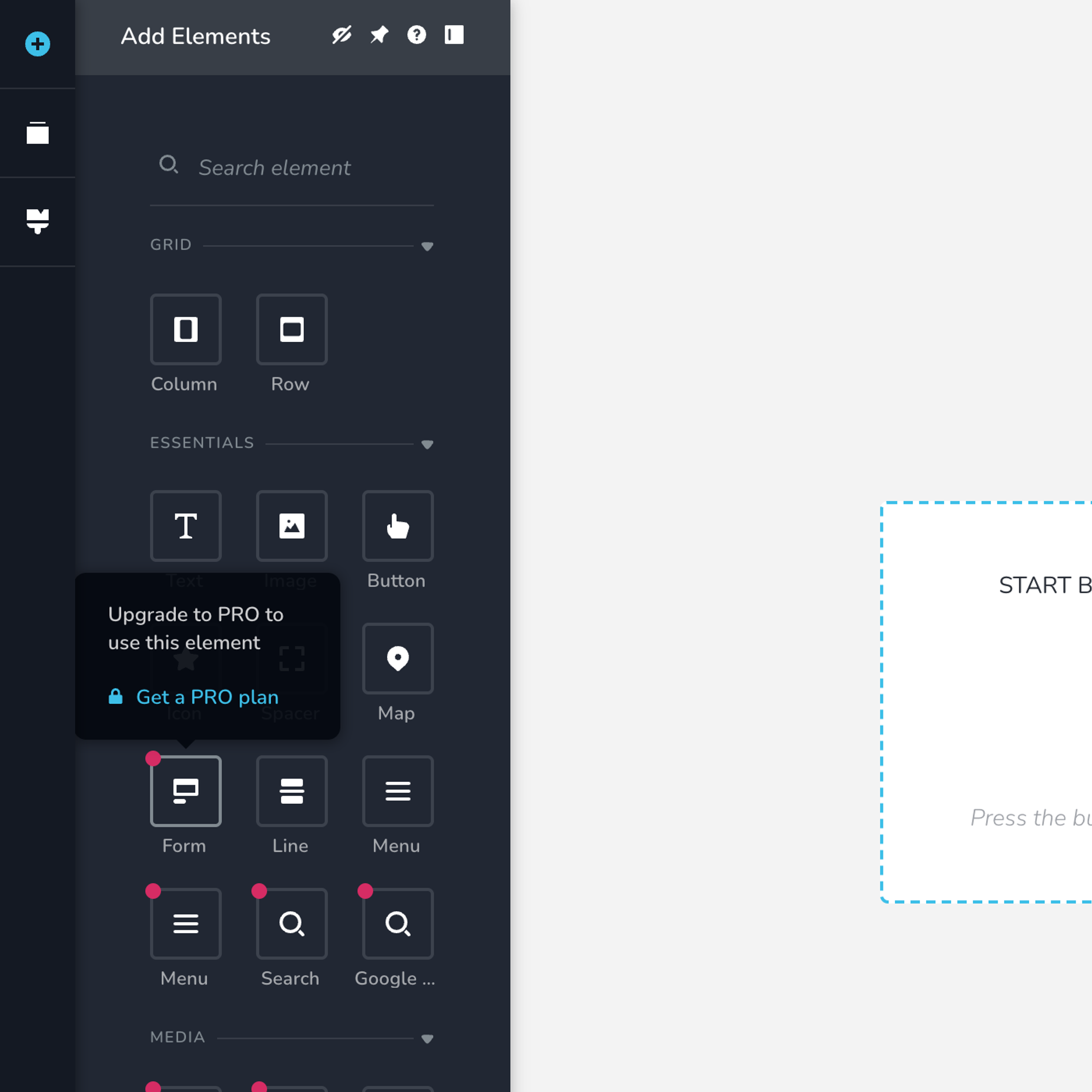
Brizy (60k+ active installs): we opened its editor for a new page. The Form element carries a dot, and hovering it shows Upgrade to PRO to use this element. With no free form, and a page format that only Brizy's editor writes, we did not build the full page with it.
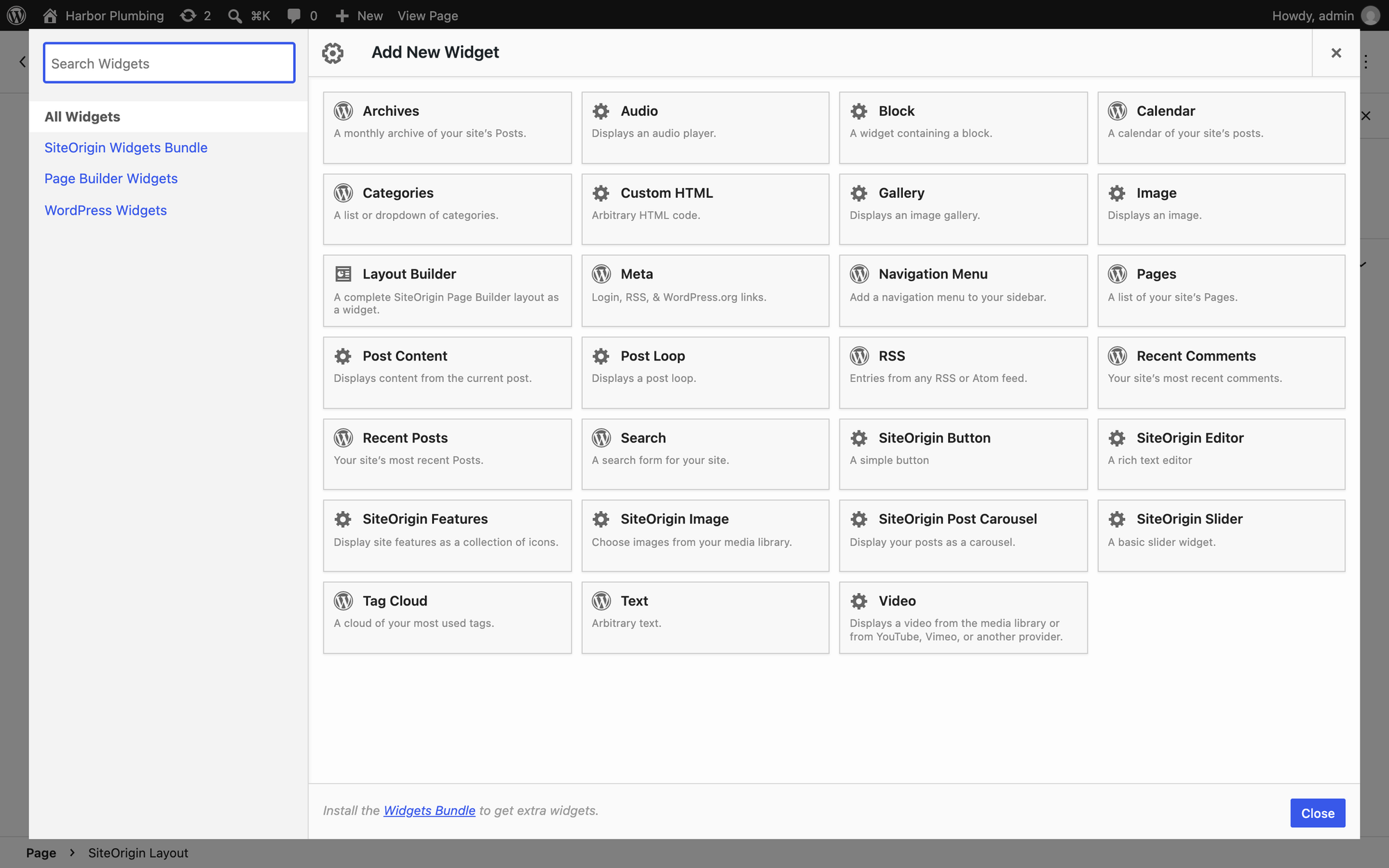
Page Builder by SiteOrigin (400k+ active installs): it adds a SiteOrigin Layout block with rows and widgets. The free widget list has a button, a rich text editor, features, images, a slider and a post carousel, plus the standard WordPress widgets, and no form, accordion or testimonial widget; the dialog points to the separate SiteOrigin Widgets Bundle for more. There is also no blank page template. Building our page would have meant a second plugin, so it is not on the list.
Paid landing page builders we did not test
Many lists rank paid builders first. They have no free version on WordPress.org, so we could not test them without a license. Prices read on each vendor's pricing page on 13 October 2026:
- Thrive Architect: $99 for the first year for one site, then $199 a year. A/B testing needs Thrive Optimize ($199 for the first year with Architect).
- Divi: $89 a year for unlimited sites, or $249 once.
- OptimizePress: $129 a year for one site.
- Elementor Pro, SeedProd Pro, Kadence and Beaver Builder: the paid versions of plugins on this list, with prices in their sections.
FAQ
What is the best free landing page plugin for WordPress?
In our test, Otter Blocks: its free form sent the test submission without any settings, it added 57 KB of files, and the page did not scroll sideways on a phone. Kadence Blocks is the better pick when you want more control over the form, and GreenShift when the lightest page and a blank canvas matter more than a form.
Is WordPress good for landing pages?
Yes. Every plugin in this test, and the block editor alone, built the landing page for a local business on a standard theme, and three of them included a working form for free. The trade-offs are page weight, whether the free version includes a form, and whether you can drop the theme's header and footer.
Do I need a landing page plugin if I already have a page builder?
Usually not. Elementor, Kadence, Spectra, Otter and the others here build landing pages as normal WordPress pages. What you might add is a form plugin (if your builder's form is paid) or a bulk page plugin when you need one landing page per town or service; our guide to bulk creating pages in WordPress shows the free way.
How do I remove the header and footer from a landing page?
Pick a blank page template. In this test, Elementor's Elementor Canvas and GreenShift's GreenShift Clean Canvas did it for free, and SeedProd's landing pages are separate from the theme. The block plugins without one keep the theme's header and footer; a block theme such as Twenty Twenty-Five lets you build a blank template in the site editor.
Are landing pages good for SEO?
A landing page can rank when it answers one search well: one H1, a clear title and meta description, and content specific to the offer and place. Every page in this test had exactly one H1. You can add a meta description in WordPress with any SEO plugin, and local business schema helps a local landing page. Our landing page SEO checklist for local services goes through the rest, and the local SEO checklist covers the site around it.
Which free landing page plugin has A/B testing?
None of the eight free versions we tested has A/B testing. On the pricing pages we read, it comes with Kadence's Elite plan ($499 a year) and with Thrive Optimize, sold with Thrive Architect ($199 for the first year). For a single landing page, a simpler start is to change one thing at a time and compare form submissions week by week.
Which landing page plugin is the fastest?
GreenShift produced the lightest page (241 KB), and its LCP in our mobile lab run (1.7 s) was within noise of the block editor page (1.6 s). Elementor produced the heaviest page (800 KB). The pages more than a second slower to LCP than the block editor page were Elementor (3.3 s), Spectra (3.0 s) and Beaver Builder Lite (2.7 s). Differences under half a second were within the run-to-run noise of our lab. Measure your own page after building it, because images and fonts usually weigh more than the plugin, and a caching plugin cuts server time for any of them.
Sources
- Lab test by the LPagery team on 13 October 2026, WordPress 7.1.3, Twenty Twenty-Five, each plugin's current WordPress.org version.
- Active installs and ratings from the WordPress.org plugin directory, read on 13 October 2026.
- Prices from the vendors' pricing pages, read on 13 October 2026: Otter, Kadence, Elementor, GreenShift, Spectra, SeedProd, Stackable, Beaver Builder, Thrive Architect, Divi, OptimizePress.
- Plugin code read on the test date, for behavior the screens do not show: SeedProd Lite's block registry (app/functions-utils.php, 17 of 110 blocks free), Spectra's form script (assets/js/forms.js, no request when the recipient is empty), Otter's form server (inc/server/class-form-server.php, five-second anti-spam window) and LPagery's plan checks (src/service/InstallationDateHandler.php and the premium-only files).
- Google: Largest Contentful Paint and Cumulative Layout Shift on web.dev, and doorway pages in Google's spam policies.
I've worked in SEO for more than ten years and helped over 100 businesses rank higher, mostly local businesses, e-commerce stores and SaaS companies. As co-founder of LPagery I work on local SEO, programmatic SEO and AI search visibility, and I test the strategies in these articles on our own sites and with our customers.
I've worked in SEO for more than ten years and helped over 100 businesses rank higher, mostly local businesses, e-commerce stores and SaaS companies. As co-founder of LPagery I work on local SEO, programmatic SEO and AI search visibility, and I test the strategies in these articles on our own sites and with our customers.