How to Add a Meta Description in WordPress (7 Ways, Tested)

Updated
Part of the guide: WordPress SEO guides and plugin comparisons
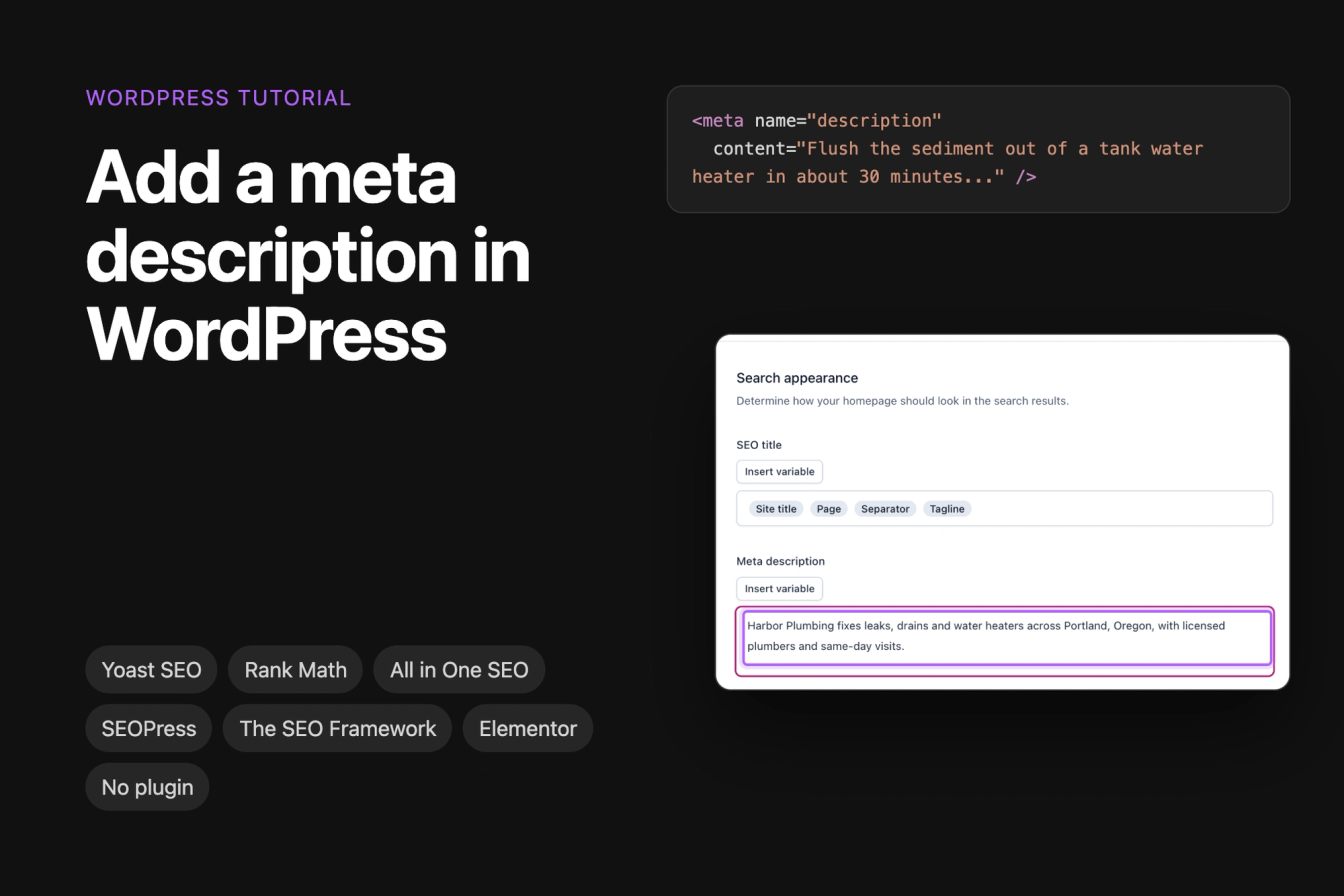
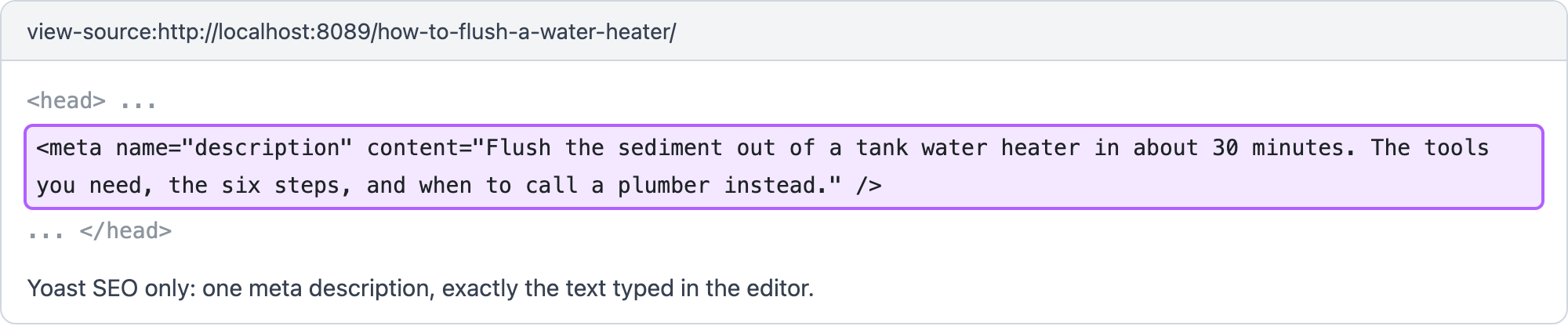
To add a meta description in WordPress, install an SEO plugin, open the post or page, type the description into the plugin's Meta description field and save. WordPress itself has no such field and prints no meta description, so without a plugin you need a few lines of code. Then open the page source and check that it contains exactly one <meta name="description"> tag with your text.
This guide shows where the field is in Yoast SEO, Rank Math, All in One SEO, SEOPress and The SEO Framework, how the home page works in each, how to do it in Elementor and WooCommerce, and how to do it without a plugin. It also covers what each plugin prints when you leave the field empty, how to replace a description you did not write, and the duplicate tags two SEO plugins produce. The screenshots come from WordPress 7.1.3 with the Twenty Twenty-Five theme, Yoast SEO 28.7, Rank Math 1.0.280, All in One SEO 5.0.3, SEOPress 10.3, The SEO Framework 5.1.4 and Elementor 4.3.5, all free versions from wordpress.org.
Where the meta description field is in each plugin
Every plugin below printed exactly one meta description with the text we typed, on a post, a page and an Elementor page. The steps column counts clicks and screens from activating the plugin to a saved description, measured for our test of free SEO plugins. For a local business, the local SEO plugins comparison covers what these plugins add beyond titles and descriptions.
Plugin | Field in the block editor | Home page with latest posts | Static front page | Empty field | Steps |
|---|---|---|---|---|---|
Yoast SEO | Yoast icon > Search appearance > Meta description | Settings > Homepage | The page's own field | No description | 8 |
Rank Math | Rank Math icon > Edit Snippet > Description | Titles & Meta > Homepage | The page's own field | Generated from the text | 9 |
All in One SEO | AIOSEO Settings box > Meta Description | Search Appearance > Global Settings > Home Page | The page's own field | Generated from the text | 6 |
SEOPress | SEO button > Meta description | SEO > Titles & Metas > Home | The page's field, else the Home setting | Generated from the text | 6 |
The SEO Framework | SEO Settings box > Meta Description | SEO > Homepage Settings | The Homepage Settings field wins | Generated from the text | 5 |
Jonas Lindemann tested every row on 15 October 2026 in a local WordPress lab: each plugin alone on a fresh copy of the same example site (Harbor Plumbing, a plumbing company in Portland), with a blog post, a service page, a static home page and a page built with Elementor. After each change we read the HTML a logged-out visitor gets and counted the <meta name="description"> tags. The editor screenshots and step counts come from our SEO plugins test on 13 October 2026, on the same site and versions.
How to add a meta description in Yoast SEO
- Open the post or page in the block editor.
- Click the Yoast SEO icon in the top bar, then Search appearance.
- Type your text into Meta description. The Google preview above it updates as you type.
- Close the dialog and click Save.
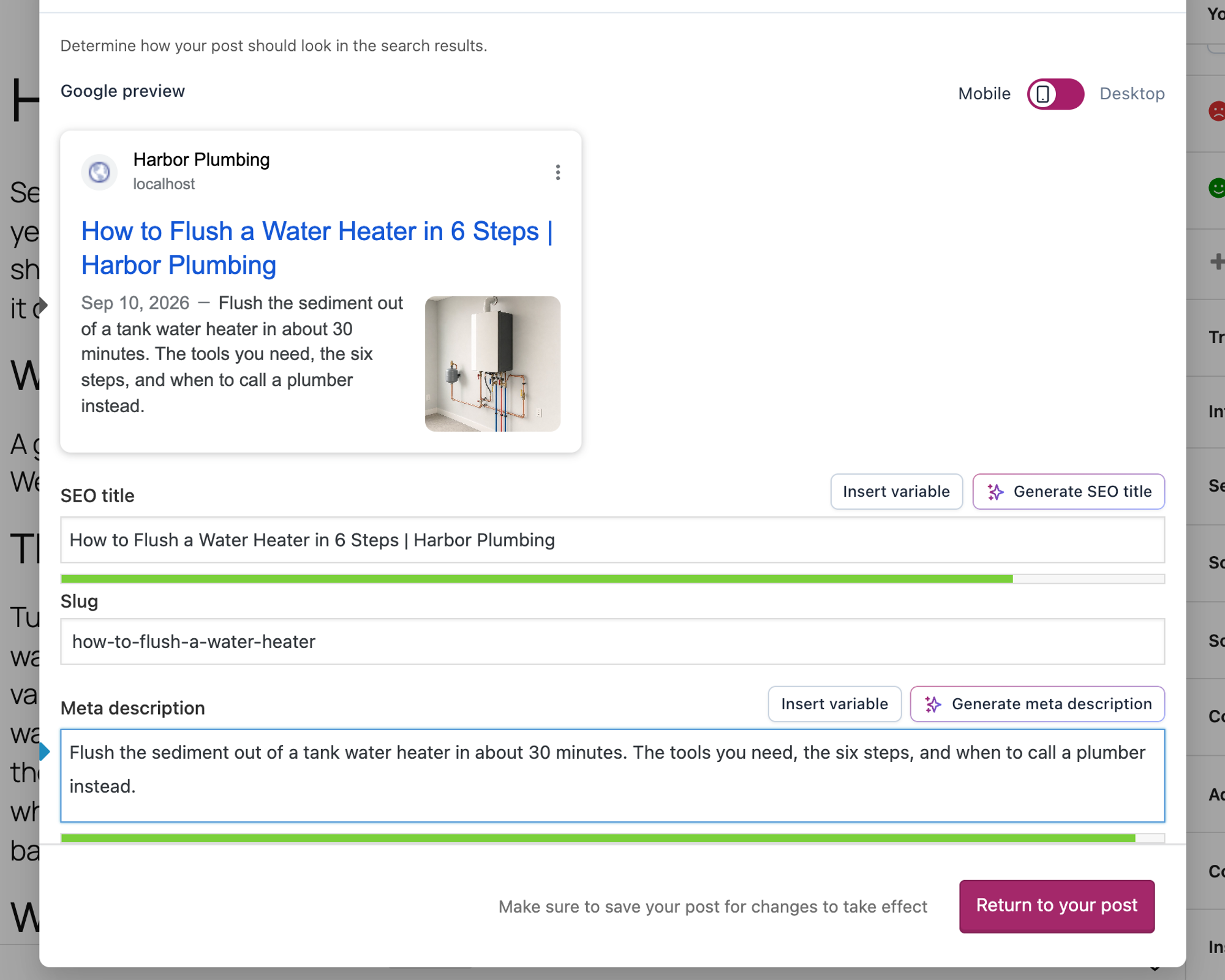
The post printed one tag with the 137-character text we typed. A post with an empty field got no meta description at all: Yoast SEO does not write one for you unless you set a template under Yoast SEO > Settings > Content types.
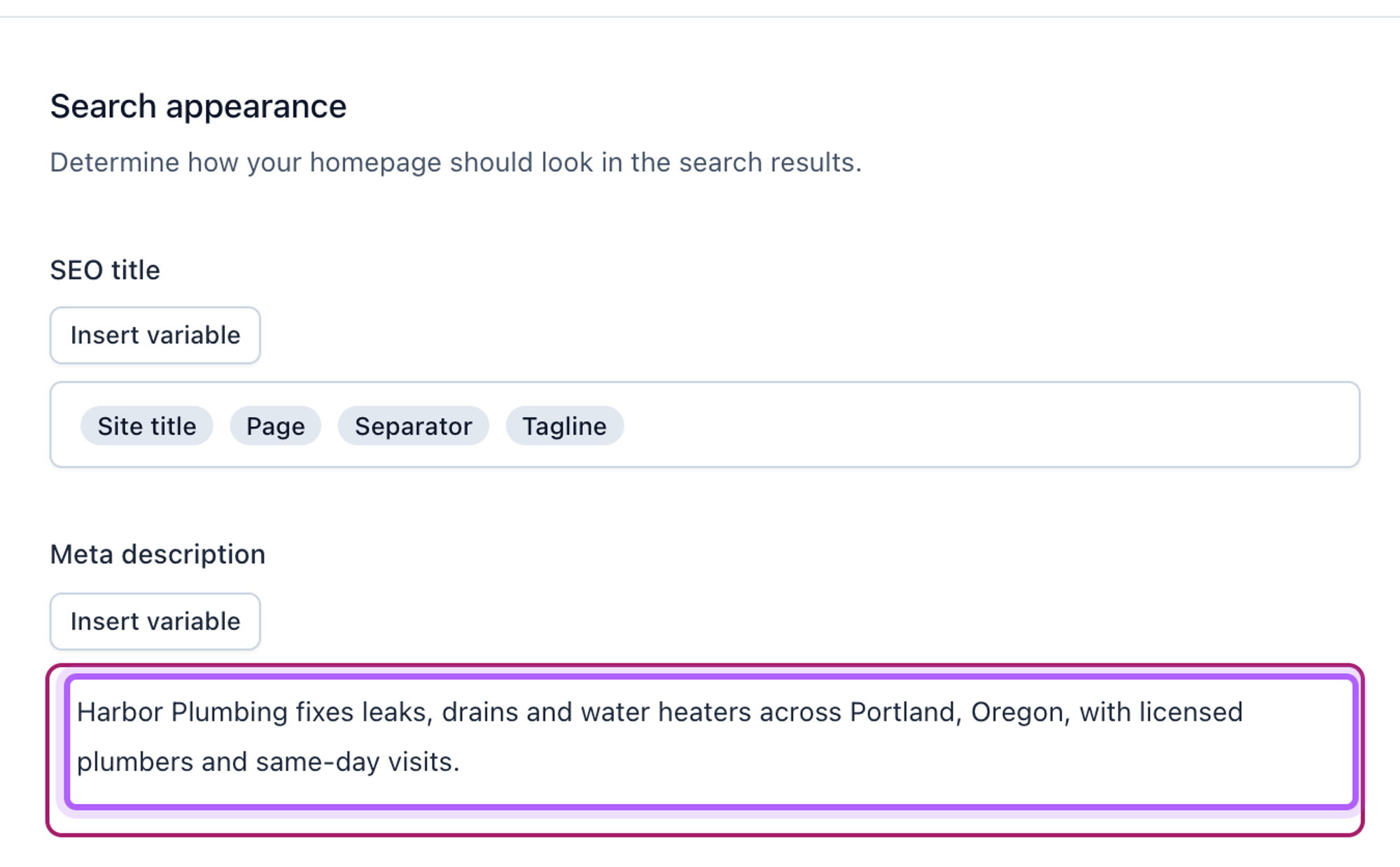
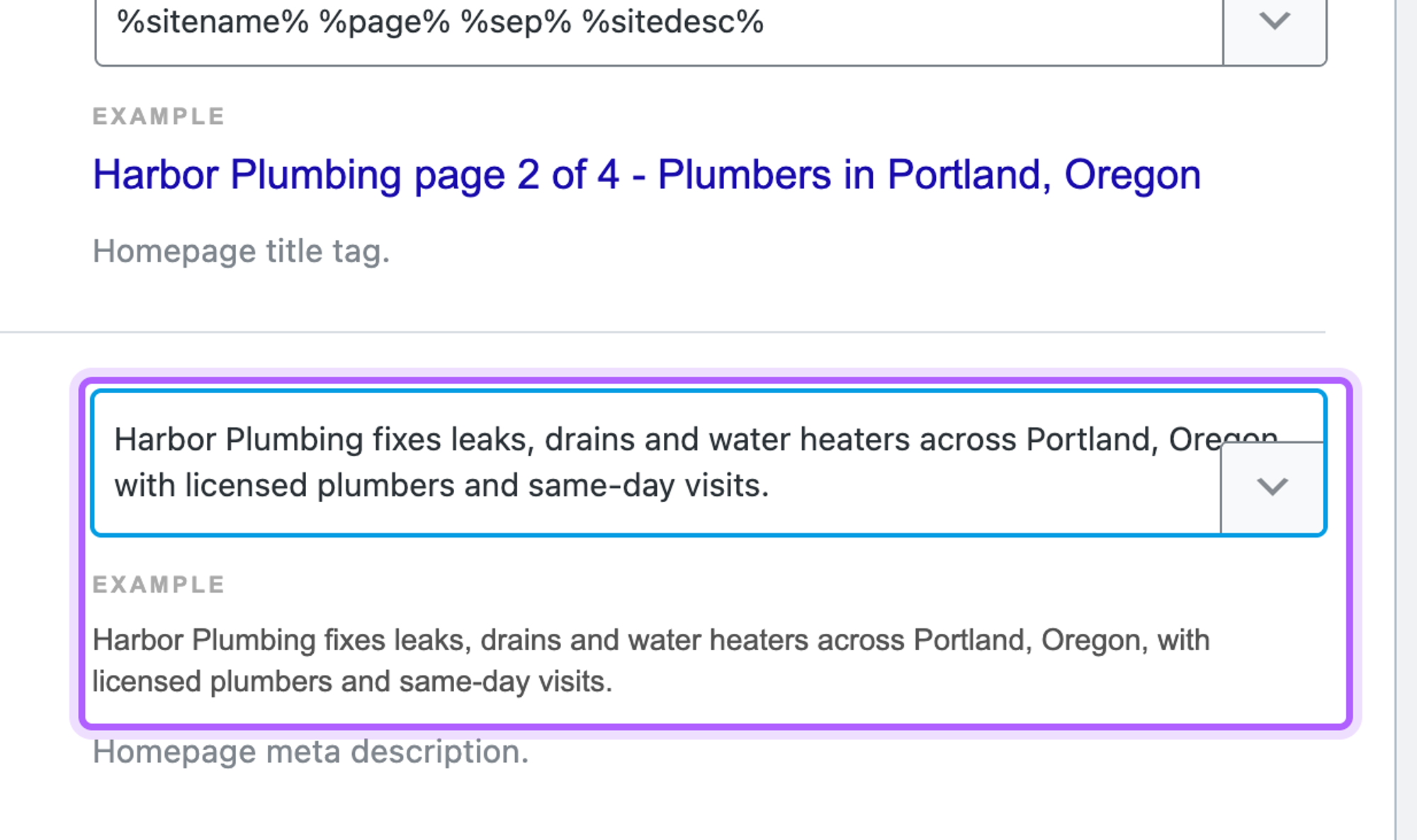
For the home page, it depends on Settings > Reading > Your homepage displays. With Your latest posts, go to Yoast SEO > Settings > Homepage and fill in Meta description, then click Save changes. With a static page, that setting did nothing in our test: the home page only got a description once we typed one into the home page's own Yoast field. With latest posts and the Homepage field left empty, Yoast printed the site's tagline ("Plumbers in Portland, Oregon") as the description.
How to add a meta description in Rank Math
Activating Rank Math opens an account screen with Connect Your Account and Skip Step. Answer it first: until we skipped it, Rank Math printed no meta description at all, not even the one we had typed.
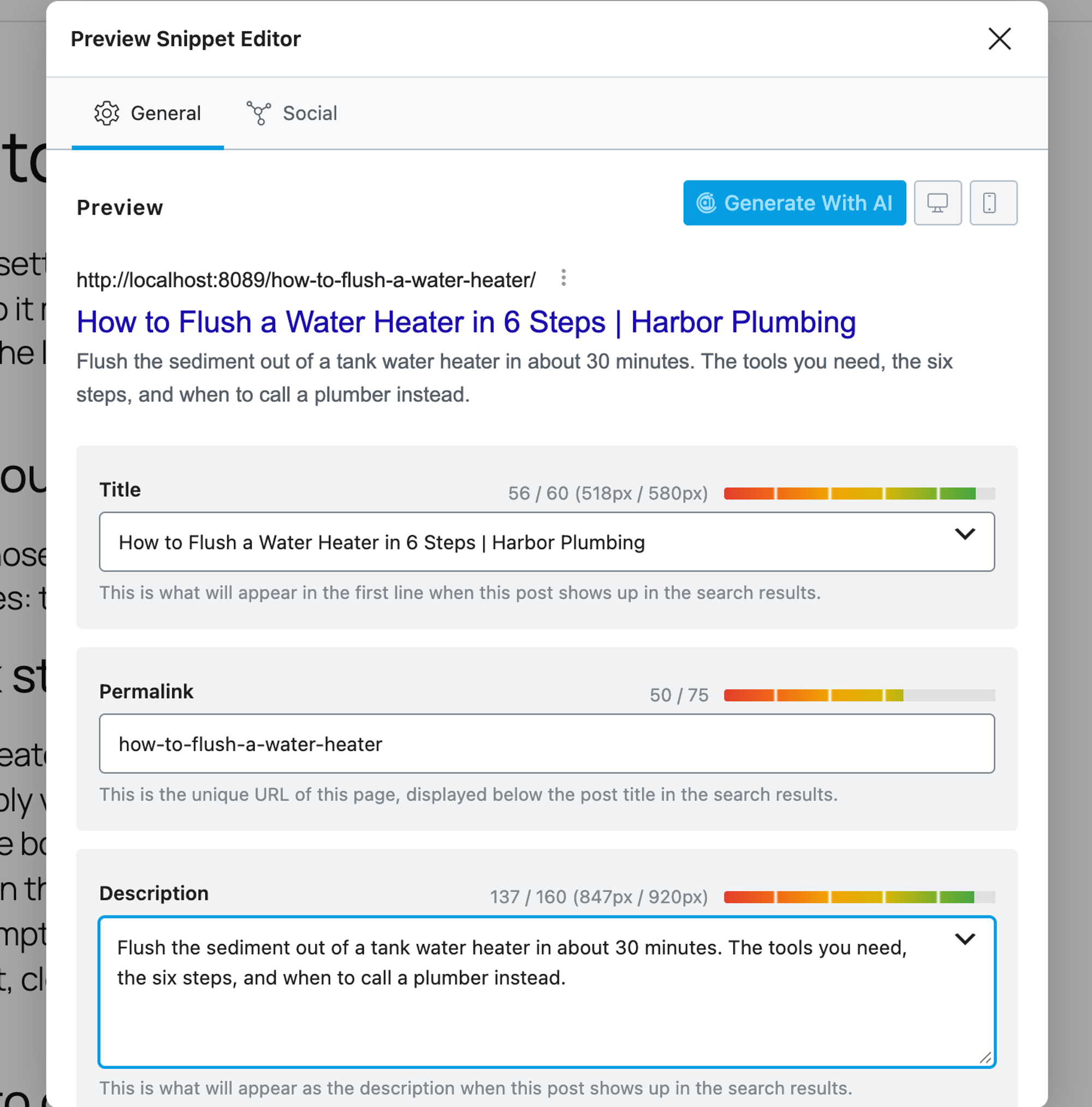
- Open the post or page and click the Rank Math icon in the top bar.
- Click Edit Snippet.
- Type into Description. The counter shows characters and pixels, for example 134 / 160 (831px / 920px).
- Close the dialog and click Save.
For a home page that shows latest posts, go to Rank Math SEO > Titles & Meta > Homepage, fill in the meta description field and click Save Changes. With a static front page, Rank Math replaces that tab with a notice that links to the page, and in our test only the page's own field applied.
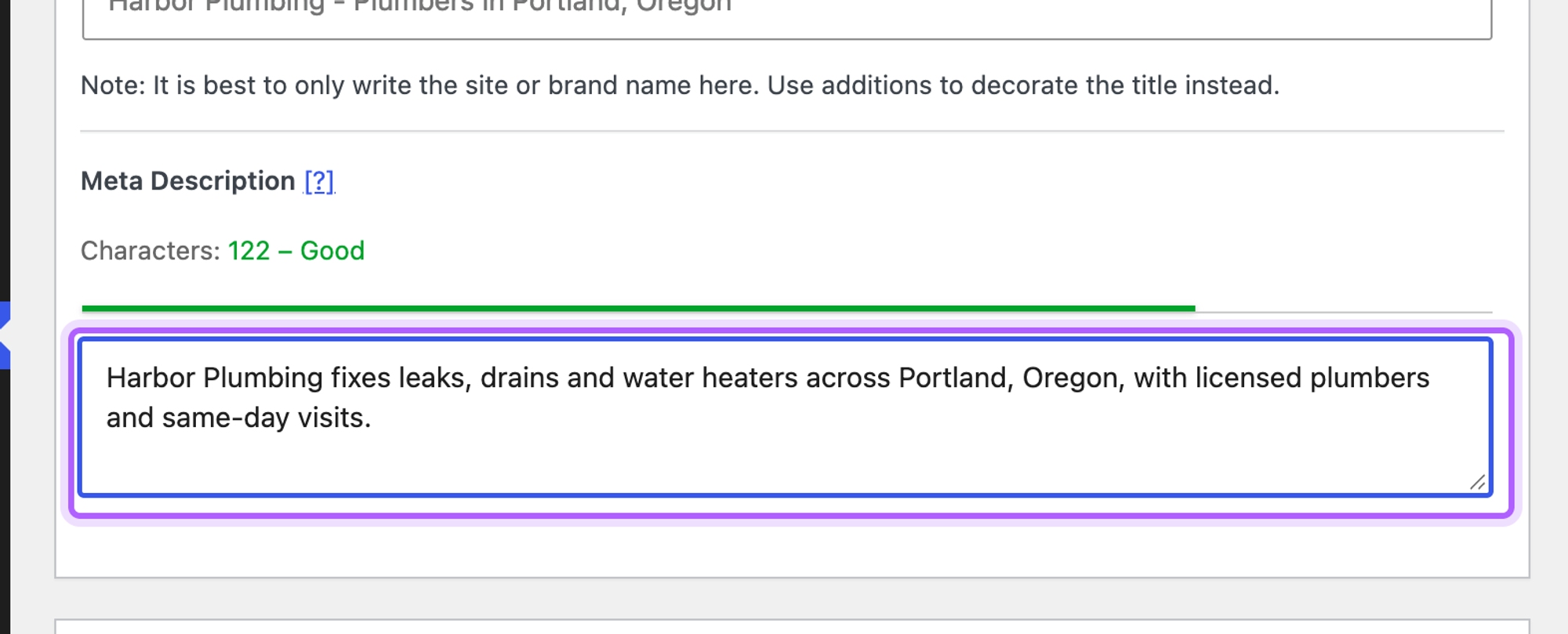
How to add a meta description in All in One SEO
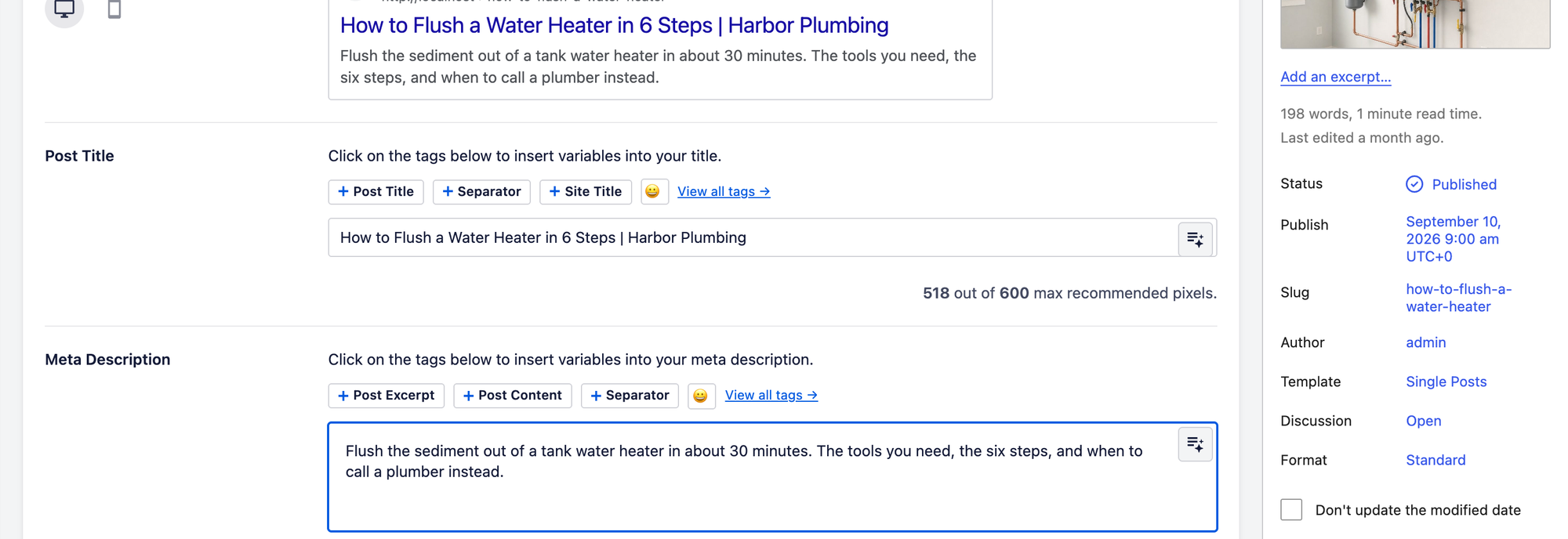
- Open the post or page and scroll to the AIOSEO Settings box under the content.
- Type your text into Meta Description.
- Click Save.
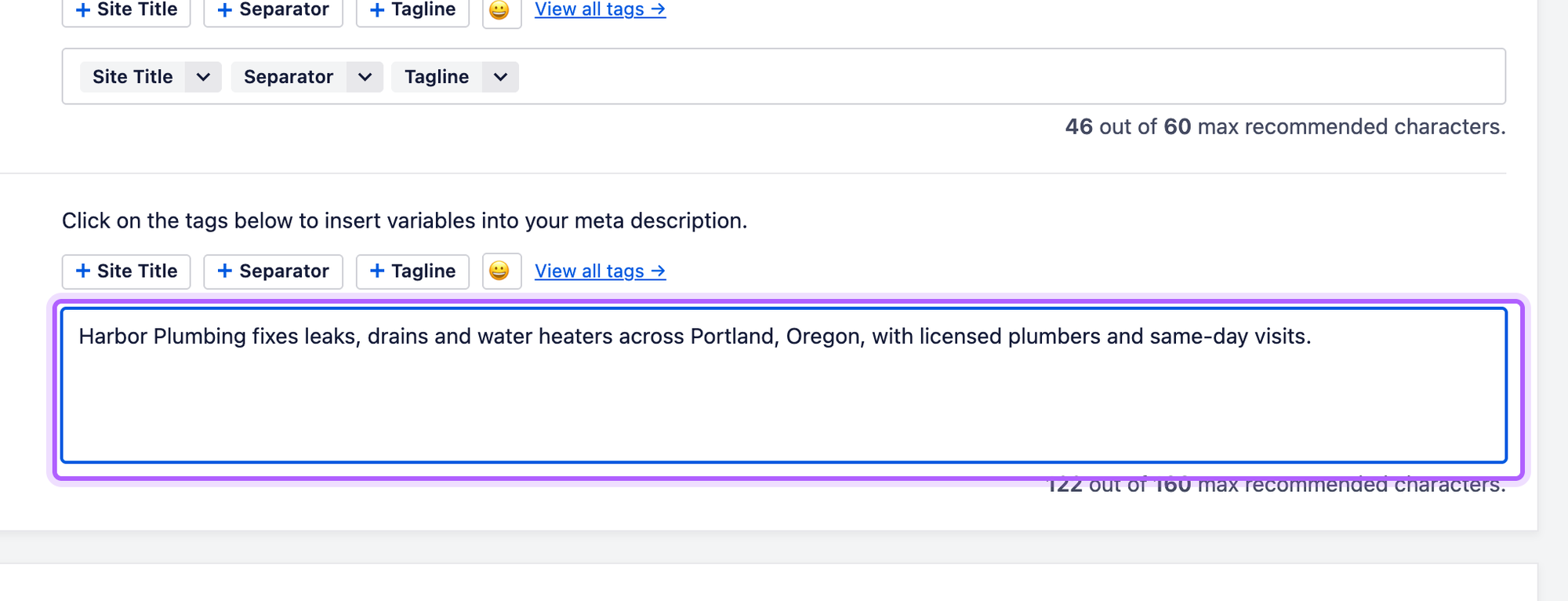
For a latest-posts home page, go to All in One SEO > Search Appearance > Global Settings, fill in the meta description in the Home Page section and click Save Changes. The counter below the field reads, for example, "122 out of 160 max recommended characters". When a static page is the front page, the same section says to edit the home page directly, and the page's own field was the one that applied.
How to add a meta description in SEOPress
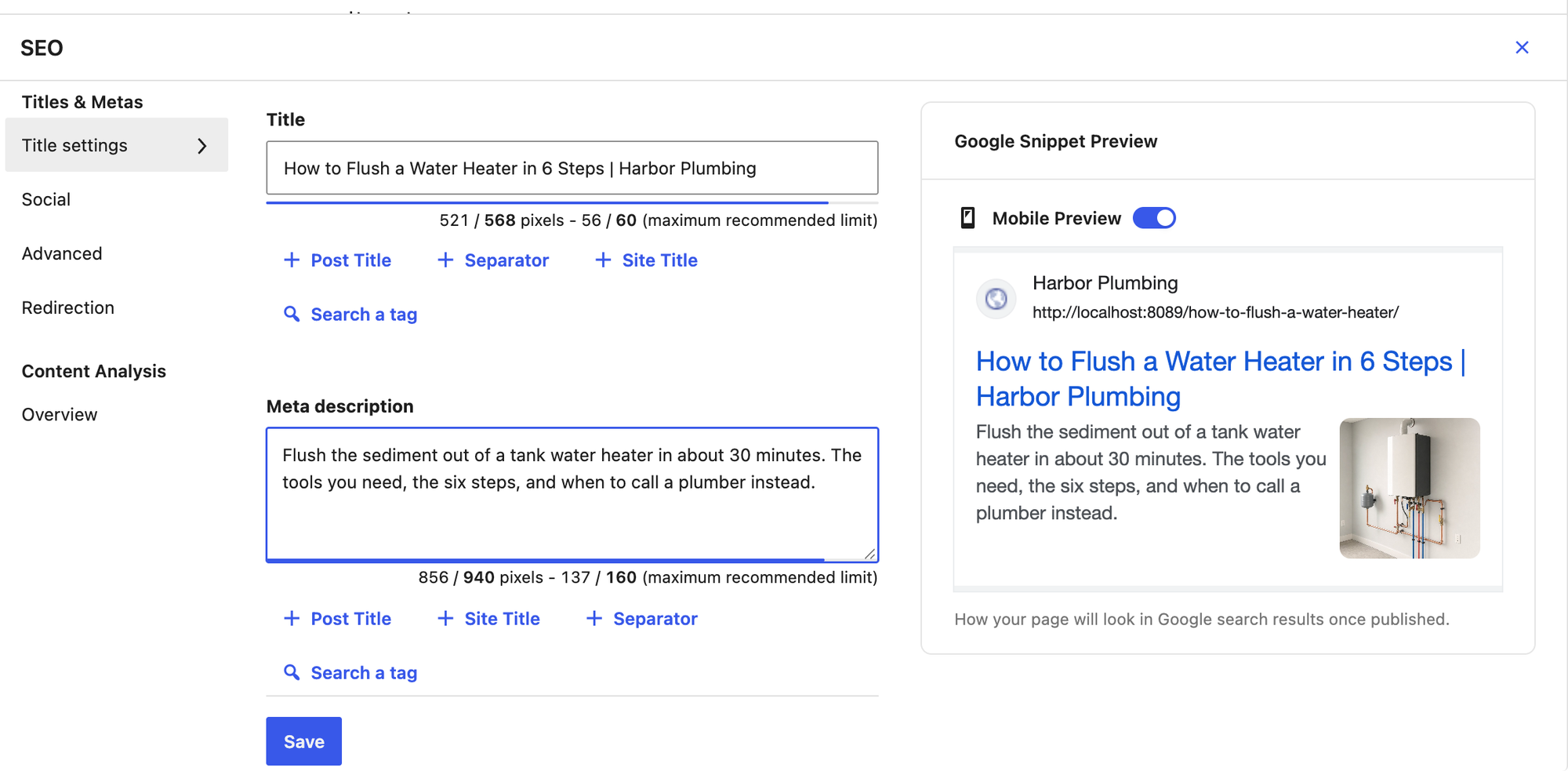
- Open the post or page and click the SEO button in the editor's top bar.
- Type into Meta description.
- Click Save in the SEO panel.
The home page setting is under SEO > Titles & Metas > Home. Its Meta description field starts with a Tagline tag; clear it with the small ×, type your text and click Save changes. SEOPress is the one plugin here that also used this setting for a static front page, as long as the page's own field was empty. Once the page had its own description, the page's text won.
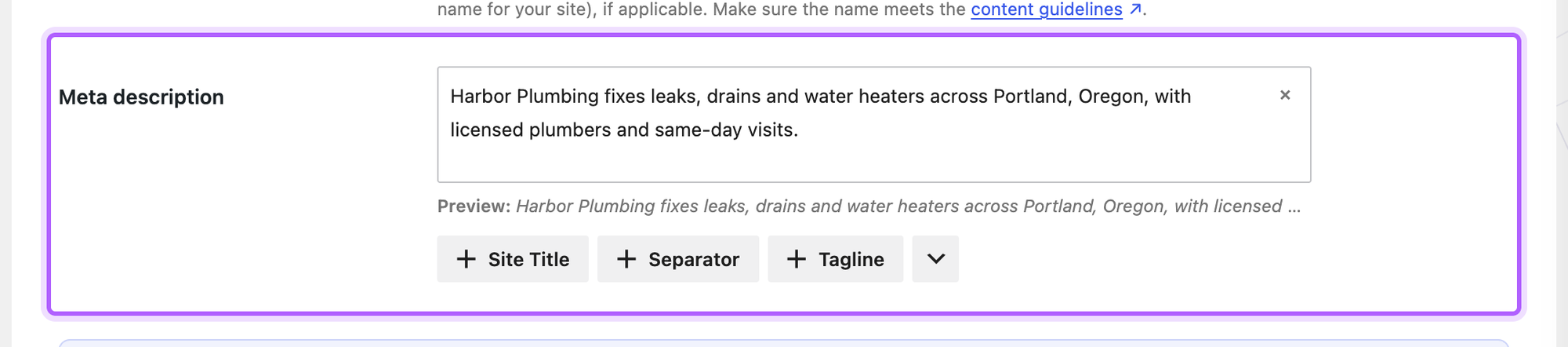
How to add a meta description in The SEO Framework
Under the post or page, the SEO Settings box has a Meta Description field with a character counter. Type your text and click Save. Activation opens no wizard, so this took 5 steps, the fewest of the five.
The home page has its own box under SEO > Homepage Settings. Unlike the other plugins, this field wins over the static home page's own field: the screen says these settings "take precedence over the settings set within the homepage edit screen", and in our test the page's own description was ignored once this one was filled in. Set the home page description here, whichever home page type you use.
Home page meta description: which field applies
Settings > Reading decides whether your home page shows your latest posts or a static page. We put one description in the plugin's home page setting and another in the home page's own field, then read what the front page printed.
Plugin | Latest posts, setting filled | Latest posts, setting empty | Static page, only the setting filled | Static page, both filled |
|---|---|---|---|---|
Yoast SEO | The setting | The site tagline | No description | The page's field |
Rank Math | The setting | The site tagline | Generated from the page text | The page's field |
All in One SEO | The setting | The site tagline | Generated from tagline and page text | The page's field |
SEOPress | The setting | No description | The setting | The page's field |
The SEO Framework | The setting | No description | The setting | The setting |
In short: with a static front page, edit the home page itself in Yoast SEO, Rank Math and All in One SEO, and use Homepage Settings in The SEO Framework. The plugins' own help pages describe the same split for Yoast SEO, Rank Math and All in One SEO. Google's own advice is to "use site-level descriptions on the main home page or other aggregation pages, and use page-level descriptions everywhere else" (Google Search Central).
How to add a meta description to an Elementor page
Elementor has no meta description field of its own, and with Elementor alone our Elementor page printed none. The SEO plugin's field does the job. Yoast SEO and Rank Math both add a tab to the Elementor panel, next to Widgets and Globals:
- Yoast SEO: open the Yoast SEO tab, click Search appearance, fill in Meta description, click Return to your page, then Publish in Elementor.
- Rank Math: open the SEO tab, click Edit Snippet, fill in Description, close the dialog, then Publish.
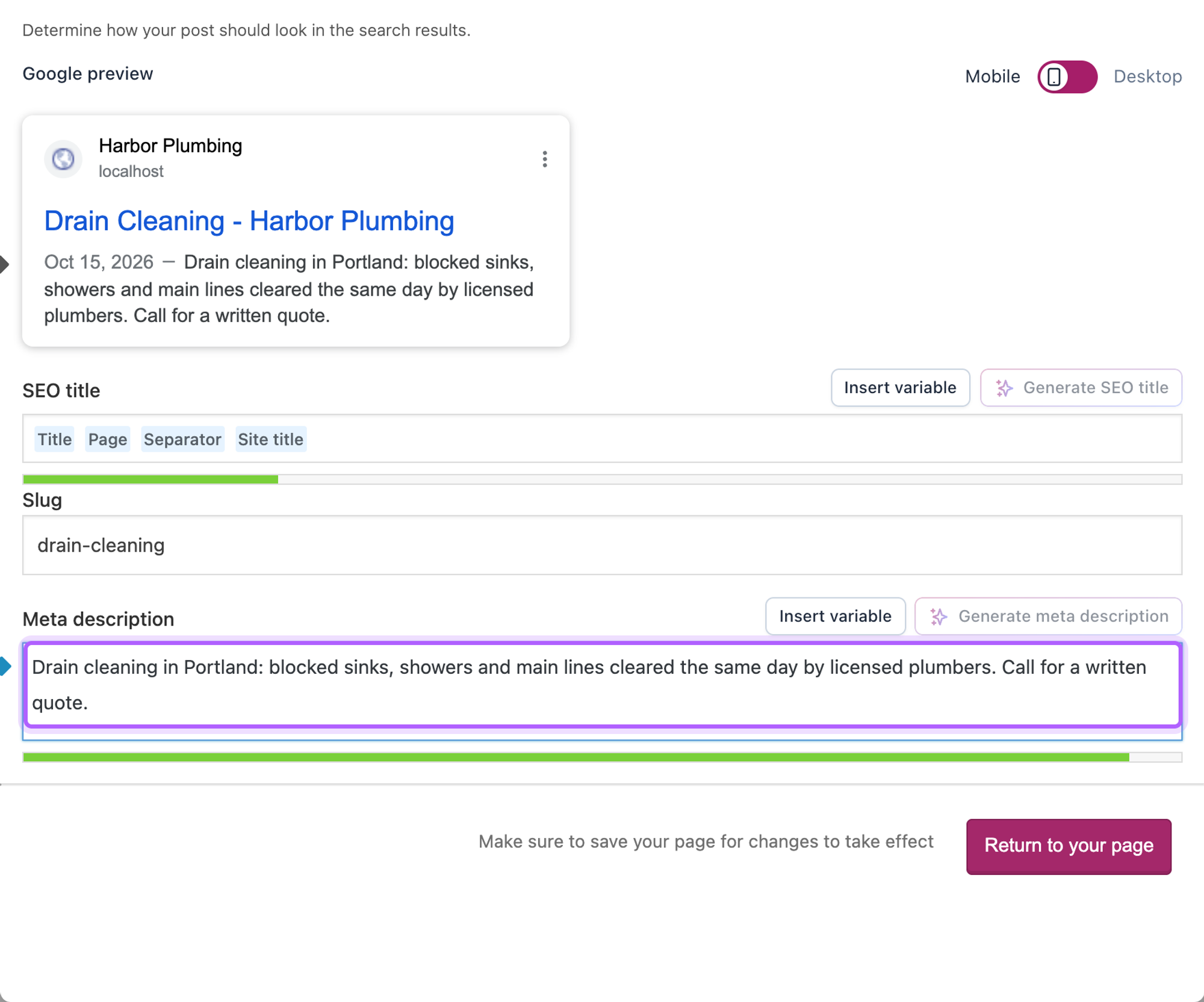
Both saved with Elementor's Publish button, and the page printed one tag with our text. With All in One SEO, SEOPress or The SEO Framework, open the page from Pages in the WordPress editor instead and use the same field as on any other page; we set it that way and each printed one matching tag. With the field left empty, Rank Math, All in One SEO and SEOPress wrote a description from the Elementor page's text, and All in One SEO and SEOPress ran the heading into the first sentence with no full stop ("Drain Cleaning in Portland Blocked sinks..."). The SEO Framework printed none on the Elementor page, but in that run we had already turned off its automatic descriptions, so this does not show what it does with them on. Yoast SEO printed none, as on any page with an empty field. Give important Elementor pages their own description. To make many Elementor pages from one design, see how to bulk create pages with Elementor.
How to add a meta description to WooCommerce products
WooCommerce 11.2.1 printed no meta description on a product page by itself. Products use the same SEO plugin field as posts. With Yoast SEO, an untouched product had no description; once we typed one, the product page printed it. Rank Math used the product's short description when the field was empty, and our own text once we typed one.
How to add a meta description without a plugin
WordPress core prints no meta description: our test post, home page and Elementor page had none with no SEO plugin active. You can print the excerpt as the description with two hooks. Put them in a small plugin file in wp-content/mu-plugins/ or in a child theme's functions.php. Twenty Twenty-Five and other block themes have no header.php, so the old advice to paste a tag into the theme header does not apply to them.
The first line gives pages an Excerpt field, which WordPress only adds to posts: add_action( 'init', function () { add_post_type_support( 'page', 'excerpt' ); } );
The second prints the excerpt as the meta description, only on single posts and pages that have one written by hand: add_action( 'wp_head', function () { if ( is_singular() && has_excerpt() ) { printf( '<meta name="description" content="%s" />', esc_attr( wp_strip_all_tags( get_the_excerpt() ) ) ); } }, 1 );
Then open a post, find Excerpt in the post sidebar, type the description and save.
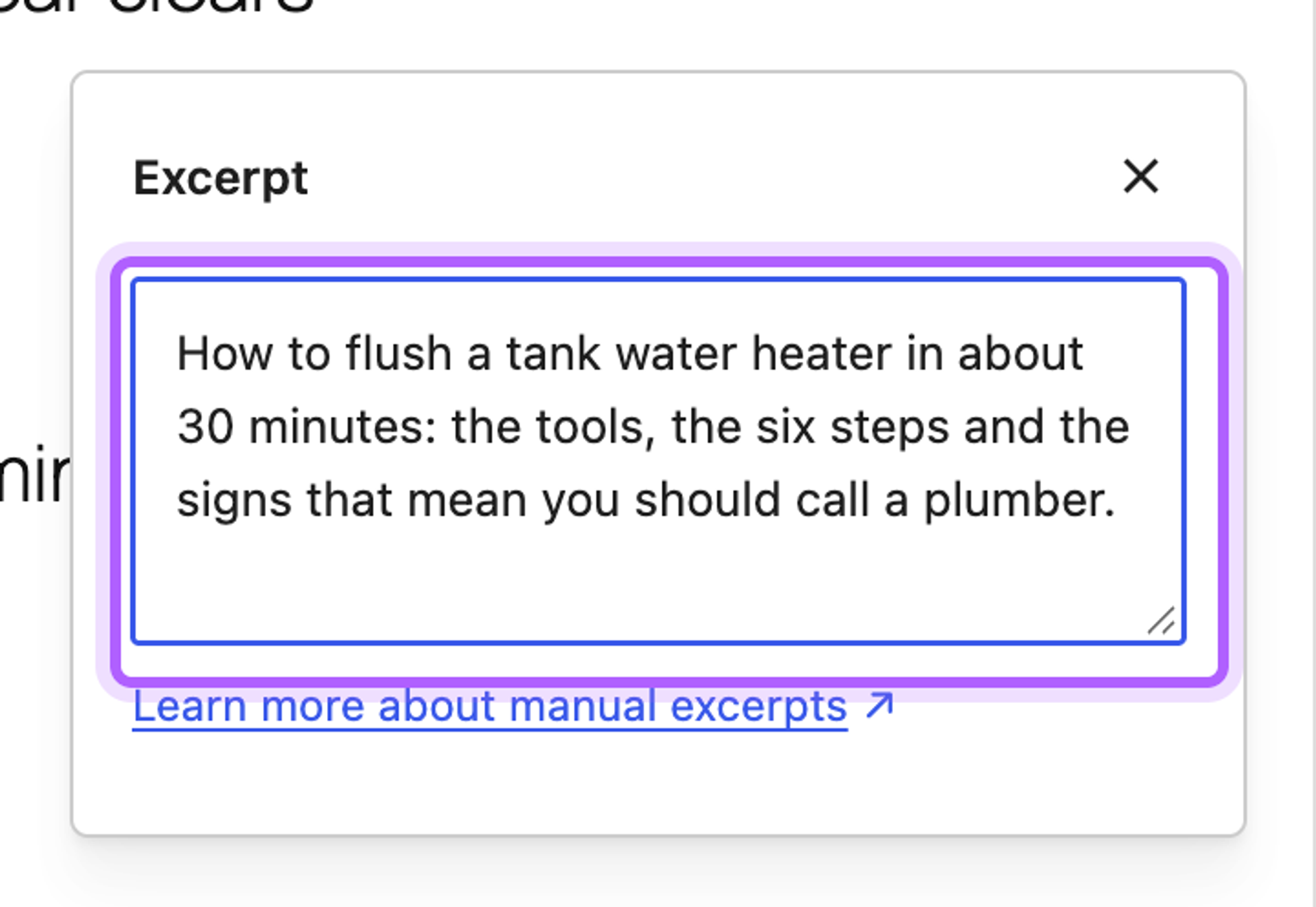
In our lab the post, a page and a static home page each printed one tag with their excerpt. This route has real limits. Posts without a hand-written excerpt get no description, and a home page that lists your latest posts gets none either. The excerpt is also the summary many themes show in blog lists and feeds, so the two jobs share one text. If you want a separate field per page, a custom meta box can store it, but at that point a free SEO plugin does more for less work. Remove the snippet when you install one: with both active, our post printed two meta descriptions.
How to check the meta description in the page source
- Open the page in a private window, so you see what a logged-out visitor and Google get.
- Right-click and choose View Page Source, or press Ctrl+U (Cmd+Option+U on a Mac).
- Search the source for
name="description".
You should find exactly one match, with your text in content. No match means nothing is printed; two matches mean two plugins, or a plugin and a theme or snippet, print one each. If a caching plugin is active, clear its cache first, or you may be looking at an older copy of the page.
What happens when you leave the meta description empty?
We left the field empty on a second post and on the service page. WordPress printed nothing, Yoast SEO printed nothing, and the other four plugins wrote a description from the page's text.
Plugin | Post with an empty field | Page with an empty field |
|---|---|---|
WordPress, no plugin | No description | No description |
Yoast SEO | No description | No description |
Rank Math | First paragraph | The hero text: "Repairs, replacements and tankless upgrades from licensed plumbers." |
All in One SEO | First paragraph | Heading and text run together: "Water Heater RepairRepairs, replacements..." |
SEOPress | First paragraph | Heading and text run together: "Water Heater RepairRepairs, replacements..." |
The SEO Framework | First paragraph | Hero text and button labels run together: "...licensed plumbers.Call (503) 555-0142..." |
On a post that opens with a good summary, the automatic text is fine. On pages built from blocks or a page builder it often is not, so write descriptions by hand for your home page and your main service and product pages (our landing page SEO checklist for local services covers the rest of such a page), as Google suggests for "critical URLs like your home page and popular pages" (Google Search Central).
How to remove or replace a default meta description in WordPress
A description you did not write comes from one of three places: an SEO plugin's automatic description, a template in its settings, or a theme or snippet that prints its own tag. The quickest fix on one page is to type your own text into the SEO plugin's field, which replaced the automatic text in every plugin we tested. To stop automatic descriptions for all posts:
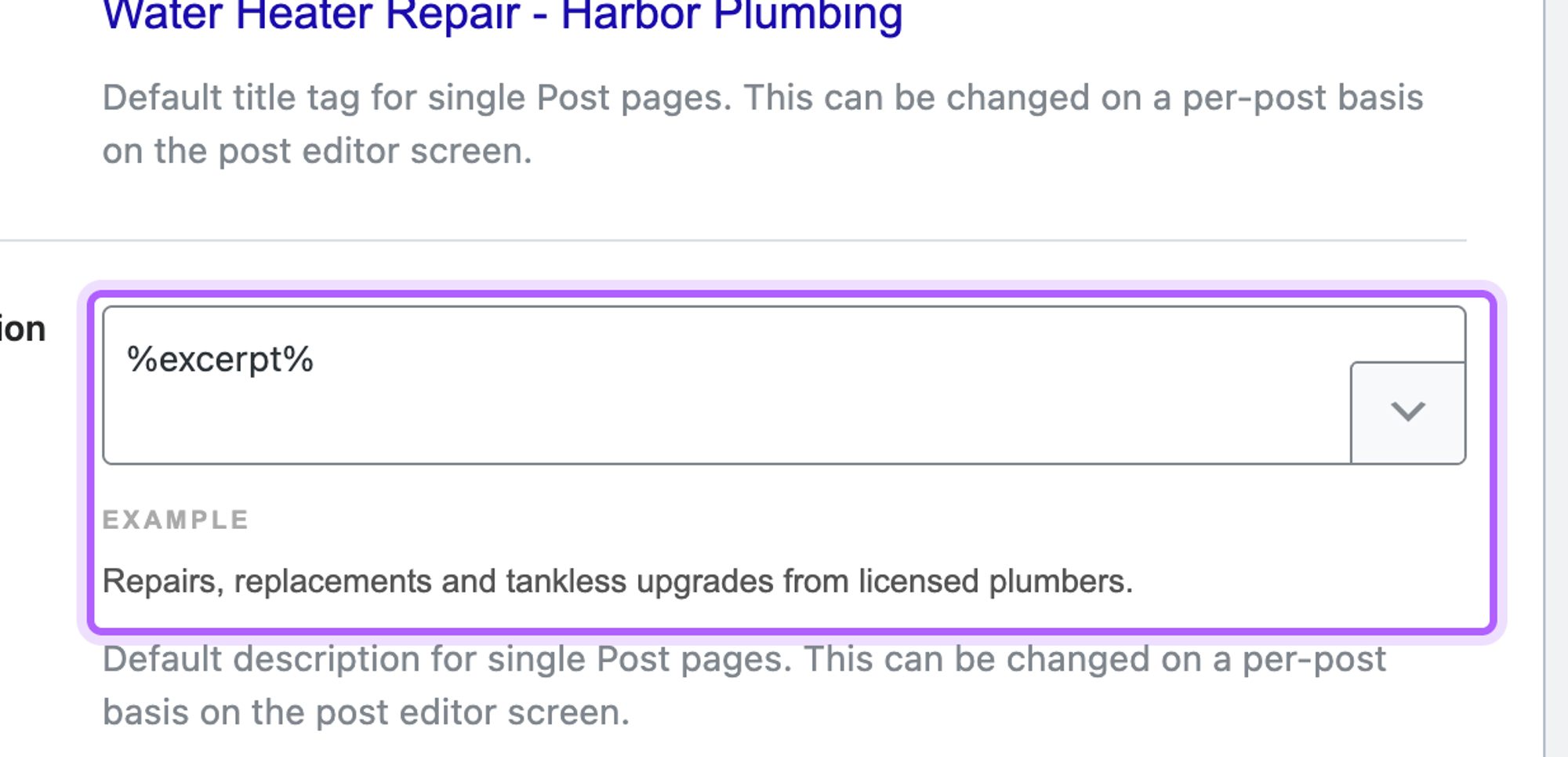
- Rank Math: Titles & Meta > Posts > Single Post Description holds
%excerpt%. Emptying it removed the description from posts nobody had edited, while typed descriptions stayed. - The SEO Framework: on its SEO settings screen, untick Automatically generate descriptions? in the description settings. Untouched posts then had none.
- SEOPress: emptying the post type's description template under Titles & Metas > Post Types did not stop it; untouched posts still got their first paragraph, which matches its code, where an empty template falls back to the excerpt or content.
- All in One SEO: the automatic description stayed after we emptied the post type's description template in code and after adding the
aioseo_generate_descriptions_from_contentfilter, so on this plugin replace it page by page. - Yoast SEO: writes nothing unless a template under Settings > Content types fills one in; empty that template to remove it.
If the description still shows after that, search the page source for a second name="description" tag. A theme option, an old snippet in functions.php or a second SEO plugin can print one; remove that source and check again.
Two SEO plugins: duplicate meta descriptions
We activated four pairs of SEO plugins and typed a different description into each plugin's field on the same post. Every pair printed two meta descriptions in one head.
Plugins active together | Tags on the post | After deactivating the second |
|---|---|---|
Yoast SEO + Rank Math | 2 | 1 |
Yoast SEO + All in One SEO | 2 | 1 |
Rank Math + All in One SEO | 2 | 1 |
SEOPress + The SEO Framework | 2 | 1 |
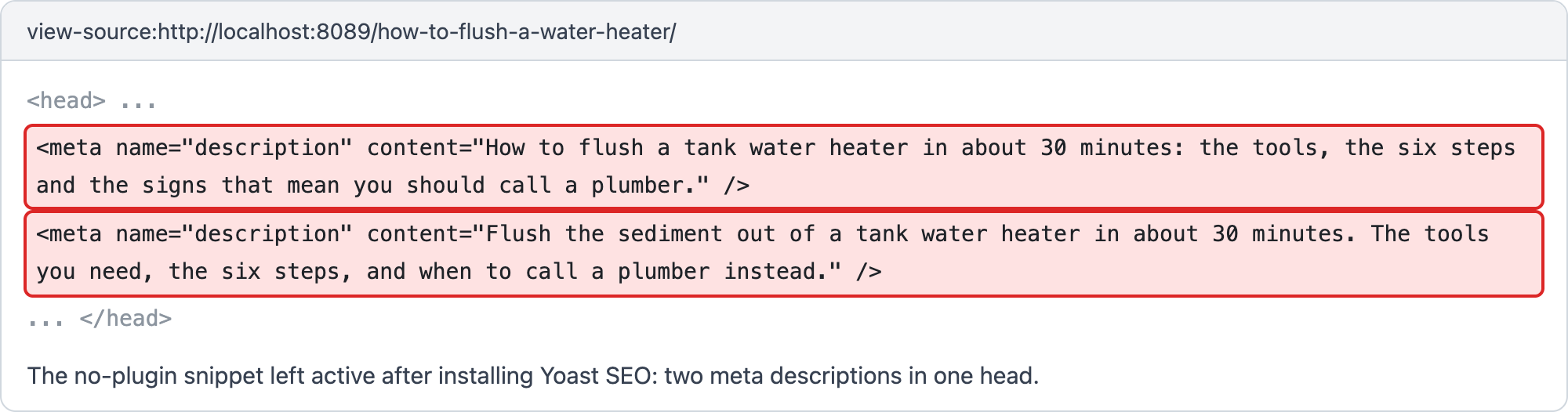
Keep one SEO plugin. When you switch, use the new plugin's import tool to bring over the old one's titles and descriptions, then deactivate the old one and check the source for a single tag.
What to write in a meta description
Google describes a good meta description as one that summarizes the page for the person searching. Its snippet guidelines ask for descriptions that are "human-readable and diverse", unique to each page, and warn that "long strings of keywords" are "less likely to be displayed as a snippet" (Google Search Central). In practice that means three things:
- Match what the searcher wants from this page: a service page answers "can you fix this, where, and how", a how-to post says what the reader will be able to do.
- Use the page's main phrase once, in the words people search for ("water heater repair in Portland").
- Give one concrete reason to pick this result: a fact from the page such as same-day visits, a price, a time or what is included.
Here is the before and after from our test site's Water Heater Repair page. Before, with the field empty, The SEO Framework built the description from the page's hero section, button labels included:
Repairs, replacements and tankless upgrades from licensed plumbers.Call (503) 555-0142Get a quote Repairs, replacements and tankless upgrades. Blocked sinks...
After, with 133 characters typed into the field, the page printed exactly this text:
Water heater repair in Portland from licensed plumbers: same-day visits, parts on the van and a written quote before any work starts.
The second one names the service and the town, and gives three facts a visitor compares. Google may still choose other text for some searches, but it has something accurate to choose from.
How long should a meta description be?
Google sets no character limit. Its documentation says: "There's no limit on how long a meta description can be, but the snippet is truncated in Google Search results as needed, typically to fit the device width" (Google Search Central). The numbers in plugins are their own guidance: All in One SEO counts toward 160 characters, Rank Math shows 160 characters and 920 pixels, and Yoast's help asks for no more than 155 characters for the home page. Put the main point in the first 120 or so characters, so it survives a cut.
Google may also not show your text. It creates snippets "primarily" from the page content and "sometimes uses the meta description HTML element if it might give users a more accurate description of the page", and may show different snippets for different searches (Google Search Central). A description that sums up the page in plain words, with the details a searcher compares (place, price, what is included), is the one most likely to be used. Identical descriptions on many pages are not, as Google puts it, "helpful when individual pages appear in search results".
Meta title and description: setting both
Every plugin above puts the SEO title next to the description in the same dialog or box, so you set both in one go. One thing to check in the source: The SEO Framework appends the site name to a custom title unless you tick Remove the site title? under the title field.
Meta description generators for WordPress
Several plugins offer AI buttons that write a description. In our test of AI plugins on 13 October 2026, the free AI plugin from the WordPress.org team wrote a 151-character description in 11.6 seconds with our own OpenAI key, and after Apply and Save it was in the page's HTML.
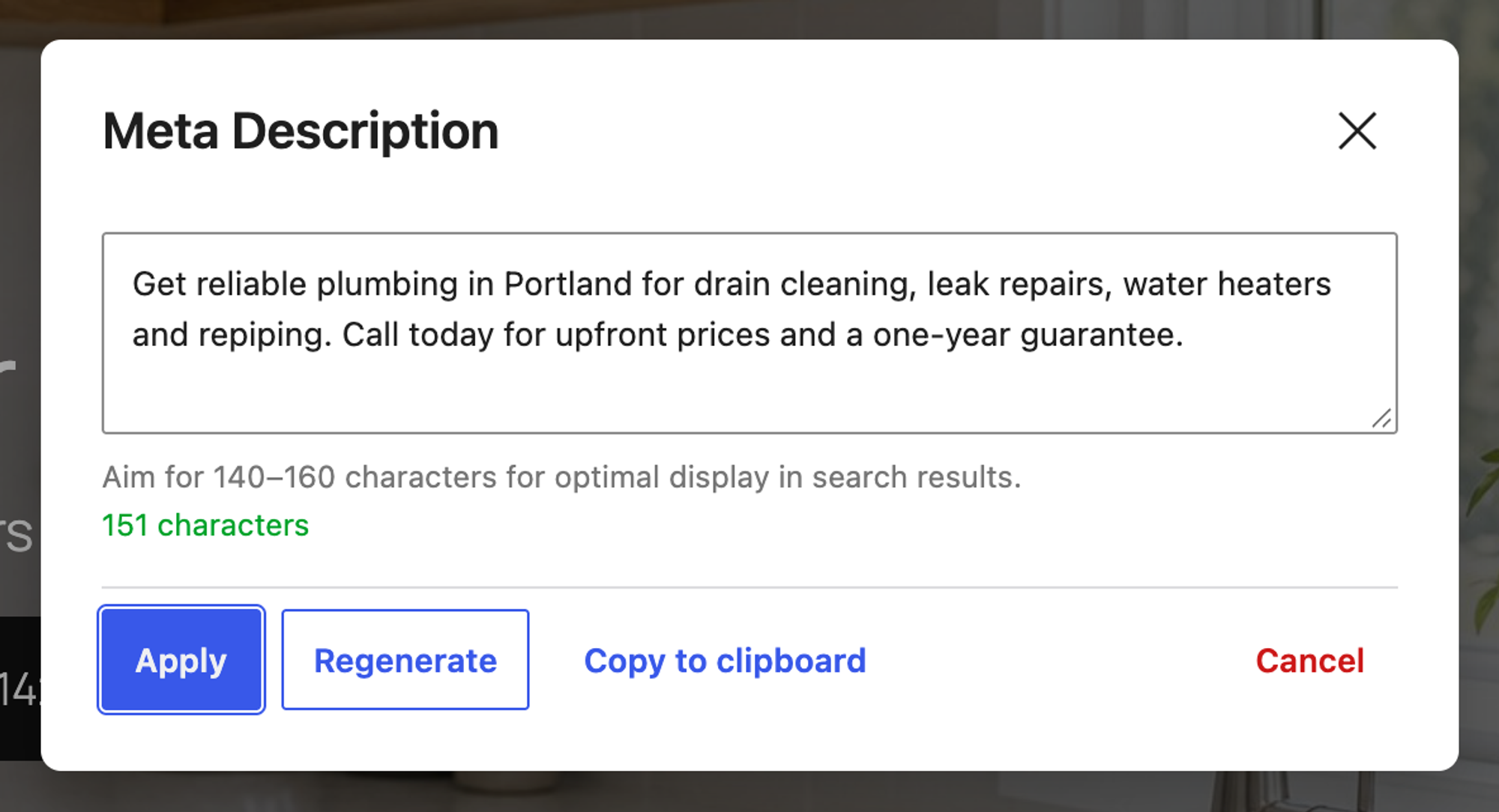
The others need more: Yoast SEO's free Generate meta description button produced no text in our lab, All in One SEO's generator asked for credits we did not have, and Rank Math offers its Content AI after you connect a free account. Read every generated description before saving: AI tools can promise things your page does not offer.
Unique meta descriptions for many pages at once
Writing descriptions one by one works for a dozen pages. For 50 service area pages built from one template, a page generator can fill them in. We make LPagery, so take this section as a description of our own plugin, tested the same way as everything above.
In our SEO plugins test on 13 October 2026, we put placeholders such as {city} and {county} into the Yoast SEO title and meta description of one template page, uploaded a CSV with 20 towns to the free version of LPagery 3.1.0 and created the pages. All 20 pages printed one meta description each, and all 20 were different, with no leftover placeholders. That is what Google calls programmatic generation of descriptions for large sites: "human-readable and diverse", with page-specific data in every description.
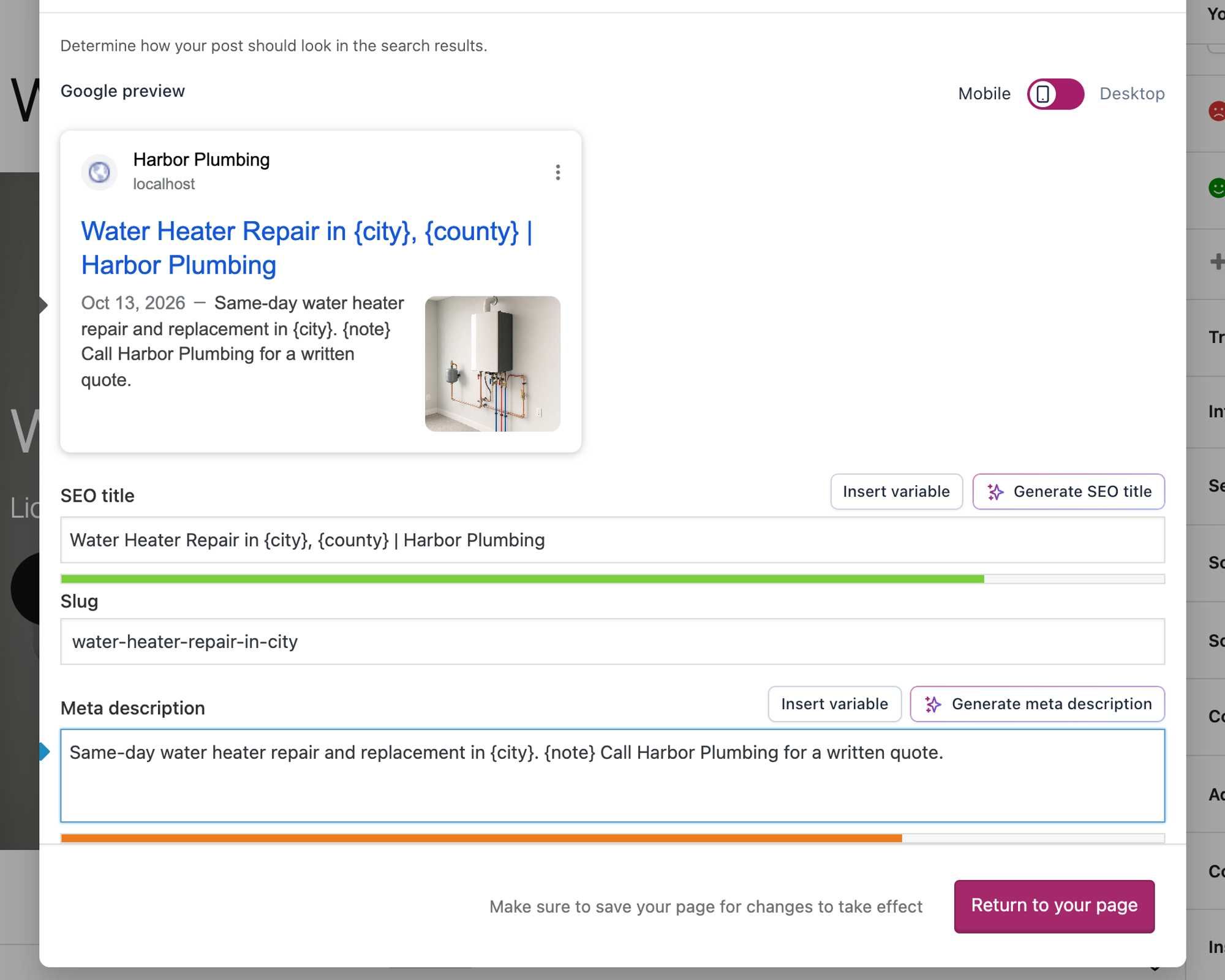
The free version uses up to three placeholder columns. LPagery AI, in the LPagery app, can also write a meta description for every row before the pages are created; we describe that from the code and have not tested it here. How to bulk create pages in WordPress walks through the whole flow, and the Bulk Page Generator page lists what each plan adds.
FAQ
Does WordPress add a meta description by default?
No. WordPress 7.1.3 with Twenty Twenty-Five printed no meta description on posts, pages or the home page. You need an SEO plugin or a snippet.
Where is the meta description in the WordPress editor?
In the SEO plugin's part of the editor: a dialog behind the plugin's icon in the top bar (Yoast SEO, Rank Math), a button in the top bar (SEOPress) or a box under the content (All in One SEO, The SEO Framework). WordPress's own Excerpt field only becomes a meta description with a plugin or snippet that prints it.
Why does Google show a different description from mine?
Google builds snippets mainly from the page content and uses the meta description when it matches the search better. Check the source first: if your text is there once, the setting works, and Google chose other text for that query.
For the rest of on-page SEO, from titles to sitemaps, see how to do SEO in WordPress.
I've worked in SEO for more than ten years and helped over 100 businesses rank higher, mostly local businesses, e-commerce stores and SaaS companies. As co-founder of LPagery I work on local SEO, programmatic SEO and AI search visibility, and I test the strategies in these articles on our own sites and with our customers.
I've worked in SEO for more than ten years and helped over 100 businesses rank higher, mostly local businesses, e-commerce stores and SaaS companies. As co-founder of LPagery I work on local SEO, programmatic SEO and AI search visibility, and I test the strategies in these articles on our own sites and with our customers.