
The best WordPress plugins for plumbers are the ones that turn a visit into a phone call, a booked job or a quote request, and that help the site show up in every town you serve. We installed 23 free plugins on the same plumbing company site, gave each one the same job for its category, and measured the setup steps, the weight it adds to the page, whether the emails arrive and how it looks on a phone.
Our picks: LPagery for a page per town you serve and Rank Math for Plumber schema on every page. Call Now Button for a tap-to-call button (6 steps, adds 5.7 KB). Forminator for a quote form with a free photo upload, saved entries and an office email that lists every field. Simply Schedule Appointments for online booking, the only booking plugin that emailed both the office and the customer without extra setup. Site Reviews for reviews on your own site. Leaflet Map for a service area map with no API key.
The list is ordered by job, not by a single score: it starts with ranking in every town you serve, then getting calls, quote requests and bookings, then showing proof and where you work. Within each job, the plugin we would install first comes first.
Last tested 13 and 14 October 2026 on WordPress 7.1.3. We make LPagery, which is one of the plugins on this list. We are not affiliated with any other plugin here, and nobody paid to be included.
Job | Our pick | Free version limit we hit | Weight added | Active installs |
|---|---|---|---|---|
Rank in each town | LPagery | 3 placeholder columns per page set | 0 KB | 3k+ |
Plumber schema | Rank Math SEO | One location | 3.4 KB | 4M+ |
Get calls | Call Now Button | Opening-hours scheduler is paid | 5.7 KB | 200k+ |
Get WhatsApp messages | Click to Chat | Multiple agents and business hours are paid | 126 KB | 600k+ |
Get quote requests | Forminator | Cloud templates need an account | 724 KB | 600k+ |
Get booked | Simply Schedule Appointments | Calendar sync and reminders are paid | 3,056 KB | 50k+ |
Show reviews | Site Reviews | None hit | 103 KB | 60k+ |
Show your service area | Leaflet Map | No paid version | 538 KB | 30k+ |
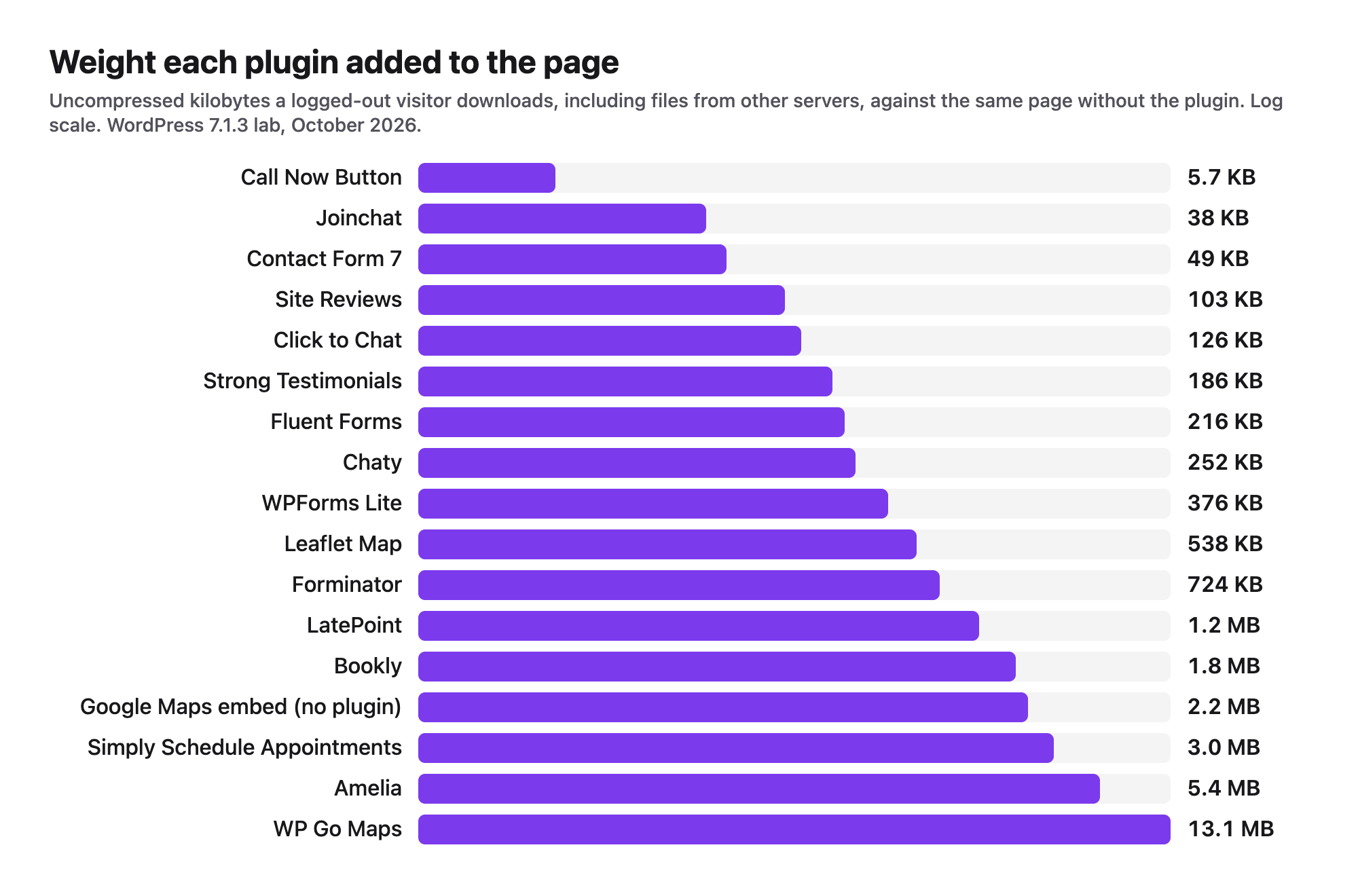
Weight added is what the plugin added to a logged-out visitor's page in our lab, in uncompressed kilobytes, including map tiles and other files loaded from outside the site. Use it to compare plugins with each other; your host will serve compressed files.
How we tested the plugins
Jonas Lindemann, who builds LPagery and writes our WordPress guides, ran every test in a local WordPress lab: WordPress 7.1.3, PHP 8.3 on Apache, the default Twenty Twenty-Five theme, and Chrome driven by a script. The example business is Harbor Plumbing in Portland, Oregon. It is made up, and so is its phone number (503) 555-0142. We installed 23 plugins; 19 finished their task, the two Google review widgets stopped at their connect screen, two more tests were stopped (see the end of the list), and 15 made the list.
Each plugin ran alone on a freshly reset site. A script did the job the way you would: it clicked Activate, answered the welcome screens, filled in the settings and published the page, while counting every screen and click. Then a logged-out visitor used the result. For every plugin we recorded:
- Setup steps, from Activate to a working page.
- Weight added to the page: the plugin's own files, files it writes to the uploads folder, and anything loaded from other servers, compared with the same page before the plugin was active (median of 3 loads).
- Whether the emails arrived. The lab has no mail server, so we recorded every email WordPress was asked to send, with its recipient and text.
- Whether the result works at 390 pixels wide, the width of an iPhone, without scrolling sideways.
- What the free version blocked: locked fields, upgrade screens and accounts it asked for.
We grouped the plugins by the job they do for a plumbing business, because that is how you will pick them: rank in every town, get calls, get quote requests, get booked, show proof, and show where you work. Prices of paid plans were read on each vendor's pricing page on 13 October 2026. The raw measurements for every plugin are in the side-by-side tables further down.
Rank in every town you serve: service area pages and schema
People search "plumber in Gresham", not "plumber". To show up for each town you serve, you need a page for each town and business details Google can read. Our guide to local SEO for plumbers explains the strategy, our list of keywords for plumbers shows what people type, and ranking for near me searches covers the searches without a town name. These plugins do the WordPress part; our test of local SEO plugins for WordPress covers the wider category.
1. LPagery
LPagery is the best plugin for plumbers who want a page for every town they serve, built from one template page and a spreadsheet; each page still needs its own local text.
We used the free version from wordpress.org: a "Plumber in {town}" template page and a CSV with 20 towns and three columns (town, county and a local note), the free plan's limit. Creating the 20 pages took 8 steps and 26 seconds. Every page loaded, with its own title, H1 and meta description (20 of 20 unique, with Yoast SEO filling the meta from placeholders), and no placeholder was left on any page.
The free version only swaps three columns, so the pages were 90% the same text (median over all 190 pairs). That is the limit of the free plan: the Standard plan removes the three-column limit, and spintax, which varies the wording on each page, needs the Extended plan (it is locked below Extended in LPagery's settings). Near-identical town pages are what Google's spam policies call doorway pages and scaled content abuse, so give each page its own town-specific columns, such as the jobs you do most there, your response time and the problems local homes have, before you publish. Our step-by-step plumber location pages tutorial walks through both, free and Pro.
The generated pages are normal WordPress pages: they loaded no LPagery files (0 KB) and stayed online after we deactivated the plugin. LPagery AI, which writes text for each row in the LPagery app with credits in the paid plans, was not tested here. More on the approach for many locations is in our guide to local SEO for multiple locations and on the Bulk Page Generator page.
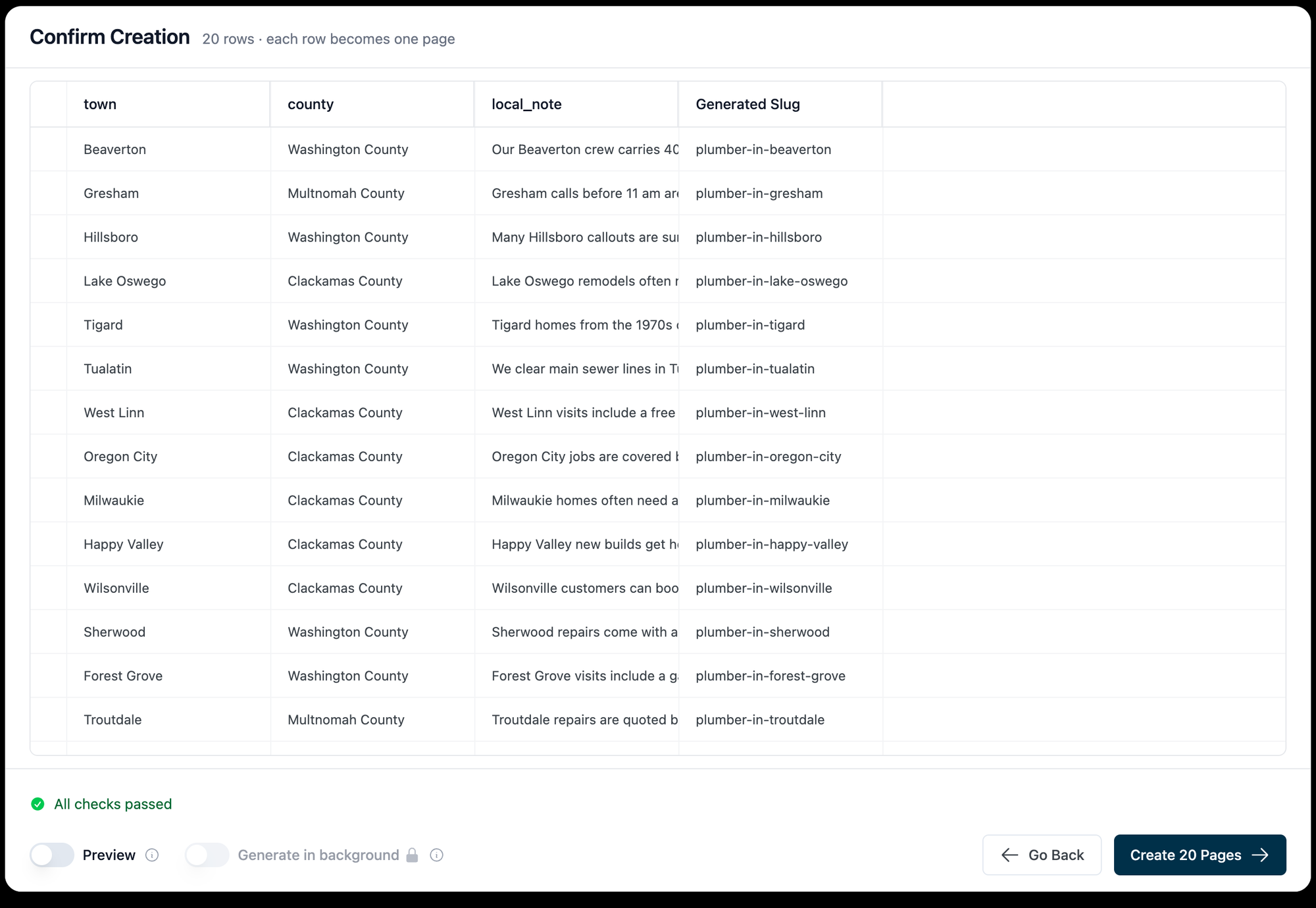
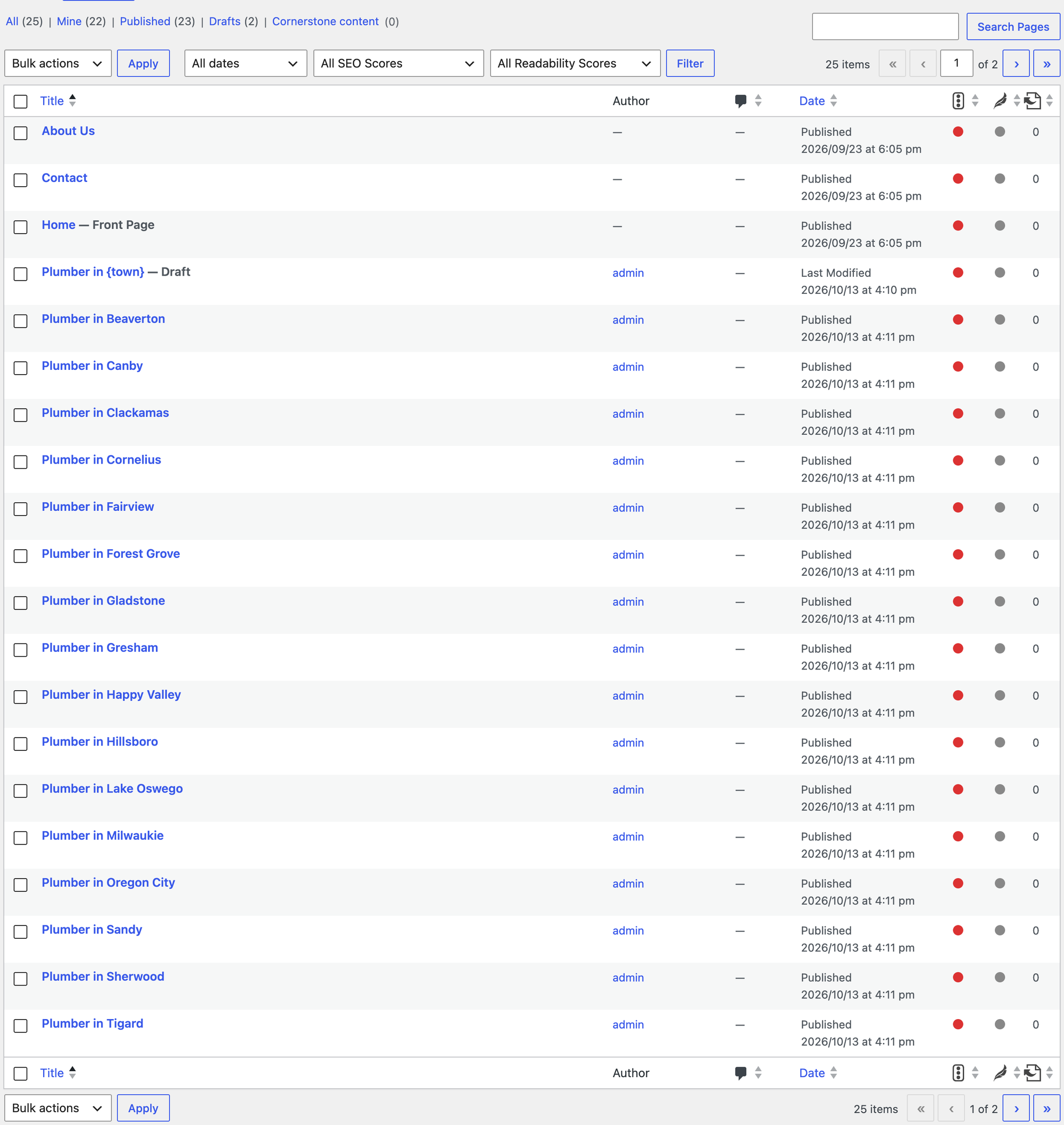
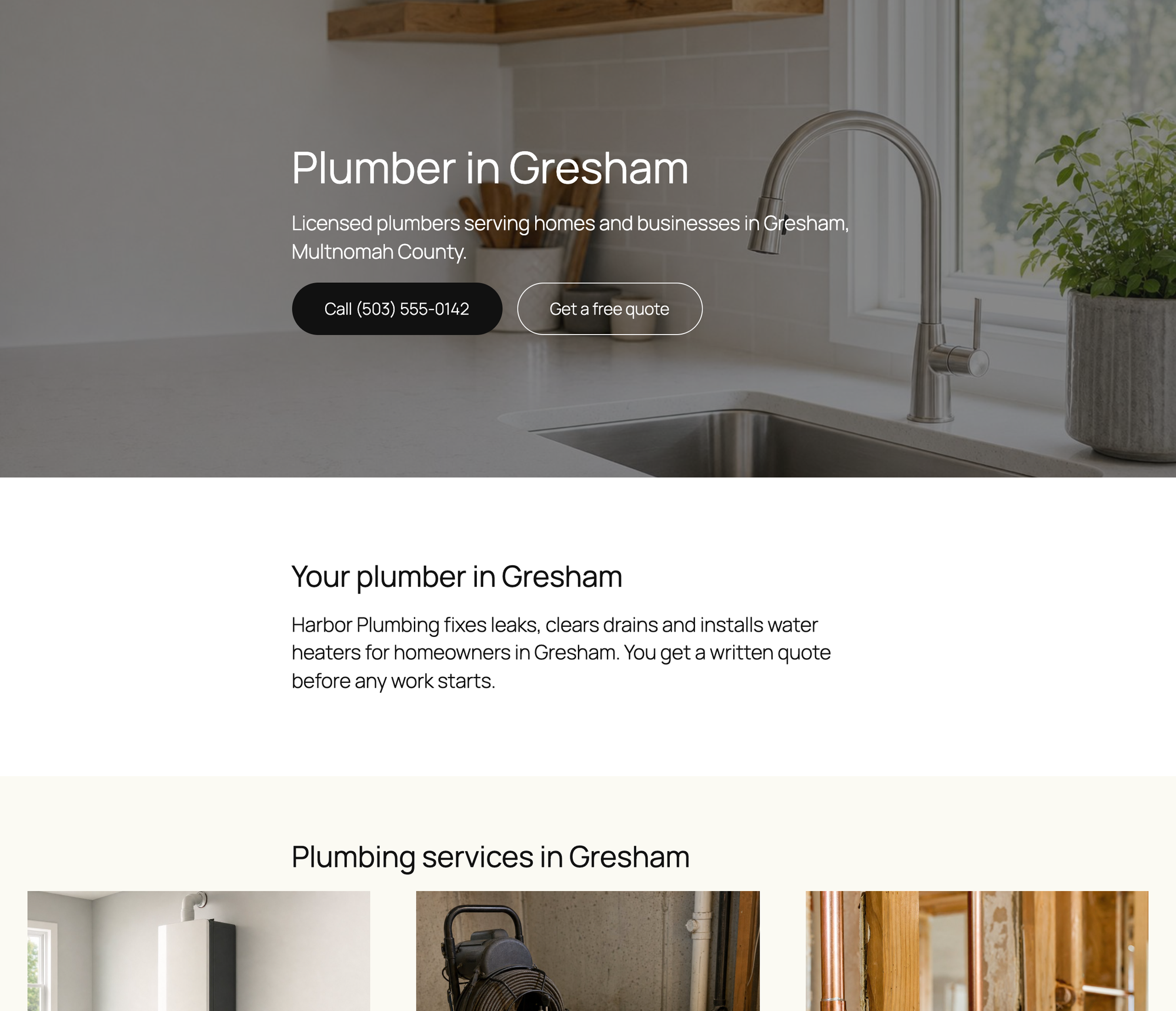
What we measured for LPagery 3.1.0:
- Steps: 8, 26 seconds for 20 pages
- Unique titles, H1s and meta descriptions: 20 of 20
- Text similarity between town pages: 90% median (87 to 93%)
- LPagery files on a generated page: 0 KB. Pages survive deactivation: yes
- Free version limit: 3 placeholder columns per page set
Pros
- 20 town pages in under a minute, with unique titles and meta.
- Plain WordPress pages that keep working without the plugin.
Cons
- The free plan's three columns make the pages very similar; real local detail needs the paid plans.
- You still have to write the local details for each town.
LPagery Standard costs $171 per year and adds unlimited columns; Extended ($243 per year) adds Google Sheet Sync, spintax and interlinking. Links: LPagery on wordpress.org, vendor site.
2. Rank Math SEO
Rank Math SEO is the best free plugin for plumbers who want complete Plumber schema on every page and do not already run another SEO plugin.
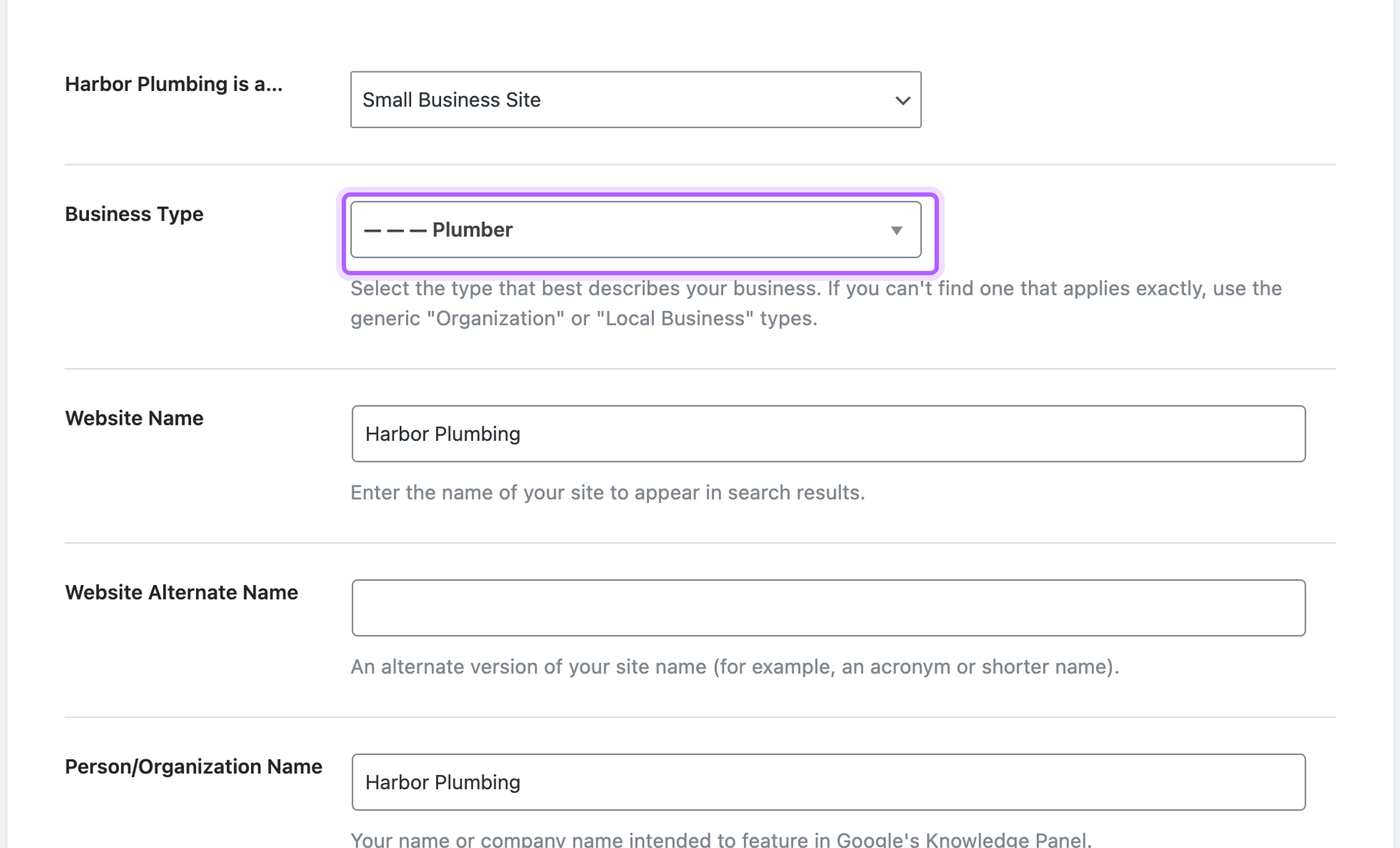
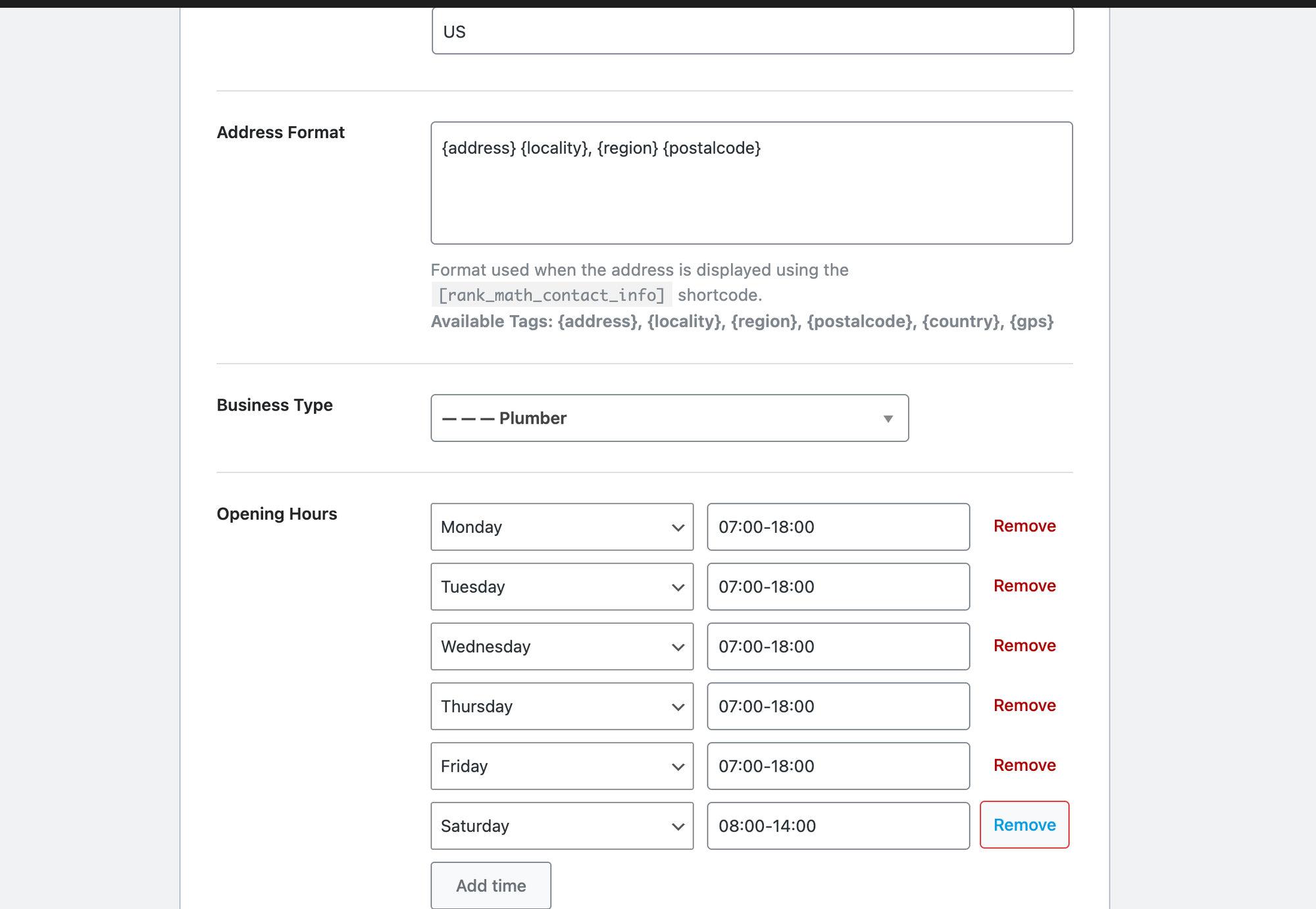
Its setup wizard asks what the site is; Small Business Site opens a Business Type list where Plumber is one of the options. The address, phone, opening hours and geo coordinates are then filled in under Titles & Meta, Local SEO: 15 steps including skipping the account screen. Those fields only appear once a local business type is chosen.
The homepage, and every other page, carried a Plumber node with the split address, phone, hours and a place with coordinates: 7 of the 9 fields we checked, the most of any plugin. Watch one default: the opening hours start as 09:00 to 17:00 on all seven days. A site that never opens that screen tells Google it is open on Sundays; we changed the weekdays, Saturday, and removed Sunday.
What we measured for Rank Math SEO 1.0.280:
- Setup steps: 15
- JSON-LD on every page: Plumber, 7 of 9 fields (no logo, no service area)
- Default opening hours: Monday to Sunday 09:00 to 17:00
- Weight added to the page: 3.4 KB; 6 database tables
Pros
- The most complete Plumber schema in our test, site-wide.
- Split address fields and geo coordinates.
Cons
- Seven-day default hours that are easy to miss.
- A full SEO plugin: do not run it next to Yoast or another SEO plugin.
- Multiple locations are Pro.
Rank Math PRO costs from EUR 7.99 per month billed yearly and adds multiple locations and more Local SEO options. Links: Rank Math SEO on wordpress.org, vendor site.
3. Five Star Business Profile and Schema
Five Star Business Profile and Schema is the best free plugin for plumbers who already use another SEO plugin and want Plumber schema plus a contact block with opening hours.
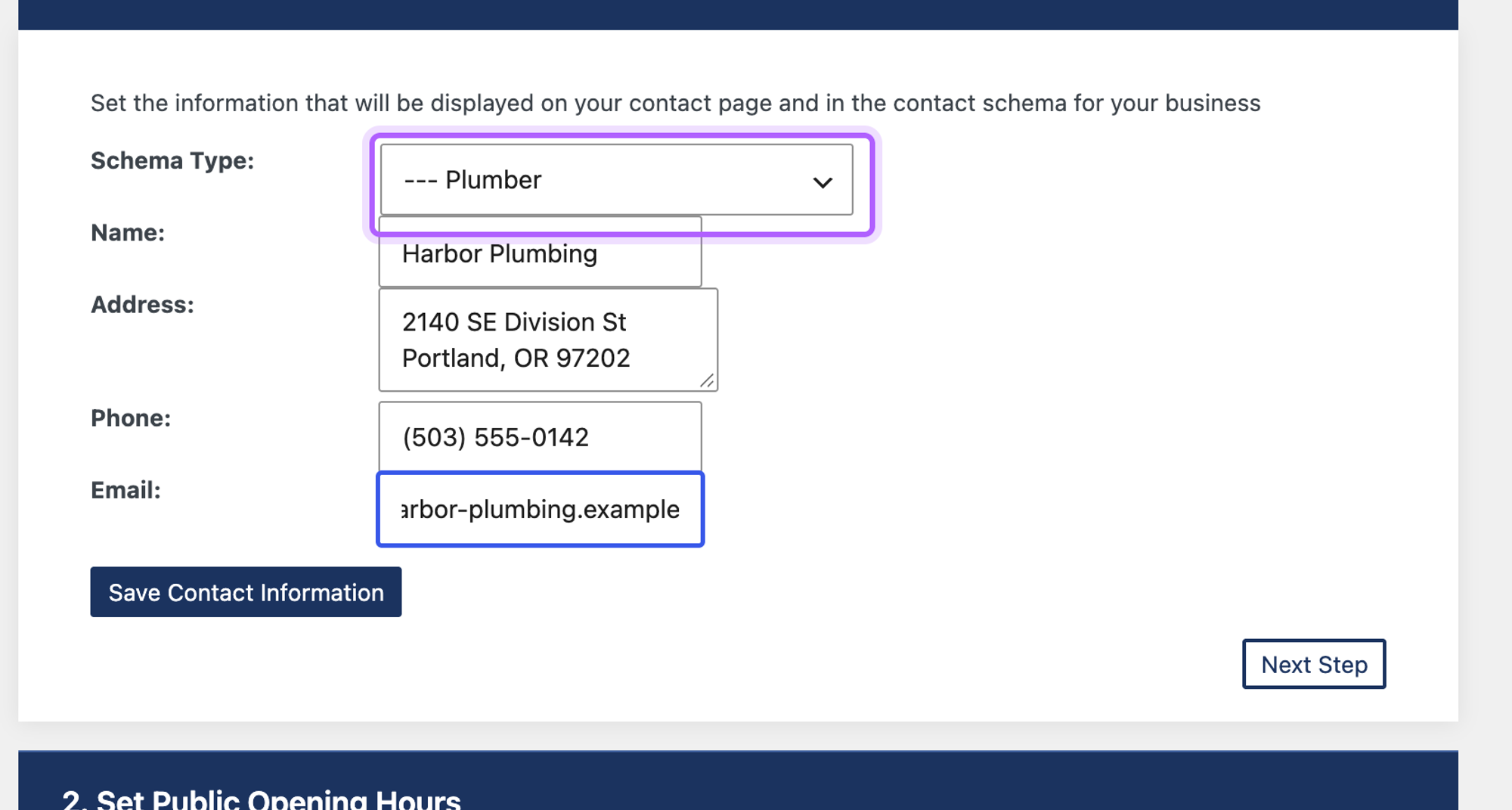
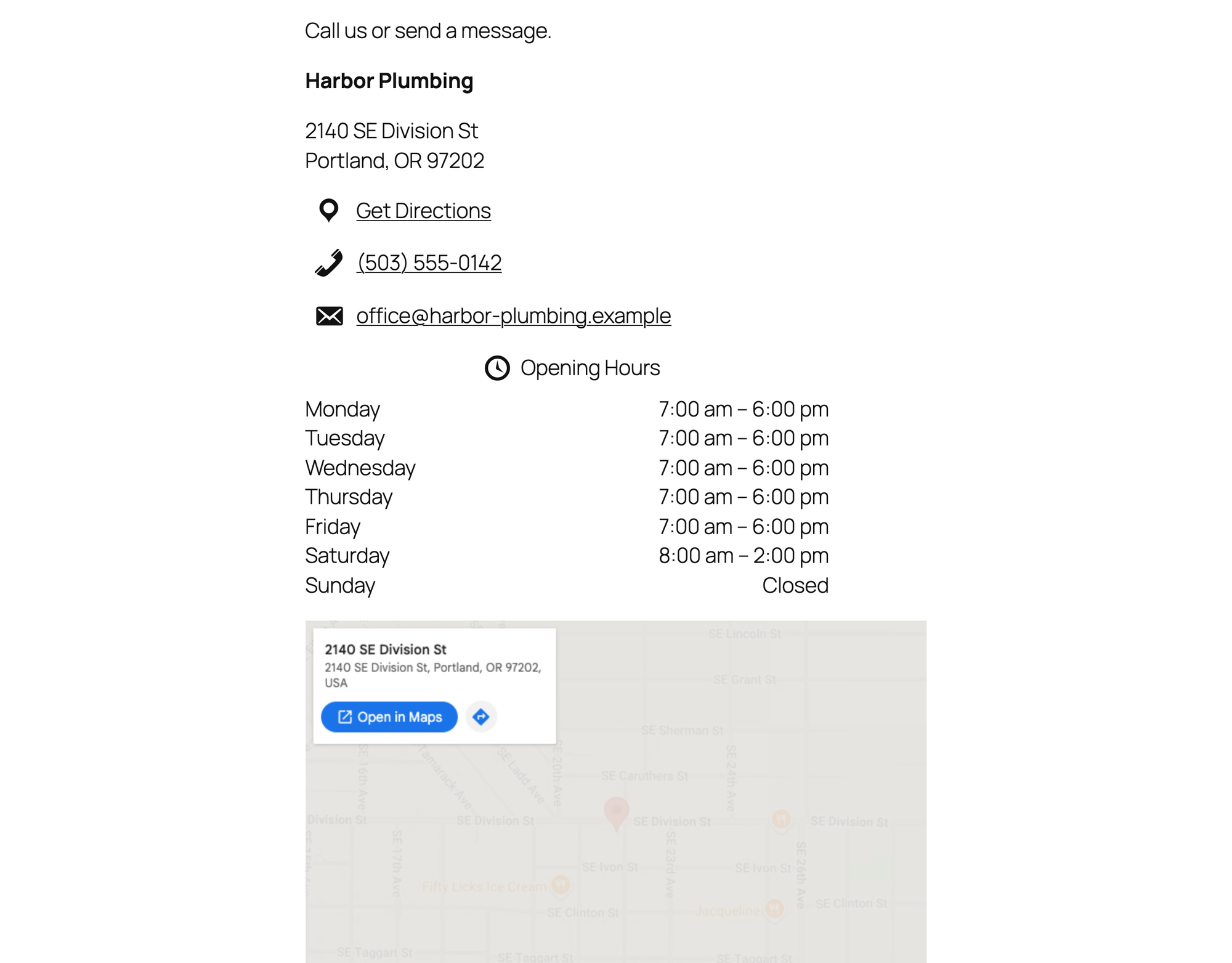
A four-step setup asks for the schema type (Plumber is in the list of 174), the address, phone and email, and the opening hours, which we set to weekdays 7:00 to 18:00 and Saturday 8:00 to 14:00: 15 steps. The [contact-card] shortcode then shows the address, phone, email, hours and an embedded Google map on the page.
The page with the contact card carried valid Plumber JSON-LD with name, phone, URL and every opening hour, 5 of the 9 fields we checked. Our local business schema guide explains each field, and three ways to add it in WordPress compares this with code. Two gaps: the address is one text box, so the schema has no separate city and postal code, and there are no fields for geo coordinates or a logo. The homepage had no schema at all, because the plugin prints it only where the contact card is.
What we measured for Five Star Business Profile and Schema 2.4.0:
- Setup steps: 15
- JSON-LD on the contact page: Plumber, 5 of 9 fields
- JSON-LD on the homepage: none
- Weight added to the contact page: 2,331 KB, almost all of it the Google map in the contact card; other pages: 0 KB
Pros
- Plumber, Electrician, HVACBusiness, Attorney and RealEstateAgent are all in the type list.
- Opening hours become proper OpeningHoursSpecification.
Cons
- Address stored as one line.
- No geo coordinates or logo.
- Schema only on the page with the contact card.
- The card's Google map adds about 2.3 MB to that page.
The premium version costs $39 and adds more schema types and automatic schema for posts. Links: Five Star Business Profile and Schema on wordpress.org, vendor site.
Get more calls: click-to-call and WhatsApp buttons
Most plumbing jobs start with a phone call from someone with a leak, often on a phone. A button that stays on screen and dials your number with one tap is the cheapest conversion fix you can make; our landing page checklist for local services covers the rest of the page. We asked four plugins to add a floating button that calls (503) 555-0142, and a WhatsApp button with the message "Hi, I have a question" where the plugin does WhatsApp.
4. Call Now Button
Call Now Button is the best plugin for plumbers who want one tap-to-call button and nothing else.
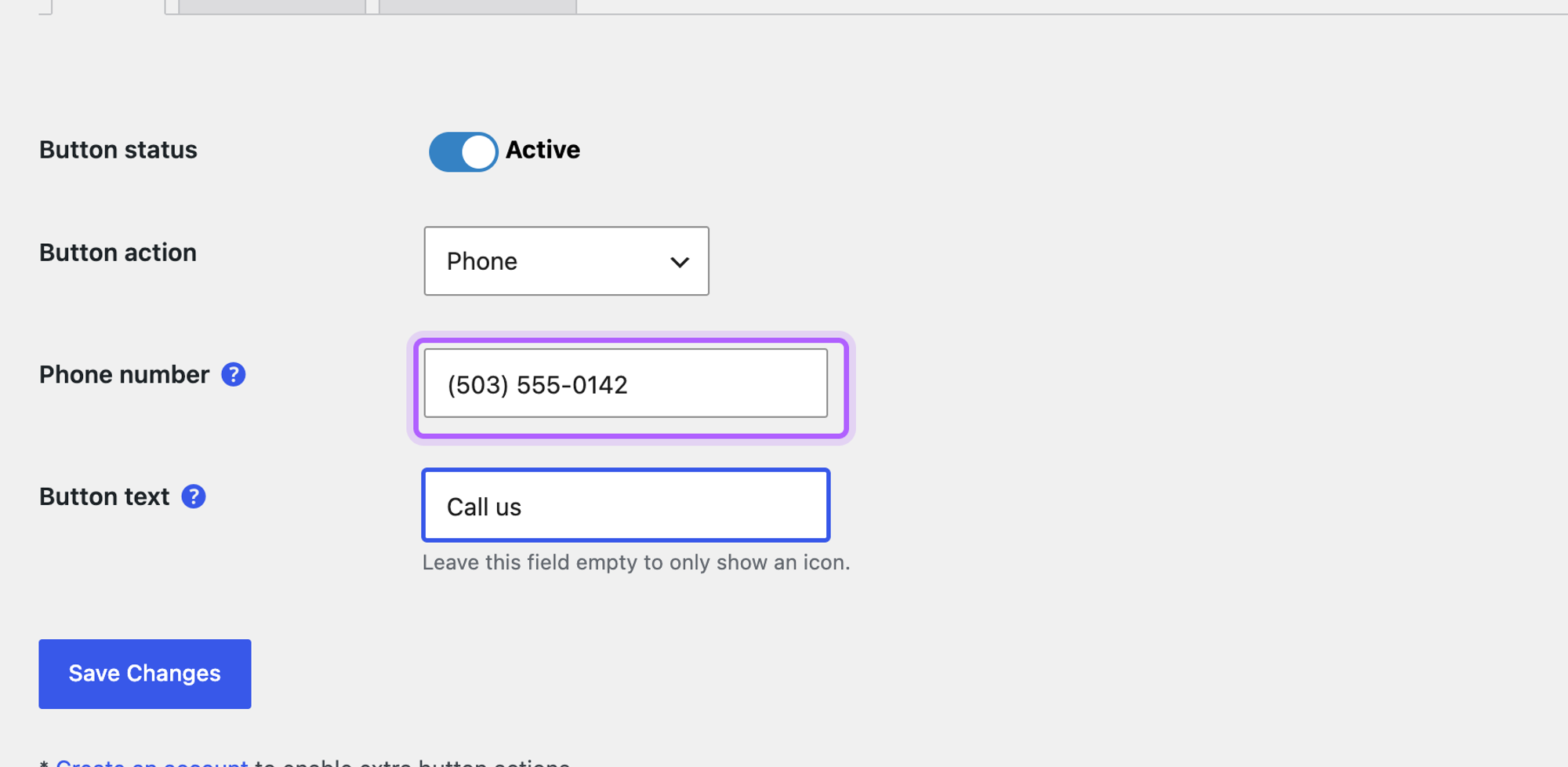
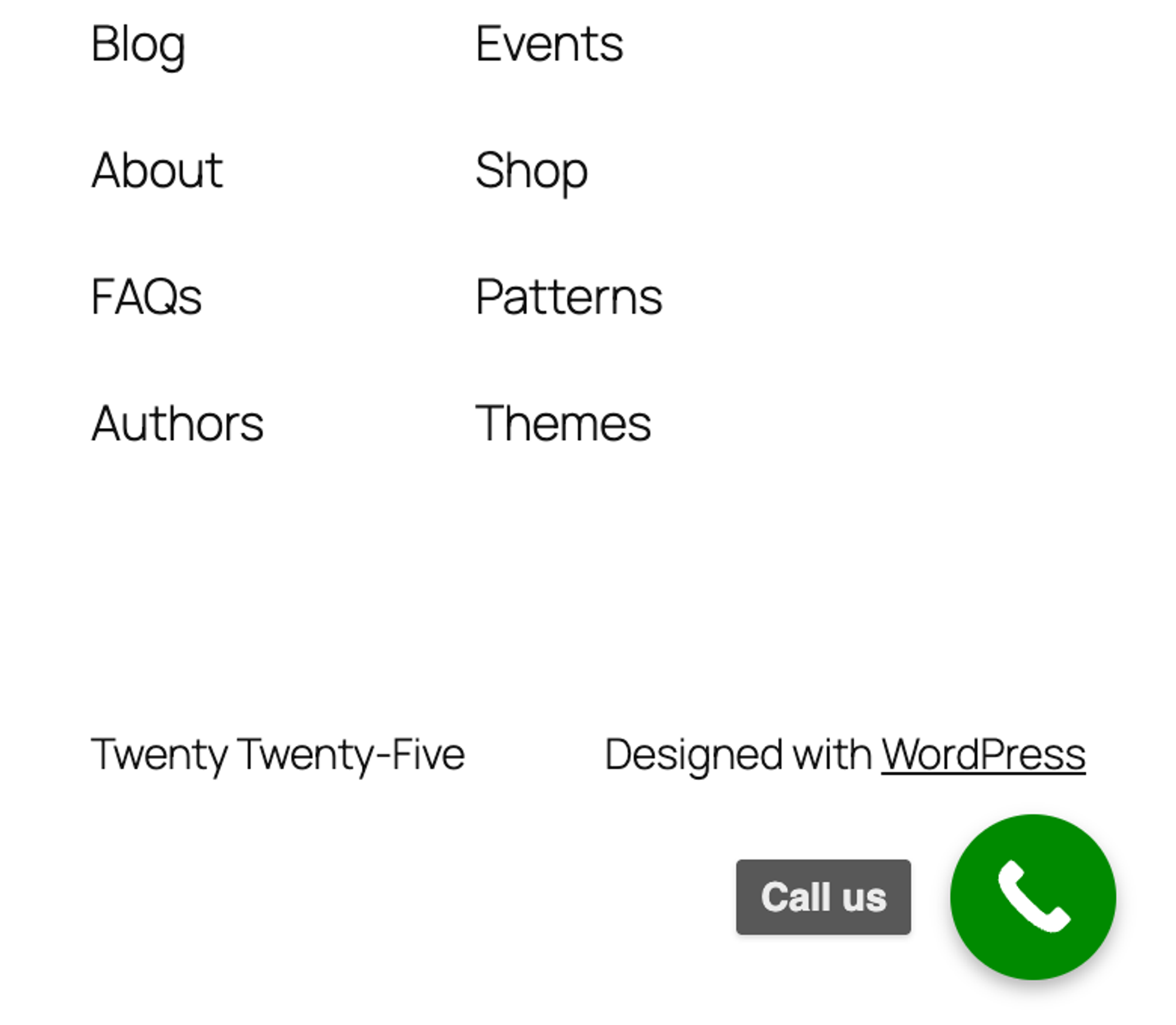
Setup took 6 steps: activate, open the plugin, switch the button on, type the number and the button text, save. The button added 5.7 KB and 1 request to the page, the lightest result in this whole test. Its link was tel:(503) 555-0142, exactly as typed, which phones dial correctly.
By default the button shows on phones only. The display setting offers Mobile only, Desktop only and All screens. The scheduler, which would show the button only during opening hours, is locked in the free version.
What we measured for Call Now Button 2.0.4:
- Setup steps: 6
- Weight added: 5.7 KB, 1 request
- Call link correct: yes (
tel:(503) 555-0142) - Visible at 390 px: yes. Visible on desktop by default: no
- Free version blocked: the opening-hours scheduler
Pros
- The lightest plugin we tested.
- No account, no wizard, one settings screen.
Cons
- Hidden on desktop until you change the display setting.
- No WhatsApp in the free version.
- Showing the button only in office hours needs the paid plan.
NowButtons Pro costs $49.90 per year for one website and adds the scheduler, more buttons and WhatsApp. Links: Call Now Button on wordpress.org, vendor site.
5. Chaty
Chaty is the best plugin for plumbers who want call and WhatsApp in one widget that also shows on desktop.
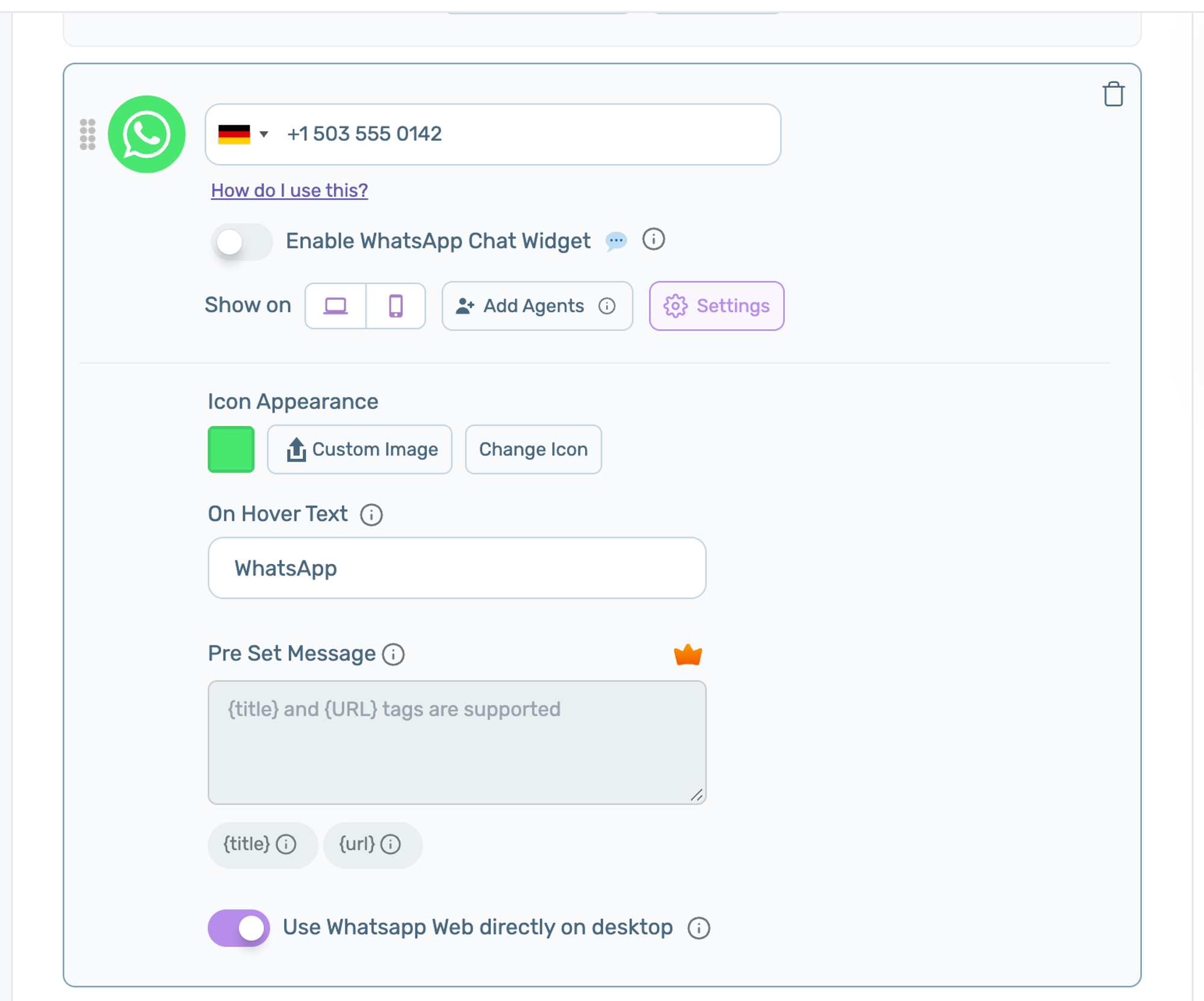
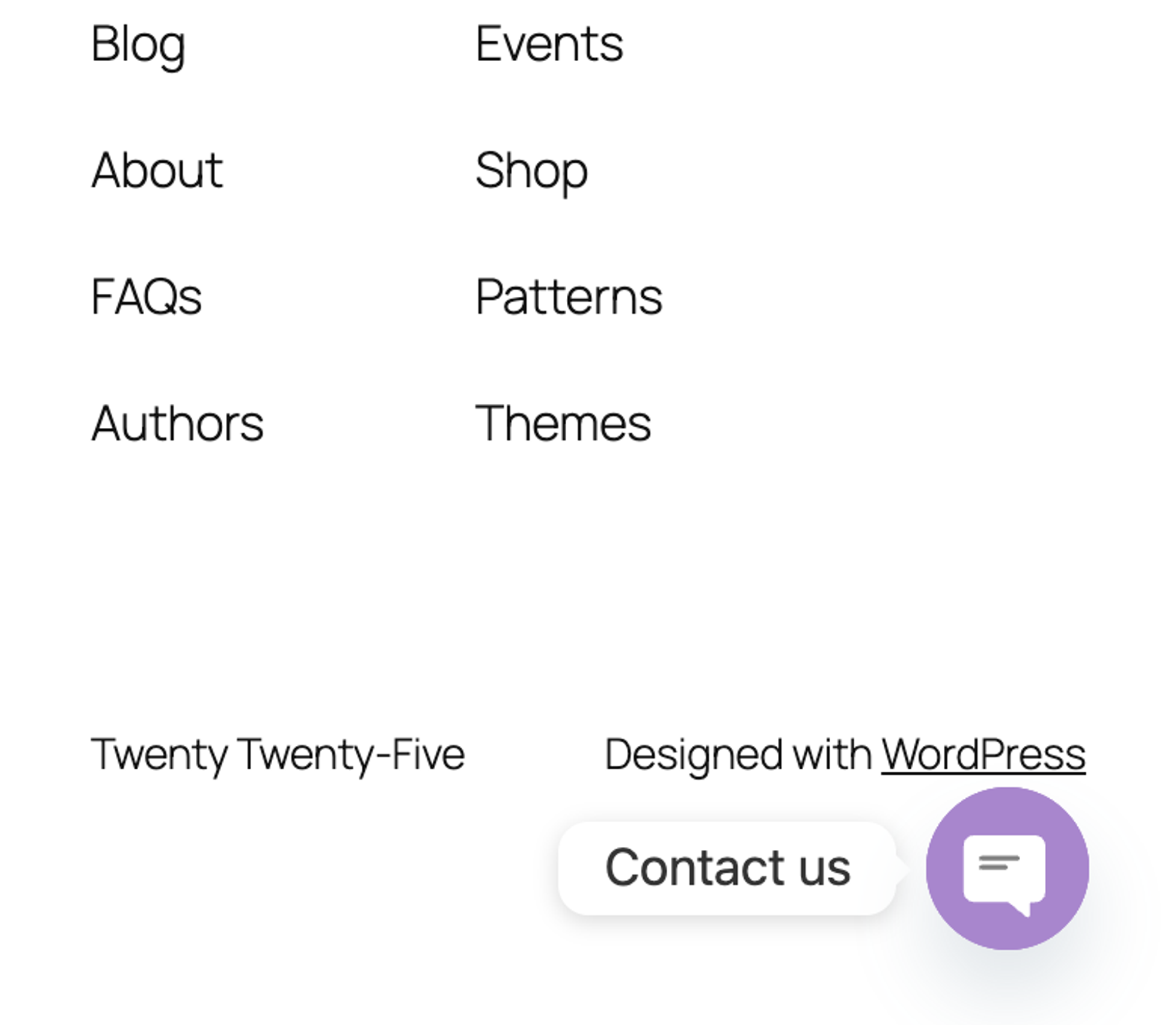
Activation opened a welcome screen, then Create Widget. Phone and WhatsApp were already selected as channels, so the job took 7 steps. The widget showed both buttons on phones and on desktop. It added 252 KB and 5 requests.
The WhatsApp field kept a German flag after we typed a US number, although the saved link was correct. The Pre Set Message field, which fills in the first WhatsApp message, is locked in the free version, so the link opened WhatsApp with an empty message.
What we measured for Chaty 3.6.3:
- Setup steps: 7
- Weight added: 252 KB, 5 requests
- Call link:
tel:+15035550142, WhatsApp link:https://wa.me/15035550142?text= - Visible at 390 px and on desktop: yes
- Free version blocked: the prefilled WhatsApp message
Pros
- Call and WhatsApp in one place, on every screen size.
- Phone and WhatsApp are preselected, so the first screen already holds both numbers.
Cons
- The prefilled message is paid.
- Heavier than Call Now Button (252 KB against 5.7 KB).
Chaty Pro costs from $59 per year and adds opening days and hours, page targeting and more agents. Links: Chaty on wordpress.org, vendor site.
6. Click to Chat
Click to Chat is the best plugin for plumbers who take jobs over WhatsApp and want the first message filled in.
Everything is on one settings screen: number, prefilled message, button style and position. The job took 5 steps, the fewest of the WhatsApp plugins. A tap on the button opened https://wa.me/15035550142?text=Hi%2C%20I%20have%20a%20question, with the number and our message.
It added 126 KB, of which 18.4 KB are its own files; the rest are WordPress scripts it loads. It has no call button, so pair it with Call Now Button if you want both.
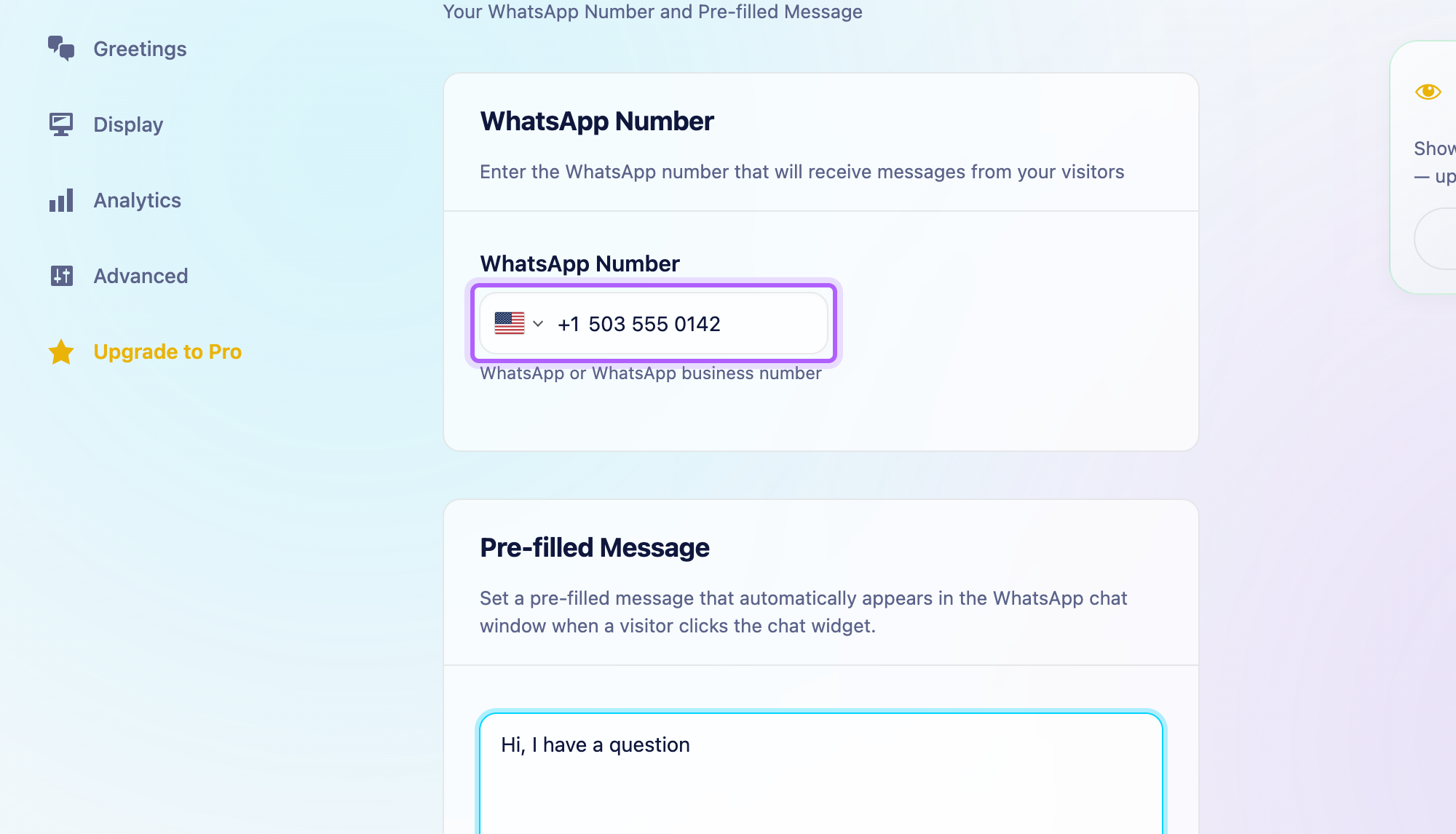
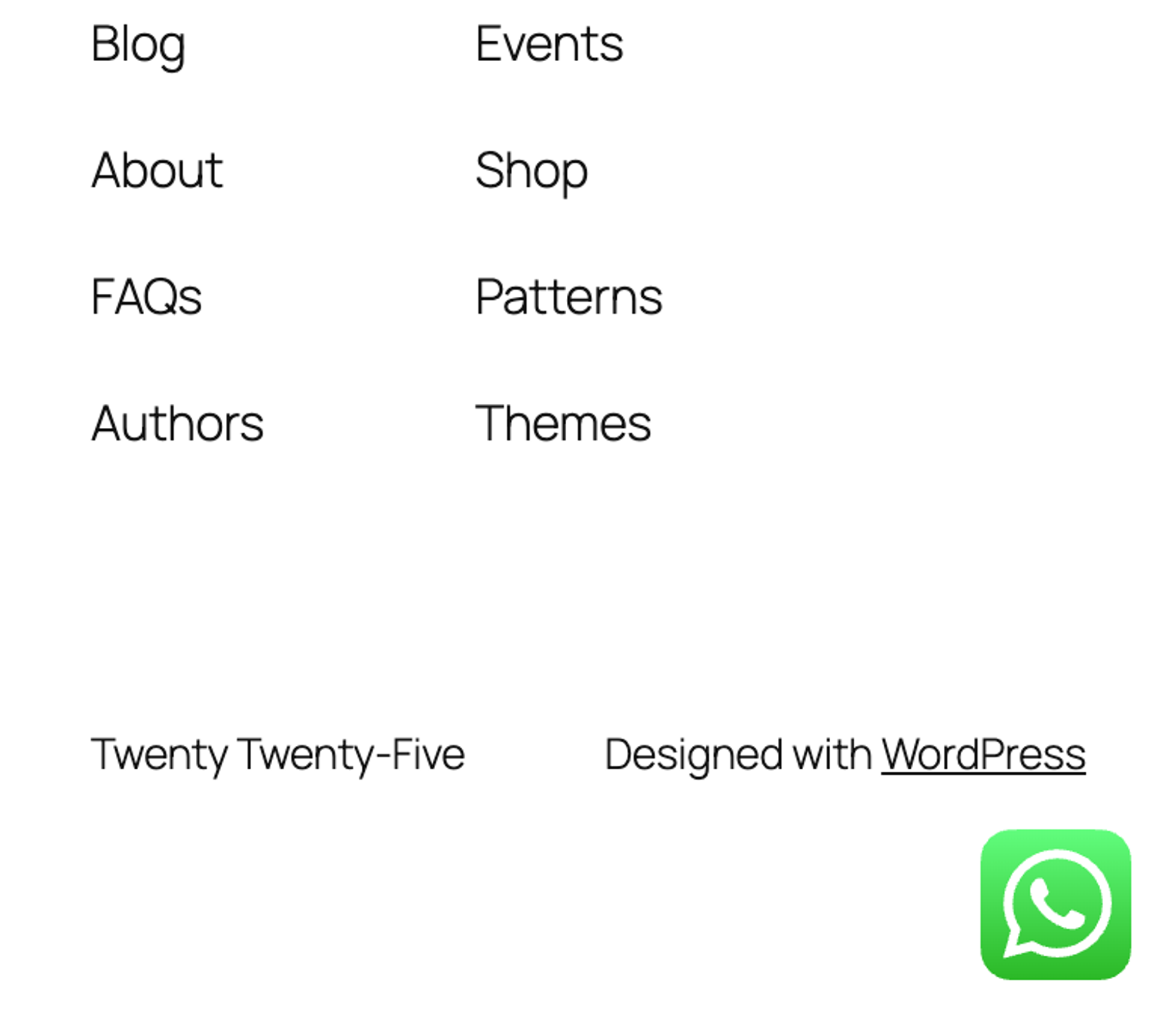
What we measured for Click to Chat 4.45:
- Setup steps: 5
- Weight added: 126 KB, 4 requests
- WhatsApp number and message correct: yes
- Free version blocked: nothing we needed; multiple agents and business hours are paid
Pros
- Prefilled message in the free version.
- One settings screen.
Cons
- No call button.
- The default prefilled message is empty, so set your own.
Click to Chat Pro costs from EUR 16.09 per year for one site and adds multiple agents and business hours. Links: Click to Chat on wordpress.org, vendor site.
We also tested Joinchat. It worked, with a chat-style setup wizard and a WhatsApp link that carried our message, but the visitor sees a chat window first and taps a second time to open WhatsApp, and its default first message ends with "Sent with Joinchat". It added 38 KB.
Emergency plumbers often ask for a button that shows only after hours, or only during office hours. In all four plugins that is a paid feature: Call Now Button locks its scheduler, and Chaty and Click to Chat list opening hours under their paid plans. For a 24/7 line, the free version of any of them is enough, because the button never has to hide.
Get quote requests: contact and estimate forms
A quote form catches the customer who cannot call right now. The test form had Name, Phone, Email, Best time to call (Morning, Afternoon, Evening), Message, and a photo upload where the free version allows it, because a photo of the leak saves a site visit. A logged-out visitor sent it, and we read the email the office got.
7. Forminator
Forminator is the best free form plugin for plumbers who want customers to send a photo of the problem with their request.
We used the Quote Request preset and added a select field and a file upload: 18 steps. Its File Upload field is free, and it kept the uploaded photo with the saved entry; Contact Form 7, the other plugin with a free upload, only attaches it to the email. Its Phone field is free too, though it renders as a plain text box. The preset also brings a Services checkbox and an Additional notes box, which we kept.
The cloud templates on the same screen, Home Service Request Form among them, ask you to CONNECT SITE with a WPMU DEV account. The office got an email with every field, and the entry was saved in WordPress. It added 724 KB.
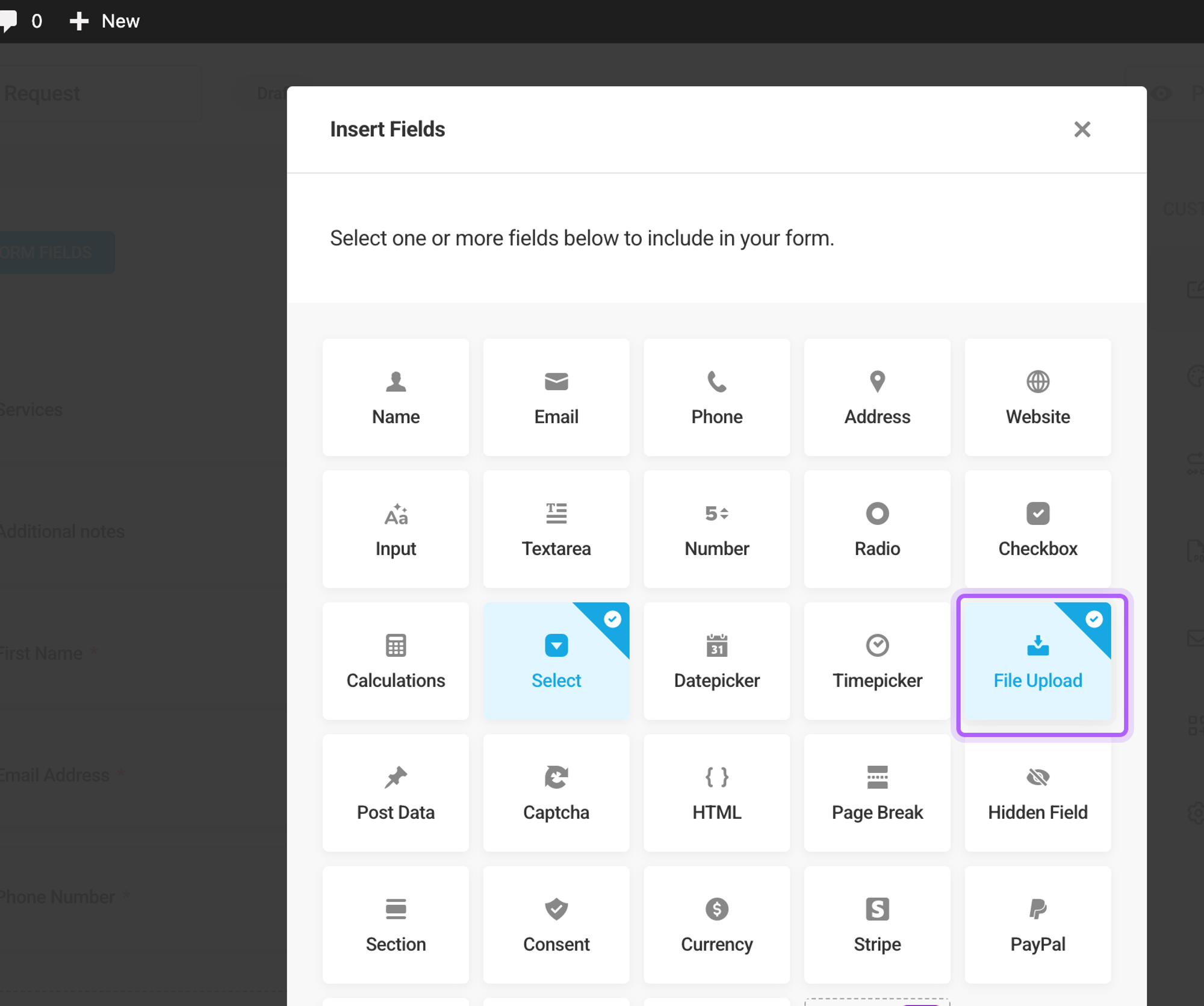
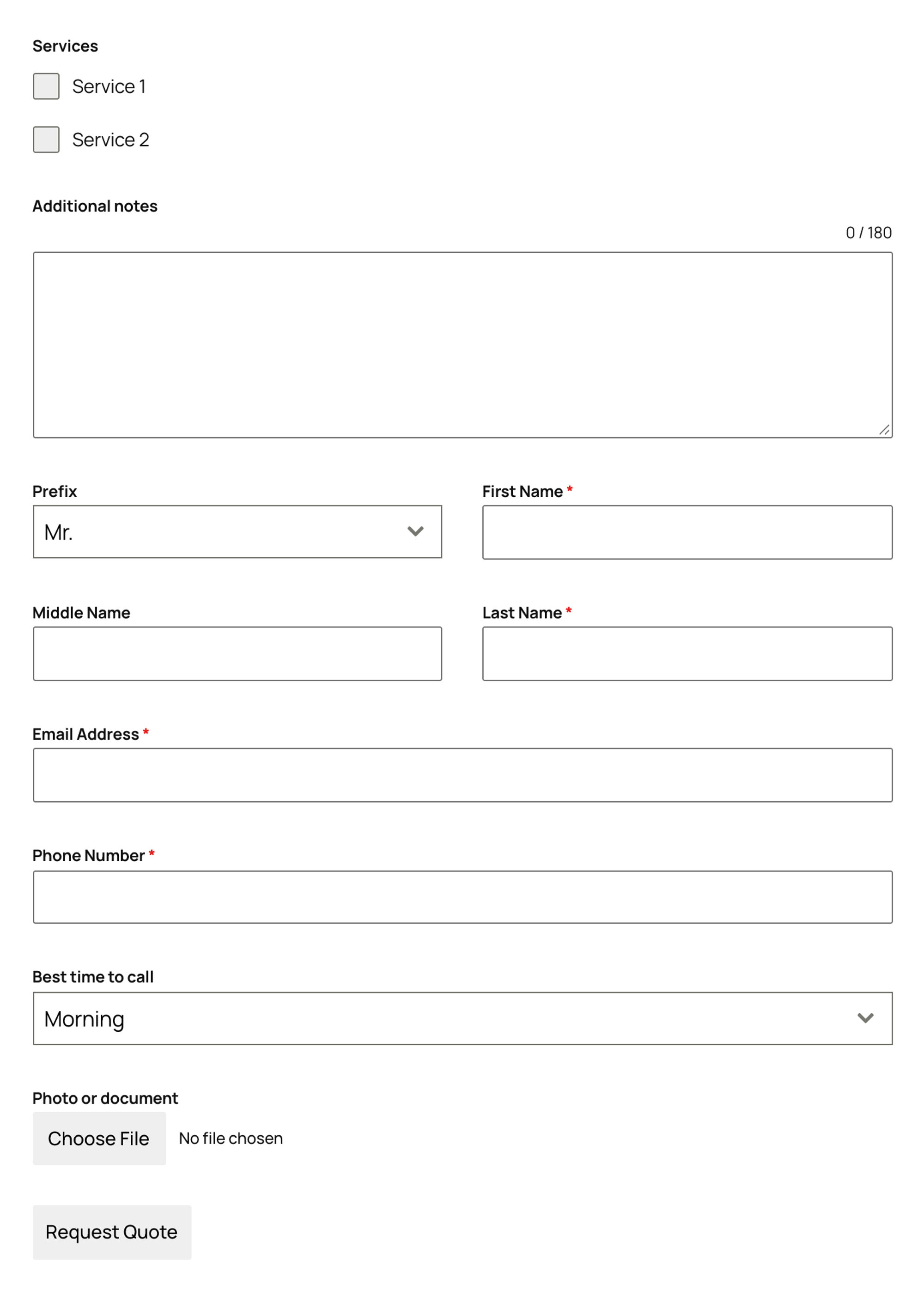
What we measured for Forminator 1.58.1:
- Setup steps: 18
- Email to the office: yes, with every field
- Entries kept in WordPress: yes
- Photo upload in the free version: yes, saved with the entry
- Weight added: 724 KB, 18 requests
Pros
- Free file upload for job photos.
- Saves entries, and the field list has a Calculations field for simple price estimates.
Cons
- The heaviest form we tested: 724 KB, including a stylesheet it writes to the uploads folder.
- Cloud templates need a WPMU DEV account.
Forminator Pro is sold as part of WPMU DEV, from $50 per year for one site. Links: Forminator on wordpress.org, vendor site.
8. WPForms Lite
WPForms Lite is the best free form plugin for plumbers who want the quickest setup and every field of a quote request in the office email.
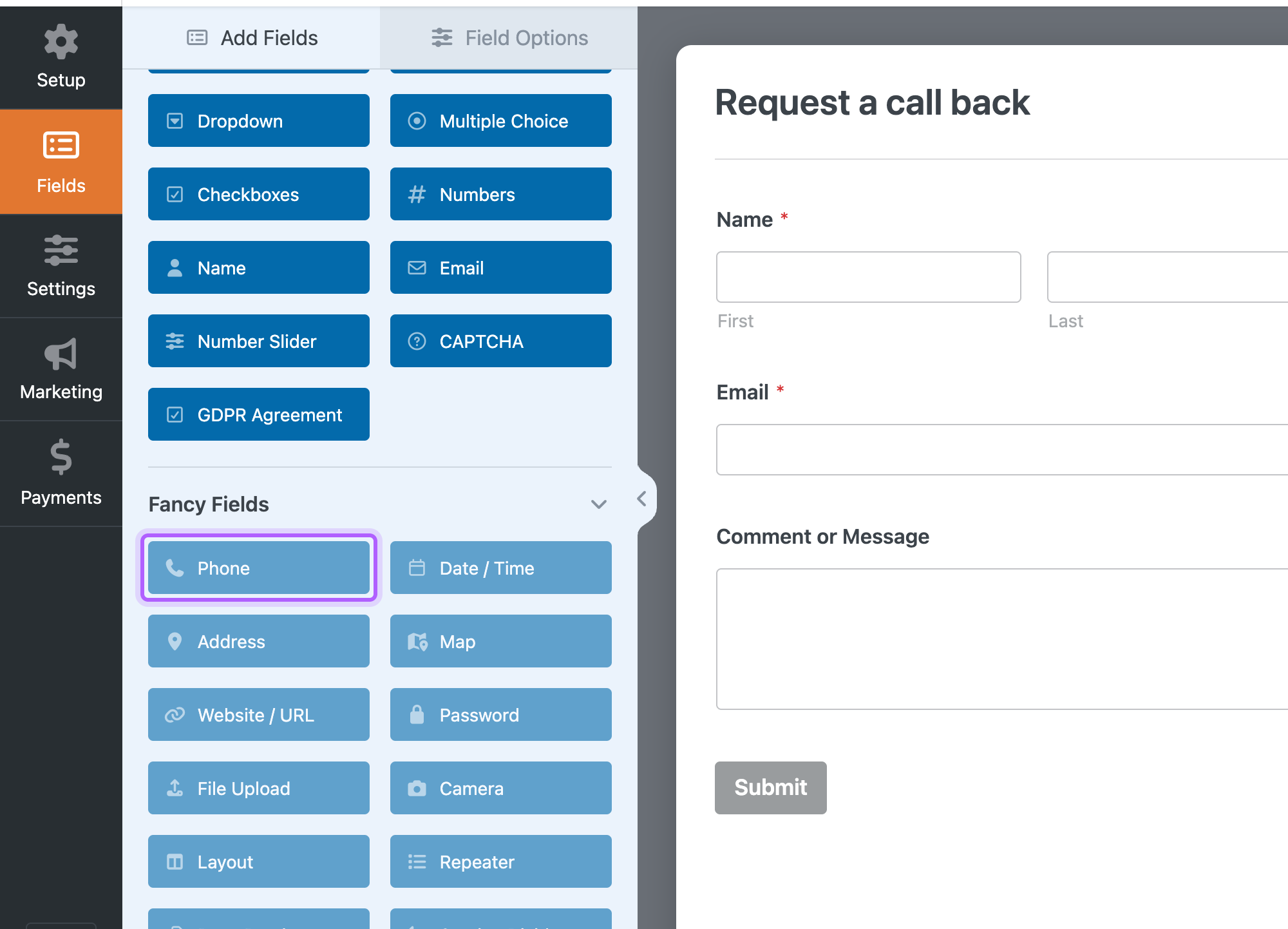
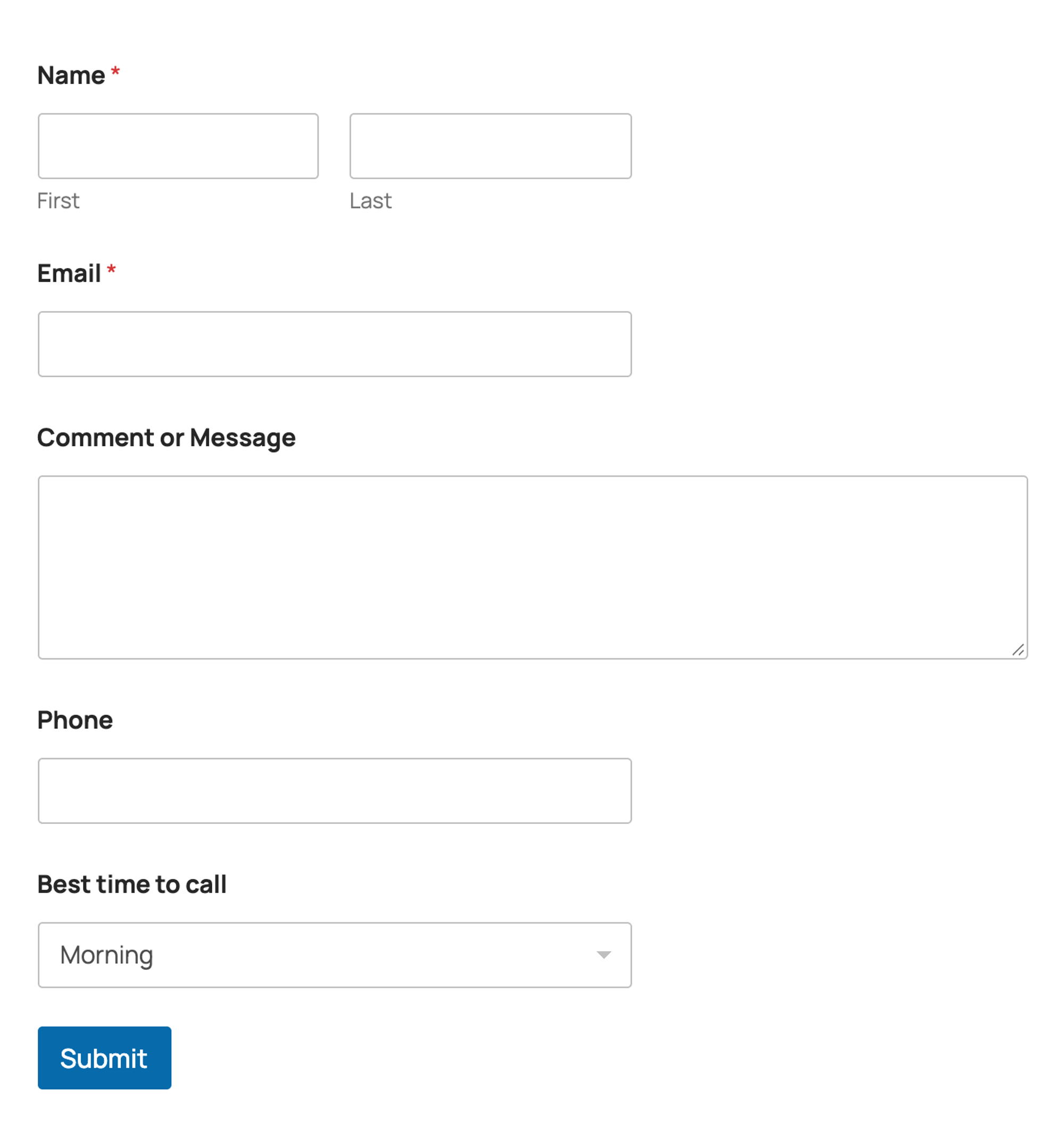
We started from the Simple Contact Form template and added a text field for the phone number and a dropdown for the best time to call: 13 steps. The first visit to the builder started a five-minute guided tour, the WPForms Challenge, which you can cancel.
The office email listed every field, because the default notification sends all fields. Two things a plumber will miss are paid: the Phone field (we used a plain text field, so phones show the normal keyboard) and the File Upload field for photos. The free version also keeps no copy of the entries in WordPress, so the email is your only record.
It added 376 KB to the page and wrote 10 files (2.2 MB) to the uploads folder, mostly cache files, plus 11 database tables.
What we measured for WPForms Lite 2.0.2.2:
- Setup steps: 13
- Email to the office: yes, with every field
- Entries kept in WordPress: no
- Weight added: 376 KB, 12 requests
- Free version blocked: Phone field, File Upload field, stored entries
Pros
- The office email lists every field with no setup.
- Large template library, clear builder.
Cons
- No photo upload and no phone field in the free version.
- No entries stored, so a lost email is a lost lead.
- Writes 2.2 MB of cache files to the uploads folder.
WPForms Basic costs $49.50 for the first year ($99 regular) and adds stored entries and file uploads. Links: WPForms Lite on wordpress.org, vendor site.
9. Fluent Forms
Fluent Forms is the best free form plugin for plumbers who want every request saved in WordPress as well as emailed.
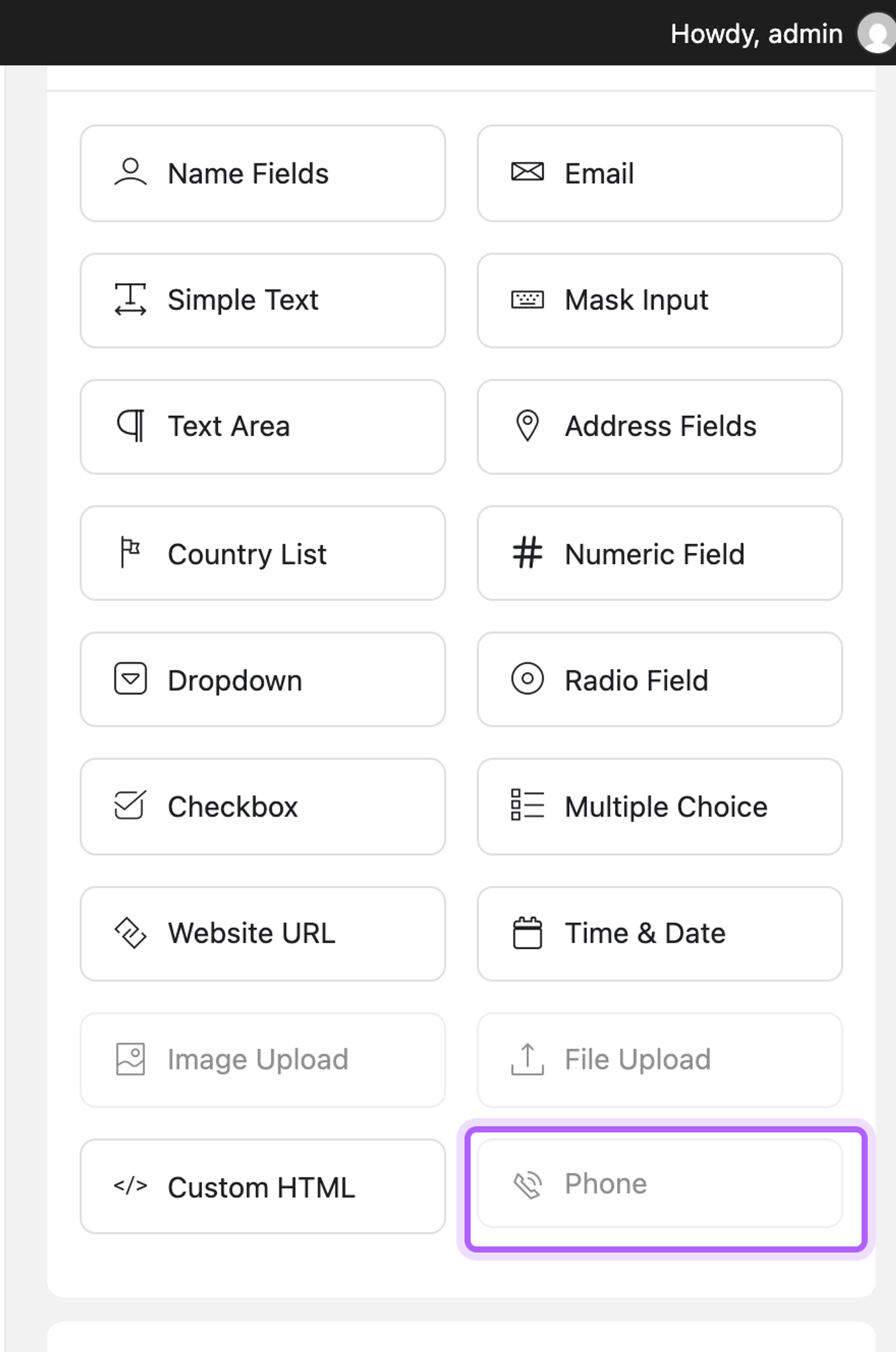
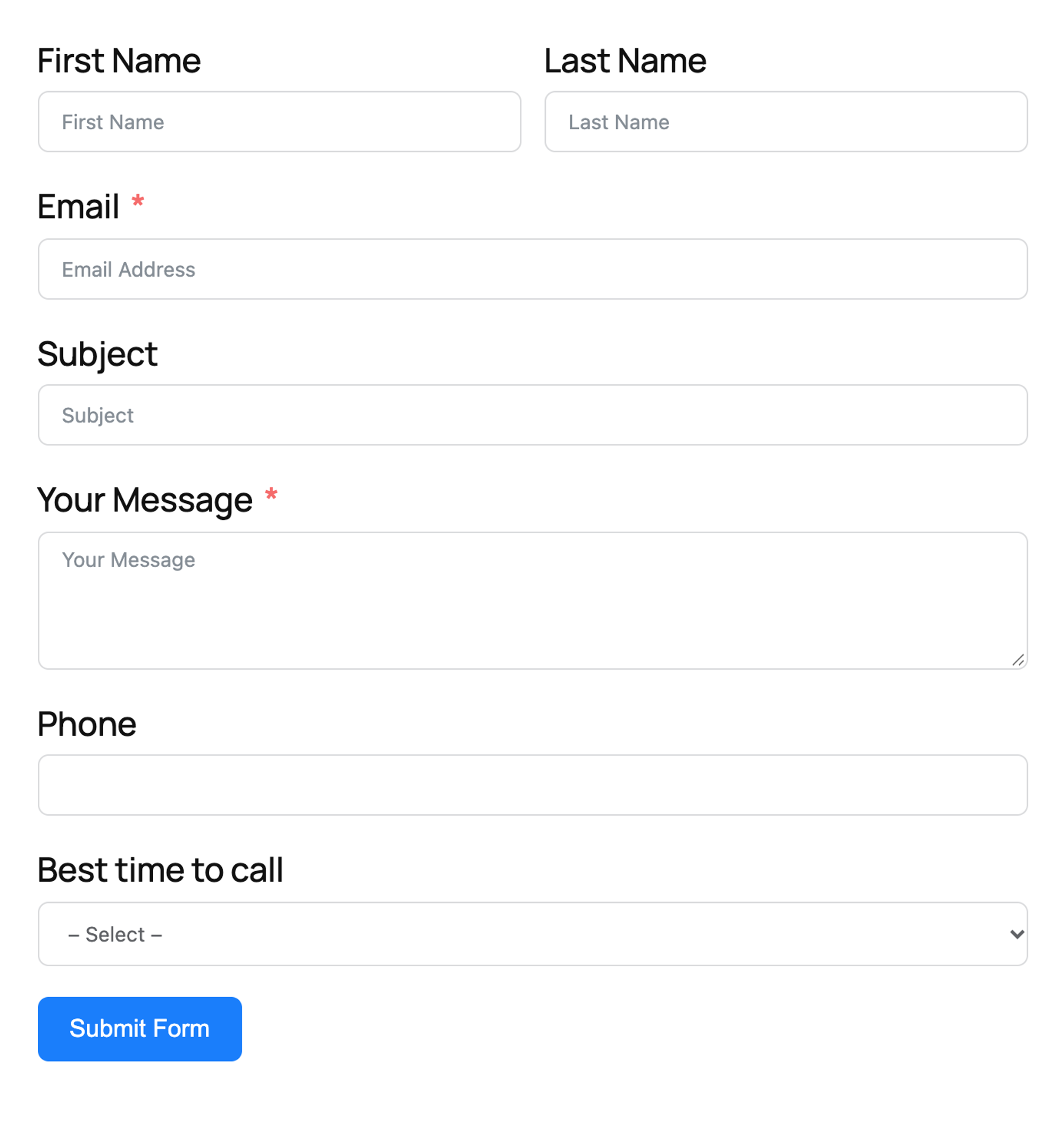
Activation adds a Contact Form Demo, which we extended with a phone text field and a dropdown: 19 steps, the most of the forms. Most of the extra steps are the email: the demo form has no email notification, so nothing reached the office until we added one with the address, a subject and the All Data shortcode.
After that the email had every field, and every entry was also saved in WordPress. The Phone and File Upload fields are not available in the free version. It added 216 KB, and the email footer said "Powered by FluentForm".
What we measured for Fluent Forms 6.2.15:
- Setup steps: 19
- Email to the office: yes, with every field (after adding a notification)
- Entries kept in WordPress: yes
- Weight added: 216 KB, 5 requests
- Free version blocked: Phone field, File Upload field
Pros
- Saves every entry in WordPress.
- Lighter than WPForms Lite (216 KB against 376 KB).
Cons
- Emails nothing until you add a notification.
- No photo upload in the free version.
- "Powered by FluentForm" in the email footer.
Fluent Forms Pro costs $63 per year for one site and adds file uploads, the phone field and integrations. Links: Fluent Forms on wordpress.org, vendor site.
We also tested Contact Form 7, the most installed form plugin. It is light (49 KB) and has a free file upload and a real phone field, but the default email only lists the fields of its starter form: our office email arrived without the phone number and the best time to call until the Mail tab is edited by hand. It stores no entries and has no spam protection switched on.
Get booked online: appointment plugins
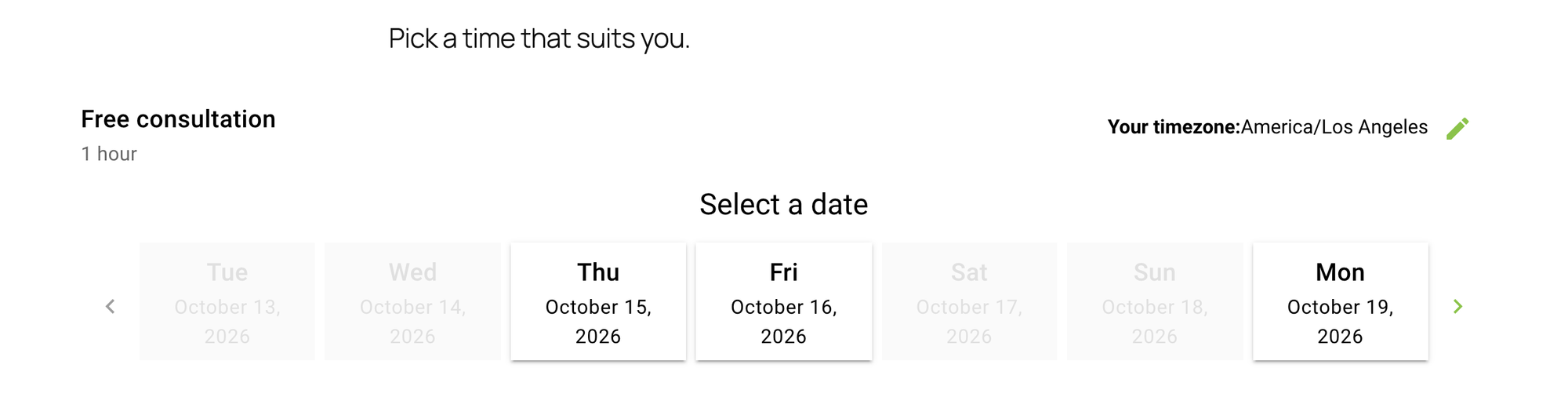
Online booking suits estimate visits and maintenance jobs; emergencies still need the phone. Each booking plugin got the same job: a "Free consultation" of 60 minutes, one staff member, Monday to Friday, and a visitor who books the first free slot and gets a confirmation. We checked who got an email.
10. Simply Schedule Appointments
Simply Schedule Appointments is the best booking plugin for plumbers who want booking to work, emails included, right after setup.
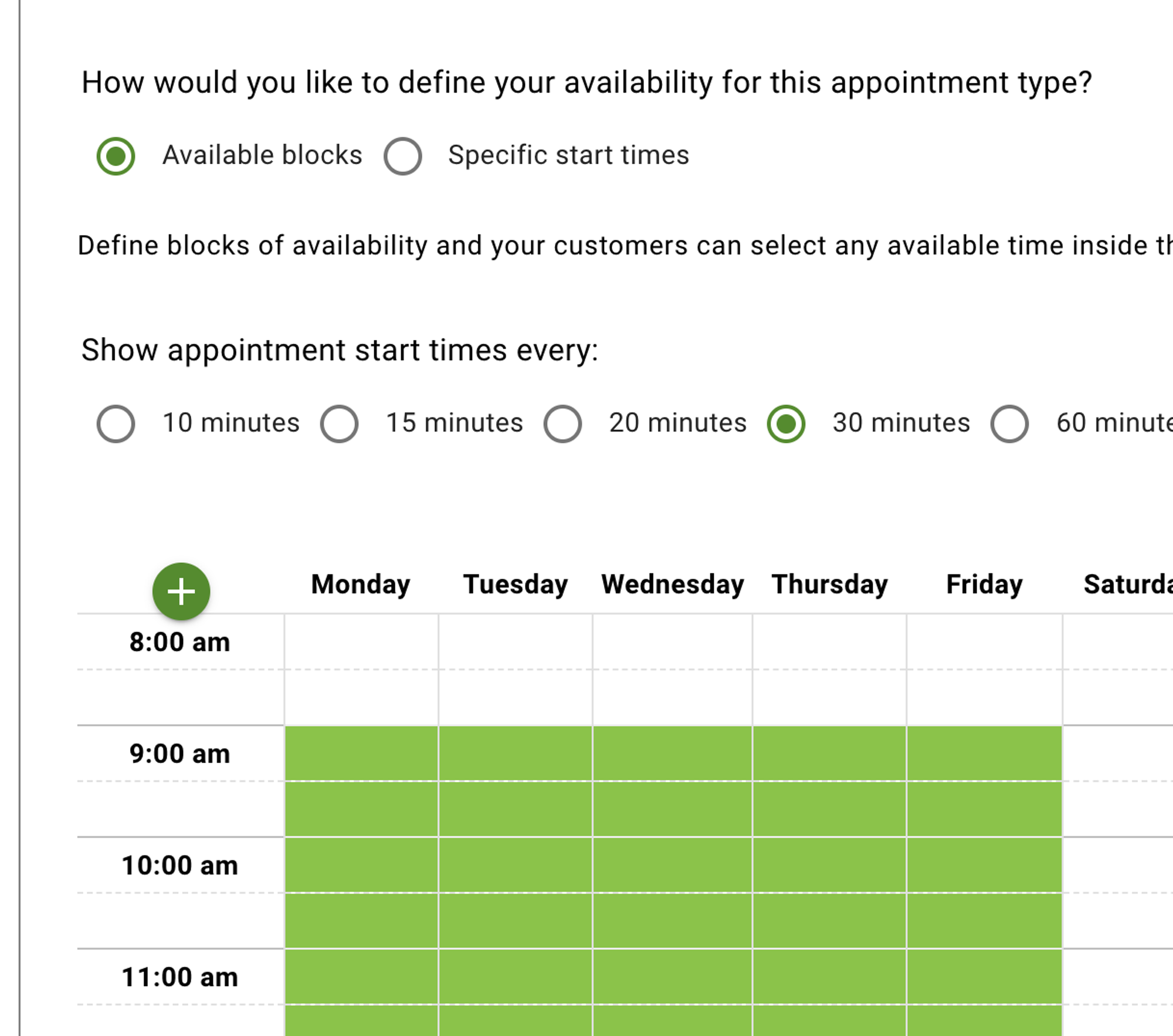
A five-part setup asks for the appointment name and duration, then shows default hours of Monday to Friday, 9:00 to 12:00 and 13:00 to 17:00. We kept them: 12 steps in total. It reads the time zone from your browser and asks you to confirm it.
The visitor needed 4 steps from the page to a confirmed booking. The office and the customer each got an email, the only plugin of the four that did this without extra settings. The minimum booking notice is one day by default, so same-day slots are off.
The booking form runs inside an iframe and is heavy: 3,056 KB and 22 requests, including a request to ip2c.org, a service that looks up the visitor's country from their IP address.
What we measured for Simply Schedule Appointments 1.6.12.33:
- Setup steps: 12, visitor steps: 4
- Booking saved: yes. Emails: office 1, customer 1
- Weekend slots offered: none
- Weight added: 3,056 KB, 22 requests
- Fits a 390 px screen: yes
Pros
- Both emails out of the box.
- The shortest booking flow for the visitor.
Cons
- Heavy: about 3 MB of scripts in an iframe.
- Sends the visitor's IP to a third-party country lookup.
- Google Calendar sync and reminders are paid.
Simply Schedule Appointments Plus costs $99 for the first year and adds Google Calendar sync and reminder emails. Links: Simply Schedule Appointments on wordpress.org, vendor site.
11. LatePoint
LatePoint is the best booking plugin for plumbers who want a polished booking form and do not mind a longer setup.
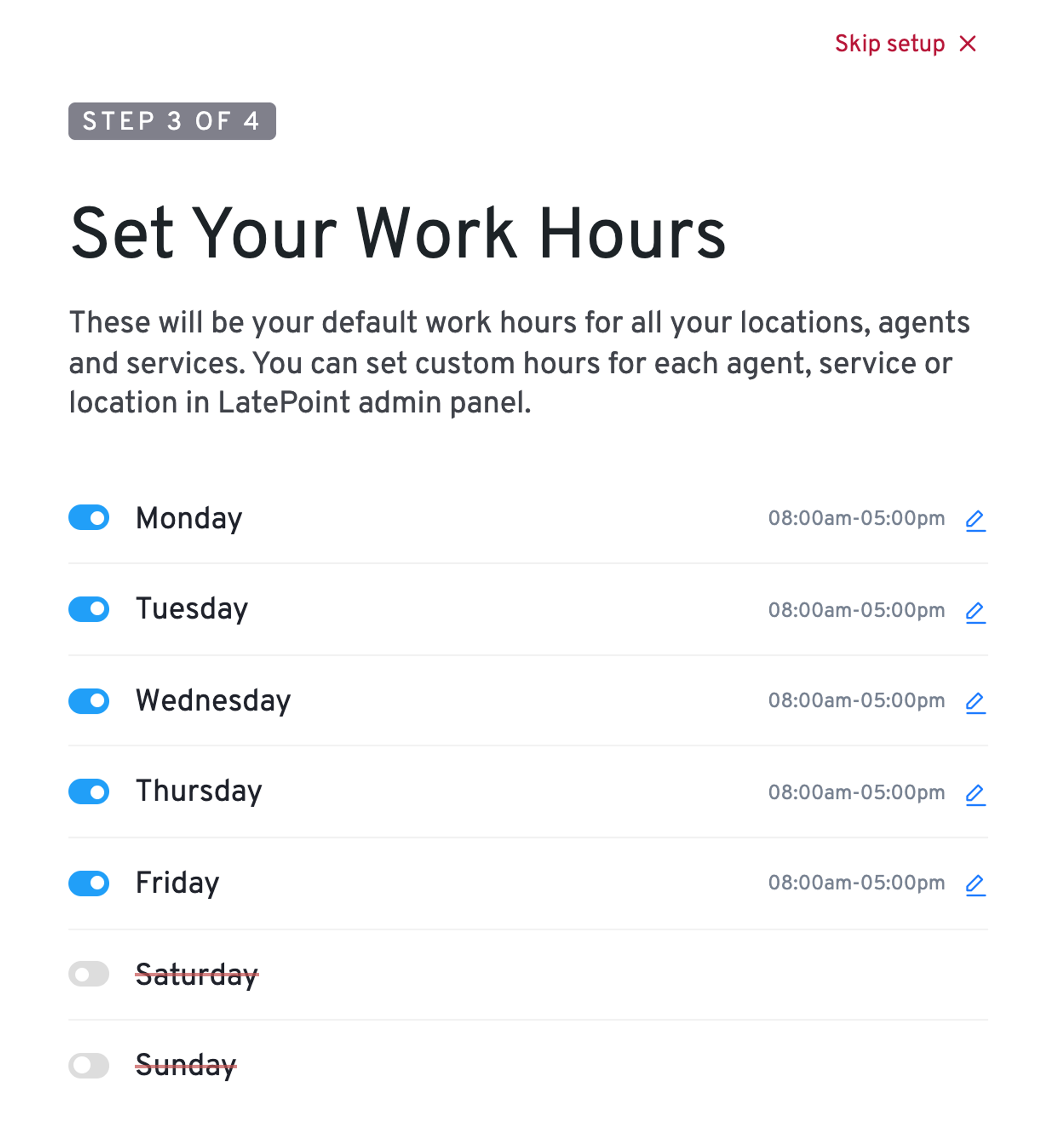
The setup wizard asks for a staff member, a service and work hours. The hours start at 8:00 to 17:00 on all seven days, so we switched Saturday and Sunday off. The last step asks for your name and email with a data-sharing box ticked by default; we unticked it.
After the wizard no email went out at all: the WordPress mailer is switched off under Settings, Notifications. Switching it on took two more steps, 16 in total, and then the office and the customer each got an email.
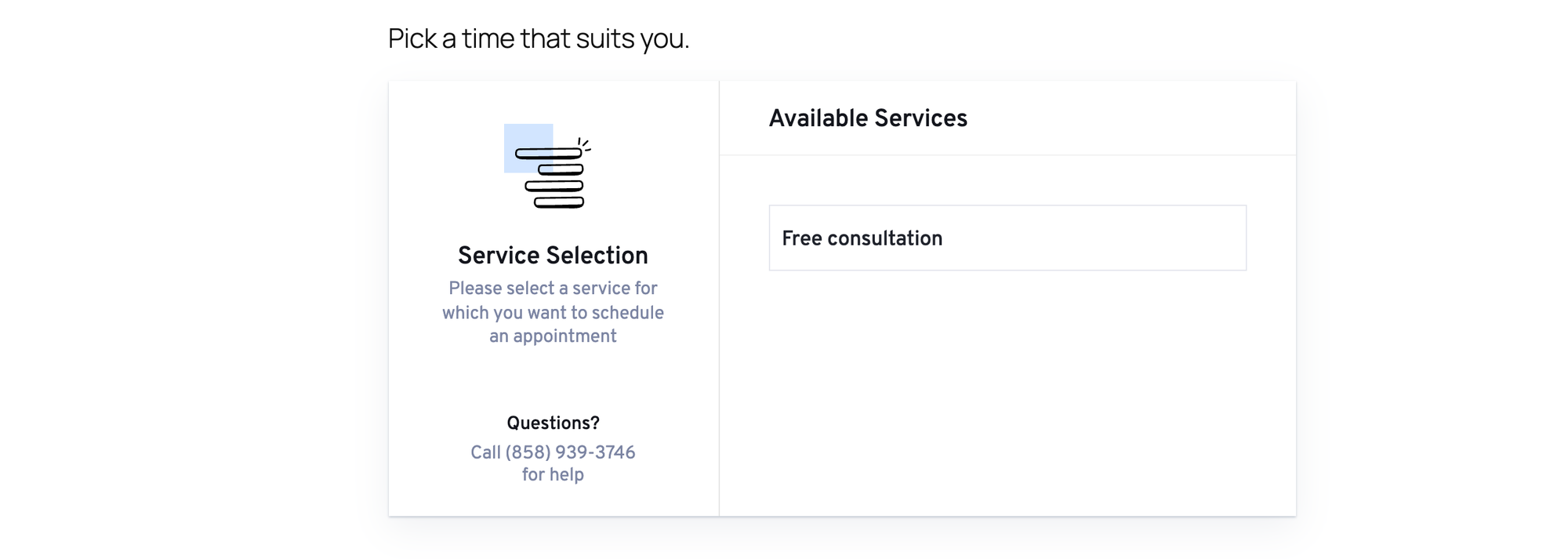
The booking form showed "Questions? Call (858) 939-3746 for help" on every step, a sample number you have to replace in the settings. It added 1,181 KB and 44 database tables.
What we measured for LatePoint 5.7.4:
- Setup steps: 16, visitor steps: 7
- Booking saved: yes. Emails: none until the mailer is switched on, then office 1, customer 1
- Weight added: 1,181 KB, 10 requests
- Fits a 390 px screen: yes
- Free version blocked: SMS and WhatsApp notifications
Pros
- Clear step-by-step booking form.
- Lighter than Simply Schedule Appointments.
Cons
- No emails until you find the mailer switch.
- A sample help phone number on the live form.
- Weekend hours on by default.
LatePoint costs from $79 for the first year and adds payments, reminders and calendar sync. Links: LatePoint on wordpress.org, vendor site.
12. Amelia
Amelia is the best booking plugin for plumbers who plan to grow into several staff and services and want a modern booking calendar.
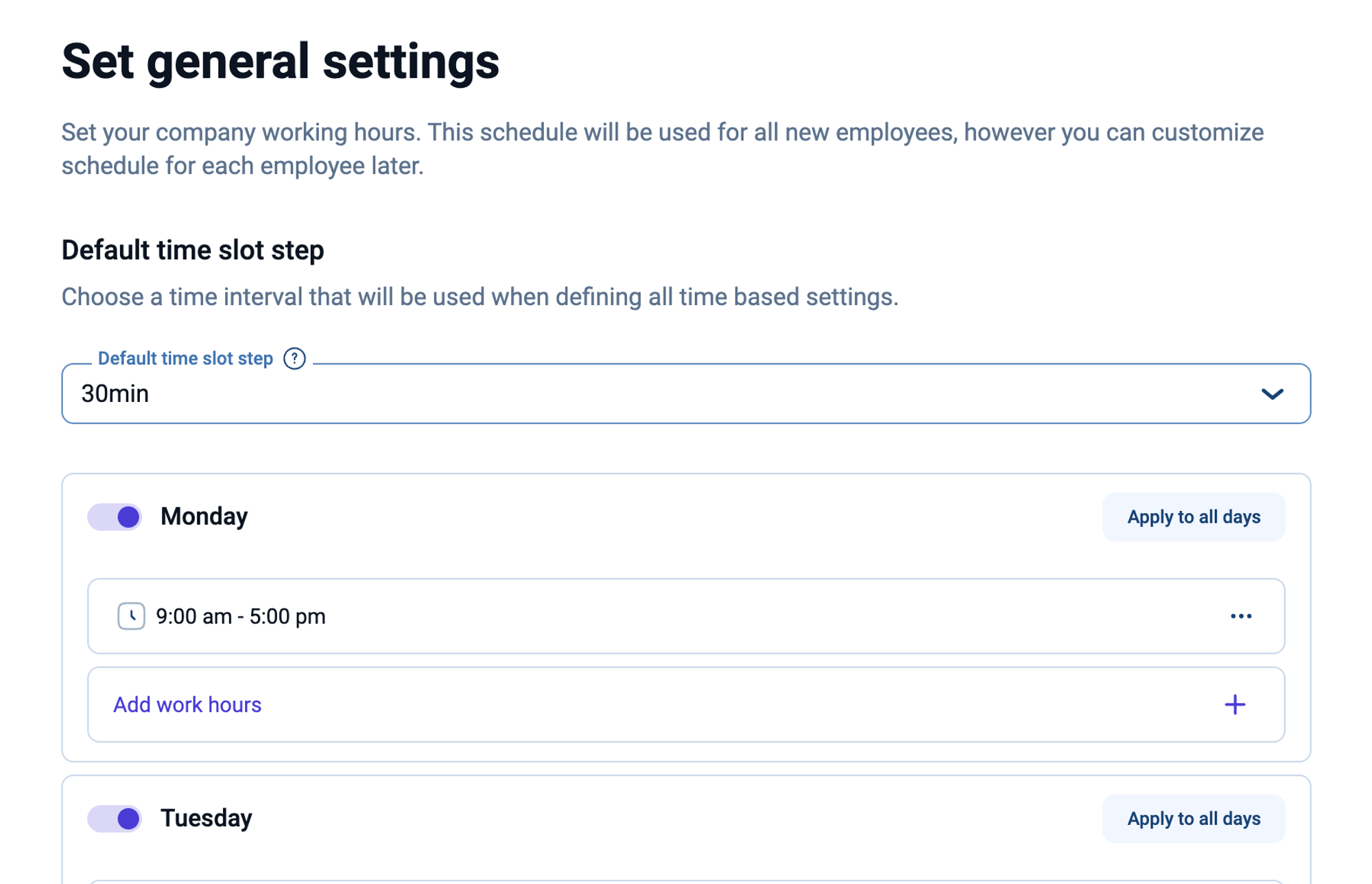
The welcome setup has four steps. Weekday hours start at 9:00 to 17:00. A new service is priced at $100 by default, so we set it to 0. That made 16 steps in total.
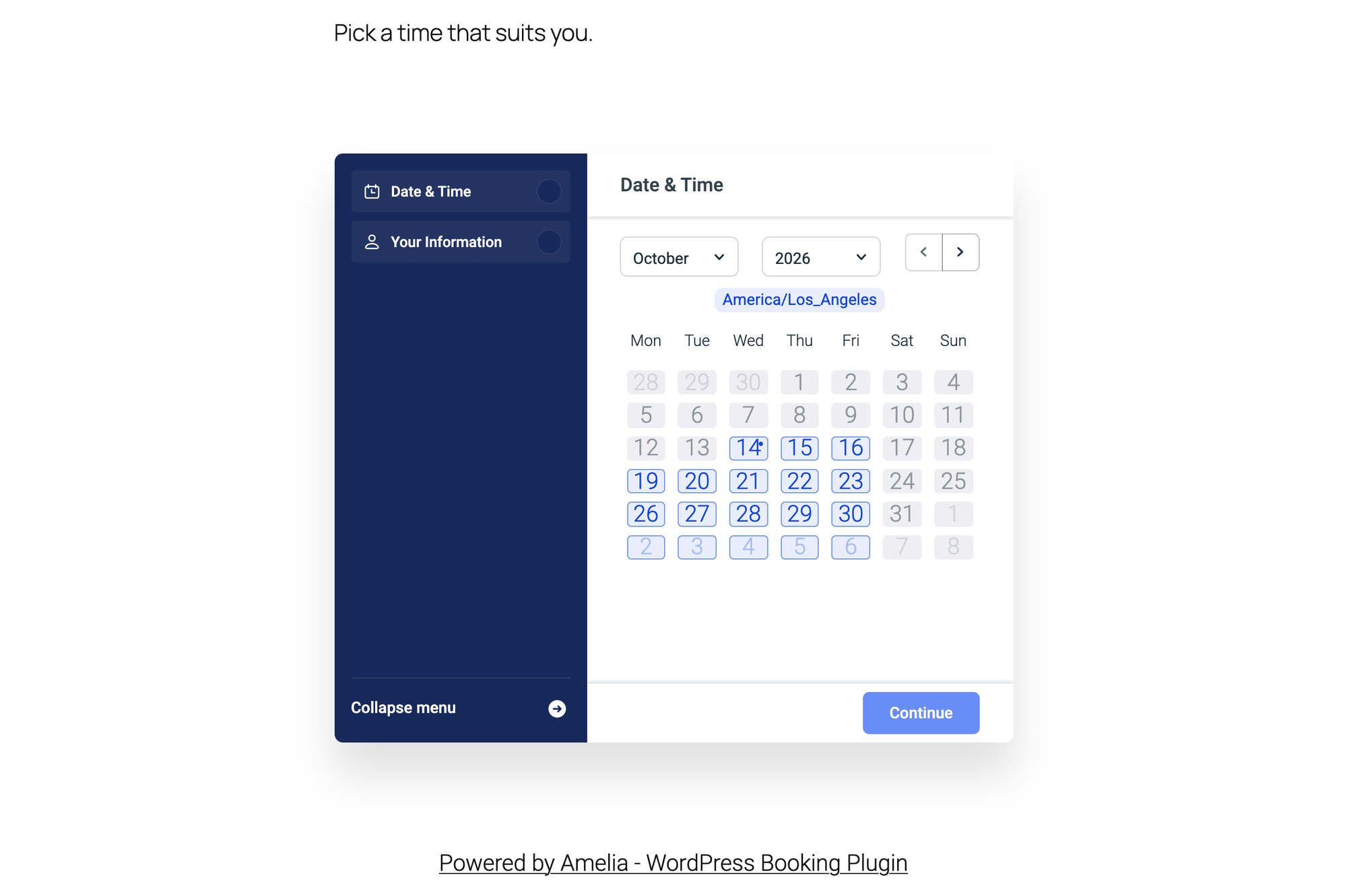
No email is sent until a mail service and sender are chosen under Settings, Notifications, Email; we chose WP Mail. After that the customer and the staff member each got an email, sent to the address entered for the employee, so use your office address there. Under the booking form sits a "Powered by Amelia - WordPress Booking Plugin" link; the setting Support Amelia by displaying a backlink is on by default.
Amelia was the heaviest plugin in this test: 5,510 KB on the booking page, mostly its own scripts and styles, and 61 database tables.
What we measured for Amelia 2.4.11:
- Setup steps: 16, visitor steps: 5
- Booking saved: yes. Emails: none until a mail service is chosen, then staff member 1, customer 1
- Weight added: 5,510 KB, 16 requests
Pros
- Calendar view that customers know from other booking sites.
- Room to grow: events, staff and locations.
Cons
- Emails need a mail service chosen first.
- A backlink to Amelia under the form until you switch it off.
- The heaviest booking form we tested (5,510 KB).
- A $100 default service price you have to change.
Amelia Starter costs from EUR 49 per year and adds calendar sync, deposits and invoices. Links: Amelia on wordpress.org, vendor site.
We also tested Bookly. Its setup took 11 steps and offered a Bookly Cloud account for reminders, which you can skip. It added 3 sample appointments that block real time slots until you delete them, and only the customer got an email, the office got none. It added 1,885 KB to the page, and the free version allows one staff member.
Show proof: reviews and job photos
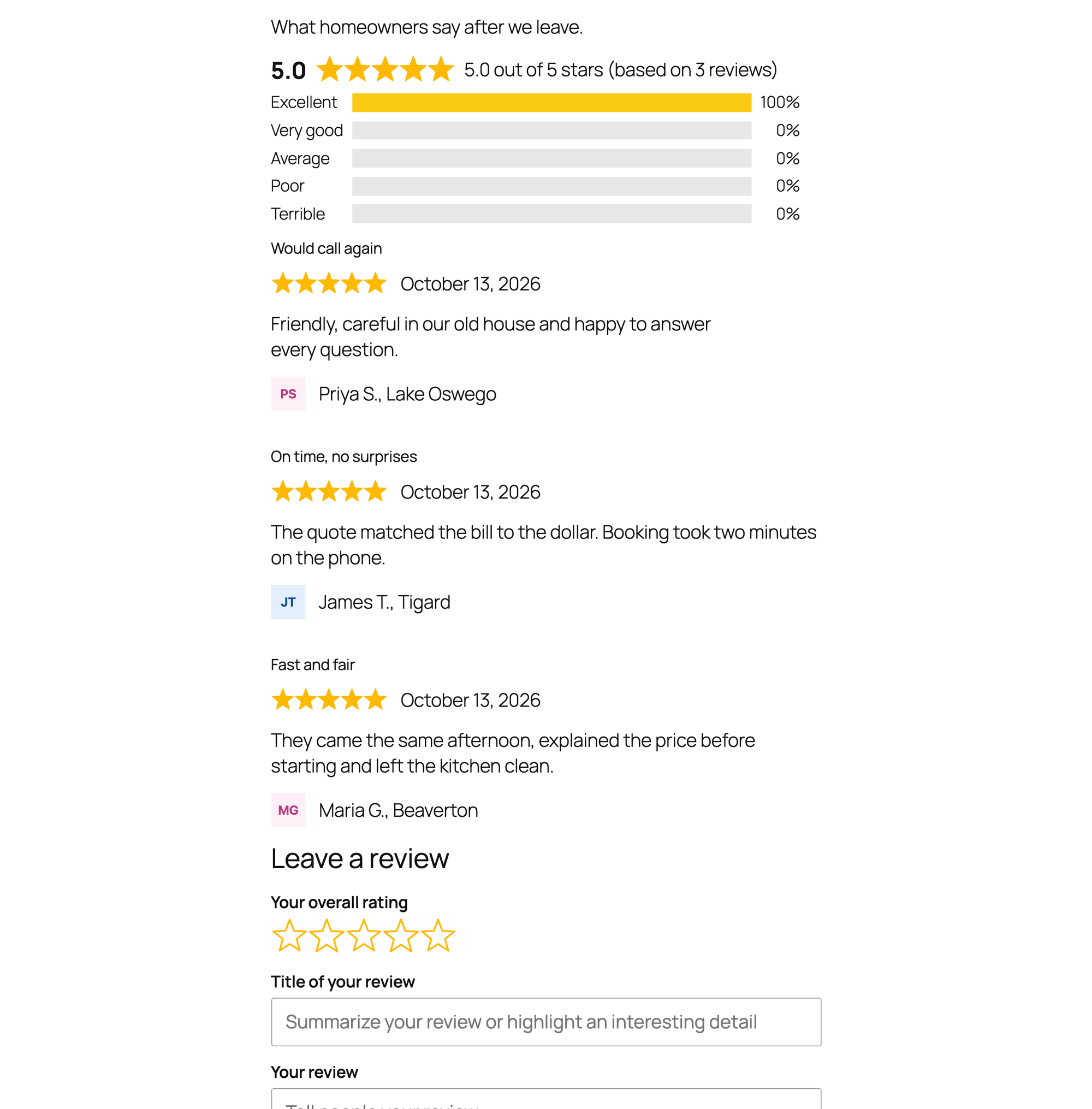
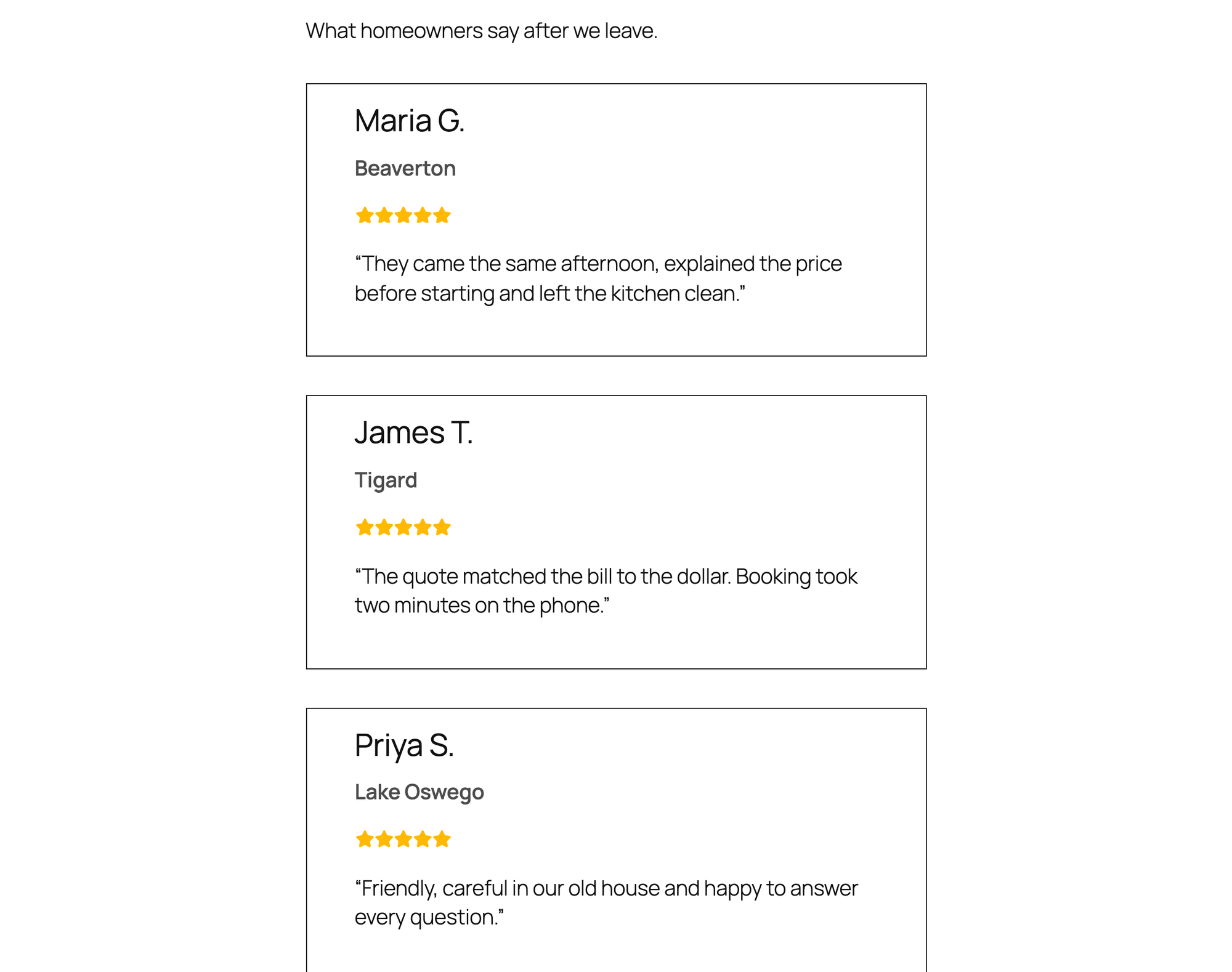
Before they call, people check that you are real and that others were happy. Most of that happens on your Google Business Profile, which our Google Business Profile guide covers, and the reviews there come from asking, as in our steps to get more reviews. On your own site, we put the same three five-star reviews on a Reviews page with each plugin and had a visitor submit a fourth through the plugin's own form.
13. Site Reviews
Site Reviews is the best free plugin for plumbers who want customers to leave reviews on the website itself.
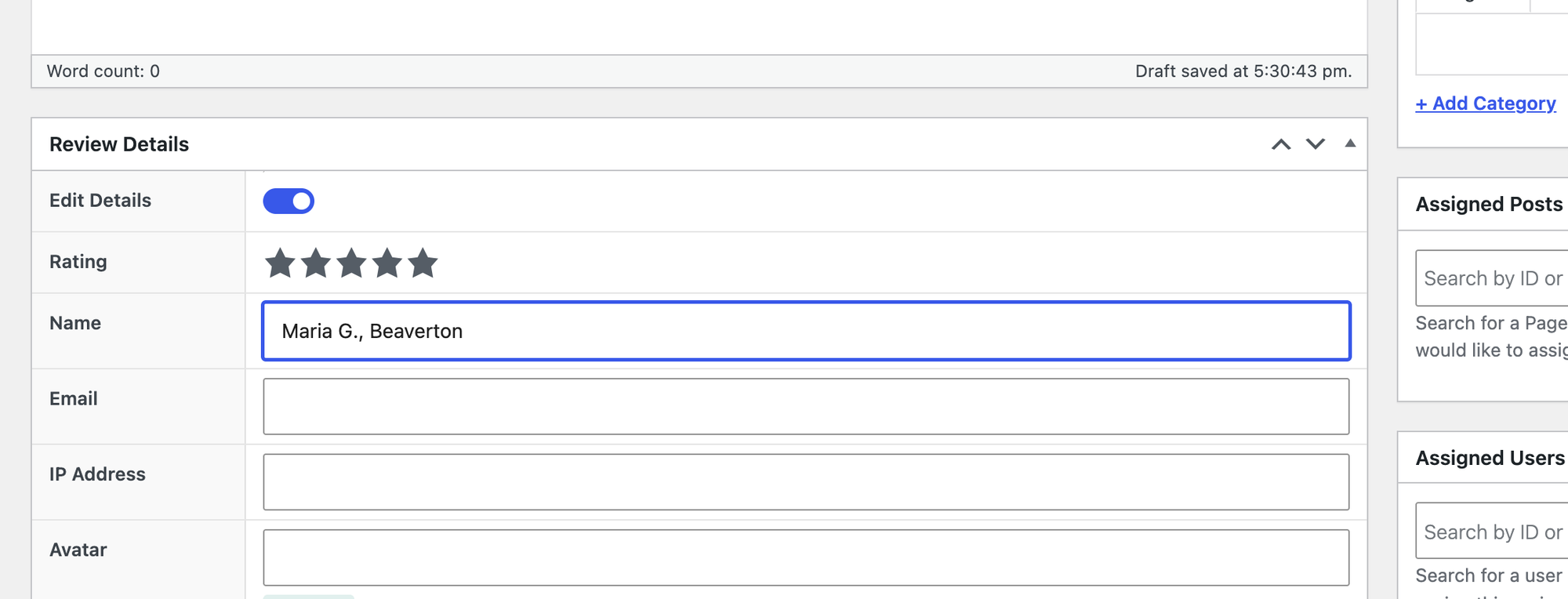
Each review is added like a post, with a rating, title, text and name: 11 steps for three reviews and the page. A summary shortcode shows the average with a bar per star level, and a form shortcode lets customers write a review.
Two defaults surprised us. A review from the public form was published at once, with no approval step and no email to the office. And the page had no review schema until we added schema="true" to the shortcode; then it marked up the reviews as a LocalBusiness named after the page title, "Reviews with schema". Google does not show stars for reviews a business publishes about itself (Google's review snippet rules), so the schema matters less than it looks.
It added 103 KB.
What we measured for Site Reviews 8.3.5:
- Setup steps: 11
- Review from the public form: published at once, no email
- Review schema by default: none
- Weight added: 103 KB, 8 requests
Pros
- Rating summary and review form included.
- Light.
Cons
- Public reviews go live without approval by default.
- No town field for the reviewer.
Site Reviews Premium costs EUR 89 per year for one site and adds review layouts and custom forms. Links: Site Reviews on wordpress.org, vendor site.
14. Strong Testimonials
Strong Testimonials is the best free plugin for plumbers who want to approve every testimonial before it goes live.
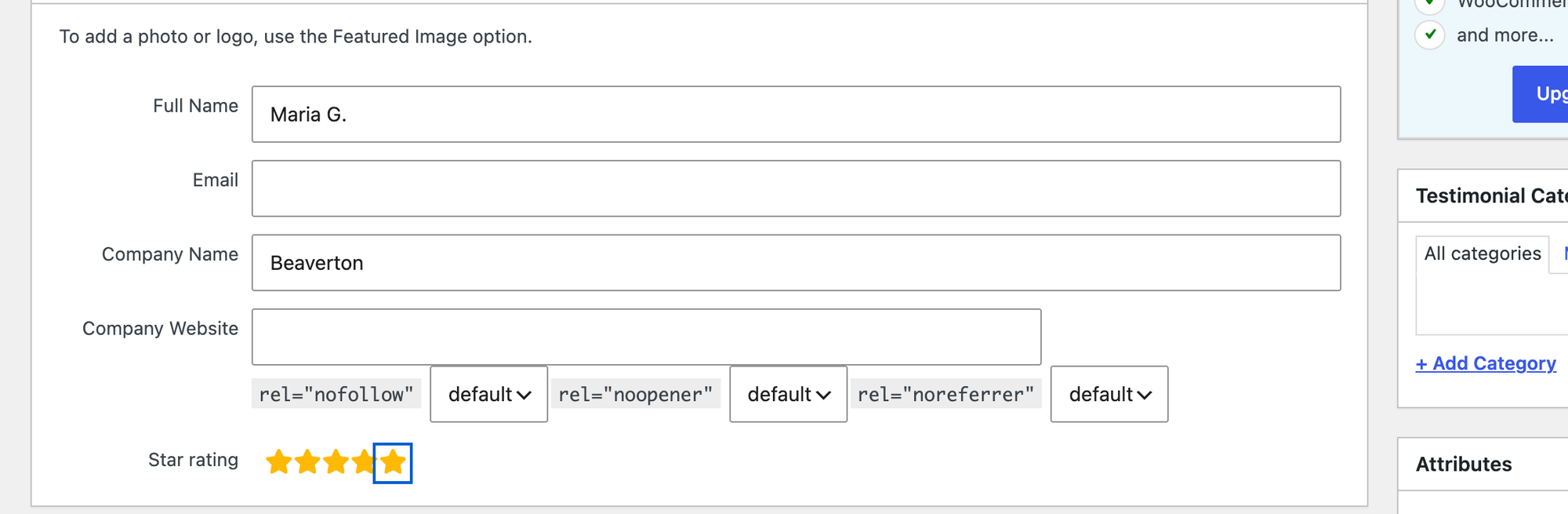
Testimonials are added like posts, with Full Name, Company Name and a star rating; we put the town in Company Name: 11 steps. Activation creates a display view and a submission form view, so both work with a shortcode right away.
A testimonial from the form waited as pending until approved, which is what you want, but no email told the office about it. No schema was printed. It added 186 KB.
What we measured for Strong Testimonials 3.3.13:
- Setup steps: 11
- Testimonial from the public form: waits for approval, no email
- Weight added: 186 KB, 11 requests
Pros
- Approval before anything goes live.
- Display and form views ready after activation.
Cons
- No email for new testimonials.
- Review markup and the Google review importer are paid (from $69 per year).
Strong Testimonials Basic costs $39 for the first year; review markup starts at Plus, $69. Links: Strong Testimonials on wordpress.org, vendor site.
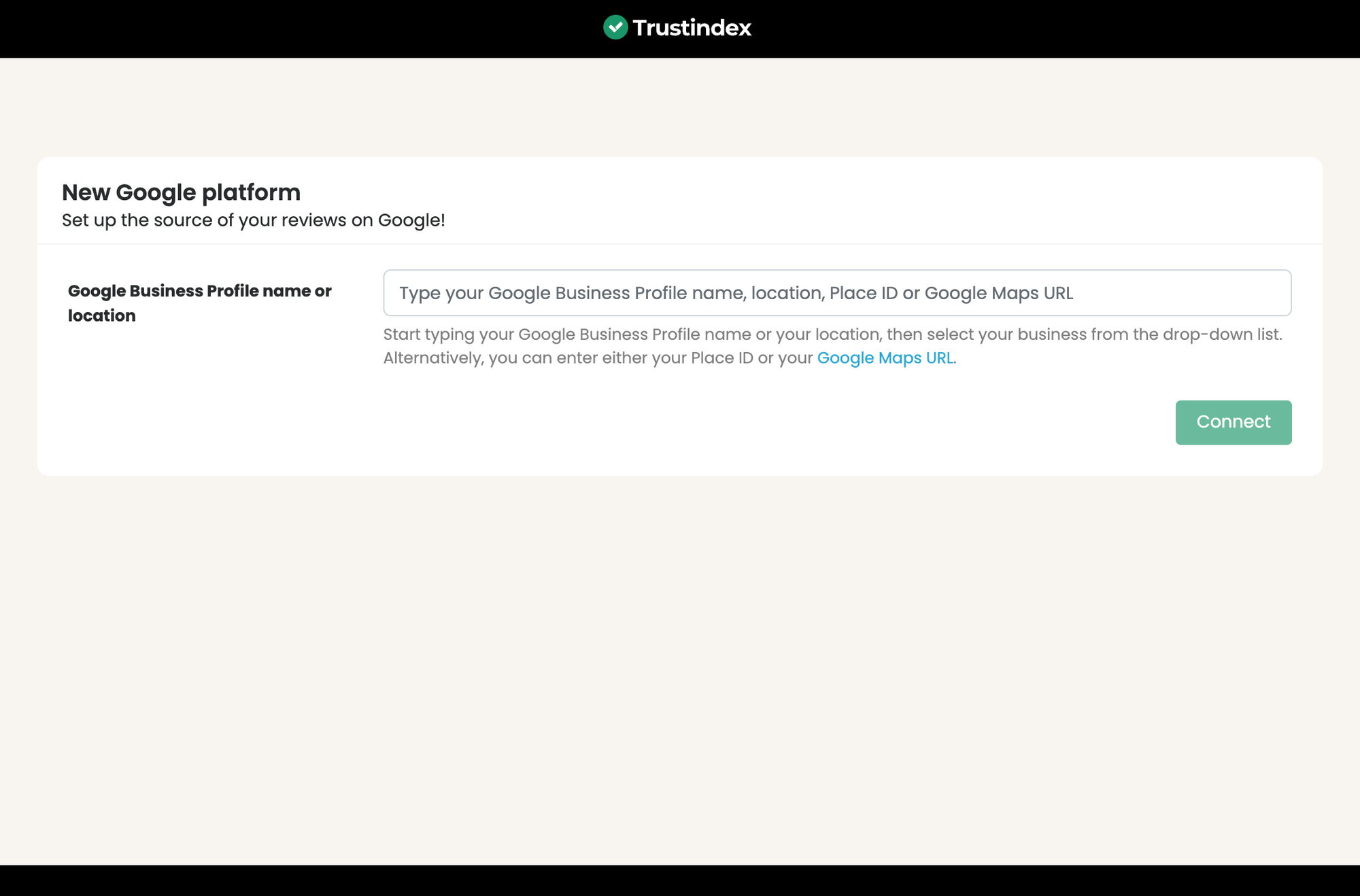
Google reviews widgets: we also installed the two most used, Trustindex's Widgets for Google Reviews and Rich Plugins' Widget for Google Reviews. Neither asked for an account or an API key: both search Google Business Profiles by name or Place ID. Our test business is made up, so we could not connect one, and these two are not ranked here. Trustindex's setup screen showed example widgets with the site's own name and a made-up "127 Google reviews" until a profile is connected.
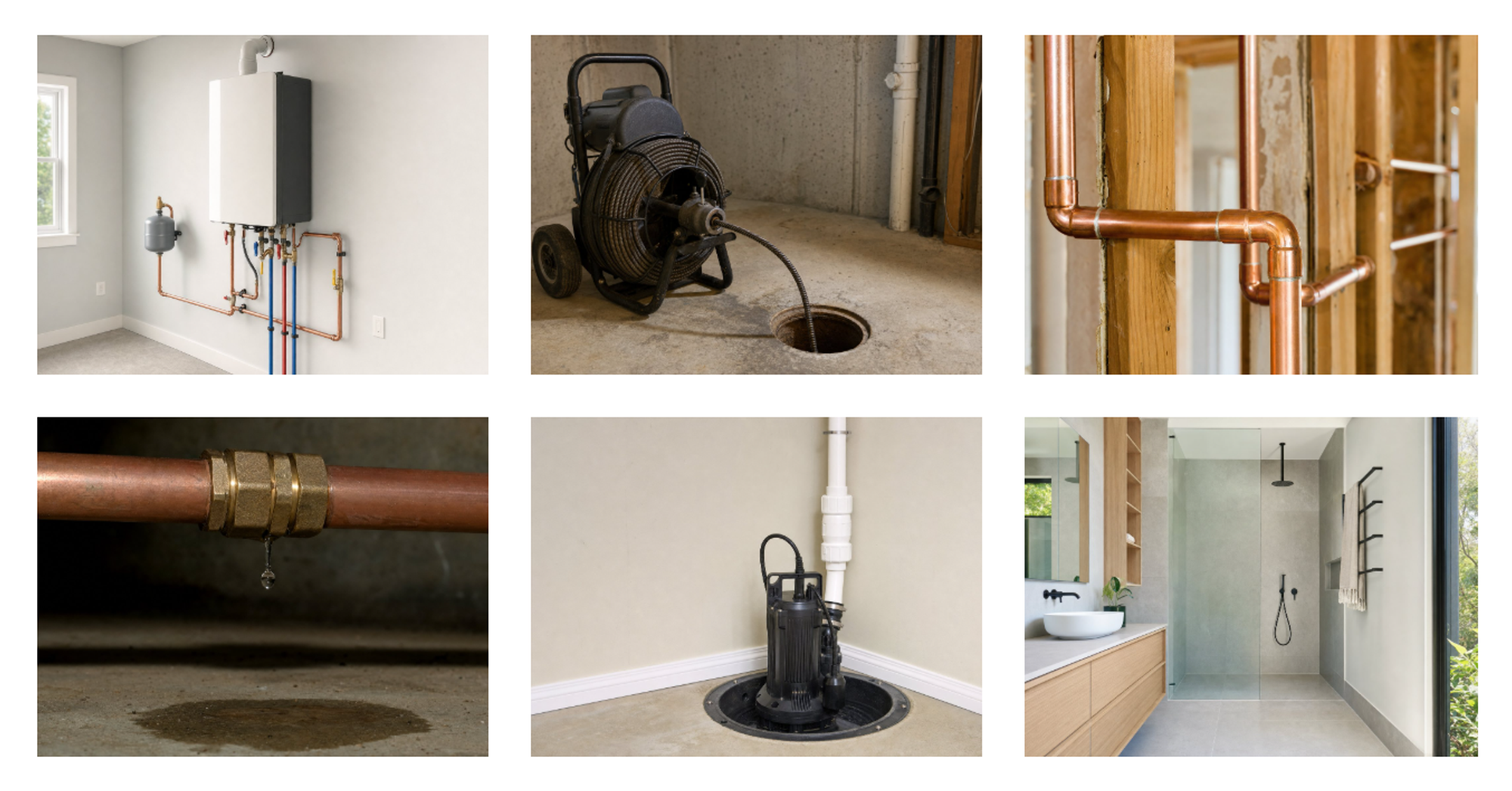
Job photos need no plugin. The block editor's Gallery block, with each image set to Expand on click, opened a full-screen view and closed with Esc in our test, and added 54 KB of code and markup on top of the photos. Start there before you install a gallery plugin.
Show where you work: service area maps
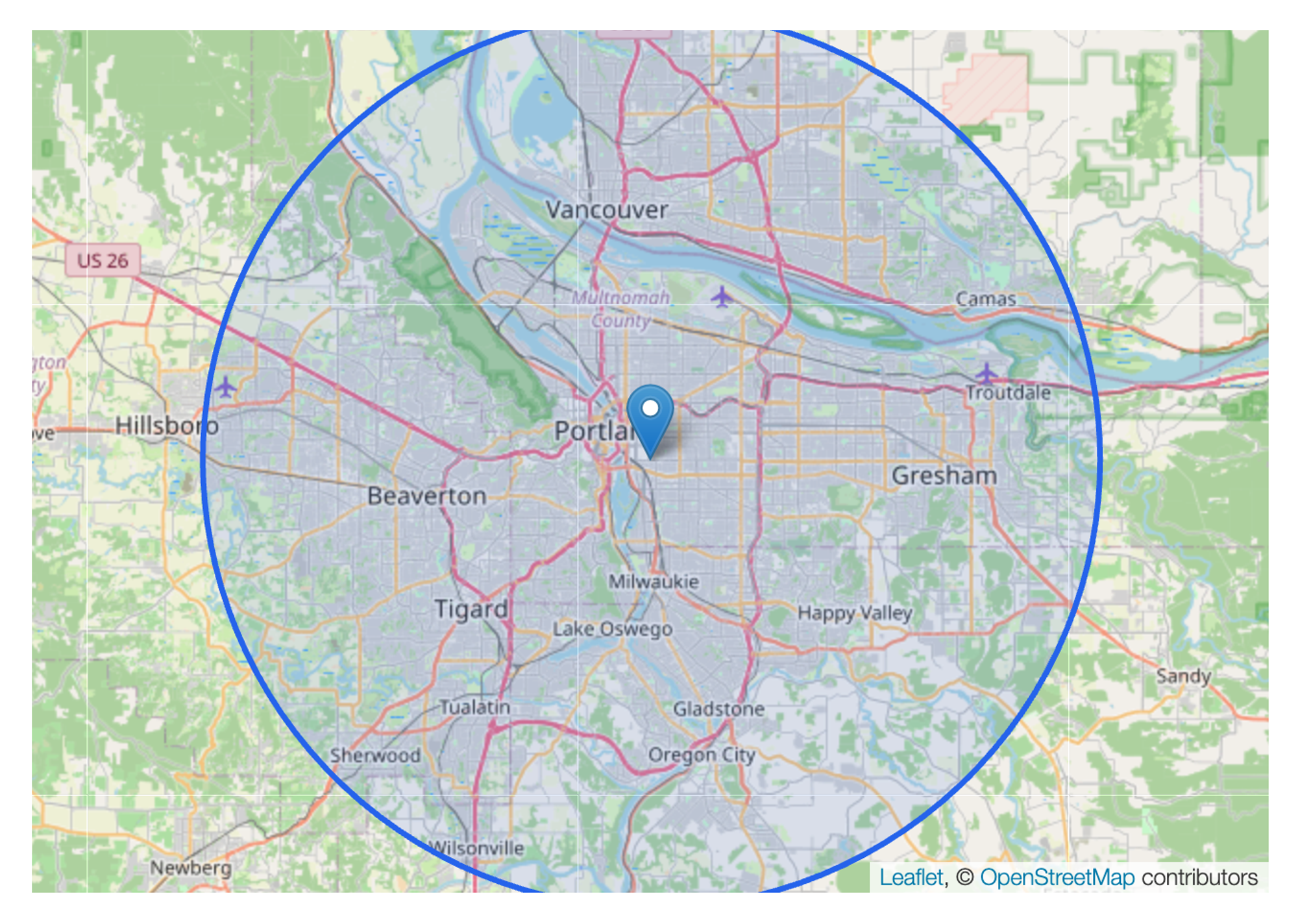
A map tells a visitor at a glance whether you come to their street. The task: a map of Portland with a pin at the shop, the phone number in the pin's popup, and a 25 km circle for the service area.
15. Leaflet Map
Leaflet Map is the best free map plugin for plumbers who want a service area circle without an API key or an account.
There is no map editor: the map, the pin with its popup and the circle are three shortcodes. Once written, that took 4 steps. The address was turned into coordinates for us, the OpenStreetMap tiles loaded, and the circle covered the towns around Portland.
It added 538 KB. Almost all of it comes from other servers: the map tiles from openstreetmap.org and the Leaflet library from unpkg.com, a public CDN.
What we measured for Leaflet Map 3.4.7:
- Setup steps: 4
- API key needed: no. Service area circle: yes. Phone in the popup: yes
- Weight added: 538 KB, 17 requests, 531 KB from other servers
Pros
- Circle and popup in the free plugin.
- No account, no API key.
Cons
- Shortcodes only, no visual editor.
- Loads its library from a public CDN.
Leaflet Map has no paid version. Links: Leaflet Map on wordpress.org.
A plain Google Maps embed (Share, Embed a map, pasted into a Custom HTML block) needs no plugin and no key and showed the pin, but cannot draw a service area, and it added 2.2 MB and 44 requests from Google. We also tested WP Go Maps: the free version allows one map, its marker title and description fields are Pro, so the popup cannot show your phone number, and with its default view of the whole continent it added 13.1 MB of map tiles. Its free circle tool needs two clicks on the map, which our script could not do, so we did not test the circle. Our guide to embedding Google Maps in WordPress covers the embed in detail.
Customer financing: no plugin needed
Water heaters and repiping jobs often come with a financing offer. None of the lenders plumbers use most, Wisetack, Hearth, Synchrony and GreenSky, ships a WordPress plugin for service businesses; a search of wordpress.org on 13 October 2026 found none for Wisetack, GreenSky or Hearth, and Synchrony's only plugin is a WooCommerce checkout. What plumbing sites do instead is a Financing page with example terms and an Apply now button that opens the lender's own prequalification page. Any button or form plugin above can carry that link; ask your lender for the link and the terms you are allowed to show.
Test results side by side
Every number below comes from the same lab, the same theme and the same measurement script. "Weight added" includes files loaded from other servers.
Plugin | Job | Setup steps | Weight added | Requests added | Emails or result |
|---|---|---|---|---|---|
Call Now Button | Call button | 6 | 5.7 KB | 1 | Correct tel: link, phones only by default |
Chaty | Call and WhatsApp | 7 | 252 KB | 5 | Both buttons; no prefilled message |
Click to Chat | 5 | 126 KB | 4 | Number and message correct | |
Joinchat | 8 | 38 KB | 2 | Chat window first, then WhatsApp | |
WPForms Lite | Quote form | 13 | 376 KB | 12 | All fields emailed, no entries saved |
Fluent Forms | Quote form | 19 | 216 KB | 5 | All fields emailed, entries saved |
Forminator | Quote form | 18 | 724 KB | 18 | All fields emailed, entries saved |
Contact Form 7 | Quote form | 11 | 49 KB | 6 | Email missing fields, no entries saved |
Simply Schedule Appointments | Booking | 12 | 3,056 KB | 22 | Office email 1, customer email 1 |
LatePoint | Booking | 16 | 1,181 KB | 10 | Office email 1, customer email 1 |
Amelia | Booking | 16 | 5,510 KB | 16 | Office email 0, customer email 1 |
Bookly | Booking | 11 | 1,885 KB | 22 | Office email 0, customer email 1 |
Site Reviews | Reviews | 11 | 103 KB | 8 | Public review published at once |
Strong Testimonials | Reviews | 11 | 186 KB | 11 | Public testimonial waits for approval |
Leaflet Map | Map | 4 | 538 KB | 17 | Pin, popup and 25 km circle |
Google Maps embed (no plugin) | Map | 2 | 2,214 KB | 44 | Pin only |
WP Go Maps | Map | 7 | 13,367 KB | 106 | Pin with address only; circle not tested |
LPagery | Town pages | 8 | 0 KB | 0 | 20 pages, 20 unique titles |
Rank Math SEO | Schema | 15 | 3.4 KB | 0 | Plumber schema, 7 of 9 fields |
Five Star Business Profile | Schema | 15 | 2,331 KB | 27 | Plumber schema, 5 of 9 fields, contact page only |
Which WordPress plugins should a plumber install?
A one-truck plumber can cover all six jobs with free plugins. Pick one per job, not one per list:
- Choose LPagery when you serve more than a handful of towns and want a page for each.
- Choose Rank Math for Plumber schema on every page, or Five Star Business Profile and Schema if you already run another SEO plugin.
- Choose Call Now Button if you want a tap-to-call button and nothing else; add Click to Chat if customers send you photos on WhatsApp.
- Choose Chaty if you want call and WhatsApp in one widget on desktop too.
- Choose Forminator if customers should send a photo of the problem; choose WPForms Lite for the quickest setup when the office email is your only inbox; choose Fluent Forms for a lighter form that saves every request.
- Choose Simply Schedule Appointments for estimate visits booked online with both emails working; choose LatePoint if you prefer its booking form and will switch on the mailer.
- Choose Site Reviews to collect reviews on your site, Strong Testimonials if every review must be approved first.
- Choose Leaflet Map for a service area circle; use a plain Google Maps embed if a pin is enough.
Speed matters on a phone with one bar of signal, so check what you add: the call buttons cost a few kilobytes, while one booking form or map can add more than a megabyte. Our test of free caching plugins shows how to keep the rest of the site fast.
Plugins we tested but left out
- Joinchat: works, but the visitor opens a chat window before WhatsApp, and the default message adds "Sent with Joinchat".
- Contact Form 7: the office email left out the phone number and best time to call until the Mail tab was edited, and no entries are stored.
- Bookly: only the customer got an email, and setup adds 3 sample appointments that block real slots.
- WP Go Maps: the free marker popup cannot hold a phone number, the free version allows one map, and its default view loaded more than 13 MB of tiles.
- Trustindex Widgets for Google Reviews and Rich Plugins Widget for Google Reviews: need a real Google Business Profile, which our test business does not have; both reached the connect screen without an account.
- Schema & Structured Data for WP: offers Plumber under Local Business, but the schema screen has no fields for the address or hours; they are filled in on each page, so we stopped the test.
- Calculated Fields Form: a price estimate calculator is possible, but no template fits a plumbing quote and building one took longer than our test allowed, so we did not finish it.
Questions plumbers ask about WordPress plugins
What plugins does a plumbing website need?
Six jobs cover most plumbing sites: a tap-to-call button, a quote form, online booking for non-urgent visits, reviews, a service area map, and a page plus schema for each town you serve. In our test each job could be done with a free plugin, and the lightest set adds far less than a single map embed. Our local SEO checklist lists the rest of the setup, and SEO in WordPress covers the basics.
Are free WordPress plugins enough for a plumber?
For one location, mostly yes. What the free versions blocked in our test: photo uploads in WPForms Lite and Fluent Forms, showing the call button only in opening hours, reminder emails and calendar sync in the booking plugins, and more than three spreadsheet columns per page set in LPagery.
Can I add online booking to a plumbing website?
Yes. Simply Schedule Appointments, LatePoint and Amelia all booked a 60-minute visit for a logged-out visitor and saved it. Check the emails: only Simply Schedule Appointments emailed both the office and the customer straight after setup.
How many service area pages does a plumber need?
One for each town where you want calls and can reach customers quickly, usually the towns you already drive to. Twenty pages took 26 seconds in our test; the work is the local detail on each page, which keeps them from being near copies. Our guide to service area pages in WordPress explains what to put on each page.
Do plumbers need schema markup?
It helps Google read your business type, address, phone and hours (Google's local business documentation). Rank Math and Five Star Business Profile and Schema both printed valid Plumber JSON-LD in our test. Check the hours afterwards: Rank Math starts with seven open days. Review stars for your own reviews do not show in Google's results, so review schema is optional.
Does a click-to-call button work on desktop?
Call Now Button hides itself on desktop by default; Chaty showed its call button on desktop too. On a computer a tel: link opens a calling app if one is set up, so many plumbers show the number as text there instead.
I've worked in SEO for more than ten years and helped over 100 businesses rank higher, mostly local businesses, e-commerce stores and SaaS companies. As co-founder of LPagery I work on local SEO, programmatic SEO and AI search visibility, and I test the strategies in these articles on our own sites and with our customers.
I've worked in SEO for more than ten years and helped over 100 businesses rank higher, mostly local businesses, e-commerce stores and SaaS companies. As co-founder of LPagery I work on local SEO, programmatic SEO and AI search visibility, and I test the strategies in these articles on our own sites and with our customers.