
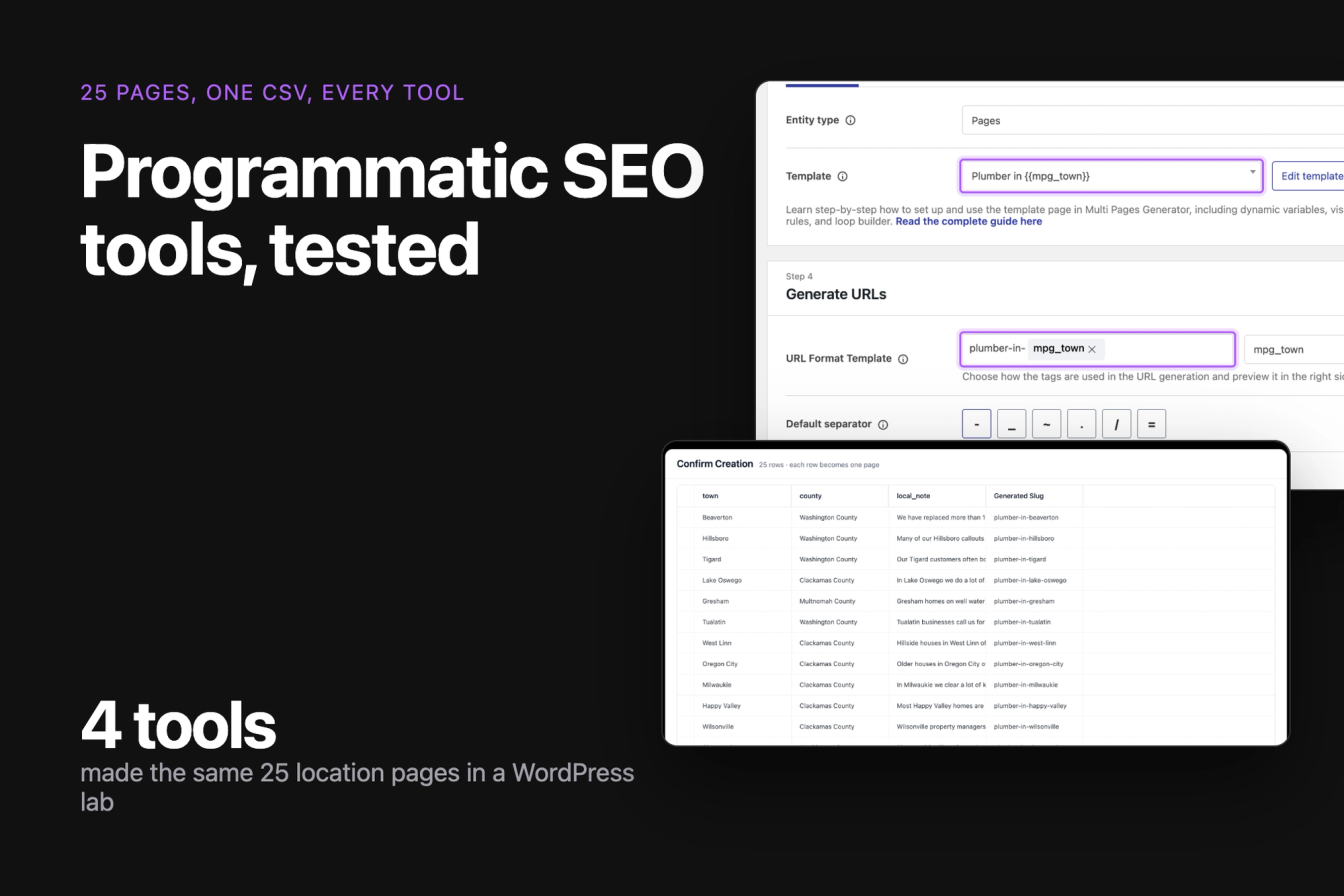
Programmatic SEO tools turn one template and one spreadsheet into many pages, one per row: a page per town, per service or per product. We gave every WordPress programmatic SEO tool with a free version the same job, 25 location pages for a plumbing company from the same CSV file, and measured what each one produced. We also compared the main tools outside WordPress from their own docs and pricing pages.
Best overall: LPagery, based on LPagery Pro (Extended plan for updates, sync and delete); the free version scored 3 of 7. LPagery Pro passed all 7 of our checks for building and maintaining many pages, and LPagery made 25 pages from a CSV in the fewest steps (8, against 11 to 14) with a unique meta description on all 25. We did not test the other tools' paid plans. Best free: Multiple Pages Generator (MPG), which passed 6 of 7 checks on its free version, including updates from a changed file; its pages are virtual and its free plan reads 50 rows. Best outside WordPress: Webflow's CMS with CSV import, or Whalesync if your data lives in Airtable or Google Sheets.
Last tested 13 October 2026 on WordPress 7.1.3. We make LPagery, one of the tools on this list. We are not affiliated with any other tool here, and nobody paid to be included.
New to the topic? Start with what programmatic SEO is and how to do programmatic SEO in WordPress. This article compares the tools.
Tool | Runs on | Best for | Free version or plan | Checks passed (free version) | Tested hands-on |
|---|---|---|---|---|---|
LPagery | WordPress plugin | Real WordPress pages from a CSV or Google Sheet | 100 pages per run, 3 columns | 3 of 7 (paid Extended: 7 of 7) | Yes, free and paid |
Multiple Pages Generator | WordPress plugin | Best free: updates from a changed file | 1 project, first 50 rows | 6 of 7 | Yes |
WP All Import | WordPress plugin | General CSV imports into any post type | No custom fields or images | 4 of 7 | Yes |
Page Generator | WordPress plugin | Typed keyword lists, no spreadsheet | Pages only, no overwrite | 3 of 7 | Yes |
Webflow CMS | Hosted site builder | Design-led sites with a CMS collection | 50 CMS items | Not scored | No, docs and pricing |
Whalesync with Airtable | Sync service | Keeping Airtable or Sheets in sync with a CMS | 7-day trial | Not scored | No, docs and pricing |
Framer CMS | Hosted site builder | Small page sets on Framer | No CMS on Free | Not scored | No, docs and pricing |
Byword | AI writing SaaS | AI articles from a keyword list | 5 free articles | Not scored | No, docs and pricing |
SEOmatic | AI SEO SaaS | Agencies running AI page campaigns | 1 site, limited | Not scored | No, docs and pricing |
Typemat | Browser tool | One-off exports to a WordPress XML file | 5 pages per export | Not scored | No, docs and pricing |
How we tested programmatic SEO tools
Jonas Lindemann from the LPagery team ran the tests in our WordPress lab on 13 October 2026: WordPress 7.1.3 with the Twenty Twenty-Five theme and Yoast SEO, in Docker on a Mac. Every tool started from a fresh copy of the same site, alone, with nothing else active.
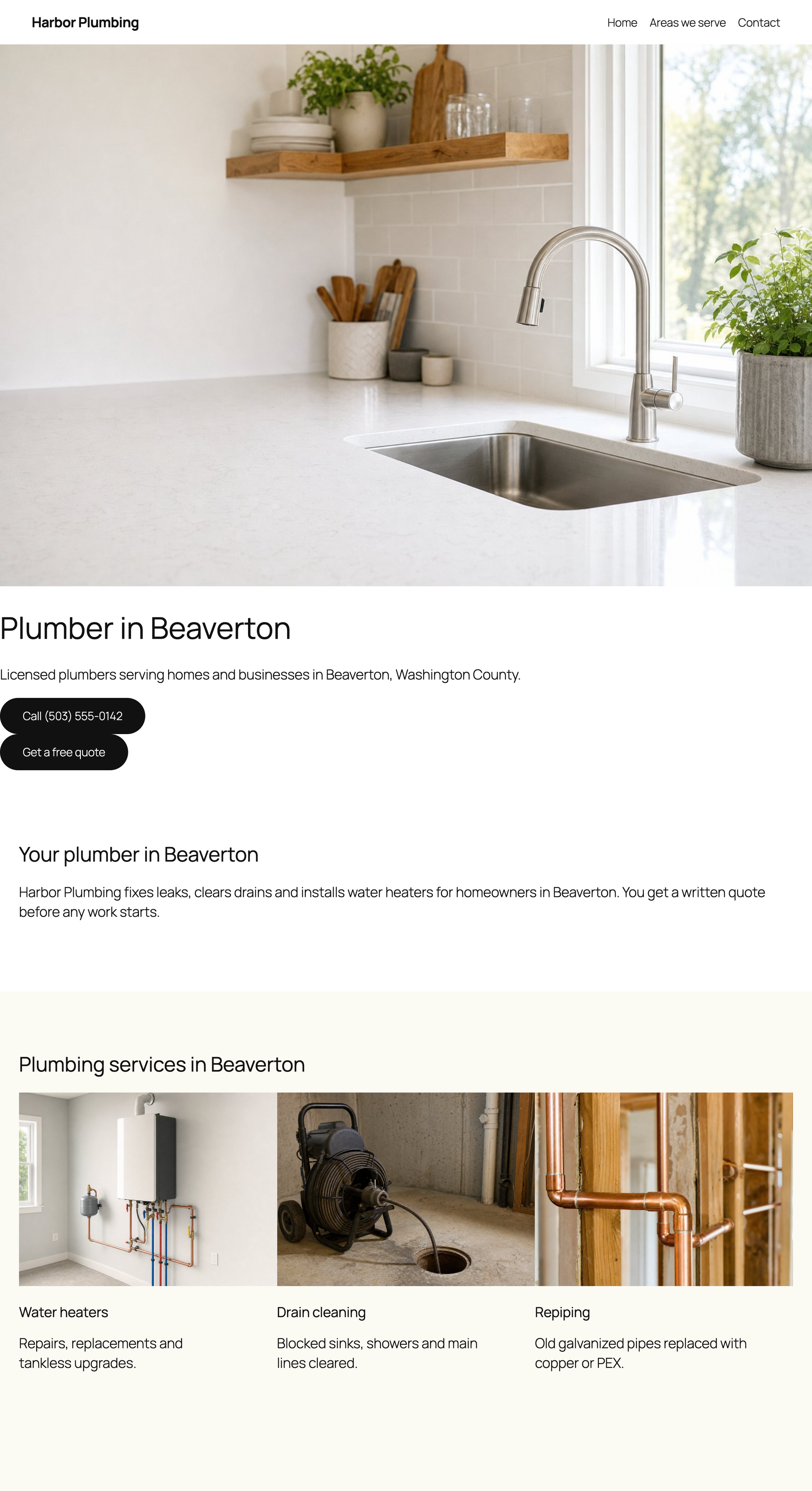
The task was the same for every tool. Harbor Plumbing, our example business, needs 25 location pages from one CSV file with three columns (town, county and one local sentence per town) and one template page: a hero with the H1 "Plumber in {town}", an intro, six service cards, the local sentence, two FAQ items and a call to action. The template also sets a Yoast meta description with the town and county in it. Three columns is the most the free version of LPagery accepts, so every tool got the same three.
We did the task through each tool's own screens, the way you would, and counted each screen and click. Then we checked all 25 pages as a logged-out visitor:
- whether every page loads, and whether its title tag, meta description and H1 are unique
- whether any placeholder was left unreplaced
- how much the tool adds to the page a visitor downloads, against the same page made by hand
- how similar the pages are to each other, word by word
- what happens when one row of the spreadsheet and one sentence of the template change: we used each tool's own update path and checked whether both changes reached the live pages
We score every WordPress tool on the same seven checks we use in our mass page generator comparison: unique meta descriptions, pages that match the template, updates in place, 200 rows in one run, pages under a parent page, the tool's own bulk delete, and an Elementor template. The 25-page task here is the first job of that test; the other checks come from its later jobs, run in the same lab on 13 and 14 October 2026.
The numbered list is ordered by what each tool can do across its plans to build and maintain many pages: the seven checks first, then the steps to 25 pages. We ran LPagery's paid features from our own source build and did not test the other tools' paid plans, so their order uses their free versions. The free-version scorecard below is a separate ranking with its own pick, and a tie there goes to the tool with fewer steps.
The tools outside WordPress need a paid account or a sign-up, which our lab rules do not allow, so we did not test them hands-on. Their entries are based on their own pricing pages and help docs, read on 13 October 2026, and each one says so. Timings run from the last click until all 25 URLs answered, in a local lab, so use them to compare the tools with each other.
Test results side by side
Tool | Steps to 25 pages | Time to 25 live pages | Unique titles | Unique meta descriptions | Pages with one H1 | Weight added for visitors | Template layout intact | Update test |
|---|---|---|---|---|---|---|---|---|
LPagery Pro (paid, Extended; our source build, no opt-in screen) | 7 | 28 seconds | 25 of 25 | 25 of 25 | 25 of 25 | 0 KB | Yes | Both changes live (10 steps) |
LPagery (free) | 8 | 26 seconds | 25 of 25 | 25 of 25 | 25 of 25 | 0 KB | Yes | Made 25 new copies, old pages unchanged |
Multiple Pages Generator | 11 | 16 seconds | 25 of 25 | 25 of 25 | 25 of 25 | 0 KB | Yes | Both changes live (5 steps) |
WP All Import | 14 | 24 seconds | 25 of 25 | 0 of 25 | 25 of 25 | 0 KB | No, block settings lost | Both changes live (9 steps) |
Page Generator | 11 | 33 seconds | 25 of 25 | 0 of 25 | 25 of 25 | 0 KB | Yes | Made 25 new copies, old pages unchanged |
Step counts in this article are for this task: 25 pages from one CSV with three columns, from activation to the last page published. Other articles count other tasks, so their numbers differ.
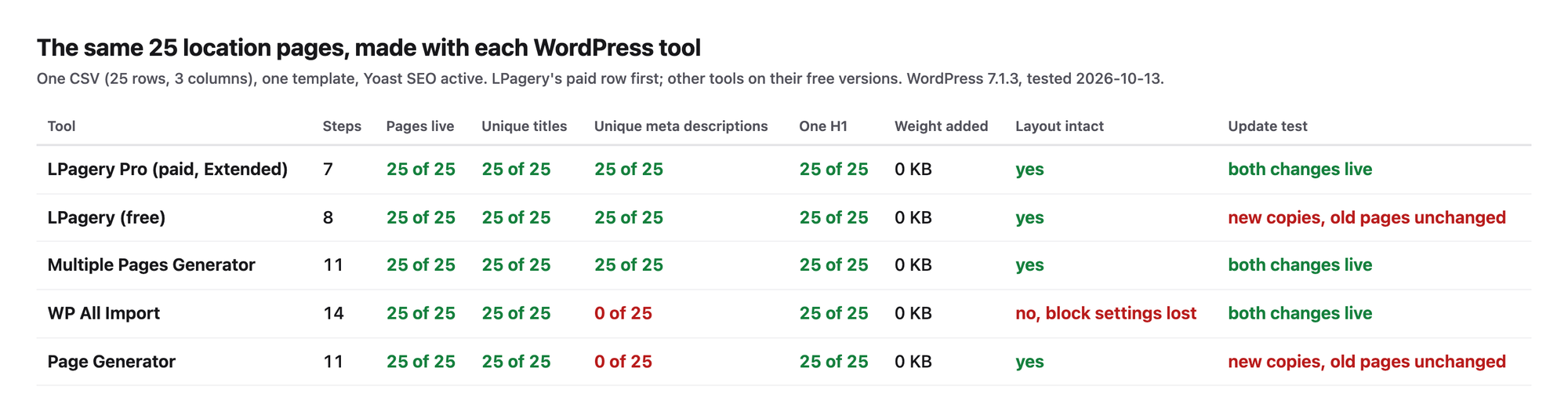
None of the WordPress tools loads a file of its own on the pages it makes. With LPagery, MPG and Page Generator the page a visitor downloads weighed 1512 KB in 15 requests, the same as the page we made by hand. WP All Import's pages were lighter only because they lost images, as described in its section. The differences are in the work it takes, the SEO fields each tool fills and what happens when your data changes.
Free-version scorecard
Best free: Multiple Pages Generator, with 6 of 7 checks on its free version. The seven checks for the four WordPress tools, free versions only:
Plugin (free version) | Checks passed | Unique meta descriptions | Pages match the template | Updates in place | 200 rows in one run | Under a parent page | Own bulk delete | Elementor layout kept |
|---|---|---|---|---|---|---|---|---|
Multiple Pages Generator | 6 of 7 | Yes | Yes | Yes | No | Yes | Yes | Yes |
WP All Import | 4 of 7 | No | No | Yes | Yes | Yes | Yes | No |
LPagery (free) | 3 of 7 | Yes | Yes | No | No | No | No | Yes |
Page Generator | 3 of 7 | No | Yes | No | Yes | No | Yes | No |
The same checks on LPagery's paid Extended plan: 7 of 7. The scorecard comes from our mass page generator comparison linked above, which also scores three more WordPress plugins.
1. LPagery
LPagery is first overall, based on LPagery Pro (Extended plan for updates, sync and delete); the free version scored 3 of 7. On Extended it passed all 7 checks, and it made the 25 pages from a CSV in the fewest steps of any tool here (8). It is the plugin for WordPress sites that want real pages from a template page and a CSV, Excel file or Google Sheet. Its free version passed 3 of 7, tied with Page Generator: it cannot update pages, makes at most 100 per run and cannot set a parent page.
Free version
LPagery took 8 steps for 25 pages from a CSV: activate, skip the opt-in screen, open Create, pick the template page, upload the CSV, click Review & Create Pages, check the 25 rows in Confirm Creation and confirm. The 25 pages were live 26 seconds after the last click. Every page got its own title tag, its own meta description (LPagery filled the placeholders in the template's Yoast field) and one H1. The URLs came from the page title, such as /plumber-in-beaverton/. Our service area pages tutorial walks through the free version click by click.
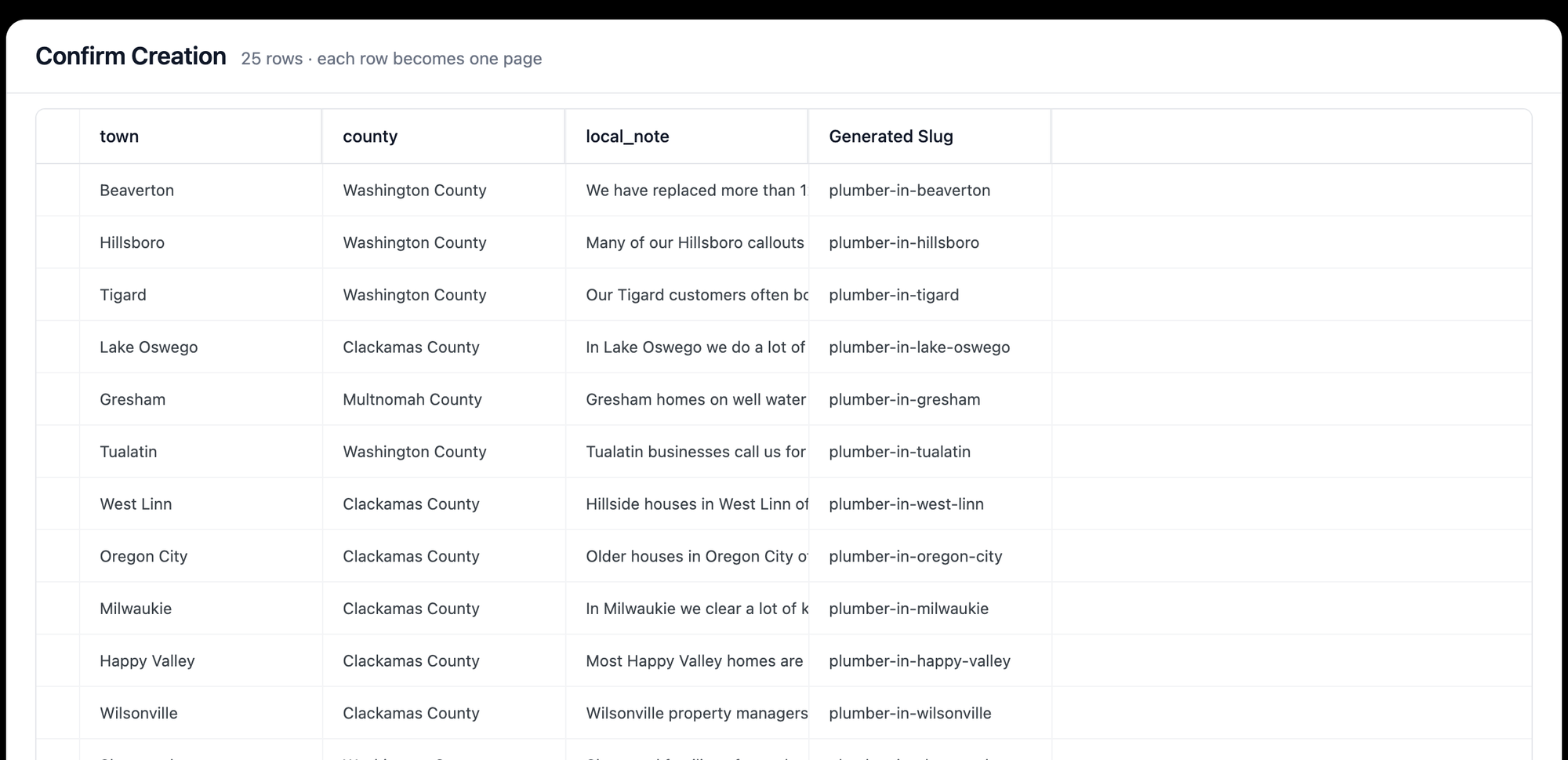
The free version stopped us at the update. Uploading the changed file again created 25 more pages with -2 URLs next to the old ones, and the old pages kept the old text. Updating existing pages is part of the Extended plan.
Paid version (Extended)
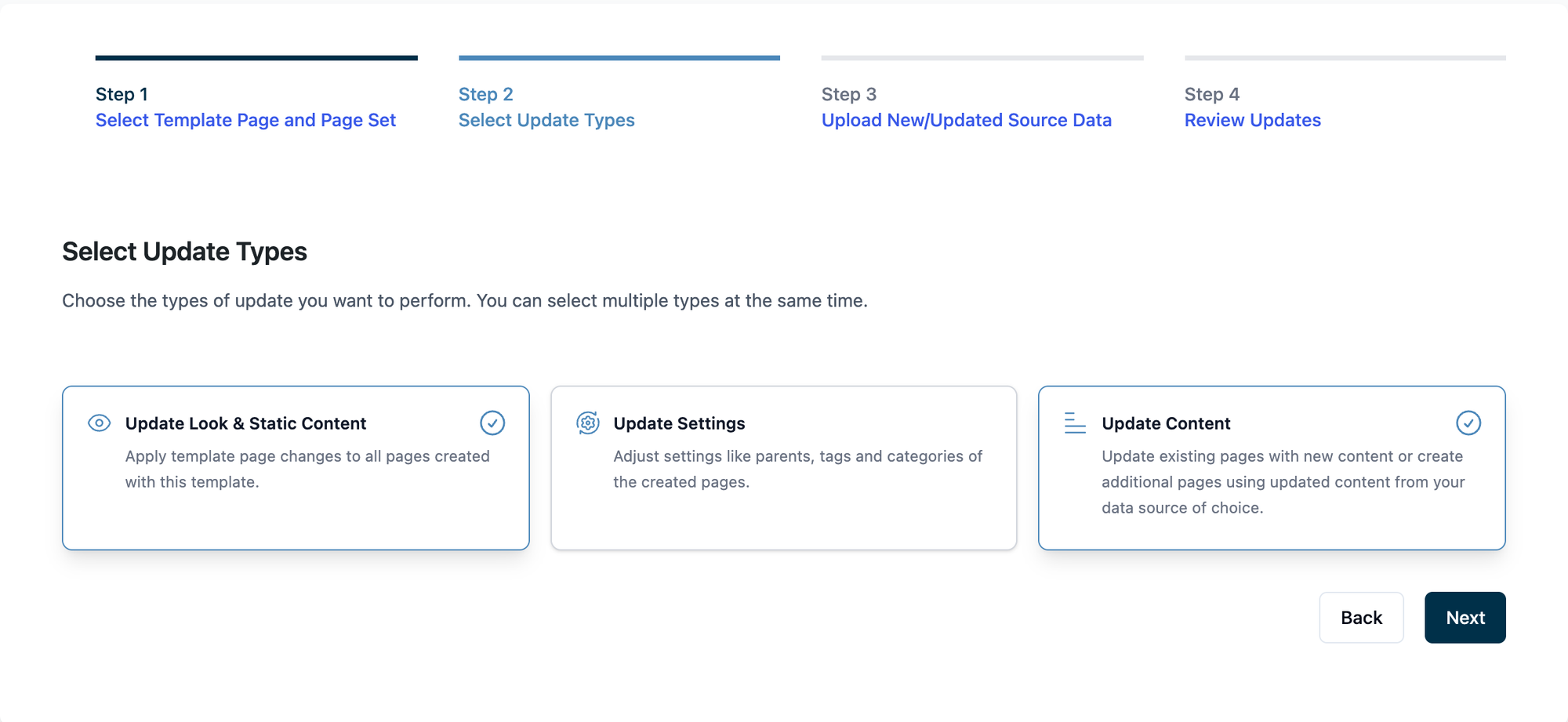
We ran the paid features from our own source build of LPagery Pro with a test license, and name the plan each feature needs from the plugin code. Update took 10 steps: pick the template, tick Update Look & Static Content and Update Content, upload the changed file, review and confirm. Both changes reached all 25 pages and no copies were made.
- Free version: 8 steps for 25 pages from a CSV, 26 seconds to 25 live pages, 3 of 7 checks
- Unique titles, meta descriptions and H1s: 25 of 25 each
- Weight added for visitors: 0 KB
- Update test: the free version made 25 duplicate pages; the paid Extended plan updated all 25 pages in place in 10 steps
- Internal links: none in the free test. With the Pro link shortcodes in the template, each page linked to its previous and next town (2 links per page in our second test)
LPagery AI writes text per row, such as an intro, a heading or a meta description, from one instruction per column. It runs in the LPagery app, which sends the finished rows to the plugin as a page set; the plugin connects to app.lpagery.io for this. Our lab has no app account, so this part was not tested hands-on. AI credits come with every paid plan (100, 500 or 1,000 a month), and the LPagery AI page lists 1 credit per text and 10 per image.
Pros
- Fewest steps on the free versions: 8 for 25 pages from a CSV
- Real WordPress pages that show up in the Pages list and can be edited one by one
- Fills SEO plugin fields from the template, so meta descriptions were unique without extra setup
- Google Sheets sync and AI text per row on paid plans
Cons
- The free version cannot update pages: a second upload creates copies
- Free is limited to 3 placeholder columns and 100 pages per run
- URL slug, parent page and status settings are labelled Pro on the free version
Pricing, read on lpagery.io on 13 October 2026: Standard $19 a month, Extended $27 a month (updates, Google Sheets sync, spintax), Ultimate $77 a month, less on yearly billing. LPagery on WordPress.org and the Bulk Page Generator page.
2. Multiple Pages Generator (MPG)
Multiple Pages Generator by Themeisle is the best free programmatic SEO plugin in our test, with 6 of 7 checks on its free version, and the pick when your spreadsheet keeps changing, because its pages render from the template on every visit.
MPG took 11 steps. A project needs a name, the source file goes in under Source Type, and the template is chosen in a search field that only lists published pages, so the template "Plumber in {{mpg_town}}" had to be published first. Under Advanced settings, Hide this template from search engines and your site content is on by default. The default URL joined the first three columns into one long slug, so we cleared it, typed plumber-in- and inserted the mpg_town tag. After Publish, MPG's See all URLs list gave us 10 of the 25 URLs, so we checked the 25 addresses built from the URL format (/plumber-in-<town>/): all 25 answered within 16 seconds, each with a unique title, meta description and H1.
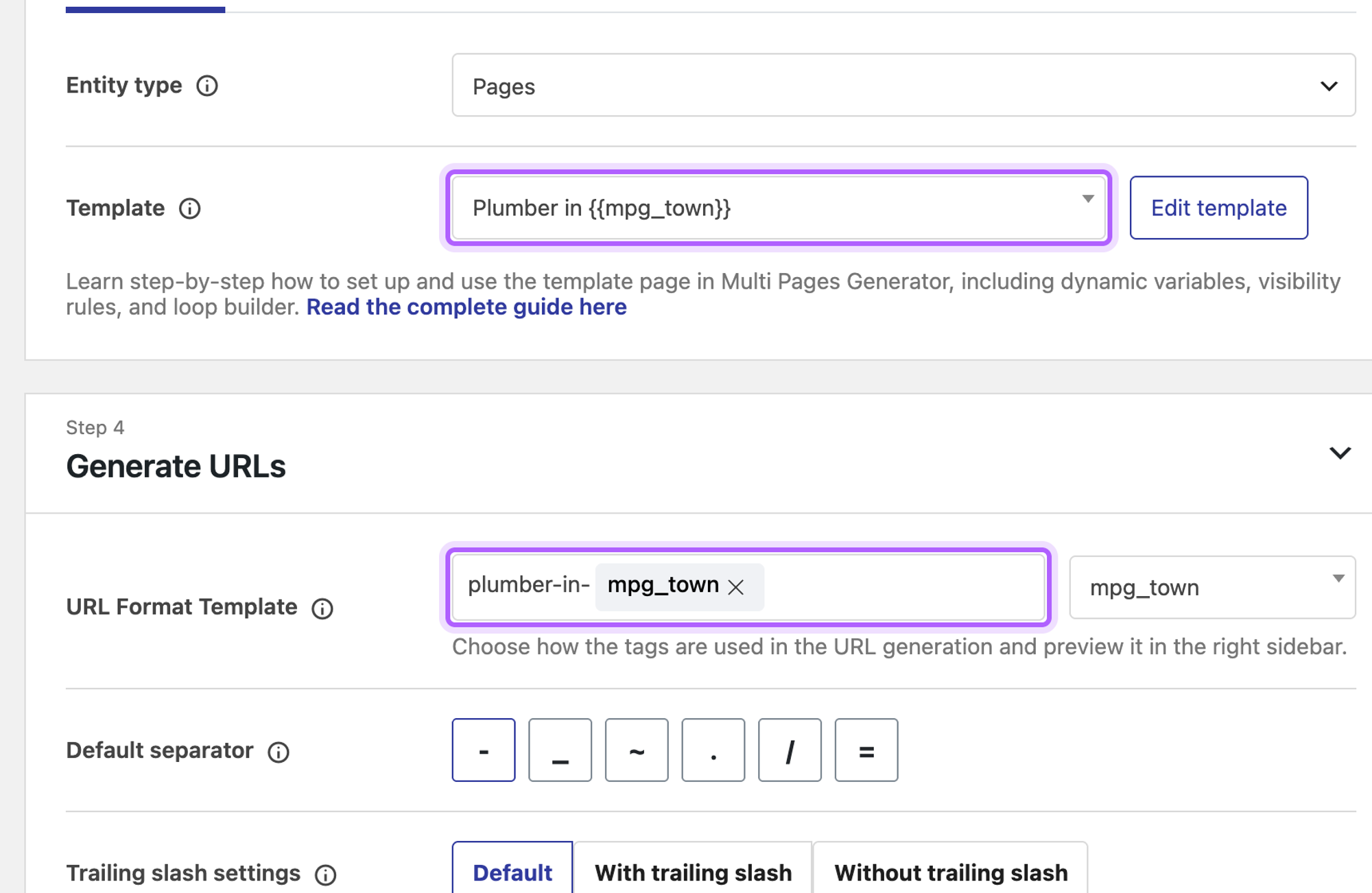
MPG passed the update test on the free version. The template change was live on all pages the moment we saved the template, with no extra step. For the changed row we opened the project, uploaded the new file and clicked Save changes: 5 steps, and the Beaverton page showed the new sentence. The pages are virtual: they do not appear under Pages, and MPG's own screen says so.
- 11 steps for 25 pages from a CSV, 16 seconds to 25 live pages, 6 of 7 checks
- Unique titles, meta descriptions and H1s: 25 of 25 each
- Weight added for visitors: 0 KB
- Update test: both changes live, 5 steps, no copies
- Free version: one project and the first 50 rows of a file; scheduled sync from a Google Sheet is Pro
Pros
- Template edits reach every page at once, on the free version
- Unlimited placeholders on the free version, per its WordPress.org page
- Fills SEO plugin fields from the template
Cons
- The template has to be a published page with placeholders in its own URL
- Pages are virtual, so they are not in the Pages list and depend on the plugin staying active
- 50 rows and one project on the free version
- 3.9 out of 5 on WordPress.org from 27 ratings, the lowest here
MPG Pro costs from $99 a year for one site, read on themeisle.com on 13 October 2026, and adds unlimited rows and projects and scheduled syncs. MPG on WordPress.org and the MPG site.
3. WP All Import
WP All Import (4 of 7 checks on the free version) is the tool for readers who already import data into WordPress and want location pages from the same importer, without a page template plugin.
WP All Import took 14 steps. After the upload we chose Pages, typed the title "Plumber in {town[1]}" with the column tag, pasted the template into the Code tab of the content box with the same tags, picked the Page No Title template under Other Page Options, let Auto-detect set the unique identifier and clicked Confirm & Run Import. All 25 pages were live in 24 seconds.
![WP All Import's Drag & Drop step with the title field Plumber in {town[1]} and the template in the content box](https://cdn.sanity.io/images/mjl6isa5/production/a85659217b90dc108ea868227c2166273a9d2745-2200x1200.png?w=2000&auto=format)
The pages loaded, but the layout broke. WP All Import reads anything in curly braces as a field tag, and block markup keeps each block's settings in curly braces inside its HTML comment, such as the cover block's overlay and height. Those settings were dropped: the stored page had all 55 block comments but 8,220 of the template's 10,241 characters. The hero photo lost its overlay and the H1 moved below it, and four of the eight photos in the services and local sections did not show. A visitor downloaded 750.2 KB in 9 requests instead of 1512 KB in 15, mainly because those images were missing. A template written in the classic editor or as plain HTML without block settings avoids this. For blog posts rather than pages, our guide to bulk creating posts in WordPress covers WP All Import as well.
The pages had unique titles and H1s, and 0 of 25 had a meta description: custom fields, which is where Yoast keeps it, are marked as a Pro feature. WP All Import offers a free Yoast SEO add-on for that, which we did not install, because every tool got the same plugins. For the update, Edit Template changed the sentence, the changed file went in under Import File in the import's settings, and Run Import updated the existing pages in place.
- 14 steps for 25 pages from a CSV, 24 seconds to 25 live pages, 4 of 7 checks
- Unique titles: 25 of 25, unique meta descriptions: 0 of 25, H1s: 25 of 25
- Weight added by the plugin: 0 KB (the page was lighter only because block images were lost)
- Update test: Both changes live (9 steps)
Pros
- Works with any post type and many file formats
- The most installed tool here, 100,000+ active installs
- Shows each row's data next to the template while you map it
Cons
- Most steps of the tools tested
- Curly braces in block markup are read as field tags, which broke our block template
- Custom fields, images and scheduled imports are Pro, so SEO fields need an add-on or Pro
- The template lives inside the import, not on a page you can design in your editor
WP All Import Pro costs from $149 a year, read on wpallimport.com on 13 October 2026. WP All Import on WordPress.org and the WP All Import site.
4. Page Generator (WP Zinc)
Page Generator by WP Zinc (3 of 7 checks, tied with LPagery's free version and placed after it on steps) is the free programmatic SEO plugin for short keyword lists you type in, such as a list of towns, when you do not have a spreadsheet.
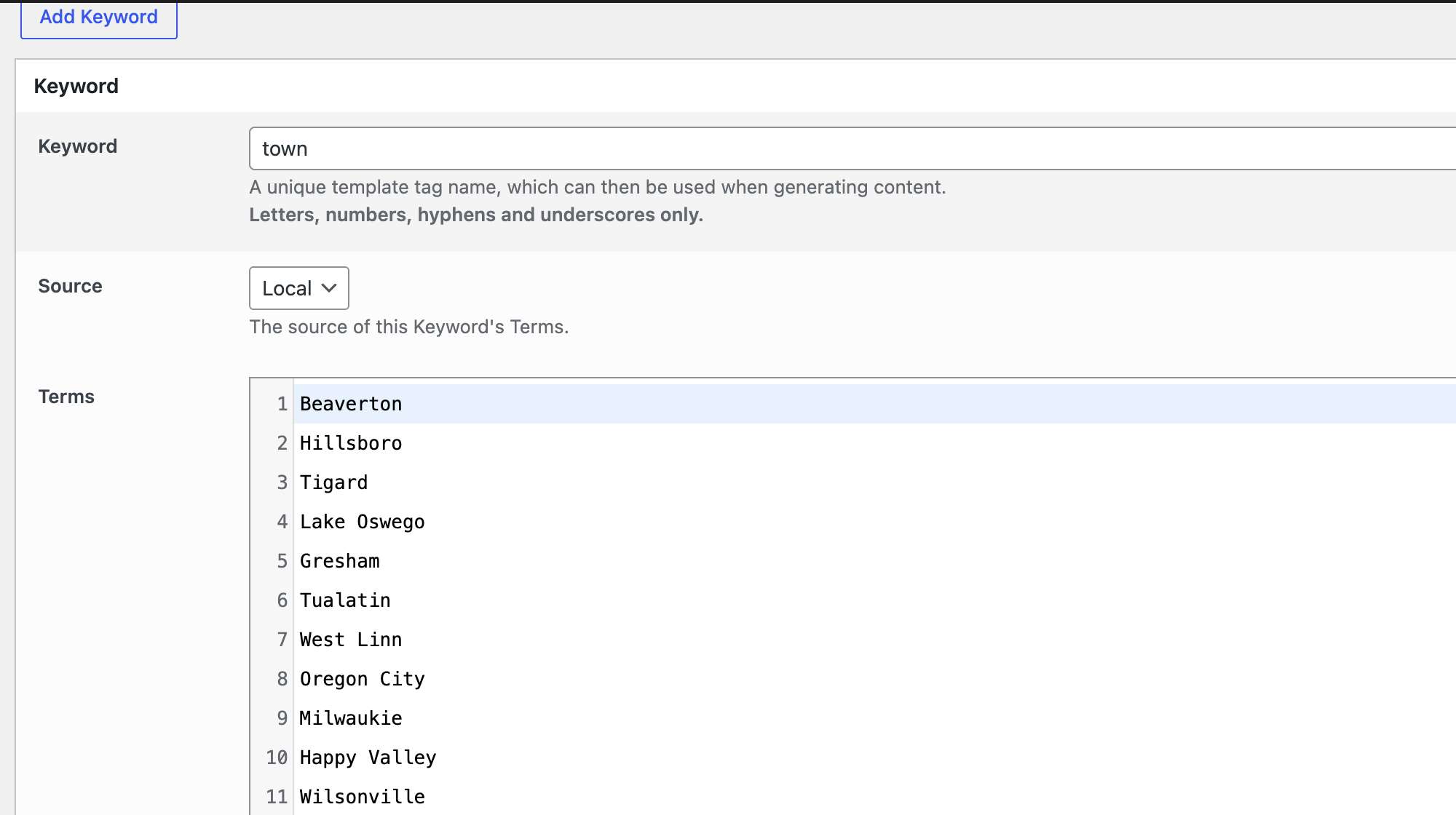
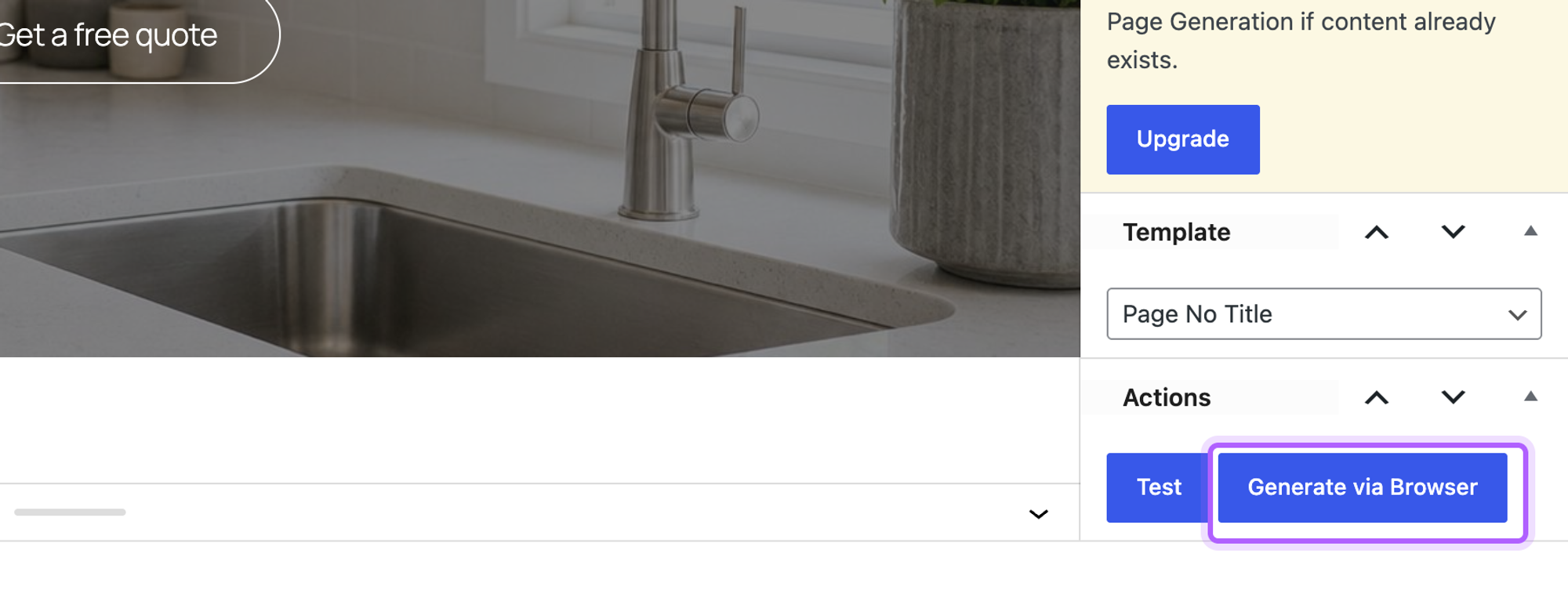
The free version does not read a CSV: the CSV, spreadsheet and Airtable keyword sources are marked Upgrade. So each column became its own keyword, and we pasted 25 terms into each of town, county and local_note. A content group holds the template in the block editor, where we set Method to Sequential (row 1 of each keyword together, then row 2) and picked the Page No Title template. Generate via Browser then made the 25 pages in 33 seconds.
Every page got a unique title and H1, but none had a meta description: the free content group has no SEO fields. The update test made copies. After we changed one term and one sentence and clicked Generate via Browser again, the log said "Created, as page with Permalink has not yet been generated by this Group" 25 times and the new pages got -2 URLs. Overwriting existing pages sits under Methods and Overwriting, which is marked Upgrade.
- 11 steps for 25 pages from typed keyword lists, 33 seconds to 25 live pages, 3 of 7 checks
- Unique titles: 25 of 25, unique meta descriptions: 0 of 25, H1s: 25 of 25
- Weight added for visitors: 0 KB
- Update test: 25 new copies, old pages unchanged
Pros
- No spreadsheet needed for simple lists
- Test button to preview one page before a run
- Real WordPress pages
Cons
- No CSV import on the free version, so every column is pasted by hand
- No meta description on the generated pages
- Generating again creates copies instead of updating
Page Generator Pro costs $99 a year for one site or $299 once, read on wpzinc.com on 13 October 2026. Page Generator on WordPress.org and Page Generator Pro.
Programmatic SEO tools outside WordPress
These tools were not tested hands-on: each needs a paid account or a sign-up. What follows is from their own pricing pages and docs, read on 13 October 2026. If your site is not on WordPress, one of these is your starting point.
5. Webflow CMS with CSV import
Webflow is the pick for teams that design in Webflow: a CMS collection holds one item per row, and one collection template page lays them all out.
Not tested hands-on. Webflow's help center says a CSV import can be up to 4 MB, counts against the plan's item limit, and can update existing items when the file has an Item ID column. The free Starter plan allows 50 CMS items on a webflow.io address, so 25 location pages would fit. The Basic plan ($15 a month on yearly billing) has no CMS. Premium costs $25 a month on yearly billing or $39 monthly and allows 20,000 CMS items. Webflow pricing and Webflow's CSV import guide.
6. Whalesync with Airtable or Google Sheets
Whalesync is the pick when your data lives in Airtable or Google Sheets and has to stay in sync with a CMS without re-importing files.
Not tested hands-on. Whalesync's pricing page lists two-way sync between Airtable or Google Sheets and Webflow, Framer, WordPress and Wix, from $16 a month on yearly billing for 2,000 records, with a 7-day trial and no free plan. Airtable's free plan allows 1,000 records per base; its Team plan costs $20 per user a month on yearly billing. On WordPress, LPagery's Google Sheets sync does the same job for pages without a second service. Whalesync pricing and Airtable pricing.
7. Framer CMS
Framer's CMS is the pick for small page sets on a site that already runs on Framer.
Not tested hands-on. Framer's pricing page lists 1,000 CMS items on Basic ($10 a month on yearly billing) and 2,500 on Pro ($30 a month), up to 40,000 with add-ons, and no CMS collections on the free plan. Its academy shows CSV import into a collection. Framer pricing.
8. Byword
Byword is an AI writer for teams that want whole articles from a list of keywords, rather than template pages filled from data.
Not tested hands-on. Byword's pricing page lists 5 free articles without a card, then $99 a month for 25 articles ($83 on yearly billing). It publishes to WordPress, Webflow, Shopify, Ghost, Framer and HubSpot. Each output is a full AI article, which makes Google's scaled content policy (below) the main thing to plan for. Byword pricing.
9. SEOmatic
SEOmatic is an AI SEO platform for agencies that runs page campaigns from datasets and publishes them to a CMS with approval steps.
Not tested hands-on. SEOmatic's pricing page lists a free plan for one site with limited AI use, and paid plans from 89 euros a month with a 14-day trial for $1; page templates are listed from the Scale plan (229 euros a month). SEOmatic pricing.
10. Typemat
Typemat is a browser tool for a one-off build: it reads a public Google Sheet, fills an HTML template and gives you an XML file to import into WordPress, Wix or Squarespace.
Not tested hands-on: it reads from a public Google Sheet, which needs a Google account the lab does not have, and its free version stops at 5 pages per build, fewer than our 25. Its site says the free version needs no account, and unlimited pages cost $57 once. Because the result is an import file, a change to the sheet means another export and import. Typemat pricing.
How to avoid thin and scaled content with programmatic SEO
Google names the risk directly. Its spam policies say: "Scaled content abuse is when many pages are generated for the primary purpose of manipulating search rankings and not helping users." The doorway section lists "Creating substantially similar pages that are closer to search results than a clearly defined, browseable hierarchy" as an example. Its guidance on AI content adds that generating many pages "without adding value for users may violate Google's spam policy on scaled content abuse." Sources: Google's spam policies and Google's guidance on generative AI content.
We measured how close our test pages came to that. Comparing the visible text of every pair of the 25 pages word by word, the pages shared 88.8% of their words (median, range 84.6% to 91.9%). Every tool produced the same number, because the template and data were the same: the tool does not decide how thin a page is, the data does. In a smaller second test we gave each row 12 columns of its own text (an intro, a main service, a local problem, a question and answer, two images) plus spintax for the stock phrases, and made 5 pages with one tool, LPagery Pro. Those 5 pages shared 57.2% of their words (median of the 10 pairs). It is a small sample, but the direction matches what the data per row predicts.
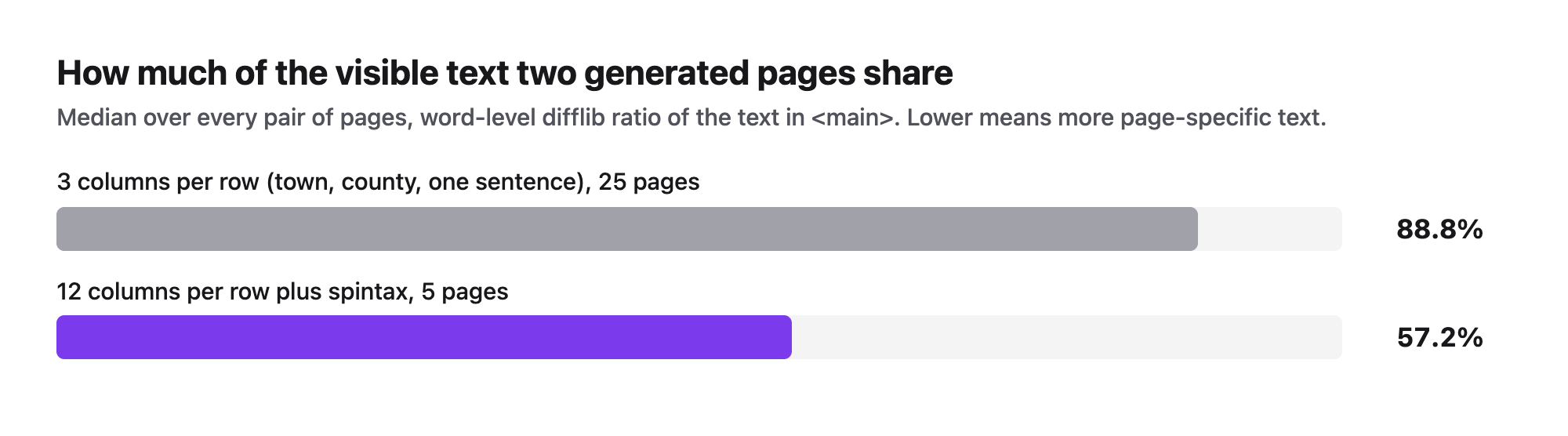
The second set differed because of its data. What we recommend, whichever tool you use:
- One column per fact that is true for that place: the service people ask for there, a local problem, a real job you did. A town name alone is not data. Our guide to local landing pages lists what to collect.
- A question and answer per row, written for that town.
- Different photos per page, with alt text that names the place.
- Spintax or AI only for the connecting phrases, never as a stand-in for facts.
- Links between the pages and a hub page, so visitors can browse the set, as in local SEO for multiple locations.
A page that only swaps the town name in an otherwise identical text is the pattern the doorway policy describes. Our plumber location pages tutorial builds the richer version step by step.
Which programmatic SEO tool should you choose?
- Choose LPagery if your pages must follow a changing spreadsheet or Google Sheet (Extended plan), or its free version for a one-off set of real pages in the fewest steps.
- Choose Multiple Pages Generator if you want to stay on a free plan, your data changes often and has up to 50 rows, and you accept virtual pages.
- Choose Page Generator if you have a short list of towns or services and no spreadsheet. Pick the towns from local keyword research, not from a map alone.
- Choose WP All Import if you already use it for other imports, can add custom fields for SEO, and write the template without block settings.
- Choose Webflow's CMS, or Whalesync on top of Airtable, if your site is not on WordPress.
- Choose Byword or SEOmatic only if you want AI to write whole pages, and budget time to add facts to every one.
For a head-to-head of WordPress page generators only, see the mass page generator comparison linked in our method. If your data lives in a spreadsheet that changes, syncing Google Sheets with WordPress covers the options, and how to bulk create pages in WordPress shows the free route from start to finish.
Tools we tested or checked but left out
- WP Ultimate CSV Importer: in three runs in our headless Chrome, the longest waiting 90 seconds, the desktop upload in Simple Mode stayed at Uploading and no request reached the server, so we could not complete the task. Its import screen also says updates and advanced fields need Pro.
- Mass Pages/Posts Creator: makes pages from a list of titles with a prefix and suffix, with no column data for the page content, so it cannot do the task.
- PageFactory: its site says it stopped operating in August 2024, though some lists still recommend it.
FAQ
What is programmatic SEO?
Programmatic SEO means making many search-focused pages from one template and a table of data, such as one page per town for a local business. The guide to programmatic SEO linked at the top of this article explains it from the start.
What is the best programmatic SEO tool?
For WordPress, LPagery, based on LPagery Pro (Extended plan for updates, sync and delete), which passed all 7 of our checks; the free version scored 3 of 7. We did not test the other tools' paid plans. The best free version was Multiple Pages Generator (6 of 7), followed by WP All Import (4), LPagery (3) and Page Generator (3). Outside WordPress, Webflow's CMS with CSV import covers most location page projects.
Is there a free programmatic SEO tool?
Yes. LPagery, Multiple Pages Generator, Page Generator and WP All Import all made the 25 pages on their free versions. The limits differ: 3 columns and 100 pages per run for LPagery, 50 rows for MPG, typed lists for Page Generator, and no custom fields for WP All Import.
Does Google penalize programmatic SEO?
Google's scaled content abuse policy is about pages made mainly to manipulate rankings, and it applies "no matter how it's created". In our test, pages that only swapped three values shared 88.8% of their words; 5 pages with 12 columns of their own text shared 57.2%. Pages that are nearly all the same text are the pattern the policy describes, so the more each page says that is true only for its place, the lower the risk.
Do programmatic SEO plugins slow down WordPress?
We measured page weight and requests, not load time. None of the four plugins loaded a file of its own on the generated pages, and the pages from LPagery, MPG and Page Generator weighed as much as the page we made by hand: 1,512 KB in 15 requests.
Can I build programmatic SEO pages from Google Sheets?
Yes. LPagery syncs a Google Sheet on its Extended plan, and MPG reads a public sheet link, with scheduled syncs on Pro. Outside WordPress, Whalesync syncs Sheets or Airtable to a CMS.
Do I need to be technical to use these tools?
No code was needed for any WordPress tool in our test. For 25 pages from a CSV the screens took 8 steps with LPagery, 11 with MPG, 11 with Page Generator and 14 with WP All Import. The harder part is the data: one column for each fact that should differ between pages.
How much do programmatic SEO tools cost?
The WordPress plugins tested here are free to start. Their paid plans, read on 13 October 2026: LPagery from $19 a month, MPG Pro and Page Generator Pro from $99 a year, WP All Import Pro from $149 a year. Outside WordPress, Webflow Premium is $25 a month on yearly billing, Whalesync starts at $16 a month and Byword at $99 a month.
How many pages can I make?
On free plans: 100 per run with LPagery, 50 rows with MPG, and 50 CMS items on Webflow's Starter plan. Paid plans remove most limits; Webflow Premium allows 20,000 CMS items.
Sources
- Lab measurements: our test on WordPress 7.1.3, 13 October 2026 (25 pages per tool, every page checked as a logged-out visitor)
- WordPress.org plugin pages for LPagery, Multiple Pages Generator, Page Generator and WP All Import, read on 13 October 2026
- Vendor pricing pages: LPagery (linked above), MPG, Page Generator Pro, WP All Import, Webflow, Whalesync, Airtable, Framer, Byword, SEOmatic, Typemat
- Google Search Central: spam policies and using generative AI content
I've worked in SEO for more than ten years and helped over 100 businesses rank higher, mostly local businesses, e-commerce stores and SaaS companies. As co-founder of LPagery I work on local SEO, programmatic SEO and AI search visibility, and I test the strategies in these articles on our own sites and with our customers.
I've worked in SEO for more than ten years and helped over 100 businesses rank higher, mostly local businesses, e-commerce stores and SaaS companies. As co-founder of LPagery I work on local SEO, programmatic SEO and AI search visibility, and I test the strategies in these articles on our own sites and with our customers.