12 Best WordPress Plugins for Agencies in 2026

Part of the guide: WordPress SEO guides and plugin comparisons
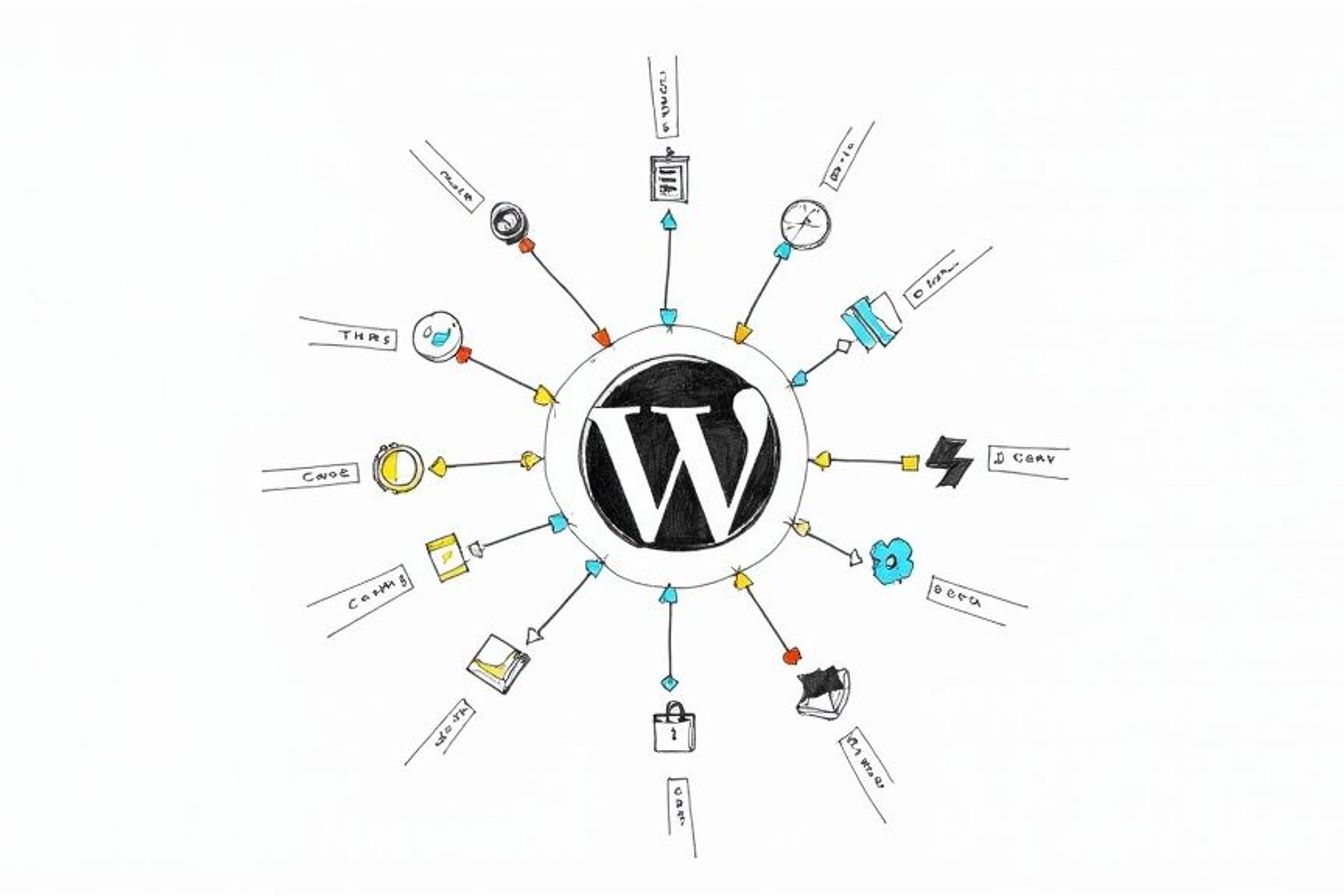
Running a digital agency means juggling many client projects, each with its own needs. The right tools help you work well, grow, and get great results. The basic WordPress setup is strong, and plugins extend it. For an agency, the challenge is looking through thousands of options to find the ones that truly make work easier, improve client websites, and help your business earn more.
We've made a clear list of the best WordPress plugins for agencies, focusing on tools that solve real-world problems. Whether you need to manage dozens of client sites from one place, make them better for search engines, or build complex forms, the right plugin is here. We go beyond simple feature lists to give you a practical look at each tool. You'll find out what a plugin does and how your agency can use it well.
Each plugin on this list has a detailed breakdown, covering key features, pricing, and how you might use it. To help you choose wisely, we give you direct links and pictures for every plugin we talk about. Our goal is to give you a ready-to-use toolkit that saves you time, impresses your clients, and helps your agency grow. Let's dive into the essential plugins that will change how your agency works.
1. LPagery
LPagery is a powerful plugin for agencies that need to create hundreds or even thousands of unique landing pages very quickly. Instead of building each page by hand, you can use a single template and a spreadsheet (like Google Sheets or a CSV file) to automatically create pages for every service, city, or product you can think of. This makes it one of the best WordPress plugins for agencies looking to grow their own marketing or give massive value to clients.
This tool is built for local SEO campaigns. For example, an agency can use LPagery to create pages that target a specific area for a client, like "plumbing services in [City Name]," for dozens of locations in minutes. This cuts down on work time, freeing up your team to focus on planning and getting results. The agency can also use it to get its own leads, creating pages for every service it offers in every region it serves.
Key Features & Agency Use Cases
LPagery is packed with features that directly help agencies. Google Sheet Sync (Extended plan) is a great feature: LPagery checks your sheet on a schedule, hourly by default, and updates the pages when you change a cell. This is perfect for managing client info or updating offers without logging into WordPress.
- Create Many Landing Pages Easily: Your agency can use LPagery to create landing pages (LPs) for your clients or for yourselves. For your own agency, you could make pages for all your services and all the areas you work in.
- Save Time for You and Your Clients: For your clients, you can use it to quickly create all the LPs they need. For example, a local SEO client could get 90 location- and service-specific pages. Your agency doesn't need to spend hours on it, but just a few minutes.
- Total Template Control: You can insert placeholders like {city} or {service} into your templates. It works smoothly with all major page builders, including Elementor, Divi, and Bricks.
- SEO Settings for Each Page: Control every part of your page's SEO, from custom web addresses to meta descriptions and title tags, making sure each new page is set up for its target keyword.
Real-World Impact: Case studies show big results, with users seeing large increases in website traffic, search impressions, and local leads within months of using LPagery.
Pricing & Getting Started
LPagery has a free version to get started, plus the paid Standard, Extended and Ultimate plans for more features. Every paid plan comes with a 7-day money-back guarantee. Because it automates so much and provides a great return, it’s a smart choice for any agency focused on growth.
Website: https://lpagery.io
2. WordPress.org Plugin Directory
The official WordPress.org Plugin Directory is the best place to start for any agency building sites on WordPress. It’s not a single plugin, but a huge library of over 60,000 free tools. This is the first place your team should look for new features, as every plugin listed has passed a basic safety and quality check.
For agencies, this directory is a great tool for research. Instead of just buying a plugin, you can check out free versions, read user reviews, and look at support forums to see how helpful the creator is. Many of the best WordPress plugins for agencies start here as free versions before offering paid upgrades, giving you a risk-free way to test their main features.
Key Features & Agency Use Cases
The directory’s strength is that it is open and large. You can see important details at a glance, like how many people use it, user ratings, and the last update date. This helps you quickly avoid plugins that are no longer supported or don't work well.
- Set Up Standard Client Websites: Find reliable, well-supported free plugins (like for SEO or speed) to create a standard, low-cost toolkit for all your client projects.
- Test and Check Plugins: Before you buy a "pro" version, install the free one from the directory to make sure it works well with your theme and other plugins.
- Discover Special Tools: Find tools for specific needs like the LPagery plugin, which lets you quickly create hundreds of location or service-specific landing pages for a client's local SEO campaign.
How to Check Plugins Well
While the directory is an amazing resource, the quality can be different from plugin to plugin. A key skill for an agency is learning how to check plugins well. Always look at the "Last updated" and "Tested with" details to make sure it will work with the current WordPress version. The support forums also give you a real-world look at common problems and how actively the developer solves them. The best tools often have thousands of positive reviews and are updated regularly.
Website: https://wordpress.org/plugins/
3. WooCommerce Marketplace (Official)
For agencies building online stores, the official WooCommerce Marketplace is the most trustworthy source for adding store features. It’s a hand-picked library of both free and paid add-ons made by Automattic (the makers of WooCommerce) and trusted developers. Unlike other marketplaces, every add-on here is checked for quality, safety, and compatibility, which lowers the risks for your client projects.
This official marketplace gives you peace of mind with clear licenses, regular updates, and a 30-day money-back promise on all purchases. For an agency, this means you can confidently buy and test solutions for payment systems, subscriptions, or shipping companies without financial risk. It’s the main resource for building strong, growing online stores that your clients can rely on.
Key Features & Agency Use Cases
The marketplace's value comes from its focus on checked, store-specific solutions. This saves agencies hours of research and testing, making sure the tools you choose are built to work perfectly with WooCommerce.
- Set Up Standard Online Stores: Use trusted add-ons for payments (Stripe, PayPal), shipping (USPS, FedEx), and subscriptions on all client stores, knowing they are officially supported.
- Build Special Stores: Find add-ons for complex needs like wholesale pricing, bookings and appointments, or product bundles to meet specific client requests.
- Ensure Good Support: When a problem comes up, you have a clear support contact and the promise that the add-on will be updated along with WooCommerce, preventing site-breaking issues.
How to Check Plugins Well
While all add-ons are checked, it's still smart to review the details before buying. Look at the user ratings, read the Q&A section, and check the "Last updated" date to confirm it's still being maintained. Most add-ons are sold with a one-year subscription for support and updates, so remember to include this recurring cost in your client proposals. This marketplace is one of the best WordPress plugins for agencies resources because it puts stability and support first, two key things for client happiness.
Website: https://woocommerce.com/products/
4. WPMU DEV
WPMU DEV offers a complete, all-in-one membership package made just for agencies and freelancers managing many WordPress sites. Instead of buying single plugins for speed, security, SEO, and backups, their plan gives you a full toolkit under one subscription. This approach helps agencies use the same set of tools for every client, make work easier, and manage everything from one central place.
For agencies, the value is in saving time and branding. You can rebrand their entire plugin package with your own logo, giving clients a professional and consistent experience. The built-in client billing and reporting features also simplify client management, making it one of the best WordPress plugins for agencies looking for a complete platform.
Key Features & Agency Use Cases
WPMU DEV’s platform is built around central control and agency-focused services. Their Hub lets you manage updates, security scans, and speed improvements across all client sites from one dashboard.
- Standard Plugin Set: Use a consistent set of Pro plugins (like Smush Pro for images and Hummingbird Pro for speed) on every client site for reliable performance and easy maintenance.
- White-Labeling and Client Reports: Rebrand the entire plugin package and dashboard to match your agency’s branding. Create automatic reports to show clients the value you’re providing.
- Easier Client Management: Use the built-in billing system to create and manage client subscriptions directly from the WordPress dashboard, making it simple to collect payments.
Using the Package
The main downside is the subscription plan; you pay for the whole package even if you only need a few tools. There's also a learning process to master the whole system. However, the 24/7 live chat support is a huge benefit for agencies that need help right away. For teams that want to combine their tools and work with fewer vendors, the all-in-one approach can save a lot of time and paperwork.
Website: https://wpmudev.com/
5. MainWP
For agencies managing a large number of client sites, MainWP offers a powerful, self-hosted tool to make maintenance easier. Unlike cloud services that charge per site, MainWP is a free core plugin you install on your own WordPress site. It lets you connect and manage an unlimited number of client websites from one dashboard. This model gives you complete control over your data and avoids rising costs as your agency grows.
The real power for agencies comes from the optional Pro membership, which gives you over 30 premium add-ons for tasks like advanced monitoring, automatic backups, and detailed client reports. This makes it one of the best WordPress plugins for agencies focused on growth and privacy. By hosting the management dashboard yourself, you keep full control and can create a very efficient process for updates, security scans, and speed checks across all your clients.
Key Features & Agency Use Cases
MainWP’s core strength is its one-time fee for Pro add-ons, which is a big plus for agencies on a budget. The dashboard brings routine tasks into one place, saving your team many hours.
- Central Site Management: Update plugins, themes, and WordPress itself for all client sites from a single, secure dashboard.
- Automatic Reporting: Create professional, white-labeled reports to show clients the value of your maintenance plans, detailing updates, security scans, and uptime.
- Efficient Content Publishing: Use add-ons to publish posts or pages across multiple sites at the same time. This is perfect for agencies that need to create multiple location and service pages for clients; a multiple page generator plugin can be used with MainWP to create hundreds of targeted landing pages in minutes.
Setup and Things to Consider
Because MainWP is self-hosted, your agency is responsible for the setup and security of the main dashboard site. While this offers more control, it does require a bit more technical skill than a cloud-based option. However, the detailed instructions and active community provide excellent support. The cost savings and privacy benefits are large, especially for agencies managing 20 or more sites, making the initial setup a good investment.
Website: https://mainwp.com/
6. ManageWP
ManageWP is an all-in-one dashboard designed to help agencies control multiple WordPress sites from a single location. Instead of logging into dozens of client websites to do routine maintenance, you can connect them all to this central hub. Its "freemium" model makes it available to agencies of any size, offering core maintenance features at no cost for an unlimited number of sites.
For agencies, ManageWP makes workflows easier and saves a lot of time. The platform handles one-click updates for plugins, themes, and WordPress itself, plus security checks and speed scans. Premium add-ons for services like backups, uptime monitoring, and white-labeled client reports can be added on a per-site basis. This lets you grow your services and costs as your client base grows. This makes it one of the best WordPress plugins for agencies looking for a management solution that can grow with them.
Key Features & Agency Use Cases
The power of ManageWP is in its efficiency and central control. You can group client sites, schedule automatic tasks, and create professional reports to show your value.
- Efficient Bulk Maintenance: Update plugins, themes, and core files across all client sites with a single click, saving huge amounts of time.
- Automatic Client Reporting: Schedule and automatically send white-labeled PDF reports to clients detailing the maintenance work done, such as updates, backups, and security scans.
- Growing Client Services: Combine ManageWP with a tool like the LPagery plugin to maintain client sites and quickly create hundreds of service and location pages, boosting their local SEO with little effort.
How to Check Plugins Well
ManageWP’s model is built on being flexible. The free version is strong enough for basic maintenance, letting you test the core service without paying. When considering paid add-ons, you can turn them on for a single site to see if they are useful before using them for all your clients. The pay-as-you-go pricing for premium features ensures you only pay for what you actually use, preventing extra costs as your agency expands.
Website: https://managewp.com/
7. Elementor
Elementor is a top visual page builder that lets agencies design and launch complex WordPress websites very quickly. Its drag-and-drop editor removes many of the technical hurdles to custom design, allowing teams to create perfect results without writing code. This makes it one of the best WordPress plugins for agencies focused on fast delivery and creating consistent designs across many client projects.
For agencies, the value is in Elementor Pro. It adds the Theme Builder, WooCommerce Builder, and dynamic content features, giving you full control over every part of a website. The pricing plan grows well for agencies, with plans covering up to 1,000 websites, making it a budget-friendly solution for managing a large client list.
Key Features & Agency Use Cases
Elementor's strength is its mix of a user-friendly visual editor with powerful, agency-focused features. The huge number of third-party add-ons further expands what it can do, allowing for almost any feature you can imagine.
- Fast Prototyping and Delivery: Quickly build custom layouts and even entire websites, allowing for faster client feedback and project completion.
- Creating Design Systems: Develop and save reusable templates, sections, and global widgets to keep brand styles the same and speed up development across all client sites.
- Creating Many Landing Pages: Pair Elementor with a tool like the LPagery plugin to efficiently create many pages at once. An agency can use this to make hundreds of location-specific service pages for a client's local SEO campaign in minutes, a task that would otherwise take days.
How to Check Plugins Well
While Elementor itself is a strong platform, its performance can be affected by the third-party add-ons you install. Check these add-ons carefully and look for recent updates, positive reviews, and good support. Sticking to a small set of well-coded add-ons will ensure client sites stay fast and secure. While the builder can add some extra load compared to a lean custom theme, modern hosting and speed plugins easily fix this for most projects.
Website: https://elementor.com/
8. Gravity Forms
When basic contact forms are not enough, Gravity Forms is the professional solution many agencies use. This premium-only plugin is great at creating complex, multi-step forms with advanced rules and powerful connections to other tools. It goes beyond simple data collection, letting you build entire processes like user sign-ups, payment processing, and automatic lead follow-ups directly from your client's website.
For agencies, using Gravity Forms as a standard provides reliability and the ability to grow. The Elite license, with its unlimited site usage and access to all official add-ons, is a cost-effective way to use a consistent, powerful forms solution across your entire client list. This makes it one of the best WordPress plugins for agencies that need more than a contact form.
Key Features & Agency Use Cases
Gravity Forms is a developer-friendly platform with a huge number of first- and third-party add-ons. Its true power is in its ability to handle complex needs without custom coding.
- Advanced Data Collection: Build multi-page forms, surveys, quizzes, and polls with smart rules that show or hide fields based on user answers.
- Automate Workflows: Connect forms directly with CRMs, email marketing services like Mailchimp, and payment systems like Stripe or PayPal to automate client business processes.
- Front-End Content Creation: Let users submit blog posts, testimonials, or directory listings from the front of the site, which can then be held for review before publishing.
How to Check Plugins Well
As a premium tool, Gravity Forms keeps a high standard of quality and support. Like any plugin, it needs regular updates. A recent security issue was quickly fixed by the developers, which shows the importance of timely updates for keeping a site secure. The Elite license is ideal for agencies managing multiple client sites, as it simplifies licensing and ensures access to all features and support, making it a dependable choice for client projects.
Website: https://www.gravityforms.com/
9. Yoast SEO
Yoast SEO is one of the most well-known names in WordPress and a core plugin for managing on-page search engine optimization. For agencies, it provides a reliable, organized way to use SEO best practices across client sites, ensuring consistency and quality. Its guided approach helps make the process of optimizing content, technical SEO, and readability easier.
Many agencies choose Yoast SEO Premium to get key features like the redirect manager, internal linking suggestions, and 24/7 support. The Premium version also includes access to the Yoast SEO Academy, a valuable training resource for new team members or even for teaching clients. The plugin’s wide use means it works with nearly every major theme, page builder, and multilingual setup.
Key Features & Agency Use Cases
Yoast's real-time content analysis is its most famous feature. It guides writers to optimize for keywords and improve readability without needing deep SEO knowledge. Agencies can use this to set content standards and speed up work.
- Standardize On-Page SEO: Use Yoast as the default SEO tool in your agency's starter kit to ensure every client site has proper title tags, meta descriptions, and XML sitemaps from day one.
- Training and Sharing Work: The simple "traffic light" system and clear suggestions make it easy for junior marketers or content creators to handle basic on-page SEO tasks well.
- Advanced Schema Markup: Add structured data for organizations, articles, and FAQs without writing code, helping clients get rich results in search engines.
How to Check Plugins Well
While the core plugin is free, agencies managing multiple clients will quickly find the Premium version's features essential. The main downside is the per-site licensing plan, which can become costly as you grow. When budgeting, remember that the displayed pricing often does not include taxes. When comparing SEO plugins, you can find a deeper look in articles that compare Yoast vs. other popular tools. Overall, Yoast SEO remains one of the best WordPress plugins for agencies due to its long record of reliability and full feature set.
Website: https://yoast.com/wordpress/plugins/seo/
10. WP Rocket
WP Rocket is a premium performance plugin that has become a standard for agencies to get big speed improvements with little setup. It simplifies complex speed-up tasks, automatically applying about 80% of web performance best practices as soon as you activate it. This makes it a great tool for agencies that need to deliver fast, clear results for clients without spending hours changing settings.
For agencies, WP Rocket’s main benefit is how efficient it is. Instead of dealing with multiple free plugins to handle caching, file shrinking, and image loading, your team gets an all-in-one solution. This consistency across client sites makes maintenance and problem-solving simpler, making it one of the best WordPress plugins for agencies focused on performance. Its detailed instructions and reliable support also mean you’re never stuck when a problem comes up.
Key Features & Agency Use Cases
WP Rocket’s interface is famously user-friendly, allowing even junior developers to apply advanced optimizations safely. The plugin is known for working well with popular themes, plugins, and hosting providers, which reduces the risk of conflicts.
- Instant Core Web Vitals Wins: Use features like "Delay JavaScript execution" and "Remove Unused CSS" to quickly improve key performance scores that affect client SEO rankings.
- Standardize Performance Tools: Use WP Rocket across all client projects to create a reliable, repeatable process for website optimization and ongoing maintenance.
- Combine with SEO Efforts: A fast website is very important for being seen in search engines. Using WP Rocket helps ensure your on-page and technical SEO strategies are built on a solid foundation. You can learn more about how site speed impacts WordPress SEO to better serve your clients.
Pricing & Licensing
WP Rocket is a premium-only plugin with no free version. Its license is based on an annual subscription, which provides ongoing updates and support. Plans are based on the number of sites, so agencies must choose a plan that fits their client list. While it's a recurring cost, the time saved and performance gained offer a clear return on investment.
Website: https://wp-rocket.me/
11. AppSumo
AppSumo is a marketplace known for offering lifetime and heavily discounted deals on software, including a wide range of WordPress plugins. For agencies looking to expand their toolkit without a recurring subscription cost, this platform is a goldmine. It's an excellent place to discover new, special, or powerful premium tools at a fraction of their standard price, often with generous multi-site or agency licenses included.
The platform allows agencies to try new plugins or standardize their tools with powerful software that might otherwise be too expensive. Because AppSumo often features new and upcoming software, it’s a smart way to get ahead and find some of the best WordPress plugins for agencies before they become popular. The deals are for a limited time, so you need to check it regularly.
Key Features & Agency Use Cases
AppSumo’s core value is giving access to premium tools through a one-time purchase. The 60-day money-back guarantee also provides a long time for agencies to test a plugin fully across multiple client projects before committing.
- Cost-Effective Tool Buying: Get lifetime deals on plugins for SEO, site speed, security, or marketing, greatly reducing your agency's recurring software costs.
- Discovering New Solutions: Find special tools like the LPagery plugin here, allowing your agency to generate hundreds of location-based landing pages for a client's local SEO campaign in minutes.
- Risk-Free Testing: Use the 60-day refund window to check new plugins completely, ensuring they work smoothly with your standard themes and existing tools.
Checking AppSumo Deals
The savings are big, but do your homework first. Not all lifetime deals are sustainable for the company selling them. Before buying, an agency should research the developer's history, check their plans for the future, and read user reviews both on and off the AppSumo platform. The best deals come from established developers with a clear plan for long-term support and updates.
Website: https://appsumo.com/collections/integrations/wordpress/
12. CodeCanyon (Envato Market)
CodeCanyon, part of the Envato Market, is a huge commercial marketplace where agencies can find special plugins not available elsewhere. Unlike official directories or single-vendor sites, it hosts thousands of tools from independent developers, covering everything from design improvements and marketing tools to complex WooCommerce add-ons. This makes it a go-to resource when you need a very specific function that popular plugins don't offer.
For agencies, CodeCanyon is a treasure chest of niche solutions that can solve unique client problems without custom development. The platform offers clear one-time pricing for a license, which usually includes six months of author support. You can extend this support for a fee, but lifetime updates are often included, making it a cost-effective choice for certain tools.
Key Features & Agency Use Cases
The main advantage of CodeCanyon is its huge variety. You can find plugins for almost any need you can think of, from advanced booking systems to dynamic content sliders. This allows your agency to deliver highly customized features for clients.
- Finding Niche Solutions: Discover plugins that meet very specific client needs, such as a unique scheduling system for a service business or a special media gallery.
- Cost-Effective Tools: Purchase plugins with a one-time fee, avoiding recurring subscription costs that can add up across many client sites.
- Competitive Research: See what new plugins are trending to get ideas for new services or features you can offer to your clients.
How to Check Plugins Well
The quality on CodeCanyon can be very different from author to author, so careful checking is a must. Before buying, always check the plugin’s user ratings, comments section, and the author's overall history and reputation. Pay close attention to the "Last Update" date to ensure the plugin is actively maintained and works with the latest version of WordPress. Reviewing the support comments gives you a real look at how responsive and helpful the developer is when problems come up.
Website: https://codecanyon.net/category/wordpress
Top 12 WordPress Plugins for Agencies, Quick Comparison
Item | Core features | Target audience / Best for | Unique selling points | Price / Licensing |
|---|---|---|---|---|
LPagery (recommended) | Bulk page generation from CSV/XLSX/Google Sheets; scheduled Sheets sync; Spintax; dynamic templates; SEO controls | Agencies, local businesses, SEO teams needing mass landing pages | Spreadsheet control; unlimited placeholders; page‑builder compatible; rapid scale | Free version; Standard, Extended and Ultimate plans; 7‑day money‑back |
WordPress.org Plugin Directory | 60k+ plugins, ratings, reviews, compatibility notes, support forums | Site owners and agencies sourcing free/vetted plugins | Largest, transparent source; one‑click installs and community support | Mostly free plugins; many link to paid pro upgrades |
WooCommerce Marketplace (Official) | Curated WooCommerce extensions (payments, shipping, subscriptions) with compatibility checks | Ecommerce stores and agencies focused on WooCommerce | Official vetting; clear licensing/support; 30‑day refund policy | Paid extensions, typically subscription/site‑based |
WPMU DEV | All‑in‑one Pro plugin suite: performance, security, backups, white‑label, client billing, 24/7 support | Agencies standardizing client stacks and white‑label workflows | Suite membership with 24/7 support, reporting and white‑label tools | Subscription membership (bundle pricing) |
MainWP | Self‑hosted core with optional Pro extensions for monitoring, backups, reporting; unlimited sites | Agencies managing many self‑hosted WP sites seeking cost control | Unlimited sites, privacy‑friendly self‑hosting, flexible Pro extensions | Free core; Pro extensions (monthly/yearly/lifetime) |
ManageWP | Hosted multi‑site dashboard with free core features + paid add‑ons (backups, uptime, SEO) | Teams preferring hosted, plug‑and‑play multi‑site management | Hosted SaaS convenience; pay‑for‑what‑you‑need add‑ons and bundles | Free core; per‑site premium add‑ons or bundles |
Elementor | Drag‑and‑drop visual builder; Theme & WooCommerce builders; dynamic content | Design teams and agencies for rapid, consistent site builds | Fast prototyping, reusable design system, large ecosystem | Free core; Pro tiers scaled by site count |
Gravity Forms | Advanced forms with conditional logic, payments, integrations and workflows | Agencies needing complex forms, payments, CRM integrations | Enterprise integrations and solid add‑ons; Elite unlimited option | Premium licenses (Basic / Pro / Elite) |
Yoast SEO | On‑page SEO guidance, redirects, internal linking, AI optimizations, training | SEOs and agencies standardizing on‑page SEO across sites | Mature SEO guidance, training resources, builder compatibility | Free core; Premium per‑site license |
WP Rocket | Caching, preloading, JS/CSS optimization, lazyload, CWV improvements | Agencies prioritizing fast performance with minimal tuning | Immediate speed wins, broad compatibility, responsive support | Paid annual licenses with site‑count tiers |
AppSumo | Curated deals marketplace for software and plugins; lifetime/discounted offers; refunds | Cost‑conscious agencies discovering emerging or niche tools | Heavily discounted/lifetime deals and extended refund window | Deal‑based pricing (varies); often one‑time or lifetime |
CodeCanyon (Envato Market) | Commercial plugin marketplace with author listings, support windows, updates | Teams seeking niche or specialized plugins not sold elsewhere | Large selection for specialized needs; transparent item support options | One‑time purchases with optional support extensions |
Building a Better Toolkit for Your Agency
WordPress has a huge number of plugins, and the right toolkit makes a big difference for any digital agency. In this guide, we've looked at a strong lineup of tools, from basic page builders like Elementor to speed boosters like WP Rocket and client management tools like MainWP. The goal is a set of tools that makes your work easier and faster and delivers good results for your clients.
The difference between a good agency and a great one often comes down to the systems they use. The best WordPress plugins for agencies act as the building blocks for those systems. They automate boring tasks, give you useful information, and help you grow your business without losing quality.
Your Agency's Next Steps: From List to Action
Reading a list is one thing, but using the right tools is what helps you grow. So, what do you do next? The key is to move from information to a plan that fits your agency's specific needs.
Here’s a simple guide to help you choose and use your new toolkit:
- Find Your Biggest Slowdown: What single task takes the most time for your team? Is it managing updates across many client sites? If so, a tool like MainWP or ManageWP should be your top priority. Is it building dozens of similar landing pages for a local SEO campaign? A plugin like LPagery could save you hundreds of hours.
- Check Your Current Plugins: Before adding anything new, look at what you already have. Are there plugins that do the same thing? Are you paying for premium tools that a free one from the WordPress.org Plugin Directory could handle? This check helps you remove what you don't need and make room for better tools.
- Start with One or Two Key Additions: Don't try to change your whole workflow overnight. Pick one or two plugins from this list that solve your biggest problem. For example, if getting leads is a major focus, adding Gravity Forms and connecting it to your client's CRM is a powerful first step.
- Create an Agency-Wide "How-To" Guide: Once you've chosen a new tool, write down how your team should use it. Define the standard settings for Yoast SEO on all new client sites. Create a template in Elementor for common page types. This consistency is key for keeping up quality as you grow.
Things to Think About Before You Install
When you choose a plugin, look past the feature list. As an agency, you have to think about long-term use and client happiness. Check these points:
- Support and Instructions: When a client's site is down, you need fast, reliable support. Choose plugins from developers with a strong history of good customer service, like those found on WPMU DEV or the official WooCommerce Marketplace.
- Performance Impact: A plugin with many features is useless if it slows down a website. Always test a new plugin's effect on page speed using tools like GTmetrix or PageSpeed Insights before using it on all client projects.
- Client Handover: How easy will it be for your client (or another developer) to use this tool after your project is done? Choose plugins with simple interfaces to make the final handover smooth and professional.
In the end, your plugin toolkit shows your agency's dedication to working well and doing great work. By carefully choosing, testing, and using the right tools, you build a more profitable agency that can grow. The perfect set of tools is out there, waiting for you to put it together.
I've worked in SEO for more than ten years and helped over 100 businesses rank higher, mostly local businesses, e-commerce stores and SaaS companies. As co-founder of LPagery I work on local SEO, programmatic SEO and AI search visibility, and I test the strategies in these articles on our own sites and with our customers.
I've worked in SEO for more than ten years and helped over 100 businesses rank higher, mostly local businesses, e-commerce stores and SaaS companies. As co-founder of LPagery I work on local SEO, programmatic SEO and AI search visibility, and I test the strategies in these articles on our own sites and with our customers.