How to Get the Category of a Post by ID in WordPress Without Plugins

Updated
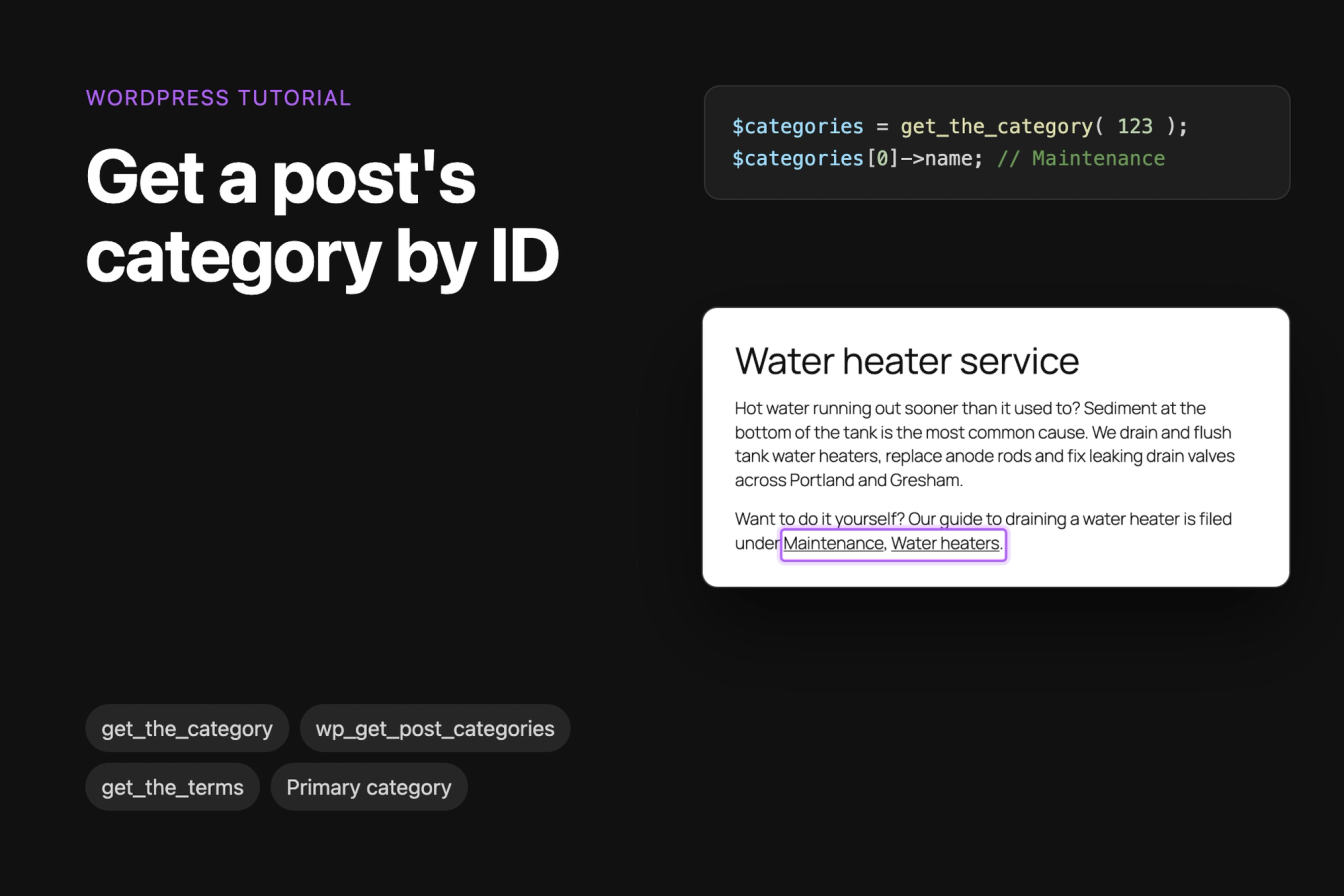
This tutorial shows how to get the categories of any WordPress post from its ID with get_the_category(), which category counts as the first or main one, the other functions that return categories, and how to show a post's categories on a page with a small shortcode.
All code was tested on WordPress 7.1.3 with the Twenty Twenty-Five theme, Yoast SEO 28.6 and Rank Math 1.0.280. The example is a plumbing company's blog where post 123, "How to drain a water heater", is in the categories Maintenance and Water heaters.
Get a post's categories by ID with get_the_category()
get_the_category() takes a post ID and returns an array with one object per category:
$categories = get_the_category( 123 );

foreach ( $categories as $category ) {
    echo esc_html( $category->name ) . '<br>';
}
For post 123 this prints Maintenance and Water heaters. Each item is a WP_Term object. The fields you'll use most are name, slug, term_id, parent (the ID of the parent category, 0 for a top-level one) and count (how many posts the category has). get_category_link( $category ) gives you the address of the category's archive page.
If you only need one name, this helper returns the first category's name, or an empty string when the post has none:
1function harbor_first_category_name( $post_id ) {
2    $categories = get_the_category( $post_id );
3
4    if ( empty( $categories ) ) {
5        return '';
6    }
7
8    return $categories[0]->name;
9}
Put the code in a file in wp-content/mu-plugins/ or in your child theme's functions.php. Our tutorial on creating a custom shortcode explains the difference between the two.
Find the post ID
Open the post in the editor and look at the address bar: in post.php?post=123&action=edit, the number after post= is the ID. The Posts screen shows each post's categories in the Categories column, so you can check there what the function should return:
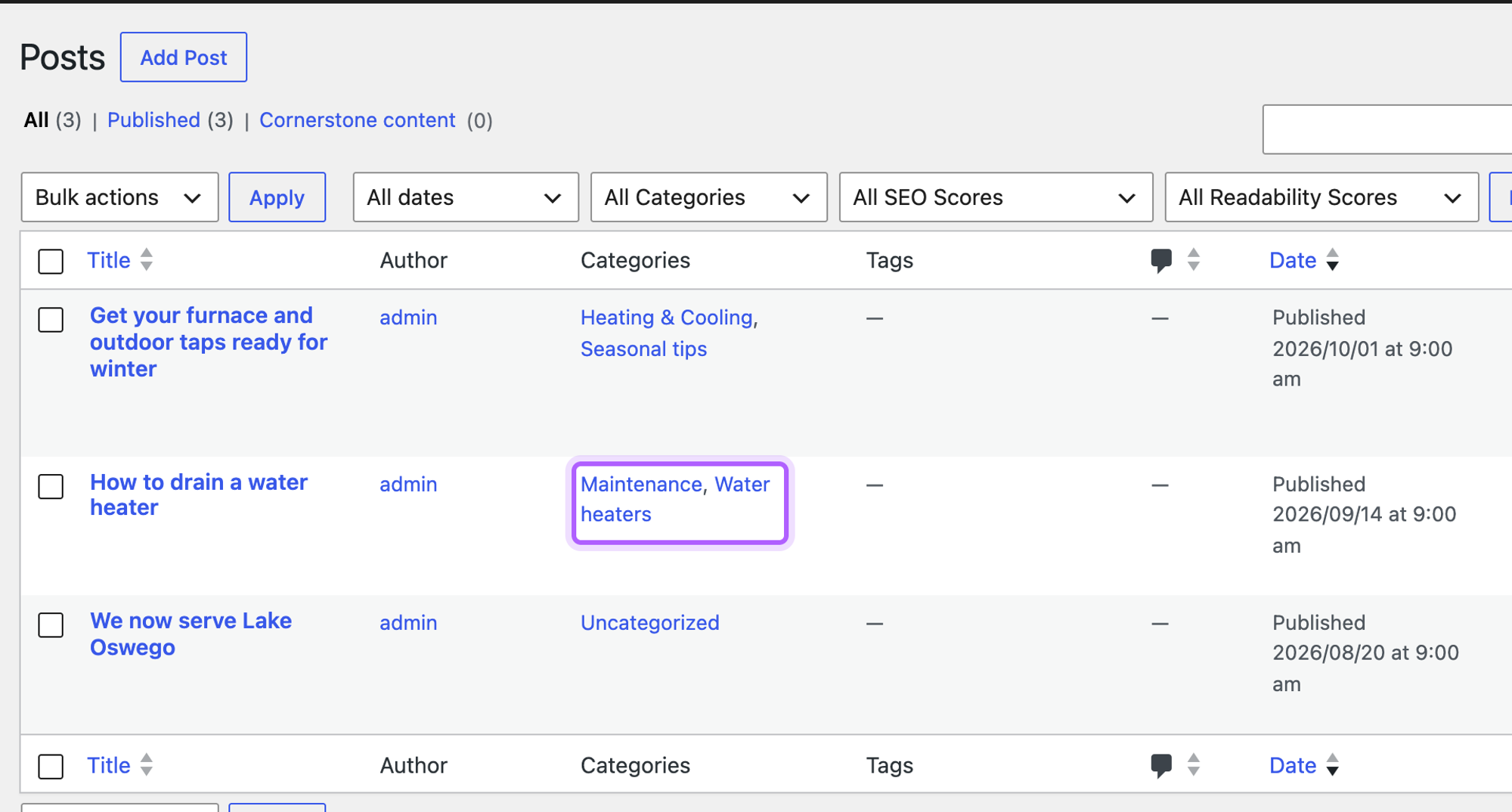
Inside the loop, or in a template for a single post, you can pass get_the_ID() instead of a fixed number. Without an ID, get_the_category() uses the current post. Outside the loop there is no current post, and it returned an empty array in our test.
Which category comes first?
get_the_category() sorts the categories by name. In our test, post 123 got Water heaters first and Maintenance second, and $categories[0] was still Maintenance. A second post in Seasonal tips and Heating & Cooling returned Heating & Cooling first. So $categories[0] is the first category in alphabetical order, which is not necessarily the one the post is mainly about.
Only the categories ticked on the post are returned. Water heaters is a child of Repairs in our example, and Repairs was not in the result. Use the parent field and get_category( $category->parent ) if you need the parent.
Get the main (primary) category with Yoast SEO or Rank Math
WordPress itself has no main category. Yoast SEO and Rank Math add one: when a post has two or more categories, you can pick one as primary in the editor. With Yoast, it's the Select the primary category field in the Categories panel:
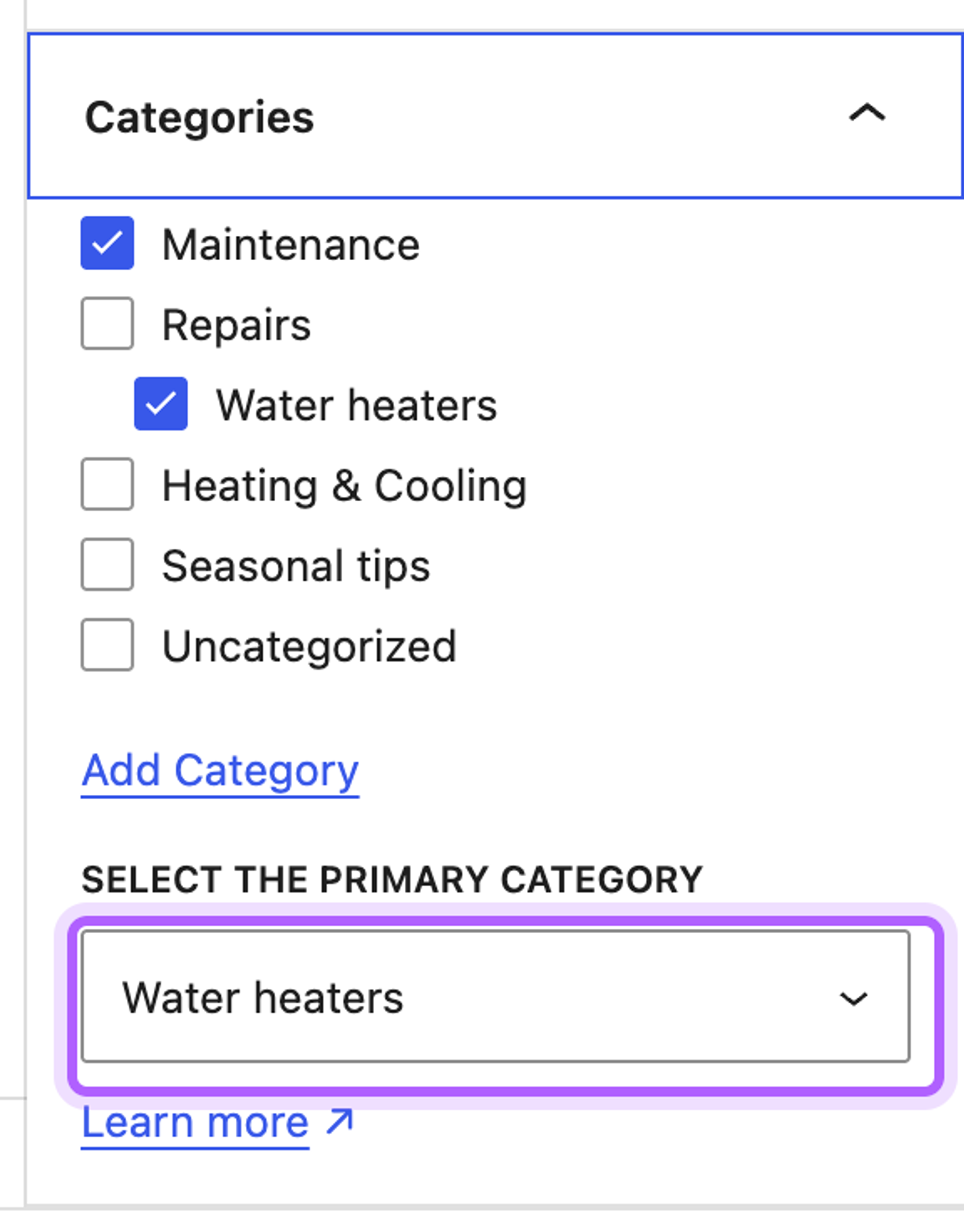
This function returns the primary category when one of the two plugins is active and a primary category is set, and the first category otherwise:
1function harbor_main_category( $post_id ) {
2    $term_id = 0;
3
4    if ( function_exists( 'yoast_get_primary_term_id' ) ) {
5        // Yoast SEO: the category picked under "Select the primary category".
6        $term_id = (int) yoast_get_primary_term_id( 'category', $post_id );
7    } elseif ( defined( 'RANK_MATH_VERSION' ) ) {
8        // Rank Math stores its primary category in post meta.
9        $term_id = (int) get_post_meta( $post_id, 'rank_math_primary_category', true );
10    }
11
12    if ( $term_id && has_category( $term_id, $post_id ) ) {
13        return get_category( $term_id );
14    }
15
16    // No SEO plugin, or no primary category set: fall back to the first one.
17    $categories = get_the_category( $post_id );
18
19    return $categories ? $categories[0] : null;
20}
With Water heaters set as primary, it returned Water heaters for post 123 with either plugin, while get_the_category() still listed Maintenance first. Yoast stores the choice in the post meta field _yoast_wpseo_primary_category, and yoast_get_primary_term_id() reads it. Rank Math stores it in rank_math_primary_category. The has_category() check skips a primary category that is no longer ticked on the post.
The primary category also decides the address when your permalinks contain %category%. WordPress on its own uses the category with the lowest ID, which was Maintenance for post 123. With Yoast active, the address used the primary category instead: /repairs/water-heaters/how-to-drain-a-water-heater/.
Other functions that return a post's categories
get_the_category_list(): the categories as links
When you want to show the categories as links, get_the_category_list() builds the HTML for you. The third parameter is the post ID:
echo get_the_category_list( ', ', '', 123 );For post 123 it returned two links to the category archives, separated by a comma. the_category() takes the same parameters and prints the list instead of returning it.
wp_get_post_categories(): category IDs
wp_get_post_categories() returns the category IDs by default, which is handy for queries. The fields argument changes what you get back:
$ids   = wp_get_post_categories( 123 );                              // array( 2, 4 )
$names = wp_get_post_categories( 123, array( 'fields' => 'names' ) ); // array( 'Maintenance', 'Water heaters' )
get_the_terms(): any taxonomy
get_the_terms() works for every taxonomy, including the custom taxonomies of a custom post type. Unlike get_the_category(), it returns false when the post has no terms and a WP_Error when the taxonomy does not exist, so check for both:
$terms = get_the_terms( 123, 'category' );

if ( $terms && ! is_wp_error( $terms ) ) {
    echo esc_html( implode( ', ', wp_list_pluck( $terms, 'name' ) ) );
}
Show a post's categories on a page with a shortcode
Twenty Twenty-Five and other block themes have no single.php or other PHP template files you could add the code to. A shortcode works in every theme. Save this file as wp-content/mu-plugins/post-category-shortcode.php:
1<?php
2/**
3 * Plugin Name: Post category shortcode
4 * Description: [post_category id="123"] shows the categories of any post as links.
5 */
6
7add_shortcode( 'post_category', 'harbor_post_category_shortcode' );
8
9function harbor_post_category_shortcode( $atts ) {
10    $atts = shortcode_atts(
11        array(
12            'id'    => 0,     // the post ID; empty means the current post
13            'links' => 'yes', // "no" prints the names without links
14        ),
15        $atts,
16        'post_category'
17    );
18
19    $post_id    = absint( $atts['id'] ) ? absint( $atts['id'] ) : get_the_ID();
20    $categories = get_the_category( $post_id );
21
22    if ( empty( $categories ) ) {
23        return '';
24    }
25
26    $items = array();
27    foreach ( $categories as $category ) {
28        if ( 'no' === $atts['links'] ) {
29            $items[] = esc_html( $category->name );
30        } else {
31            $items[] = sprintf(
32                '<a href="%s">%s</a>',
33                esc_url( get_category_link( $category ) ),
34                esc_html( $category->name )
35            );
36        }
37    }
38
39    return '<span class="post-categories">' . implode( ', ', $items ) . '</span>';
40}esc_html() and esc_url() make sure a category name or link cannot add its own HTML to the page. WordPress stores an ampersand in a category name as &, and esc_html() does not encode it a second time, so Heating & Cooling showed correctly.
Then type the shortcode into any paragraph or Shortcode block, with the ID of the post whose categories you want:
![The block editor with a page titled Water heater service and a paragraph ending in the shortcode [post_category id="123"], highlighted](https://cdn.sanity.io/images/mjl6isa5/production/93e08d62611dabc5369850ac7f46ee6ef47250b4-1386x652.png?w=2000&auto=format)
Visitors see the categories of post 123 as links:
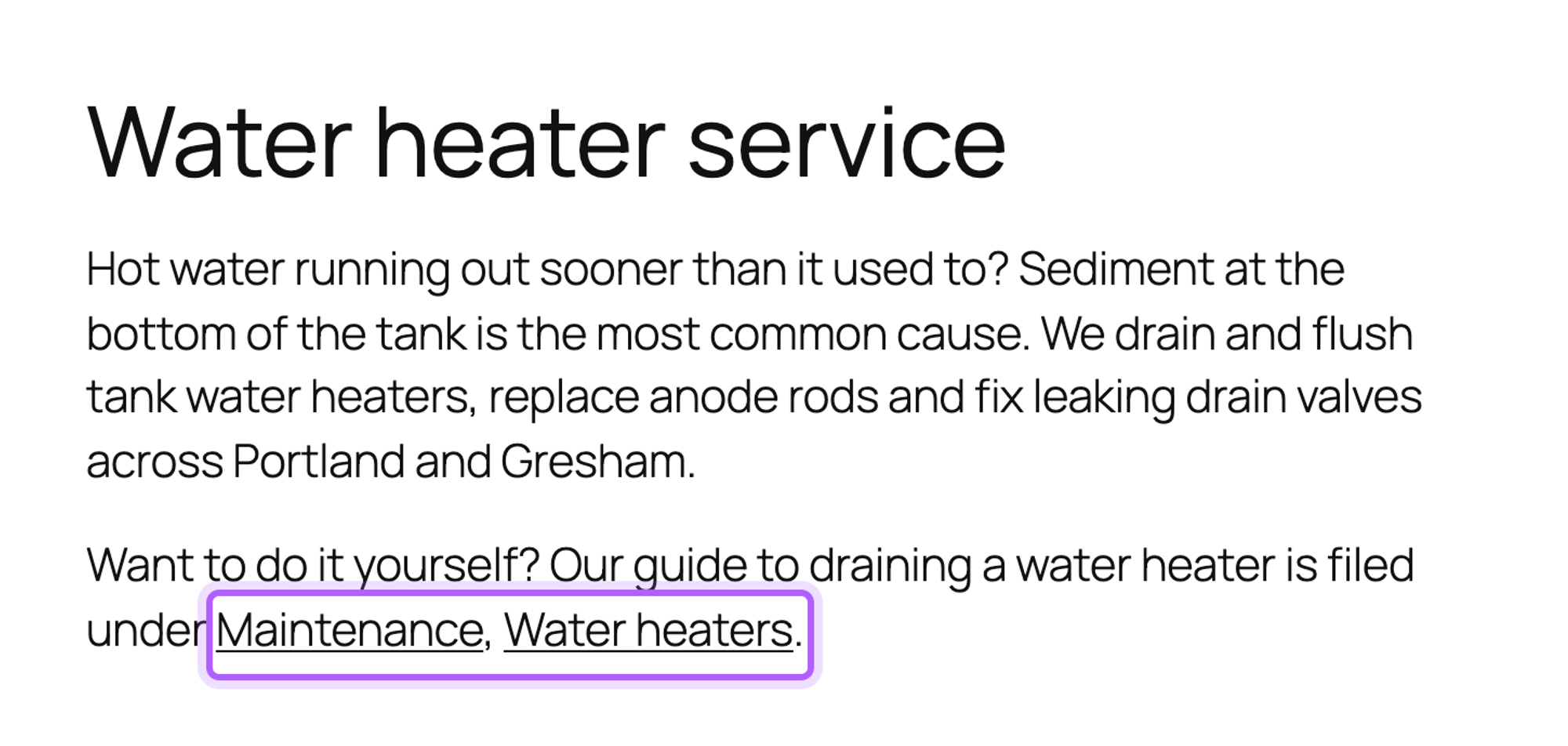
Without id, [post_category] shows the categories of the post it's in. Add links="no" to print the names without links. For a page or a post ID that does not exist, the shortcode prints nothing.
The current post's categories in a block theme
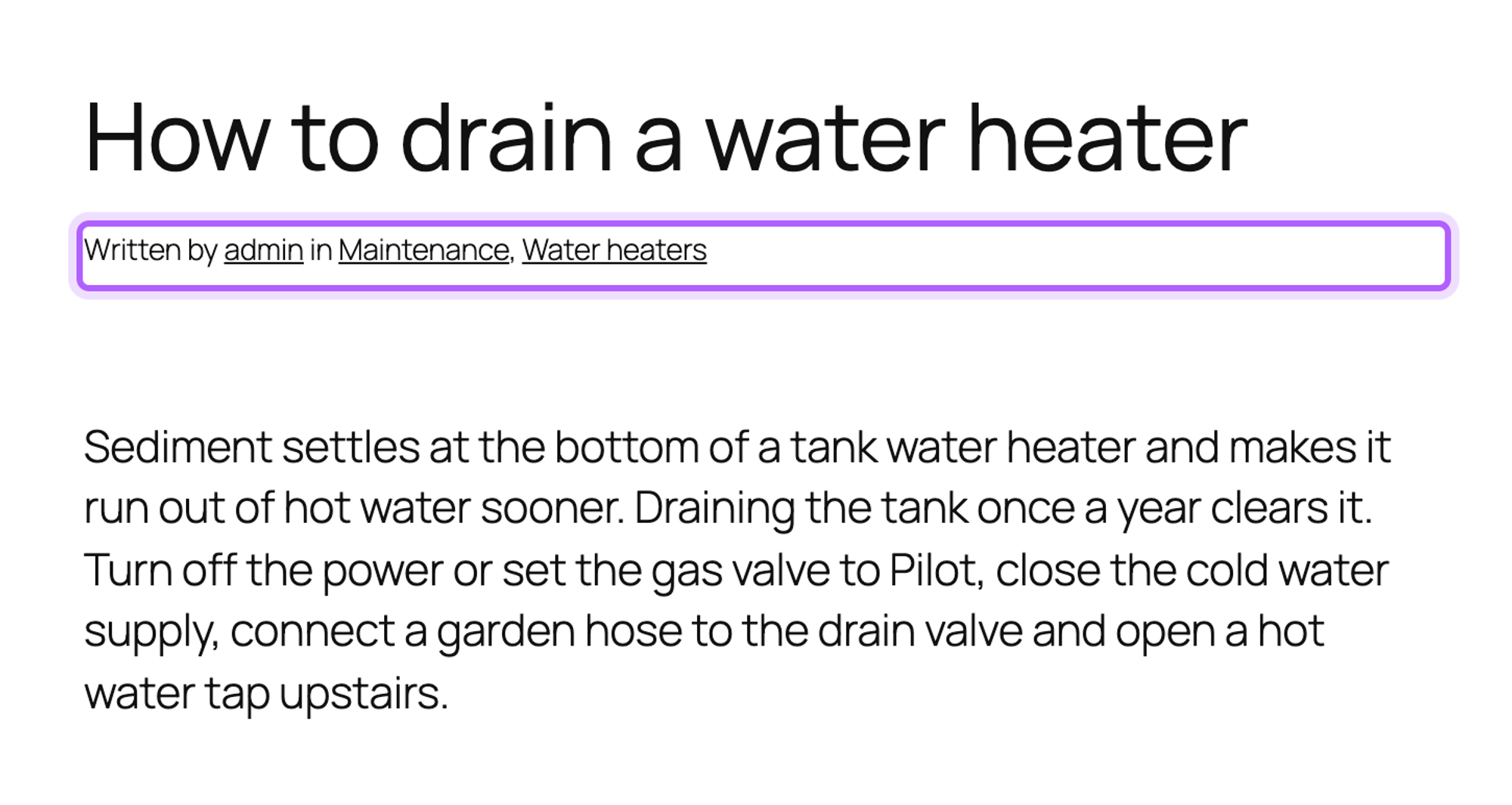
To show the categories of the post a visitor is reading, you don't need code in a block theme. The Post Terms block shows them, and Twenty Twenty-Five's single post template already has it in the line under the title:
In a classic theme's single.php
In a classic theme, the single post template is single.php. Inside the loop, the_category() prints the current post's categories as links:
<p class="filed-under">Filed under: <?php the_category( ', ' ); ?></p>We tested it in a child theme of Twenty Twenty-One. Change templates in a child theme, so a theme update does not overwrite them. Our custom theme tutorial shows how the template files fit together.
Why does get_the_category() return an empty array?
get_the_category() returns an empty array in three cases. The ID belongs to a page or a custom post type without categories: pages have no categories in WordPress. The ID does not exist. Or you called it without an ID outside the loop. For terms of a custom taxonomy, use get_the_terms() with the taxonomy's name.
A normal post always has at least one category: when you save it without one, WordPress puts it in the default category, Uncategorized. To set categories with code, see our tutorial on creating posts programmatically.
Useful links
- get_the_category() in the WordPress developer reference
- wp_get_post_categories()
- get_the_terms()
- get_the_category_list()
To get a post's tags instead, get_the_tags() takes the post ID in the same way.
I've worked in SEO for more than ten years and helped over 100 businesses rank higher, mostly local businesses, e-commerce stores and SaaS companies. As co-founder of LPagery I work on local SEO, programmatic SEO and AI search visibility, and I test the strategies in these articles on our own sites and with our customers.