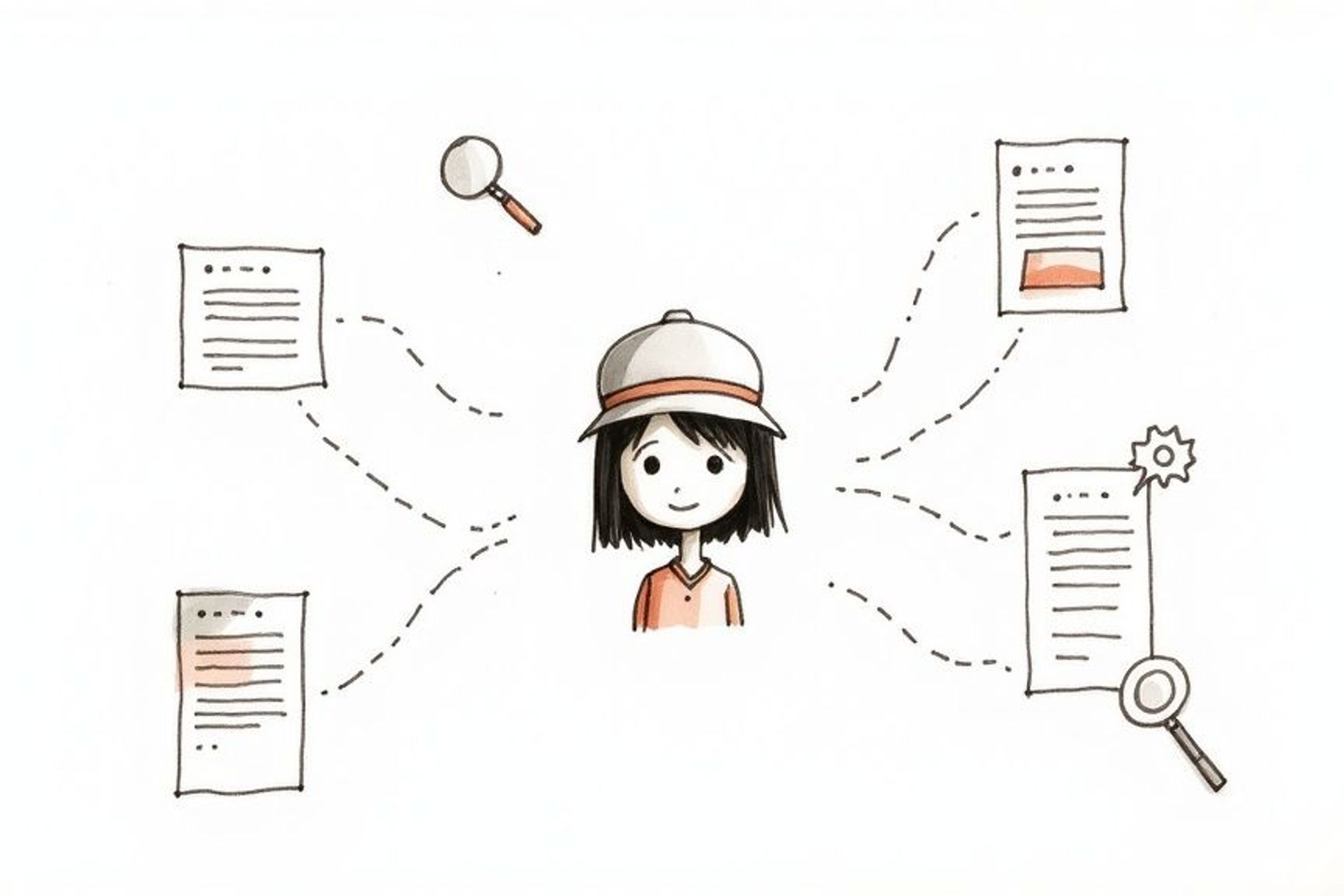
So, how does your website's content find its way into a ChatGPT response? It's not magic, but it's close. Think of it like a smart researcher who has a whole library memorized but also knows how to use a web browser to get the latest news.
ChatGPT pulls information from three main places: its original training data (the library in its head), live web browsing for up-to-the-minute information, and special plugins and tools for specific tasks.
How ChatGPT Finds and Displays Websites
When you ask ChatGPT a question, it doesn't just "Google it" like we do. It has a more complex way of pulling together an answer. Understanding how it taps into the huge world of the internet is the key to getting your own content noticed.
The whole system is built to be smart, pulling from different buckets of information depending on what your question needs. It might remember a history fact from its memory, or it might need to go out and check today's stock prices.
This diagram shows the three main ways it gets information.
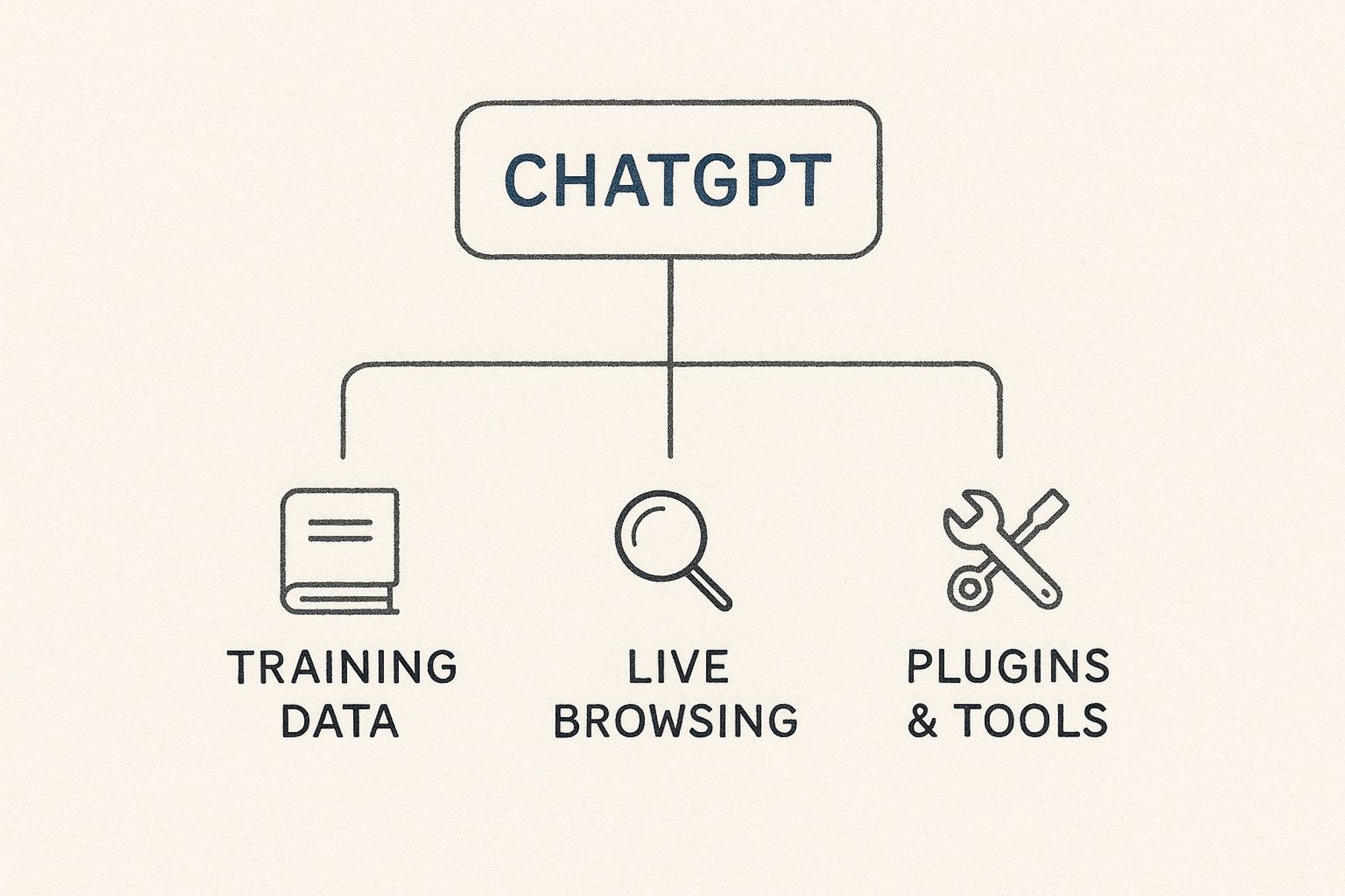
As you can see, the path to an answer isn't a straight line. ChatGPT picks the best route, its own knowledge, a new web search, or a special tool, to give you the most helpful response.
To give you a clearer picture, let's break down these three methods and what they mean for your website.
The Three Ways ChatGPT Interacts with Websites
Method | What It Means | Best For |
|---|---|---|
Training Data | The AI pulls from a huge, saved database of web content it "read" before a certain cutoff date. | Content that doesn't change, like "how-to" guides, historical facts, and general ideas. |
Live Web Browsing | ChatGPT actively searches the internet using Bing to find current, up-to-the-minute information. | News, recent events, product prices, or any topic where being current is important. |
Retrieval Tools & Plugins | The AI connects to other services or databases to get special, real-time data. | Booking flights, checking weather forecasts, or getting info from a specific app. |
Each of these paths offers a different chance for your content to be seen. If you have solid, timeless articles, the training data is your friend. If you publish breaking news, live browsing is where you'll shine.
To make sure your site is easy for AI to crawl and understand, it's very important to know the role of sitemaps in website discoverability. A good sitemap is like giving the AI a clear map of your content.
By creating high-quality, clearly organized content, you make it easier for both regular search engines and AI tools to understand and use your information.
In the end, learning about these methods is the first step toward setting up your site for AI discovery. The signs that help you get noticed are a bit different from old-school SEO, which you can learn more about in our guide on ChatGPT ranking factors.
Building Its Brain: A Look at the Training Data
Think of ChatGPT's main knowledge as a huge, pre-loaded library. Before it ever answered its first question, it was trained on a massive collection of text and code. This was like a digital snapshot of the internet, books, and articles up to a certain date. This is its training data, and it's the foundation of everything it "knows."
This saved snapshot is why ChatGPT can talk about so many topics and websites without ever visiting them in real time. When you ask it a question, it's not searching the web. It's putting together an answer based on the patterns, facts, and connections it learned from that original data. It's like talking to someone who has read and memorized a whole library.

So, if your site's content was public and crawled before that training period ended, the AI has already "read" it. It can recall ideas, names, and information from your pages because they're already part of its built-in knowledge.
The All-Important Knowledge Cutoff
One of the most important ideas to understand is the knowledge cutoff. This is the point in time when the model's main training stopped. Anything published after this date is simply not in its core memory.
This explains why it can't tell you about last night's news or a product that launched yesterday, unless it uses a live browsing tool, of course. Its basic knowledge is powerful but frozen in time, like a reference book printed a few years ago.
It's also worth noting just how much people rely on this knowledge. ChatGPT is one of the most visited websites on the planet. Users are always asking it to find, summarize, or explain information found elsewhere online. You can look at some interesting usage stats over at Nerdynav.
How Training Data Actually Shapes an Answer
When ChatGPT creates a response, it isn’t thinking or understanding like a human. Instead, it’s making a smart guess about which word should come next, based only on the patterns in its training data.
The main currency for large language models isn't links, but mentions. It’s about words that often appear near other words across the training data. This is what builds authority in the AI's "mind."
If your brand name often shows up next to certain keywords across thousands of trusted websites in that dataset, the model learns that connection. For example, if many articles mention "Brand X" when talking about "the best eco-friendly cleaning supplies," ChatGPT will naturally connect the two in its answers.
This is where creating lots of content, a key idea of what is programmatic SEO, can be a game-changer. The more high-quality, trusted content you have out there, the more likely your brand becomes part of the AI's core knowledge, ready to be included in a future conversation.
Getting Up-to-Date Answers with Live Web Browsing
ChatGPT’s huge internal knowledge is impressive, but it’s like a history book printed last year. It knows a lot, but it doesn't know what happened yesterday. So, what happens when you ask about a recent news story, a new product, or today's stock market?
That's when ChatGPT switches gears. It changes from a librarian reading from its collection to an active research helper. This is where live web browsing comes in. The AI can search the current internet to find fresh, real-time information, making sure its answers are current and helpful.
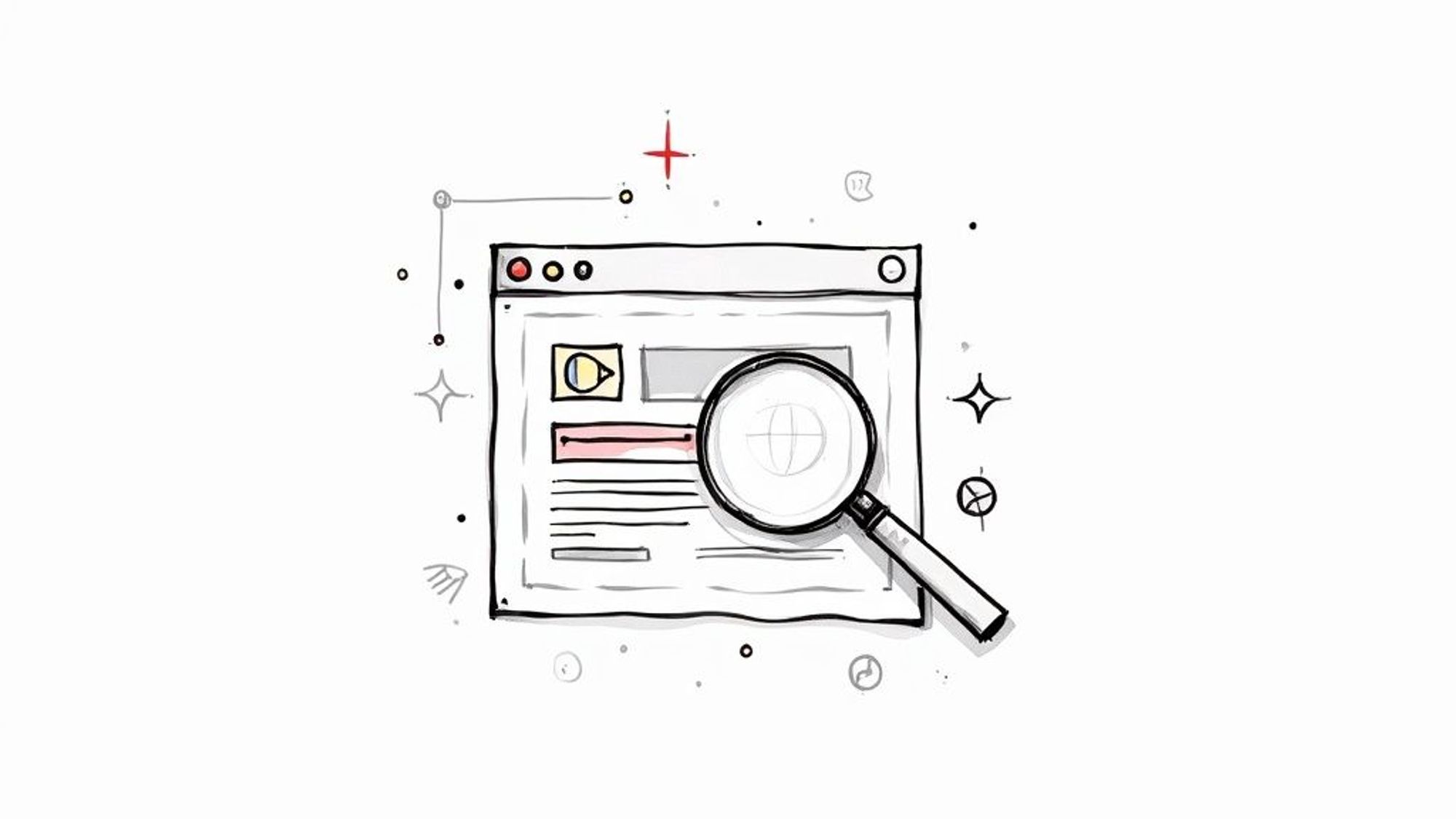
For website owners, this feature is one of the most direct ways to get your content into a ChatGPT response, especially if you publish new things often. The AI goes on a mission for the user, looking for the most helpful, up-to-the-minute pages to answer their question.
How Live Browsing Works
When a question needs information that’s newer than its training data, ChatGPT’s system notices and starts up its browsing tool. It doesn't just wander around the web. It performs a focused search, usually using a search engine like Microsoft Bing.
The process it follows is simple but very effective:
- It creates a search query based on your question and sends it to the search engine.
- Next, it skims the top-ranking results, quickly scanning the pages for useful information.
- It then "reads" and understands the key points from the best sources.
- Finally, it pulls all that new information together into a single, clear answer for you.
You've probably noticed the small, clickable numbers that appear in these answers. Those are direct links back to the websites it used. This is a great way to be open because it gives credit to the sources and lets you check them for yourself.
By providing a direct link back to the source, ChatGPT not only answers the user’s question but also drives potential traffic to the websites it uses. This is a huge opportunity for sites with high-quality, current content.
Why This Matters for Your Website
The live browsing feature is a game-changer. It means your website doesn't have to be a decade old or part of the original training data to get noticed. Even a brand-new site can be found and featured in a response today if it has the right information.
The trick is creating content that is clear, current, and truly helpful. When ChatGPT is looking for the best possible answer, it’s going to prefer pages that are well-organized and easy to read. In short, making your content AI-friendly is just as important as making it user-friendly.
As this technology becomes a bigger part of how we find information, knowing how to change your strategy is key. That’s why learning how to track your rankings in Chat GPT is such a valuable next step for any serious content creator or marketer.
Using Special Tools and Plugins for Specific Data
Sometimes, ChatGPT’s existing knowledge or even a quick browse of the web is not enough. What if you need to know the weather right now, check live flight prices, or find the best pizza place open near you? For these very specific, real-time jobs, ChatGPT turns to its special tools and plugins.
Think of it like giving a librarian a set of special keys. These keys don't just unlock books on the main shelves; they open secure, up-to-the-minute files and live databases. In the same way, plugins let ChatGPT connect directly with other services to pull live, fresh data straight into your conversation.

This completely changes the game for how websites can show up in ChatGPT. Instead of just being a static source of text for the AI to summarize, your website can become a working, active part of the answer itself.
Turning Websites into Active Tools
For any website owner, this opens up an interesting new door. If your business provides a service, like booking reservations, shopping for products, or searching real estate listings, you can create a plugin that lets ChatGPT use your service directly for a user.
It’s easier to see how this works with a quick example:
- A user asks for flight deals to Hawaii.
- ChatGPT starts up a travel plugin like Expedia or Kayak.
- The plugin contacts the website’s database in real time.
- The user gets current flight options right there in the chat, without ever leaving the conversation.
This kind of connection is very powerful. Your data isn't just mentioned as information; it's presented as the direct, usable answer to the user's problem. It’s a solution.
By creating a plugin, you are essentially giving ChatGPT the ability to "use" your website for a user, making your service easier to access than ever. This is a big step beyond simply being cited as a source.
The Technical Handshake: APIs
So, how does this connection actually happen? It's all thanks to something called an API, which stands for Application Programming Interface. An API is basically a menu for a restaurant. It lists exactly what another program can "order" from your website's data and makes sure it's delivered in a clean, expected format.
For this to work smoothly, the AI's ability to pull that data depends a lot on good API design best practices. A well-designed API makes the data easy for the AI to find, understand, and use.
If you’re running a business on WordPress, there are some great tools that can help you manage these kinds of connections. A good starting point is to explore the https://lpagery.io/blog/best-free-wordpress-seo-plugins/, as many of them include features for organizing your site's data in a way that AIs can easily read. Turning your website into a working tool for AI isn't just a cool idea, it's the next big step for your digital presence.
Making Your Website More AI-Friendly
So, knowing how ChatGPT finds information is one thing, but how do you actually get your website to show up in its answers? The good news is, you don't need a degree in computer science. Making your site more attractive to AI models often comes down to the same good habits that make it great for people.
Here's how I think about it: AI models are built to find, understand, and summarize high-quality, clearly organized information. They like a well-organized page just as much as a human reader does. This means that solid SEO habits, the same ones that help you rank on Google, are your best bet for getting noticed by AI too.
Structure Your Content for Clarity
Honestly, the single most important thing you can do is organize your content in a logical way. When AI tools are browsing the web live, they need to figure out what your page is about, and they need to do it fast. They simply don't have the patience to go through a messy wall of text.
Using clear, descriptive headings (like your H2s and H3s) creates a roadmap for the AI. It breaks your content down into easy-to-digest, bite-sized pieces, each with a clear topic. This structure is what allows the AI to find the exact piece of information it needs to answer someone's question.
A well-structured article with logical headings is like a neatly organized file cabinet. It lets an AI quickly find the specific folder it needs, pull out the right document, and deliver a relevant answer.
This kind of clarity doesn't just help the AI; it makes the experience much better for your human visitors. It's a classic win-win.
Answer Questions Directly
People turn to ChatGPT with very specific questions, from "what are the best hiking boots for beginners?" to "how do I fix a leaky faucet?" If you can create content that directly answers these kinds of questions, you're ahead of the game. Put yourself in your audience's shoes, think about their problems, and write detailed articles that actually solve them.
- Use FAQ Sections: A simple "Frequently Asked Questions" section is perfect for answering common questions directly.
- Create How-To Guides: Step-by-step instructions are gold. They're very useful for readers and super easy for an AI to read and summarize.
- Write In-Depth Explainers: Break down complex subjects into simple, easy-to-understand language.
This approach is only getting more important. By October 2025, it's estimated that up to 16% of customers in major industries will be using ChatGPT during their buying journey, asking it to do things like compare products or summarize reviews. If you're curious about this change, there are some great ChatGPT usage statistics at firstpagesage.com that break it down.
When you create helpful, answer-focused content, you're making your site a trusted resource for both old-school search engines and the new wave of AI helpers. If you want to really get into the details on this, we've put together a complete guide on how to rank your website on ChatGPT that covers these strategies in much more detail.
Why This Matters for the Future of Information
Let's face it: AI tools like ChatGPT are completely changing how we find things online. This isn't just another tech trend; it's a major change in how people get answers and learn. Millions are now asking AI for information first, often skipping search engines like Google entirely.
This new situation places a new kind of responsibility on everyone. On one side, AI developers have to make sure their models are giving out accurate and helpful summaries. On the other, website owners and content creators need to focus on producing high-quality, trustworthy information that both people and AI can easily understand. This whole system is changing in real time, shaped by every question a user types.
The Scale of the Shift
To get a sense of how big this is, look at the numbers. ChatGPT is handling over 1 billion questions every single day from its massive user base. The sheer scale is amazing. You can learn more about ChatGPT's incredible user growth at Exploding Topics.
This amount means that the way AI reads and shows your website's content isn't a rare thing, it's happening all the time for a huge part of the internet-using world.
This isn't a special tool for tech fans anymore; it's a common gateway to information. How you organize and write your content now directly affects how it gets understood and shared in this new AI-driven world.
We're entering a time where AI is quickly becoming our main guide to the internet. To do well, the game plan is simple: focus on quality, clarity, and trust. By creating content that's genuinely helpful and well-organized, you're not just optimizing for a program; you're setting your website up to be a go-to resource in a world increasingly powered by AI conversations.
A Few Lingering Questions
After looking into the details of how ChatGPT pulls in information, you might still have a few questions. Let's answer some of the most common ones to clear up any confusion about how your website might end up in a ChatGPT answer.
Can I Pay to Get My Website Featured in ChatGPT?
In a word: no. You can't pay OpenAI to have your website show up in a standard ChatGPT response. This isn't like Google Ads where you can buy a top spot. There's no secret deal or paid placement system for regular answers.
ChatGPT pulls information based on what it thinks is most relevant and trustworthy, whether that's from its huge training data or a live web search. Your best bet is to focus on what you can control: creating genuinely helpful, high-quality content. When you do that, your site is more likely to be seen as a valuable resource and get mentioned naturally.
Is ChatGPT Just Copy-Pasting Content from My Site?
Nope. ChatGPT is built to combine and rephrase information, not just copy it word-for-word. When it uses its browsing feature to access a live website, it’s designed to pull out the key points, summarize them, and then point the user back to your site with a link.
Think of it less like cheating and more like a search engine snippet. The goal is to give the user a quick, useful answer while properly crediting the original source.
This process is all about using your content as a reference, not just copying it. This is a very important part of how the technology is designed to work.
How Can I Stop ChatGPT from Using My Website?
You definitely have some control here. The main tool you can use is a simple file on your website’s server called robots.txt. This file is a set of instructions for web crawlers and other bots that visit your site.
To prevent your content from being used in future AI training models, you can add a rule to this file specifically to block OpenAI's web crawler, "GPTBot."
A couple of important things to keep in mind:
- This isn't retroactive. If your site's information was part of a previous training, blocking GPTBot now won't erase that existing knowledge from the model.
- It doesn't block everything. This just tells the training bot to stay away. It won't stop the live browsing feature from accessing a public page on your site if a user specifically asks ChatGPT to look at it.
Still, it’s a simple way to manage how your site is used for the next generation of AI models.

I’m an experienced SEO professional with over a decade of helping over 100 businesses rank higher online, especially local businesses, e-commerce stores and SaaS. As the co-founder of LPagery, I specialize in practical, proven strategies for regular SEO and Local SEO success.
This post may contain affiliate links which we earn a commission on when purchasing a given product.
I’m an experienced SEO professional with over a decade of helping over 100 businesses rank higher online, especially local businesses, e-commerce stores and SaaS. As the co-founder of LPagery, I specialize in practical, proven strategies for regular SEO and Local SEO success.