Why My Content Doesn’t Appear in ChatGPT Explained

Part of the guide: Get your business recommended by ChatGPT, Gemini and Perplexity

Ever wonder why your latest blog post or website article doesn't pop up when you ask ChatGPT about your topic? The reason is often a lot simpler than you might think. Your content could be invisible because your site has a digital 'Do Not Enter' sign for AI, or maybe the AI was trained on older internet data that doesn't include your fresh new work.
Why Your Content Might Be Invisible to ChatGPT
Think of ChatGPT as a student who crammed for an exam by reading a huge but specific library of books, without a live internet connection to see anything new. If your content wasn't in that library when they were studying, or if your site had a 'Staff Only' sign on the door, your work just isn't part of what they know.
One of the biggest hurdles is that ChatGPT’s knowledge isn’t live. It’s based on a picture of the internet taken at a certain point in time. If you just published something amazing, it probably missed the cutoff for the last training session.
This decision tree helps show the common roadblocks that can make your content invisible to the AI.
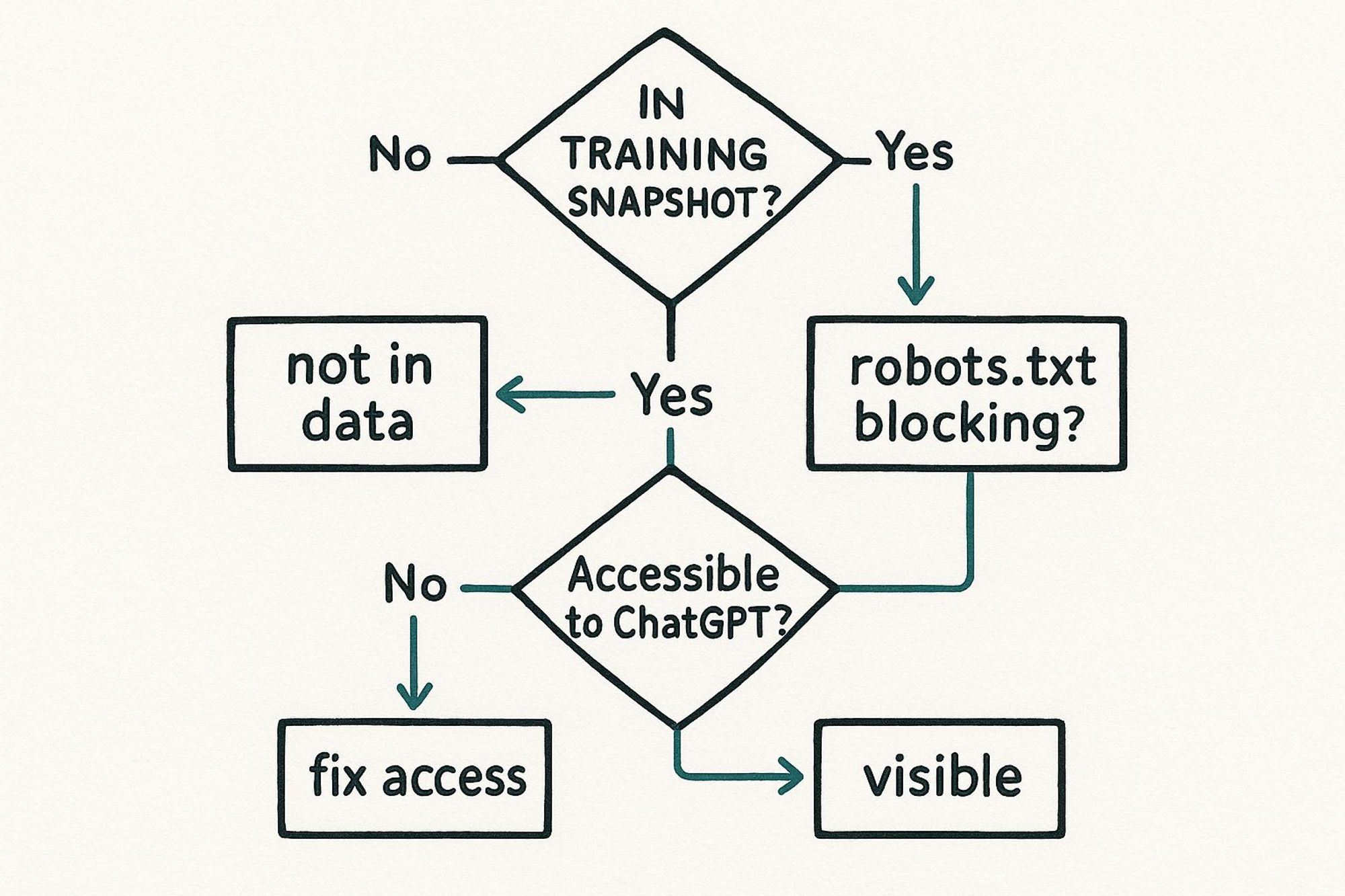
As the graphic shows, the first challenge is simply being part of the training data. After that, it comes down to the technical permissions you've set on your own website.
Quick Checklist: Common Reasons for Invisibility
To help you figure out the problem, here’s a quick checklist that breaks down the most common reasons why your content might be hiding from AI tools like ChatGPT.
Potential Issue | Simple Explanation | Is This Your Problem? |
|---|---|---|
Outdated Training Data | ChatGPT's knowledge has a "cutoff date." New content published after that date doesn't exist for it. | Was your content published very recently? |
robots.txt File Blocks | Your site has a file that tells AI robots (like OpenAI's) not to read your content. | robots.txt |
noindex Meta Tag | A special tag on your page tells search engines and bots to ignore it completely. |
|
Not Seen as an Expert | With so much content online, AI prefers sources it sees as credible and well-established. | Is your website new or does it not have a strong reputation yet? |
Site is Not Indexed | Your site hasn't been found and included in the major collections of data AI models are trained on. | Does your site show up in Google search results at all? |
This table should give you a good starting point for figuring out what might be going on behind the scenes.
Finding the Root Cause
Another piece of the puzzle is the huge amount of information ChatGPT handles. The platform gets an incredible 2.5 billion requests every single day. This means it has to be picky, choosing content from sources it already views as trustworthy.
Here's a quick way to diagnose the problem. Just ask ChatGPT to summarize a specific page on your website by giving it the direct link. If it can do it, great! Your site is accessible. If it can't, that's a red flag that something is blocking access.
To improve your odds, it helps to learn about the different ChatGPT ranking factors that can affect whether your content gets seen.
Is Your Website Blocking AI Visitors?
Think of your website as having a security guard at the front door. This guard's job is to check a list and decide who gets in. For websites, that "guard" is a simple text file called robots.txt. It tells automated visitors, like search engine crawlers or AI bots, which parts of your site are open and which are off-limits.
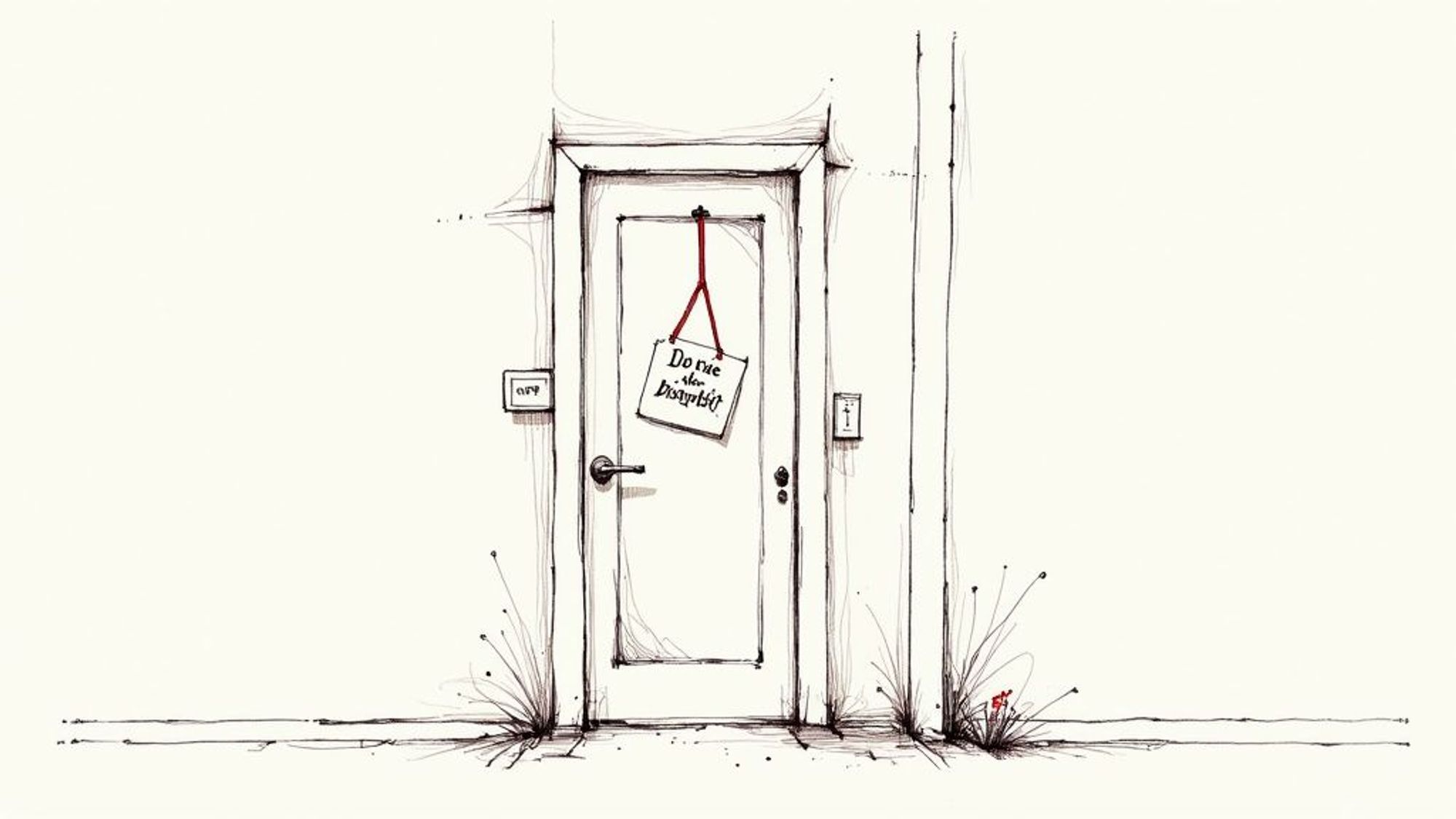
AI companies like OpenAI have their own crawler, named GPTBot, that explores the web for information to train future models. A surprising number of website owners accidentally tell this bot to stay away without even knowing it. It's one of the most common, and thankfully, fixable, reasons your content isn't showing up in ChatGPT.
Checking for AI Blocks
The instructions in a robots.txt file are pretty direct. They name a specific bot (the "User-agent") and then either "Allow" or "Disallow" it from visiting certain pages. Finding this file and giving it a quick read is your first step.
You're looking for a couple of specific lines:
- User-agent: GPTBot calls out OpenAI's web crawler by name.
- Disallow: / right after the GPTBot line tells the AI to ignore your entire site.
A "Disallow" rule is like locking the main entrance to your library just as someone arrives who could share your books with the world. Checking this file ensures you aren't unintentionally turning that opportunity away.
While robots.txt is the old standard, a new method is also becoming popular. A file like the llms.txt file is made to give site owners more specific control over how their content is used by AI.
Want to see if your site is currently blocked? The easiest way is to ask ChatGPT directly. Try giving it a prompt like, "Please summarize the content on https-your-url-here.” The answer you get will tell you pretty quickly if there’s a block in place. If you do find a block, it’s also a great time to check your site's other defenses. You can learn more in our guide on important WordPress security practices.
How to Check if ChatGPT Can Access Your Content
Instead of guessing, you can find out for sure if ChatGPT can see your content with a simple, direct test. The best way to know if your website is available to the AI is to just ask it. This whole process takes a few minutes, requires no special skills, and gives you a clear answer.

This method works because you’re asking the AI to perform a live check right away. It will try to visit your URL and tell you exactly what it finds, or, more importantly, what it can't find.
The Simple Prompt to Use
To run this little test, just open a new chat in ChatGPT and use a prompt like this one. Go ahead and copy and paste it, but make sure you swap out the placeholder with your actual website address.
Prompt: "Can you access and summarize the content on this URL: https-their-url"
This specific command is your most powerful tool for figuring out what’s going on. Once you send it, you’ll get one of two main responses, and each one tells you something important.
Understanding the AI's Response
What ChatGPT says next is the key to solving this puzzle. Pay close attention to its answer, as it will point you in the right direction.
- A Successful Summary: If the AI comes back with a good summary of your page's content, that’s great news! This confirms there are no technical blocks stopping it from accessing your site. The issue is likely something else, like your content being too new to be in its main training data.
- An "Unable to Access" Message: If ChatGPT tells you it can't access the URL or that it doesn’t have live internet browsing abilities, that's a big clue. This response is a huge sign that something, most likely your robots.txt file, is actively blocking it.
This quick test helps you stop guessing and start fixing. And for those interested in how AI visibility connects to your site's performance, our article on how to track rankings in ChatGPT offers some great insights.
How ChatGPT Actually Finds Information
To figure out why your content isn’t showing up in ChatGPT, you first need to understand how it "learns." Many people think it works like a search engine, always searching the live internet for new information. That’s not quite how it works.
A better way to think of it is like a student who has studied a very large, but closed, digital library. The library is basically a copy of the web, frozen in time.
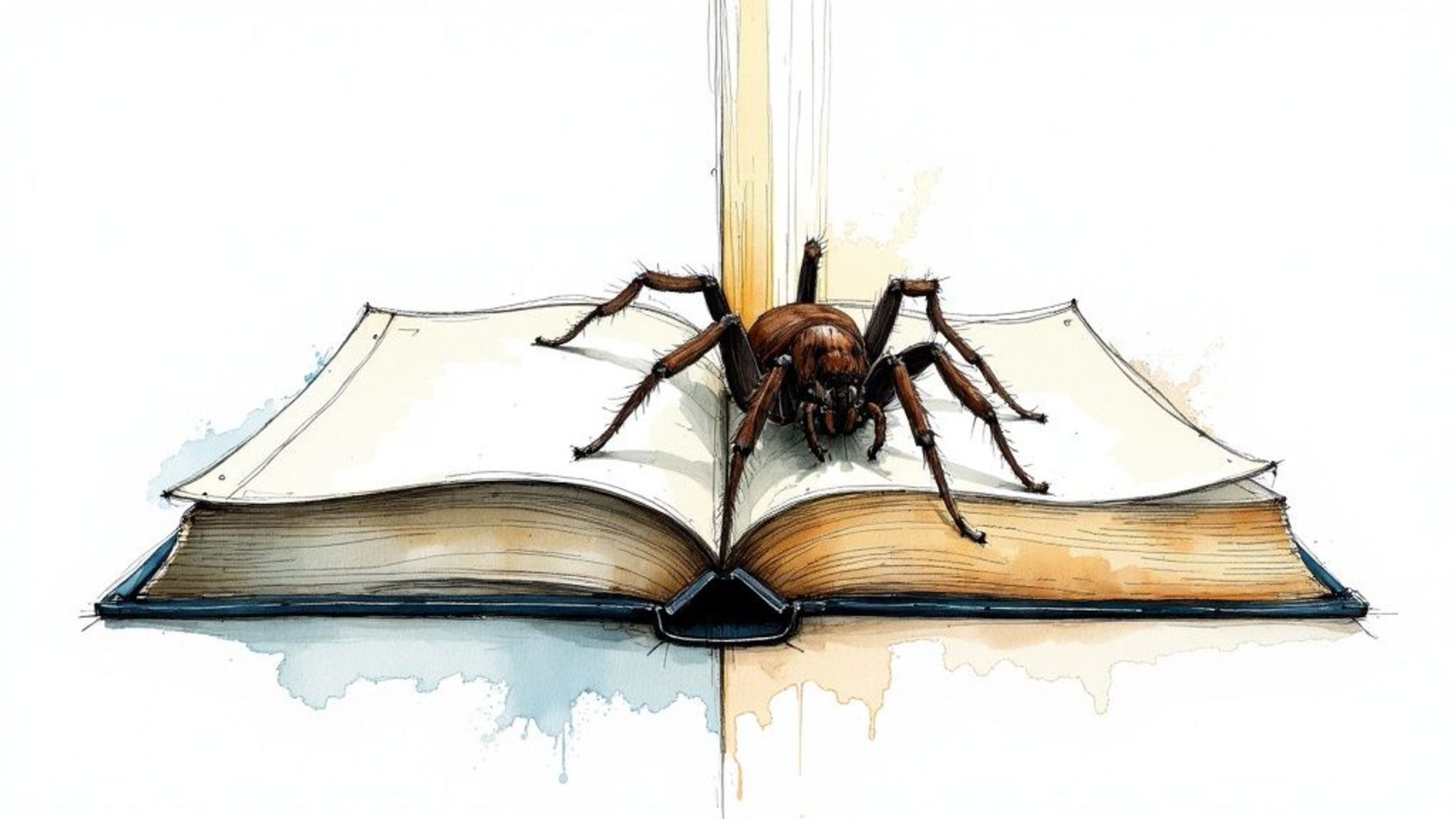
This digital library, its training data, is a massive collection of websites, books, and articles that existed before a certain cut-off date. If your content was published after that copy was made, ChatGPT simply doesn’t know it exists. It’s the same reason it can’t tell you about a news story that broke five minutes ago.
The Training Snapshot Explained
The information an AI model is built on is called its training data. This data gets collected by web crawlers that scan the internet, a lot like how Google finds new pages. But here's the key difference: once all that data is collected and used to train the AI, its main knowledge is basically locked in until the next major update.
This "snapshot" method is exactly why your brand-new blog post is invisible to it. It missed the deadline for the last big "study session" and now has to wait for the next one.
The fast growth of AI also adds another layer. Since launching in November 2022, ChatGPT quickly grew to 100 million active users in just two months. This fast pace requires a more planned approach to updates rather than constant, real-time learning.
Think of it this way: ChatGPT has read every single book in a library that was sealed shut last year. If you sneak a new book onto a shelf today, it won’t know about it. It can only learn about the new book when the library is unsealed and it gets a chance to read all the new additions.
How It Prioritizes Information
When ChatGPT was trained on that massive library of data, it didn't just read the words; it learned to spot signs of trustworthy information. Because of this, it naturally gives more importance to content from well-established websites with a long history of providing reliable answers.
This is a big reason why content from smaller or brand-new sites can struggle to get noticed. It hasn't had the time to build up the digital trust signals the AI looks for.
If you want to get a bit more technical, one of the key methods modern AI uses to pull in fresh information is called Retrieval Augmented Generation (RAG). Learning how RAG works can give you a real advantage in creating content that has a better chance of being included in future AI conversations.
How to Make Your Content More AI-Friendly
So, you’ve figured out why your content might be invisible to AI. Now for the fun part: making it easier for models like ChatGPT to find, understand, and use your work.
Think of it like getting your content ready for a new kind of reader. This one doesn't care about fancy words; it wants clarity, structure, and value. The good news is that a few simple changes can make a world of difference.
Write for People First
The best way to appeal to AI is to write great, trustworthy content for your human audience. When you answer common questions completely and provide real value, you’re sending all the right signals that your site is a reliable source of information.
To get your information into a format that both people and AI can easily understand, follow these simple rules:
- Keep Paragraphs Short: Stick to one main idea per paragraph. Aim for just 1-3 sentences.
- Use Simple Language: Avoid complicated words and industry terms. If an idea is tricky, explain it with an everyday example.
- Structure Logically: Organize your content with clear H2 and H3 headings. This creates a roadmap that's easy for anyone, or any bot, to follow.
AI models learn by finding patterns in high-quality text. Writing that is clear, well-organized, and genuinely helpful to a person has all the signs of what an AI is trained to see as valuable.
Check Your Website's Technical Health
Beyond the words on the page, your website’s technical setup is a huge piece of the puzzle. One of the simplest but most important factors is making sure your site is mobile-friendly. AI crawlers often act like mobile devices, so a site that looks and works great on a phone is much easier for them to explore.
It also helps to know who you're writing for. The AI industry is led by a few major companies, and their user information can offer clues. For instance, ChatGPT holds a huge 60.6% of the market share, with a large part of its users between 25 and 34 years old. The interests of this group can affect what kind of content gets shown most often. You can find more ChatGPT's audience statistics at seoprofy.com.
How you present your content online matters as much as what you write. For a deeper look into these strategies, check out our guide on how to rank your website on ChatGPT, which is packed with more tips for boosting your visibility. Taking these practical steps gives your great content the best possible shot at being seen.
Frequently Asked Questions About AI Content
Let's clear up some of the most common questions people have about getting their content noticed by ChatGPT and other AI models. Here are some straightforward answers.
If I Update My Robots.txt File, Will My Content Appear Instantly?
No, it’s not an instant process. Think of allowing an AI crawler like GPTBot as giving it a key to your library. Just because it has the key doesn't mean your book will be read and recommended tomorrow.
First, the crawler has to actually visit your site, which happens on its own schedule. Then, that information has to be processed and included in a future update to the AI model. It’s a critical first step, but it definitely takes time.
Does My Regular SEO Work Help With ChatGPT?
Yes, absolutely. In fact, it helps a lot. Good SEO habits, like writing clear, high-quality content, using descriptive headlines, and having a well-structured site, are all strong signals of trust and authority.
These are the exact same signals AI models are designed to look for when they process information. Put simply, good SEO makes your content easier for both search engines and AI to understand and value.
Key Takeaway: A website that is well-optimized for search engines is naturally more friendly to AI crawlers. Both systems reward clarity, authority, and a great user experience.
If your site is on WordPress, a well-organized FAQ page is a fantastic SEO tool. You can check out some of the best FAQ plugins for WordPress to add this feature to your website easily.
Can I Ask ChatGPT to Remove My Content?
Once your content is part of an AI's training data, getting it removed is very difficult, and a simple request usually won't do it. So the best strategy is prevention.
Use your robots.txt file to tell AI crawlers which content you don't want them to access for future training. It's much more effective to lock the door beforehand than to try and get something back after it's already inside.
I've worked in SEO for more than ten years and helped over 100 businesses rank higher, mostly local businesses, e-commerce stores and SaaS companies. As co-founder of LPagery I work on local SEO, programmatic SEO and AI search visibility, and I test the strategies in these articles on our own sites and with our customers.
I've worked in SEO for more than ten years and helped over 100 businesses rank higher, mostly local businesses, e-commerce stores and SaaS companies. As co-founder of LPagery I work on local SEO, programmatic SEO and AI search visibility, and I test the strategies in these articles on our own sites and with our customers.