Local SEO landing pages are your secret weapon for finding customers in a specific town, city, or even a single neighborhood. Instead of one general "services" page, you create many specific pages. Each page talks directly to people searching in a certain location. This helps you show up higher in Google for those important local searches.
Why Local Landing Pages Are a Big Deal

Let’s say you run a roofing company that serves a whole county. A homeowner in a specific town, maybe "Oakwood," searches for "roof repair in Oakwood." If your website only has one page for the whole county, Google might not see it as the best match. But what about a competitor with a page just for "Oakwood Roof Repair"? They will probably show up first.
That's the power of local SEO landing pages. They work like mini-websites for each area you cover. This makes your business seem very relevant to both search engines and the people searching.
Meeting Customers Where They Are
When a potential customer lands on a page made just for their town, it creates an instant connection and builds trust. It sends a clear message: "Yes, we work right here in your neighborhood." That simple feeling of trust makes them much more likely to call you. A plain "Contact Us" page just can't compete.
This plan works so well because many searches are local. In fact, 46% of all Google searches are for local information. Even better, a huge 78% of local mobile searches lead to someone buying something offline, often within a day. This tells you that people searching for local services are ready to buy, and they're ready to buy now.
Building Trust and Standing Out
Making these special pages tells Google that you're an expert in each service area. You're not just listing towns on a single page; you're giving helpful, specific information for each one. This is how you get ahead of competitors who use a one-size-fits-all plan. For service businesses, a good guide to local SEO for contractors often points out how important this is.
The goal isn't just to show up on Google. It's to become the clear, go-to choice for a local customer. A special landing page shows you understand their community and are ready to help.
The idea of making dozens, or even hundreds, of pages might sound like a lot of work, especially on WordPress. But here's the good news: it doesn't have to be a nightmare of copying and pasting. If your site is on WordPress, there's a simple solution. A plugin called LPagery lets you create one main page design and then automatically makes unique pages for all your locations from a simple spreadsheet.
We’ll get into how to do this later. For now, it’s important to understand why this is such a key part of improving your local SEO.
Planning Your Local Landing Pages
Before you write a single word or open a design tool, you need a plan. A good plan is the foundation for any successful local SEO landing page project. Rushing this part is like building a house without blueprints, it’s not going to end well.
Your first step is to list out every single area you want to target. And I mean every area. Don't just list the big cities. Think smaller. Think about the specific towns, neighborhoods, and service areas that matter to your business. This list is the backbone of your entire local plan.
Finding What Your Customers Search For
Okay, you have your locations. Now, what are people in those spots actually typing into Google? This is called keyword research, and it's easier than it sounds. Your job is to find phrases that mix a service with a location.
For example, a plumber shouldn't just try to rank for "plumber." They need to think like a customer with a leaky pipe. That means looking for phrases like:
- "emergency plumber in Northridge"
- "best drain cleaning West Hills"
- "affordable plumbing services Canoga Park"
See how specific those are? Each one is a real person with a real problem in a real place. Finding these longer keyword phrases is how you find the best customers who are ready to hire you.
Using a Simple Spreadsheet to Stay Organized
This is where a simple spreadsheet becomes your best friend. Really, don't make it too complicated. All you need is a basic sheet to keep track of all the parts for your new local pages.
Map out everything you'll need for each page right here. Your spreadsheet should have columns for the target city, the main keyword for that city, a unique phone number if you use call tracking, and maybe some notes on local spots or content ideas. Keeping it all in one place makes the next steps much easier.
A well-organized spreadsheet isn't just for planning. It’s the engine that can automatically create dozens, or even hundreds, of pages later on, especially if you're using WordPress.
This is a key advantage of using a tool like the LPagery plugin. Your spreadsheet becomes the source of information for creating all your pages. You build one page design, and the plugin pulls the info for each city right from your sheet. It saves a huge amount of time and avoids the mistakes that happen when you copy and paste by hand.
To help you get started, here's a quick list of the must-haves for any local landing page.
Key Parts of a Local Landing Page
Part | Why It's Important | Example |
|---|---|---|
Location-Specific Headline | Grabs attention right away and tells the visitor they're in the right place. | "Expert HVAC Repair in Scottsdale, AZ" |
Unique Local Content | Shows visitors and Google that the page is truly about the area, not a copy. | Mention a local park, a recent community event, or a common neighborhood problem. |
NAP Information | A consistent Name, Address, and Phone number builds local trust and is key for local SEO. | Add the local office address and a special phone number in the footer or sidebar. |
Local Testimonials/Reviews | Provides proof from people in the same community, which builds trust instantly. | "Jane D. from North Scottsdale said…" |
Embedded Google Map | Visually confirms your service area and helps with local search rankings. | A map showing your office or the specific area you cover. |
Clear Call-to-Action (CTA) | Tells the visitor exactly what to do next, turning them from a visitor into a customer. | "Get Your Free Quote in Chandler Today!" |
Thinking about all these key parts from the start is important. For a deeper look, our landing page SEO checklist for local services is a great guide to make sure you don't miss a thing. This planning step makes sure every page you create is built on a strong plan designed to win over local customers.
How to Build Dozens of Pages Without the Headache
Creating one great landing page is a win. But what happens when you need to target 50 different towns? The idea of building each one by hand, copying, pasting, and changing content over and over, is enough to give anyone a headache.
Doing it by hand is not just slow; it's an easy way to make mistakes. One typo or a wrong phone number copied to ten pages can hurt your business. Luckily, there's a much smarter way to create local SEO landing pages, especially if your website is built on WordPress.
The Power of Automation
Instead of getting stuck copying and pasting, you can use a single main page design to automatically create unique pages for every single location. This is where tools made for making pages in bulk, like the LPagery plugin, really help. The idea is simple but very powerful.
You start by creating one perfectly designed page. Then, you connect it to a spreadsheet (like a Google Sheet or a CSV file) that has all your unique local information. This includes city names, specific keywords, local phone numbers, neighborhood details, and even customer reviews from that area.
The picture below shows how looking at local keywords helps you find the data you’ll need.
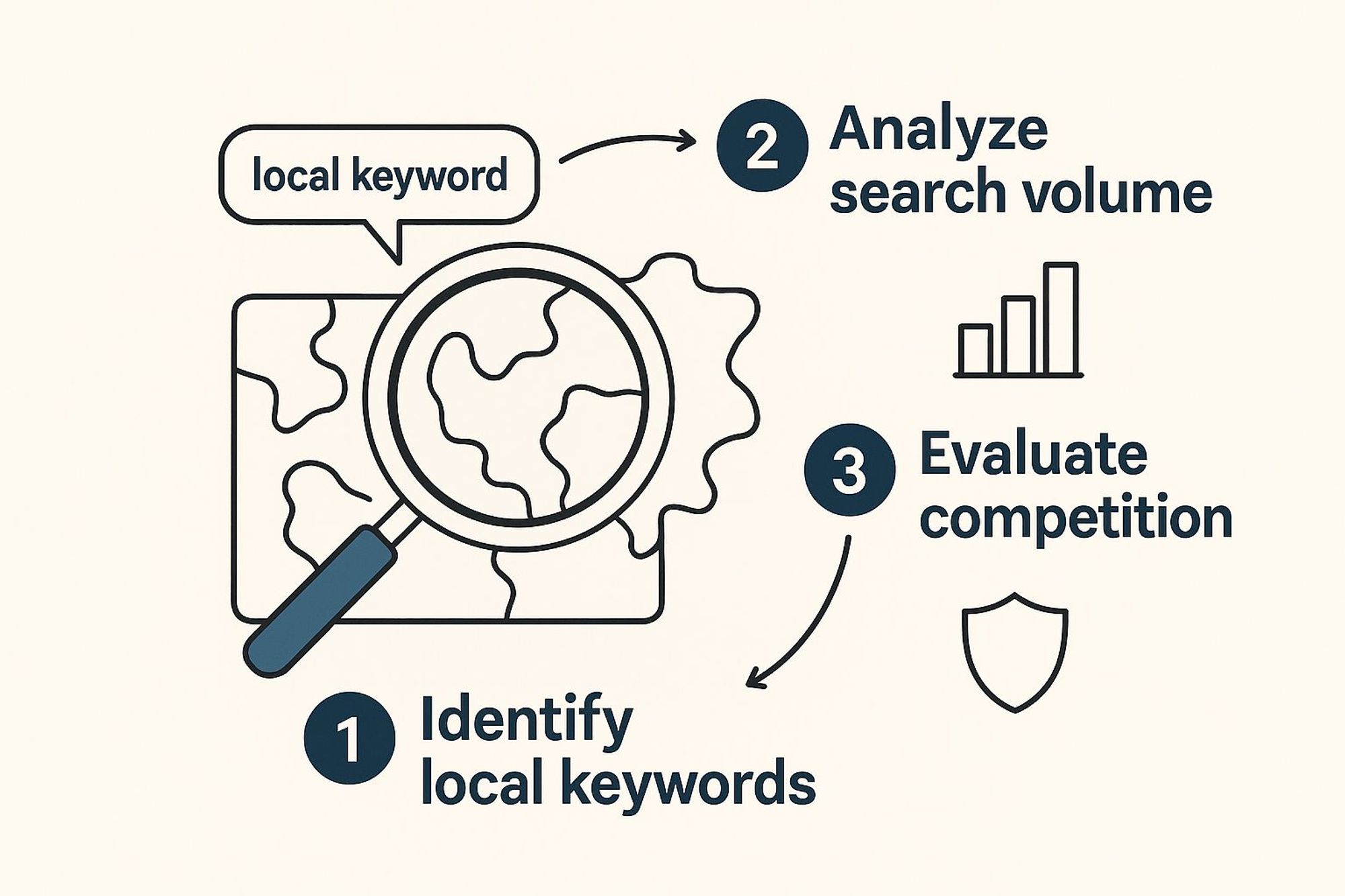
As you can see, good local SEO starts with knowing how many people search for certain keywords. You can then put this information neatly in your spreadsheet.
How Smart Content Works
The magic behind this method is using placeholders. These are just simple tags you put in your main page design, like {{city}} or {{service}}.
When the pages are made, the plugin automatically swaps these placeholders with the real information from your spreadsheet. Each row in your sheet becomes a brand-new, unique landing page.
- <h1>Expert Plumbing in {{city}}</h1> becomes "Expert Plumbing in Springfield" on one page.
- The same design creates "Expert Plumbing in Shelbyville" on another.
This process makes sure every page is perfectly matched to its location, without you ever having to edit each one by hand. It saves a lot of time and keeps everything consistent across your whole site. If this is new to you, a great place to start is learning how to create pages from a CSV file in WordPress, which explains the whole process.
This method turns a job that would take weeks into something you can finish in an afternoon. It’s not about cutting corners; it’s about working smarter to grow your local marketing.
By automating how you create your local SEO landing pages, you free up time to focus on what really matters, making your content better, building local connections, and talking with customers. It's the key to growing your online presence without getting stuck in slow, repetitive work. This allows you to compete well in many markets at once.
Writing Content That Connects with Local People
Okay, you have your plan and your tools ready. Now for the fun part: writing the content. This is what turns a visitor into a paying customer. For local SEO landing pages, it means writing in a way that truly connects with people in a specific community.
The goal isn't just to be in their town, it's to show you're a part of it.
You want to build one main page design that, with a few smart changes, feels completely personal and unique for every place you target. This starts with the basics, like page titles and main headings. These are the very first things Google and your potential customers see, so they have to be perfect.
Creating Your Main Content
Think of your page title as the sign on your online storefront. It needs to be clear, short, and tell people right away they're in the right place. A simple but very effective formula is to mix your main service with the location. For example, a title like "Expert Roof Repair in Springfield" does the job perfectly.
This is where placeholders become your best friend. In your main page design, the title might look like this: "Expert {{service}} in {{city}}". When you create the pages, these little tags automatically pull the right information from your spreadsheet. This makes dozens of perfectly optimized titles in seconds.
The same idea works for your main headings (H1s) and meta descriptions. It makes sure every page is consistent and highly relevant to its specific location.
Here's an interesting fact: while the average top-ranking local landing page has about 653 words, only 7% of them use keywords in their main H1 heading. But a huge 76% include the location in the page's title tag, which is a big signal for Google. This shows there's a great chance to get ahead by optimizing both.
Making Each Page Feel Truly Local
Besides the basic SEO parts, your content needs to show off your local knowledge. This is where you can add details that a generic competitor just can't copy.
- Mention Local Landmarks: Don't just say you serve a town; prove it. Talking about a well-known park, street, or neighborhood builds a quick connection. Something like, "We've been helping homeowners just east of Miller Park for over a decade," makes people feel you know the area.
- Include Local Reviews: A great review from "Sarah in Northridge" is much more powerful on your Northridge page than a general one. There's a reason customer reviews show up on 37% of top-ranking local pages, they build strong trust.
- Add a Local FAQ Section: Answering common questions is a great way to be helpful. In fact, 31% of top pages include a frequently asked questions section. You can change these answers to address local issues, like specific building rules or common problems unique to the area. For more ideas, our guide on how to do local keyword research is a great place to start.
Your content should make someone from that specific town nod and think, "This company gets it. They know my area."
By mixing these local details with a smart, automated system, you can create high-quality, personal content for many pages at once. For WordPress users, this is exactly what the LPagery plugin was made for. You create one main page design full of placeholders, and it automatically fills in city names, local reviews, and even unique pictures for every single page.
You write the great content one time and let the technology handle making it personal.
Keeping Your Pages Fresh for Long-Term Success

Getting your local SEO landing pages built and online is a huge step, but the real work is just beginning. Local search is a marathon, not a sprint. The difference between pages that climb the rankings and those that disappear is almost always patience and steady effort.
Think about it from Google's point of view. They want to show users the most helpful and trustworthy local businesses. A page that hasn't been updated in two years doesn't exactly seem active and reliable. It’s no surprise that top-ranking pages in local search are often on sites that are 2.6 years old on average. Success is built over time by showing search engines you're a serious business that keeps things up to date.
Simple Ways to Keep Content Fresh
The idea of keeping dozens, or hundreds, of pages fresh might sound like too much work, but it doesn’t have to take a lot of time. Small, regular updates send strong signals to Google that your content is still useful and current.
Here are a few easy ways to do this:
- Add New Reviews: When a customer from a certain town leaves a great review, add it to that town's page. It adds trust and fresh text.
- Upload New Project Photos: Just finished a job in a certain neighborhood? Take a photo and add it to that page.
- Update Service Details: If you have a new seasonal offer or change a service, make sure that information is updated on your pages.
This is where a system for managing many pages at once really helps. If you’re using WordPress, a plugin like LPagery makes this simple. Instead of logging in to edit every single page, you just update a row in your spreadsheet. The changes automatically go live to the correct page, saving you a lot of time.
Supporting Your Pages for Good Results
Your landing pages can't do all the hard work on their own. To give them the best chance at ranking, and staying there, you need to support them with other local SEO tasks. This means keeping your Google Business Profile active and getting links from other local businesses or community sites in the areas you serve.
Always getting better is the key to long-term success. Your pages should change as your business does, always giving the most current and helpful information to your local customers.
For those who really want to improve, you can even use A/B testing for landing pages to make your text, calls-to-action, and designs better over time. And of course, none of this matters if you aren't tracking what's working.
Got Questions About Local Landing Pages? We've Got Answers.
When you first start making local SEO landing pages, a few questions always come up. It's a powerful plan, but getting the basics right from the start is what makes the difference. Let's answer some of the most common questions I hear.
Should I Really Make a Page for Every Single Town?
This is a big one. The short answer is yes, but only for the towns that are important to your business. If a city, suburb, or even a specific neighborhood can bring you paying customers, it should definitely have its own page.
Doing this sends a very clear signal to both Google and your potential customers: you are a serious, dedicated business in their specific area. It's so much more effective than just listing 20 different towns on one general "Areas We Serve" page.
Can I Just Copy and Paste the Content for Each Page?
Please don't. This is one of the most common mistakes I see, and it can seriously hurt your rankings. Search engines are smart enough to see duplicate content, and your customers will notice the lack of effort.
Each page needs to feel unique and truly helpful to someone searching from that specific place.
The trick isn't to write every page from scratch. The key is to create one great main page design and then use unique, local details, like customer reviews, project photos from the area, or mentions of neighborhood landmarks, to make each page feel different.
This is where a smart system is very helpful. For anyone using WordPress, a plugin like LPagery was built to solve this exact problem. It offers a practical way to manage this. You can design one great page and then use a simple spreadsheet to automatically fill in the unique, local details for hundreds of pages. This method saves a huge amount of time while making sure every page is original.
How Many Local Pages Are Too Many?
Honestly, there’s no magic number here. You can create as many local SEO landing pages as you have different service areas. The real question isn't about how many but about how good.
A hundred unique, helpful, and well-made pages will always do better than a thousand thin, copy-pasted ones.
My advice? Start with your most important, high-value locations and grow from there. As long as each new page provides real value to someone searching in that community, you’re on the right track. Focus on building a strong, valuable page for every single area you serve.

I’m an experienced SEO professional with over a decade of helping over 100 businesses rank higher online, especially local businesses, e-commerce stores and SaaS. As the co-founder of LPagery, I specialize in practical, proven strategies for regular SEO and Local SEO success.
This post may contain affiliate links which we earn a commission on when purchasing a given product.
I’m an experienced SEO professional with over a decade of helping over 100 businesses rank higher online, especially local businesses, e-commerce stores and SaaS. As the co-founder of LPagery, I specialize in practical, proven strategies for regular SEO and Local SEO success.