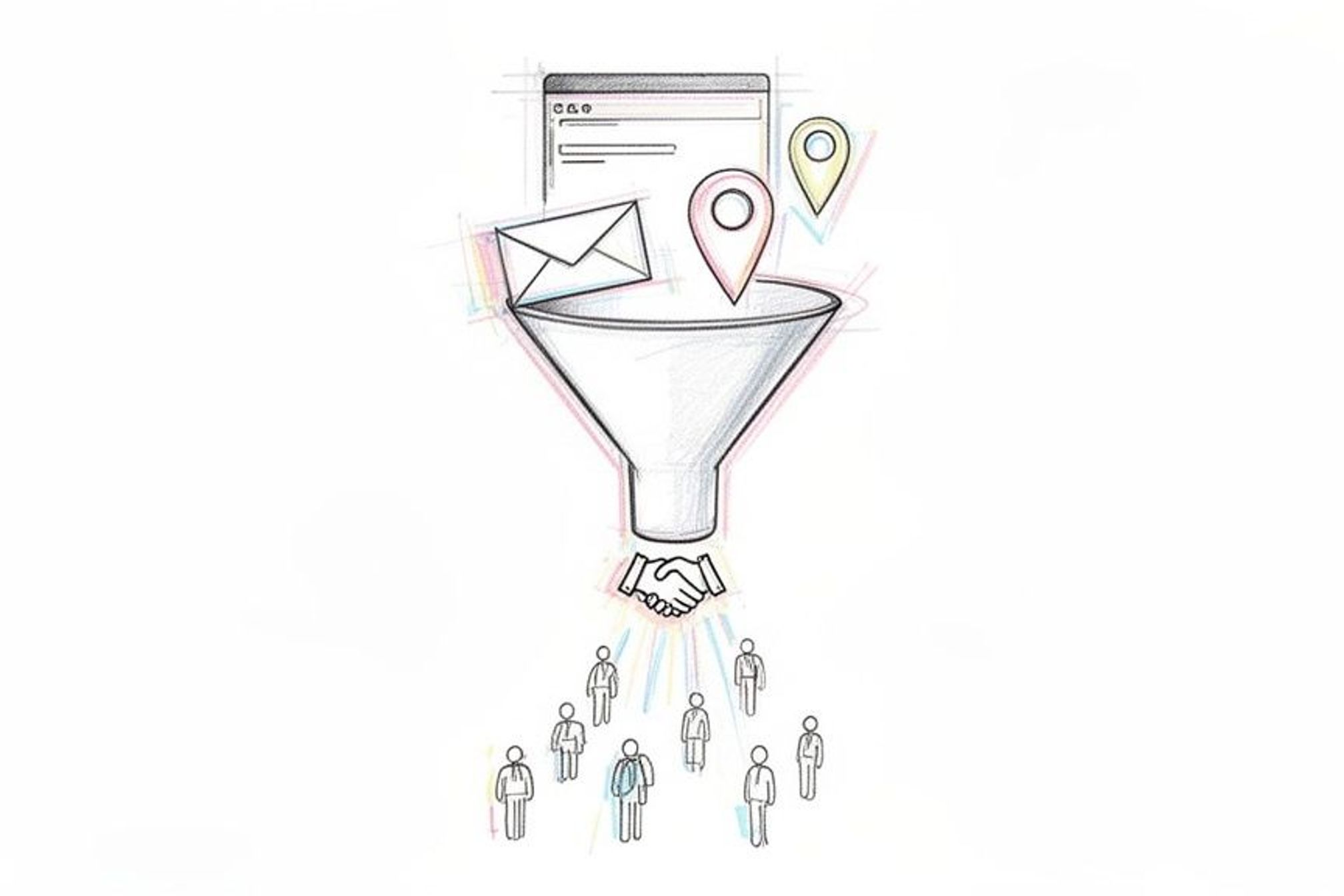
Want to know the secret to finding great web design leads? It has nothing to do with cold emails or flashy sales tactics. The best clients come from building a solid foundation first.
It starts by getting very clear on who you want to work with. Then, you build a portfolio that shows you are the perfect person to solve their problem. This changes you from being just another designer to a partner they can't afford to lose.
Building Your Foundation for a Steady Stream of Leads
Before you can attract a steady flow of clients, you need to build the platform they'll land on. Rushing to find clients without a clear plan is like setting sail without a map—you'll be busy, but you won't get anywhere.
The real work starts with a little bit of planning. This makes sure that when potential clients do find you, they see an expert who understands their world. It’s the difference between shouting into a void and having a quiet, interesting conversation with the right person.
Define Your Ideal Client
This is the biggest mistake I see web designers make: trying to be everything to everyone. When your target is "any small business," your message becomes so general that it connects with no one.
The fix? Create an Ideal Client Profile (ICP). It’s just a simple description of the perfect client you want to land. Are you excited about helping local restaurants build online ordering systems? Or do you enjoy creating clean, professional sites for law firms?
Getting specific is a superpower. Ask yourself:
- Industry Focus: Do I love working with online stores, local service businesses, or maybe tech startups?
- Business Size: Am I aiming for one-person businesses or larger companies with 20+ employees?
- Project Scope: Do I prefer building simple websites or complex, custom web applications?
Knowing these answers makes every other marketing decision much easier. If you're looking for a wider view on setting up your business and finding clients, this guide on how to start a digital marketing agency is a great resource.
Turn Your Portfolio Into a Client Magnet
Your portfolio should do more than just show off pretty pictures. It needs to be a collection of success stories that prove you solve real business problems. Potential clients aren't buying a design; they're buying a result.
So, instead of just putting a screenshot on your site, create a mini case study for each project. Tell the story.
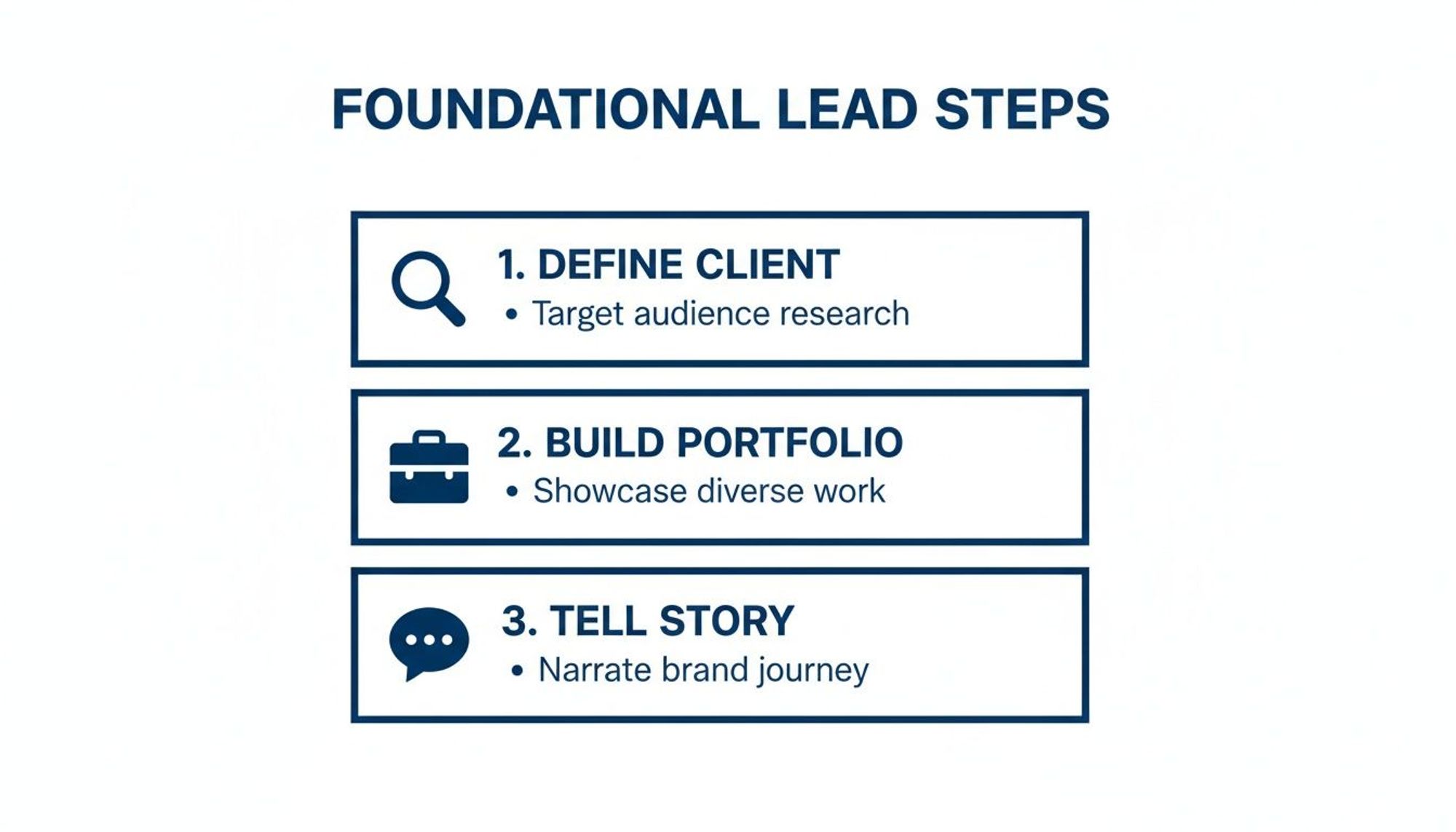
A great case study always covers three points: the client's problem, your solution, and the real results. Talk about your work in a way that shows how you helped the business grow, not just what you designed.
This simple diagram breaks down how these basic pieces fit together.
Think about it. A case study showing you increased a local bakery's online orders by 30% is much stronger than just showing their homepage. This approach makes you seem like a valuable asset, making all your other marketing for a small business efforts more effective.
Become the Go-To Designer in Your Local Area
While getting big-name clients is always exciting, the real foundation of a stable web design business is often found right in your own backyard. Local businesses are a great source of steady, high-quality projects. You don’t need a huge ad budget to become the top designer in your town.
It really just comes down to being visible where they’re already looking.
When a local plumber or bakery owner decides they need a new website, their first stop is almost always Google. Being the first name they see is a powerful way to land web design leads without ever leaving your area.
Optimize Your Digital Storefront
Think of your Google Business Profile (GBP) as your digital storefront. It’s a free tool that gets you on the map—literally. Improving it is one of the fastest ways to attract local clients.
First, make sure your profile is completely filled out with correct information. This means your business name, address (if you have one), phone number, and hours. More importantly, set your main category to "Web Designer" and upload high-quality images of your best work.
Your GBP is basically a mini-portfolio. I suggest you regularly post updates with links to recent projects or share quick tips for small business websites. This tells Google you're active and helpful, which can give your rankings a nice little bump.
Getting reviews from past clients is also a huge piece of the puzzle. Positive reviews build trust right away and are a major factor in how Google ranks local businesses. Don't be shy about asking happy clients for a quick review—it makes a real difference.
Create Pages for Every Town You Serve
Here’s a strategy that can put you miles ahead of the local competition: build special landing pages for each town or neighborhood you want to work in. Instead of a single, general "Services" page, you can create pages like "Web Design in Springfield" or "Oakville Website Developer."
This approach works very well for a few key reasons:
- It screams "local expert" to Google. Search engines want to show the most relevant results, and a page for a specific location is as relevant as it gets.
- It connects directly with the client. When a business owner in Springfield lands on a page talking about services in their town, it builds an instant connection. You're not just some random designer; you understand their community.
- It gives you more chances to be found. Every new page is another chance to show up in search results for different location-based searches.
Now, this might sound like a lot of work, but certain tools can completely automate it. For instance, the LPagery plugin for WordPress lets you design a single template and then create hundreds of unique, location-specific pages from a simple spreadsheet.
You can focus on writing great content for one template, and the tool handles the rest.
Automating this saves countless hours, freeing you up to actually talk to the new leads coming in. For a deeper dive into this, check out our guide on how to improve local SEO rankings.
By combining a strong Google profile with these targeted local pages, you'll become the clear choice for businesses in your community.
Sending Outreach Emails and Messages That Actually Get Replies
Sending emails to people you don't know gets a bad rap. Let's be honest, most of it is terrible—spammy, impersonal, and instantly deleted. But when you do it right, with a real human touch, it can be one of the fastest ways to land new web design clients.
This isn't about sending hundreds of generic templates. It’s about starting a real conversation. The secret is simple: do a little bit of homework. One single, personal sentence can make your message stand out from the dozens of others a business owner gets every single day.
Crafting a Simple, Personal Email
Forget those complicated, over-designed email templates. The best outreach emails I've ever sent (and received) are short, personal, and focused on offering a piece of value upfront, not immediately asking for a sale.
A great structure is surprisingly simple:
- A Catchy Subject Line: Make it specific and personal. Ditch "Web Design Services" and try something like, "Quick question about the [Their Company Name] website."
- A Personal Opening: This is where you show you've done your homework. "I saw your restaurant's new menu on Instagram—the photos look amazing." This instantly proves you aren't just sending spam.
- Offer Real Value: Briefly mention one specific thing you noticed and offer a quick, helpful suggestion. For example, "I noticed your site was a bit slow to load on my phone, which could be turning away hungry customers looking at the menu. A quick image fix would likely help that."
- A Clear, Low-Pressure Ask: End with an easy, no-commitment question. "Would you be open to a quick chat about it sometime next week?"
This approach respects their time and immediately makes you look like a helpful expert, not just another person trying to sell them something.
Mastering LinkedIn for Web Design Leads
LinkedIn is a goldmine for connecting directly with decision-makers. There's a reason 89% of B2B marketers use it to find leads. It's a professional space where business owners are actively looking for solutions to their problems.
Before you send a single message, take a hard look at your own profile. Your headline should clearly state who you help (e.g., "Web Designer for E-commerce Brands" or "Website Strategist for Local Service Businesses"). Think of your profile as your digital handshake—it needs to look sharp and professional.
When you send a connection request, always add a personal note. A simple message like, "Hi [Name], I'm also in the [Your City] area and was really impressed by [something specific about their business]. Would love to connect," works wonders. It feels like a real conversation, not an automated sales pitch.
Once you're connected, don't immediately jump into talking about your services. That's the fastest way to get ignored. Instead, interact with their posts, share helpful content of your own, and build a little connection first. This slower approach builds trust and makes them much more likely to listen when you do eventually reach out with a thoughtful idea.
A great way to offer value right away is with a unique tool, like a calculator. You can check out our guide on how to use calculators as lead magnets for some fresh ideas on this.
Turn Your Website Into a 24/7 Lead Machine
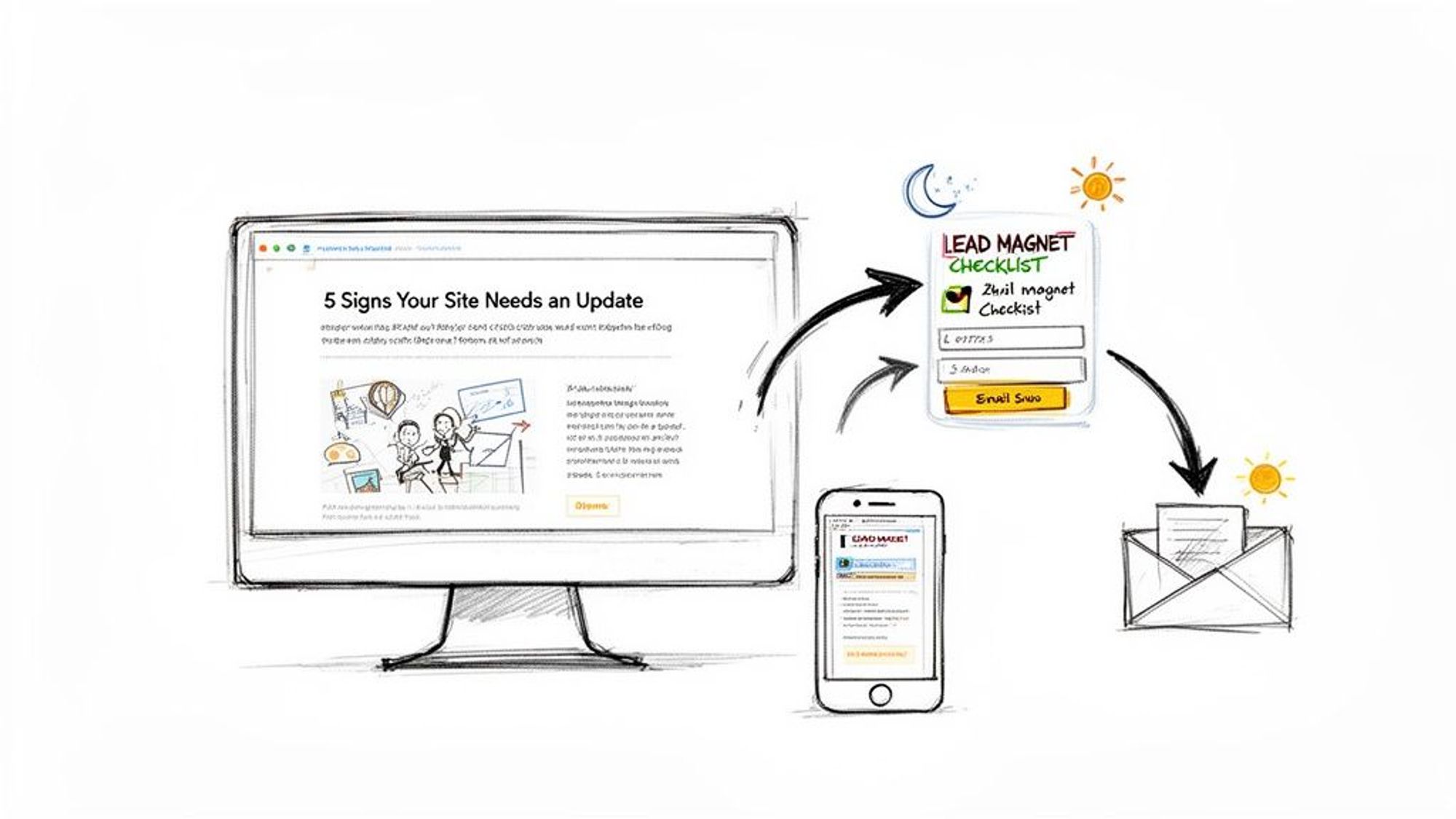
Your website should be more than just a digital brochure; it needs to be your hardest-working salesperson. By setting it up correctly, you can create an automated system that brings in ideal clients, even when you're not at your desk.
It all comes down to a simple change in thinking: attract, don't chase. Instead of sending another cold email, you create genuinely helpful content that answers the exact questions your dream clients are typing into Google. This simple move makes you an expert, not just another person asking for a project.
Answering Questions with Helpful Blog Posts
Put yourself in your ideal client's shoes. What’s keeping them up at night? A local restaurant owner is probably searching for "how to get more online orders." A law firm might be wondering if their old, clunky website is costing them clients.
Your blog is the perfect place to answer these specific questions. When you create articles that solve their immediate problems, you build instant trust.
Here are a few ideas to get you started:
- "5 Signs Your Local Business Needs a New Website" (Talks directly to a business owner who is unsure.)
- "How a Mobile-Friendly Design Can Double Foot Traffic" (Connects web design directly to a real business result.)
- "The 10-Point Checklist for a Great Small Business Website" (A practical, shareable resource that provides immediate value.)
This isn't just a theory—it works. For web designers, content marketing and SEO bring in three times more leads than sending outreach emails, and at less than half the cost. Being found in search brings in some of the highest-quality leads, with a 14.6% close rate compared to just 1.7% for methods like cold calls.
Creating Simple Lead Magnets
Okay, so you’ve got people reading your blog. Now what? You need a way to get their contact info so you can keep the conversation going. This is where a lead magnet comes in.
A lead magnet is just a term for a free, valuable resource you offer in exchange for an email address. It doesn't need to be a 50-page ebook that takes you weeks to write. In fact, a simple, one-page PDF often works best.
The best lead magnets solve a very specific problem for your ideal client. Think less about a massive ebook and more about a quick checklist or template they can use right now.
For example, you could easily turn that blog post, "The 10-Point Checklist for a Great Small Business Website," into a downloadable PDF. This simple offer turns a passive website visitor into an active lead.
Once you have their email, you can send a few follow-up messages to build more trust and gently guide them toward booking a call.
To make sure your website is truly a lead-generating tool, you also need to nail the user experience. Understanding and using effective UI design principles for high-converting homepages is a huge piece of the puzzle. When great design meets smart content, you create a system that consistently delivers qualified leads. And for more on creating pages that convert, check out our guide on local SEO landing pages.
Nurturing Leads from Interest to Invoice
Getting someone to download your checklist or sign up for your newsletter is a great start. But let's be honest, that initial bit of interest is just the beginning. The real work—and where you actually make money—is turning that casual browser into a paying client who’s genuinely excited to work with you.
This is where a simple, automated system can be a game-changer. You don't need some complex, big-business sales machine. A friendly email series paired with focused landing pages is often all it takes to create a smooth path from interest to invoice, bringing good leads right to your digital doorstep.
Automate Your Welcome with Email Sequences
When someone gives you their email address, they've raised their hand. They're telling you they're interested. Your job now is to welcome them in a way that builds trust, not just pushes a sale. A short, automated email series is perfect for this.
The goal isn't to bombard them with sales pitches. It’s all about building a relationship.
- Welcome them warmly: The very first email should arrive in their inbox instantly. Deliver the freebie they asked for and include a quick, personal hello.
- Share helpful tips: Over the next week or two, send a couple more emails with genuinely useful advice related to the resource they downloaded. Show them you know your stuff.
- Gently guide them: Your final email in the series can be a soft invitation to book a free consultation call, but only if they feel ready for the next step.
This friendly, no-pressure approach presents you as a helpful expert. You're building a connection first, which makes a future sale feel like a natural and easy decision for them.
Boost Conversions with Dedicated Landing Pages
So many designers make this one mistake: they send all their traffic—from social media, ads, or emails—straight to their homepage. Your homepage is like a general store; it has a little bit of everything. A landing page, on the other hand, is a specialty shop built for one single purpose.
Instead of overwhelming visitors with a dozen different options, a special landing page has one clear job: get them to take a specific action, like booking a call or downloading a guide. That focus is incredibly powerful. Marketers know this, with 48% calling email their top channel for leads and 44% pointing to landing pages. Why? Because a great user experience on a landing page can increase conversions by an incredible 400%. Discover more about these lead generation statistics and how they can help you grow.
A great landing page is clean, persuasive, and distraction-free. It should have a single, clear headline, a few bullet points explaining the benefit, and one obvious call-to-action button. Nothing else.
By pairing a helpful email series with targeted landing pages, you create an automated system that consistently grows interest. For instance, you could use some of the best WordPress plugins for agencies to build these pages efficiently and create a smooth experience for potential clients. This system works 24/7, turning curious visitors into qualified leads for your web design business.
A Few Common Questions About Finding Web Design Clients
Jumping into finding leads for the first time can feel a little uncertain. It's totally normal to have questions about how long things take, how much effort you'll need, and what mistakes to avoid.
Let's clear up some of the most common questions so you can move forward with confidence.
How Long Does It Take to Get Results?
Honestly, this really depends on the methods you choose.
If you’re doing direct outreach—say, sending a handful of personal LinkedIn messages to local business owners—you could have conversations going within a week. It’s a great way to test your message and get immediate feedback. These are quick wins.
On the other hand, strategies like local SEO and blogging are a long game. You might see a small trickle of traffic in 3-6 months, but the steady, high-quality leads usually start rolling in after you’ve been building that foundation for a year or more.
My advice? Do both. Use direct outreach for the quick wins that pay the bills now, while you patiently build your long-term SEO engine that will bring you clients for years to come.
How Many People Should I Contact to Land One Client?
There’s no magic number here, but we can work with some solid estimates from cold outreach.
As a starting point, if you contact 50-100 ideal prospects, you can typically expect to get 5-10 good conversations started. Out of those real conversations, it's realistic to think you can land one or two new clients.
Of course, your results will vary. Leads that come from your website or referrals will always convert at a much higher rate because they already have some trust in you.
The best thing you can do is track your own numbers. Figure out how many emails lead to replies, and how many of those replies turn into actual projects. That data will give you a clear roadmap to hitting your financial goals.
What Is the Biggest Mistake New Designers Make?
This one is easy. The single biggest mistake I see is trying to be the web designer for everyone.
When your marketing is general, you almost always end up competing on price. It's a race to the bottom that attracts clients who don't value your expertise and just want the cheapest thing they can find.
The fix? Pick a niche.
You could focus on a specific industry (like dentists or construction companies) or a particular type of website (like e-commerce stores on Shopify). When you specialize, your entire message can be focused on that specific audience. This immediately makes you look like an expert and lets you charge what you’re actually worth.

I’m an experienced SEO professional with over a decade of helping over 100 businesses rank higher online, especially local businesses, e-commerce stores and SaaS. As the co-founder of LPagery, I specialize in practical, proven strategies for regular SEO and Local SEO success.
This post may contain affiliate links which we earn a commission on when purchasing a given product.
I’m an experienced SEO professional with over a decade of helping over 100 businesses rank higher online, especially local businesses, e-commerce stores and SaaS. As the co-founder of LPagery, I specialize in practical, proven strategies for regular SEO and Local SEO success.