12 Best WordPress Plugins for Photographers in 2026

Part of the guide: WordPress SEO guides and plugin comparisons

Building a professional photography website on WordPress can feel like a big project. You have amazing photos, but finding the right tools to show them off, sell them, and make your site fast is a different kind of challenge. This guide makes it easy by showing you the best WordPress plugins for photographers. You can spend less time fighting with technology and more time taking pictures.
We’ve looked at the top tools to help you create beautiful online galleries, keep your images safe, and even sell prints or digital photos right from your site. We'll also talk about plugins that make your images smaller so your website loads faster. This keeps visitors happy and helps you show up higher in search results. One special tool we'll look at is LPagery. It helps you quickly make pages for different services, like weddings or portraits, for all the places you work in.
Each plugin on this list has a simple review of its main features, how you can use it, and direct links to get started. Don't worry about hard-to-understand words; this is a clear guide to help you pick the perfect plugins for a great online portfolio.
1. Imagely (NextGEN Gallery)
Imagely’s NextGEN Gallery is a very popular and powerful tool for photographers on WordPress. It’s a complete gallery system made by photographers for photographers. This makes it one of the best WordPress plugins for photographers who need a lot of control.
The free version gives you solid gallery options, like slideshows and different thumbnail styles. But its real power comes from its paid add-ons. With NextGEN Pro, you can turn your website into a business. It lets clients pick their favorite images in private galleries and helps you sell prints and digital photos. The plugin handles payments through Stripe and PayPal and can even connect with print labs to send orders automatically.
Key Features & Use Case
- Client Proofing: A must-have for event and portrait photographers. You can create private, password-protected galleries for clients to look at and approve their photos.
- eCommerce Ready: Sell prints, canvases, and digital files with your own price lists and payment options.
- Advanced Gallery Displays: Show your work in creative ways with mosaic, masonry, and filmstrip layouts as well as standard grids.
It can take some time to learn because it has so many features, but the control you get is top-notch. The paid plans start at $49 per year, which is a good deal as your photography business grows.
Visit Imagely (NextGEN Gallery)
2. Imagely (NextGEN Gallery / NextGEN Pro)
Imagely’s NextGEN Gallery is a powerful choice in the world of WordPress photography plugins, and it's popular for a good reason. It’s much more than a simple gallery tool; it's a complete management system designed by photographers. This makes it one of the best WordPress plugins for photographers who need lots of features and flexibility.
The free version gives you good gallery options, including slideshows, thumbnails, and image browser styles. But its real power is in its premium add-ons. With NextGEN Pro, you can turn your website into a business hub. It lets clients view and select their favorite images in private galleries. It also offers full online store support for selling prints and digital downloads. The plugin handles everything from payments via Stripe and PayPal to automatic print orders through labs like WHCC.
Key Features & Use Case
- Client Proofing: A key feature for event and portrait photographers. You can create private, password-protected galleries for clients to review and approve their photos.
- eCommerce Integration: Sell prints, canvases, and digital files with fully customizable price lists and payment gateways.
- Adobe Lightroom Plugin: Sync photo collections directly from Lightroom to your WordPress galleries, saving you a lot of time in your workflow.
Its interface can take some time to learn because there are so many features, but the control it gives you is unmatched. The premium plans start at $49 per year, offering a solution that can grow with your photography business.
3. Envira Gallery
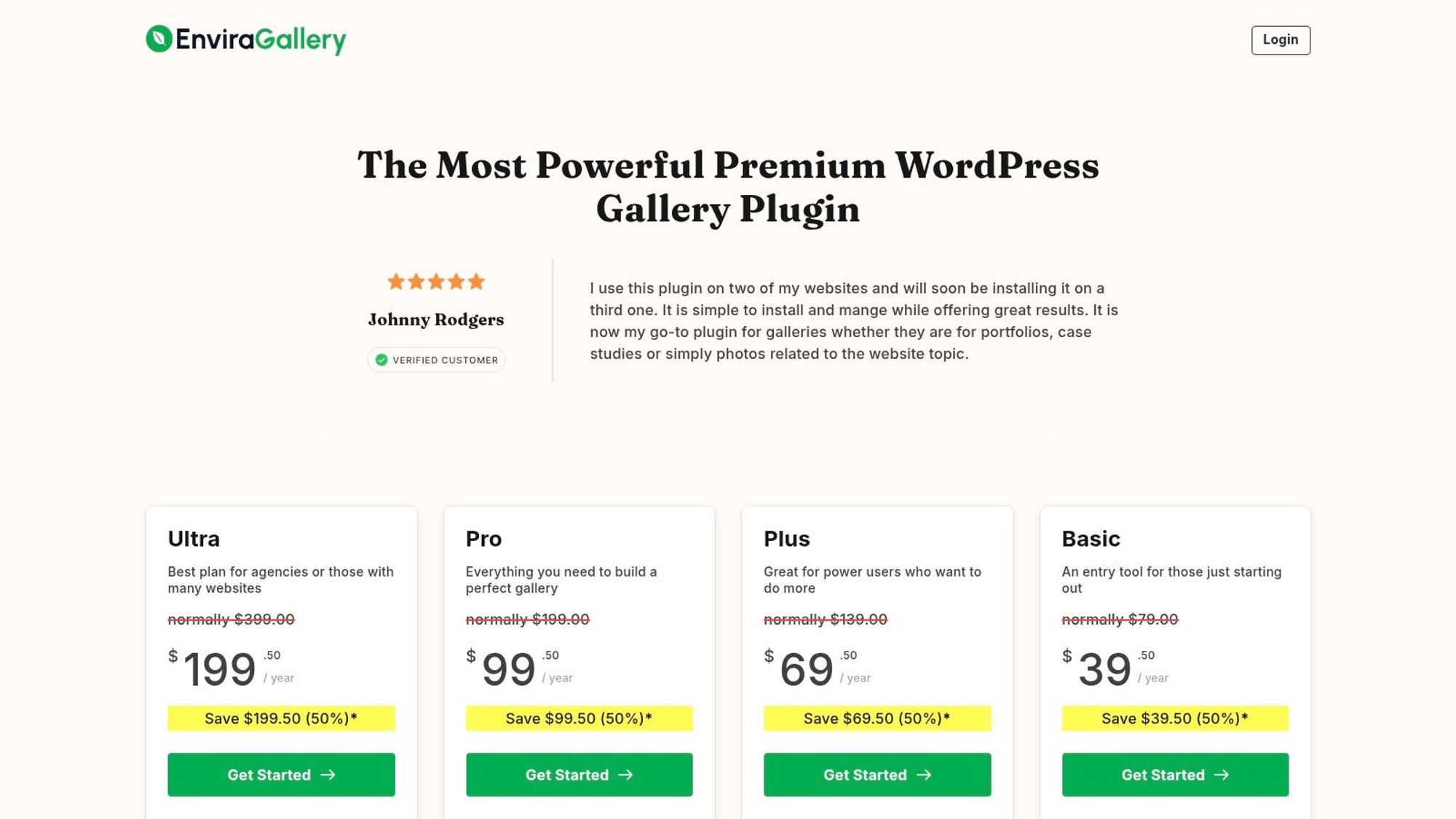
If you want something fast and simple, Envira Gallery is a great choice. It’s known for its easy-to-use, drag-and-drop builder that lets you create beautiful, mobile-friendly photo galleries in minutes. Unlike more complicated systems, Envira is made to be light, so your galleries load quickly without slowing down your site. This makes it one of the best WordPress plugins for photographers who care about speed.
The plugin is great at creating clean, modern-looking galleries that look perfect on any device. It also offers helpful tools to protect and organize your work. You can add watermarks to your images, put them into albums, and even connect with Adobe Lightroom to sync your photo collections right to your WordPress site. This smooth process saves a lot of time for busy photographers.
Key Features & Use Case
- Drag-and-Drop Builder: Perfect for photographers who want to build beautiful galleries quickly without writing any code. Its simple interface is a big plus.
- Built for Speed: Envira is made to be fast, which is important for search rankings and keeping visitors on your portfolio.
- Many Add-ons: Add more features to your galleries like video support, social sharing, proofing, and online store tools through its add-on system.
While the basic plugin is great, many of its best features, like client proofing and Lightroom sync, require a paid plan. Prices start at $39.50 per year for the basic plan, and renewal prices are higher than the first-year offer.
4. Modula Gallery (WP Modula)
Modula Gallery is one of the best WordPress plugins for photographers because it focuses on two things: beautiful, modern gallery designs and fast performance. It lets you create amazing masonry, justified, and custom grids that look more like a well-designed art show than a simple photo block. It's built to be fast, making sure your high-quality images don't slow down your site.
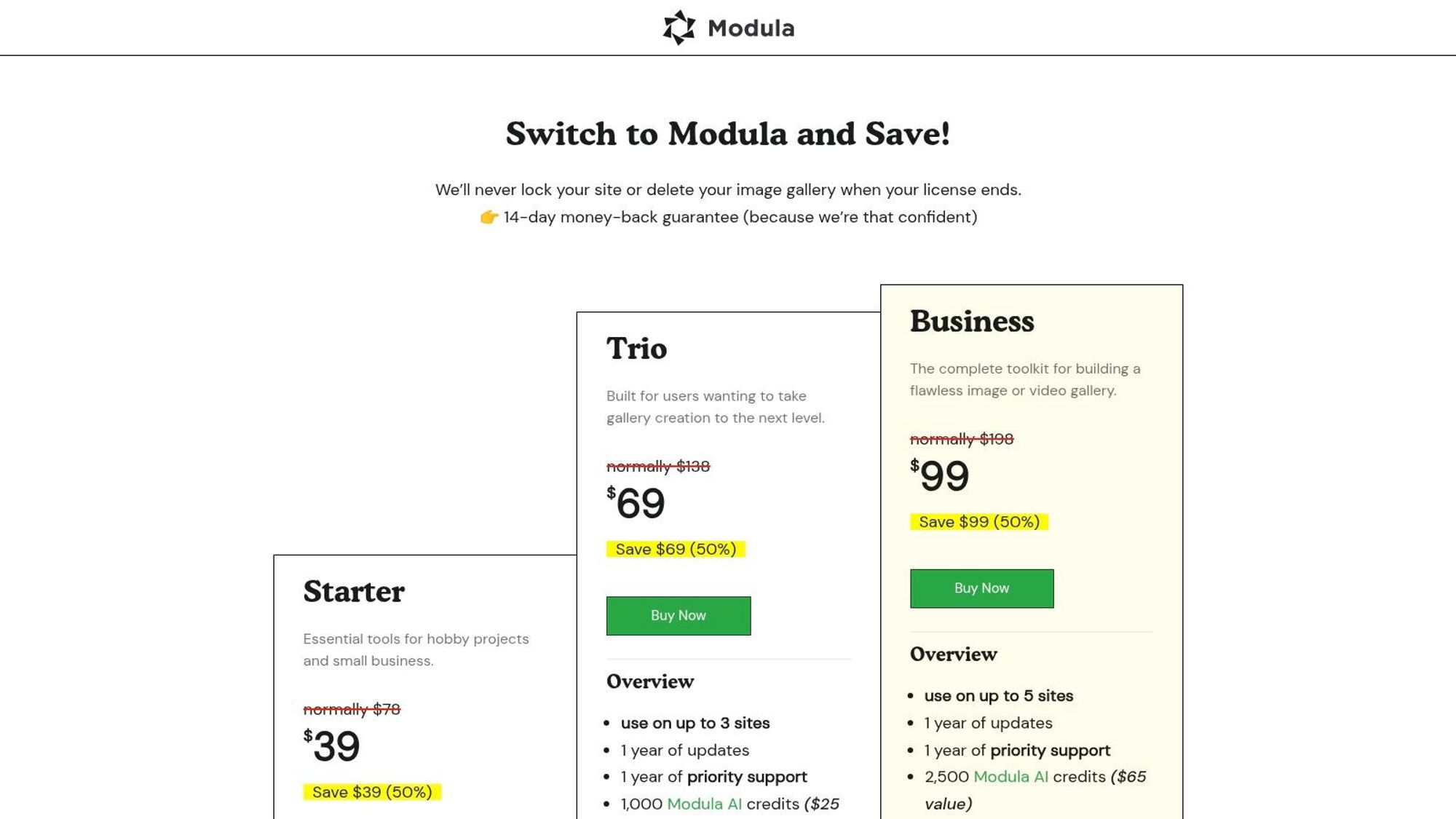
What makes Modula special is that it cares about both looks and speed. The free version is quite good, but the paid plans add a set of tools for serious photographers. The SpeedUP™ add-on, for example, uses a content delivery network (CDN) and image optimization to deliver images quickly all over the world. For photographers who want to protect and sell their work, other add-ons provide password protection, client proofing, and watermarking. This balance makes it a top choice for professionals who want great visuals and a great user experience.
Key Features & Use Case
- Advanced Grid Layouts: Create unique masonry and justified galleries with video support, giving you full creative control over how your portfolio looks.
- Performance Optimization: The SpeedUP™ add-on provides a CDN and image optimization, which is very important for photographers with websites full of images.
- Business & Security Tools: Paid features include client proofing, password protection, watermarking, and the ability to show EXIF data to share your camera settings.
While its most powerful features are in paid plans starting at $39 per year, Modula's focus on customizable, fast-loading galleries makes it a great investment for photographers who want a professional and modern online presence.
Visit Modula Gallery (WP Modula)
5. FooPlugins (FooGallery)
FooPlugins’ FooGallery is a very flexible and easy-to-use option, making it one of the best WordPress plugins for photographers who want both simplicity and power. It focuses on creating beautiful, mobile-friendly galleries quickly without a big learning process. The free version is quite good, offering several nice layouts like masonry and justified grids.
Where FooGallery really helps professionals is with its Pro Commerce plan. This paid plan turns the plugin into a complete sales tool, working smoothly with WooCommerce to sell prints and digital downloads. It includes important business features like watermarking to protect your images and the ability to add video to your galleries, which is great for modern photographers. This makes it an excellent choice for those looking to make money from their portfolio right on their website.
Key Features & Use Case
- WooCommerce Integration: Sell your photos directly from your galleries with the Pro Commerce plan, perfect for turning a portfolio into a business.
- Advanced Filtering: Let visitors easily sort through large portfolios with filters, ideal for photographers with different types of work like weddings, landscapes, and portraits.
- Dynamic Galleries: Automatically create galleries from different places, including server folders or Adobe Lightroom, saving you a lot of time on manual uploads.
While the best sales features are in the highest-priced plan, the plugin's flexible pricing and lifetime license options offer great long-term value. The setup is simple, though it can take time to explore all the customization options. Plans start from $33.99 per year.
6. LPagery
LPagery is a special tool that helps photographers grow their local business. It's one of the best WordPress plugins for photographers who want to attract more clients in their area. Instead of just having one page for each service, LPagery lets you easily create hundreds of specific pages for every service you offer and every location you serve. For example, you can create pages for "wedding photography in Brooklyn," "family portraits in Queens," and so on.
This is very powerful for getting found on Google. When someone searches for a photographer near them, having a page that exactly matches what they're looking for increases your chances of showing up. You create one main page template, and LPagery automatically fills in the details for each city, neighborhood, or town you want to target. It saves a huge amount of time and helps you reach more customers.
Key Features & Use Case
- Create Landing Pages in Bulk: Make hundreds of location-specific and service-specific pages from a single template, saving countless hours.
- Boost Local SEO: Drastically improve your chances of ranking in local search results by having dedicated pages for each area you serve.
- Simple to Use: Works with a simple spreadsheet. Just list your services and locations, and the plugin does the rest.
LPagery is perfect for photographers who offer services like weddings, family portraits, or events and want to be the go-to choice in their entire region. The free version creates up to 100 pages per run, and the paid plans remove that limit and add features.
7. Sunshine Photo Cart
Sunshine Photo Cart is a plugin made just for photographers to add a powerful client proofing and sales system to their WordPress site. Unlike other gallery services that are on a different website, it gives you complete control over your brand and business. This means clients never have to leave your website to buy photos. This makes it one of the best WordPress plugins for photographers who want to keep 100% of their sales and have a store that fits perfectly with their existing site.

The plugin's main strength is that you host it yourself. It works with any WordPress theme, letting you build a professional store with no commission fees. The free version gives you the basic tools to get started, including secure client galleries and payment processing through Stripe and PayPal. For photographers who want to grow, paid add-ons bring advanced features like digital downloads, email marketing tools, and package deals. It’s a flexible solution that can grow with you.
Key Features & Use Case
- Commission-Free Sales: Keep all your profits. Sunshine Photo Cart does not charge fees on your sales, which is a big plus compared to other gallery services.
- Works with Any Theme: The plugin fits in smoothly with any WordPress theme or page builder, so you don't have to change your website’s design.
- Client-Specific Galleries: Create public, private, or password-protected galleries with end dates, perfect for delivering photos to wedding, portrait, and event clients.
While the free version is good, it does have a 5% platform fee on some payment methods. Upgrading to a paid plan, starting around $99 per year, removes this fee and adds many powerful sales and marketing tools.
8. WooCommerce.com Marketplace (WooCommerce Photography extension)
For photographers who already use or plan to use WooCommerce for their online store, the official WooCommerce Photography add-on is a big help. Instead of adding a separate gallery sales system, this plugin connects photo sales directly into the powerful WooCommerce system. It’s one of the best WordPress plugins for photographers who want to manage all their sales, from prints to other products, in one place.

The add-on lets you easily upload many photos from an event at once and organize them into collections. Clients can then look through their galleries and add images to their cart, just like any other product. This approach uses all of WooCommerce’s built-in strengths, including its many payment options, shipping settings, tax calculations, and discount tools. It makes the entire business process simpler by keeping all sales information in one place.
Key Features & Use Case
- Works with WooCommerce: Sells photos as a special "Photography" product type, keeping your whole business in one familiar and strong system.
- Easy for Clients: Create collections for different events (like weddings or portraits), let clients browse, and allow them to buy photos in a simple way.
- Upload Many Photos at Once: A big time-saver for event photographers, this feature lets you quickly upload entire folders of images to create a new client gallery.
While it requires a yearly fee ($79/year) for support and updates, its direct connection and official support from the WooCommerce team make it a very reliable and stable choice for photographers who are serious about their online sales.
9. CodeCanyon (Envato Market): Premium Gallery Plugins
CodeCanyon is not a single plugin but a huge marketplace where you can find hundreds of special, premium WordPress plugins sold by different creators. For photographers, this means you can find a huge variety of unique gallery, slider, and lightbox tools. These often solve specific needs that all-in-one plugins don't cover. It’s a great place to find one of the best WordPress plugins for photographers if you are looking for a certain look or feature.
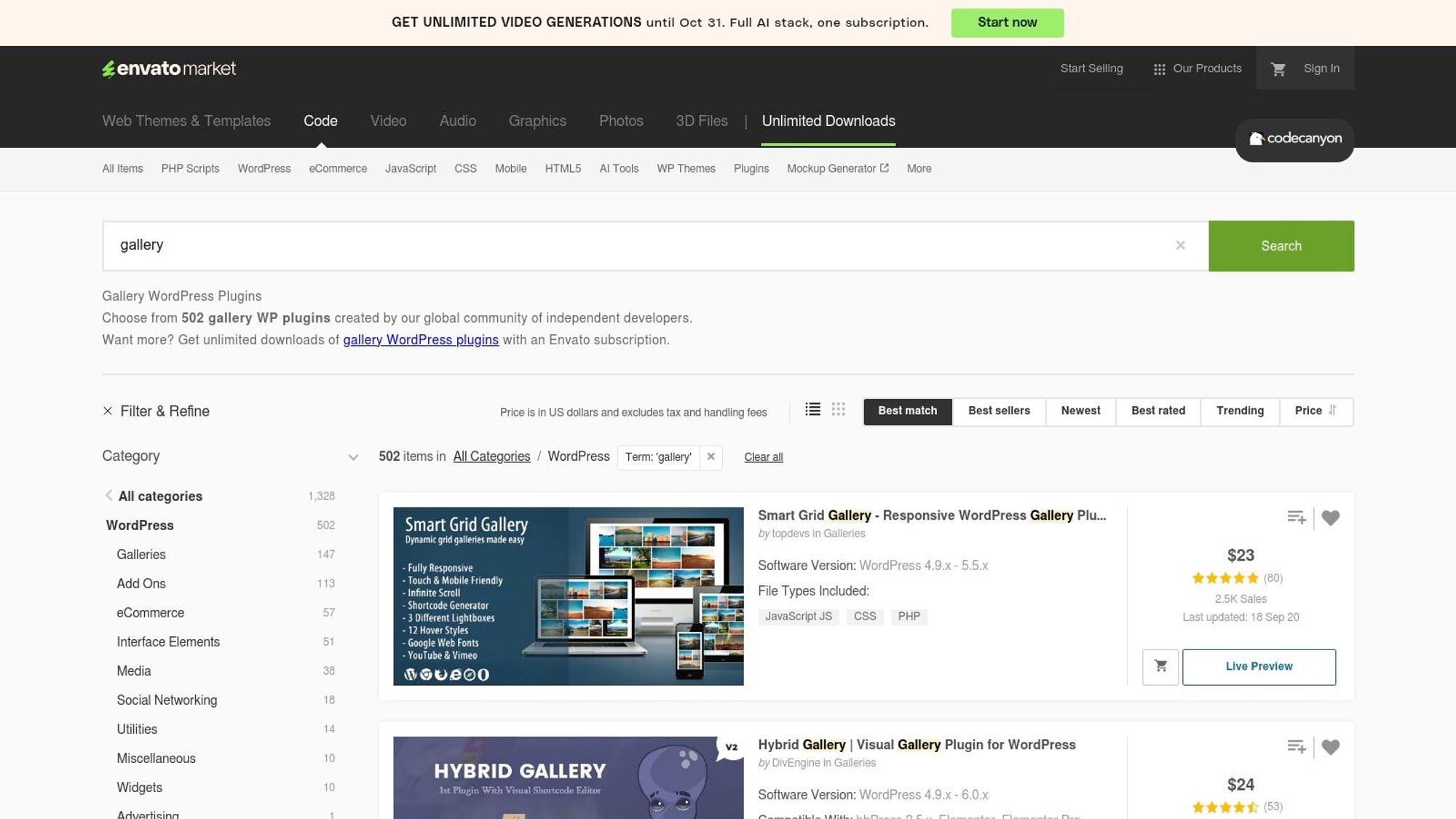
Unlike plugins that charge a yearly fee, most items on CodeCanyon are sold for a one-time price. This price usually includes lifetime updates for one site, making it a budget-friendly option for getting powerful features. You can find everything from fancy justified image grids to elegant proofing galleries. Just be sure to check a plugin's sales history, user ratings, and recent updates to make sure you're buying a quality, well-supported product.
Key Features & Use Case
- Unique & Special Tools: Find unique plugins like Justified Image Grid or advanced lightboxes that offer specific layouts and effects not found in other plugins.
- One-Time Purchase: Great for photographers on a budget who prefer to own their software instead of paying yearly fees.
- User Reviews and Ratings: Make good decisions by looking at what other users say, as well as sales data and comments on each plugin's page.
The main challenge is that quality and support can be different from one creator to the next, so you have to do your own research. However, for a one-time price, you can find a very specific tool that perfectly matches what you want to create.
Visit CodeCanyon (Envato Market)
10. Meow Apps (Meow Gallery, Meow Lightbox, WP/LR Sync)
Meow Apps offers a set of simple, high-performance plugins for photographers who like a clean look that works well with WordPress itself. Instead of one big plugin that does everything, Meow Apps gives you separate tools that work together perfectly. They focus on speed and a natural WordPress experience. This makes it one of the best WordPress plugins for photographers who want to avoid complicated settings and work right in the normal WordPress editor.

The main plugins are Meow Gallery for creating beautiful, modern layouts like Masonry and Justified, and Meow Lightbox, which can show important camera settings (like shutter speed, aperture, ISO) right with your images. For many photographers, the most useful part is WP/LR Sync. This plugin connects your Adobe Lightroom Classic program with your WordPress media library. This lets you manage and publish entire photo collections and folders without ever leaving Lightroom. This approach is ideal for photographers who want specific features without a heavy, slow plugin.
Key Features & Use Case
- Works in WordPress Editor: Build galleries directly within the standard WordPress block editor, keeping your process simple and fast.
- WP/LR Sync for Lightroom: A must-have for photographers who use Lightroom a lot. Sync folders, collections, keywords, and other information with no effort.
- Show Camera Settings: The Meow Lightbox plugin can automatically show camera settings, which is excellent for tutorials, gear reviews, or showing your technical skill.
While the free versions are very good, you need to buy the Pro versions to get the best layouts and features. The full set of Pro plugins is available in a bundle starting at $49 per year.
11. Picu
Picu is a client proofing plugin built for one specific job: to make the photo selection and approval process simple. Instead of creating a full gallery or store, Picu focuses only on the communication between you and your clients. This makes it one of the best WordPress plugins for photographers who are tired of endless back-and-forth emails. It lets you create special, branded proofing collections right in your WordPress dashboard.
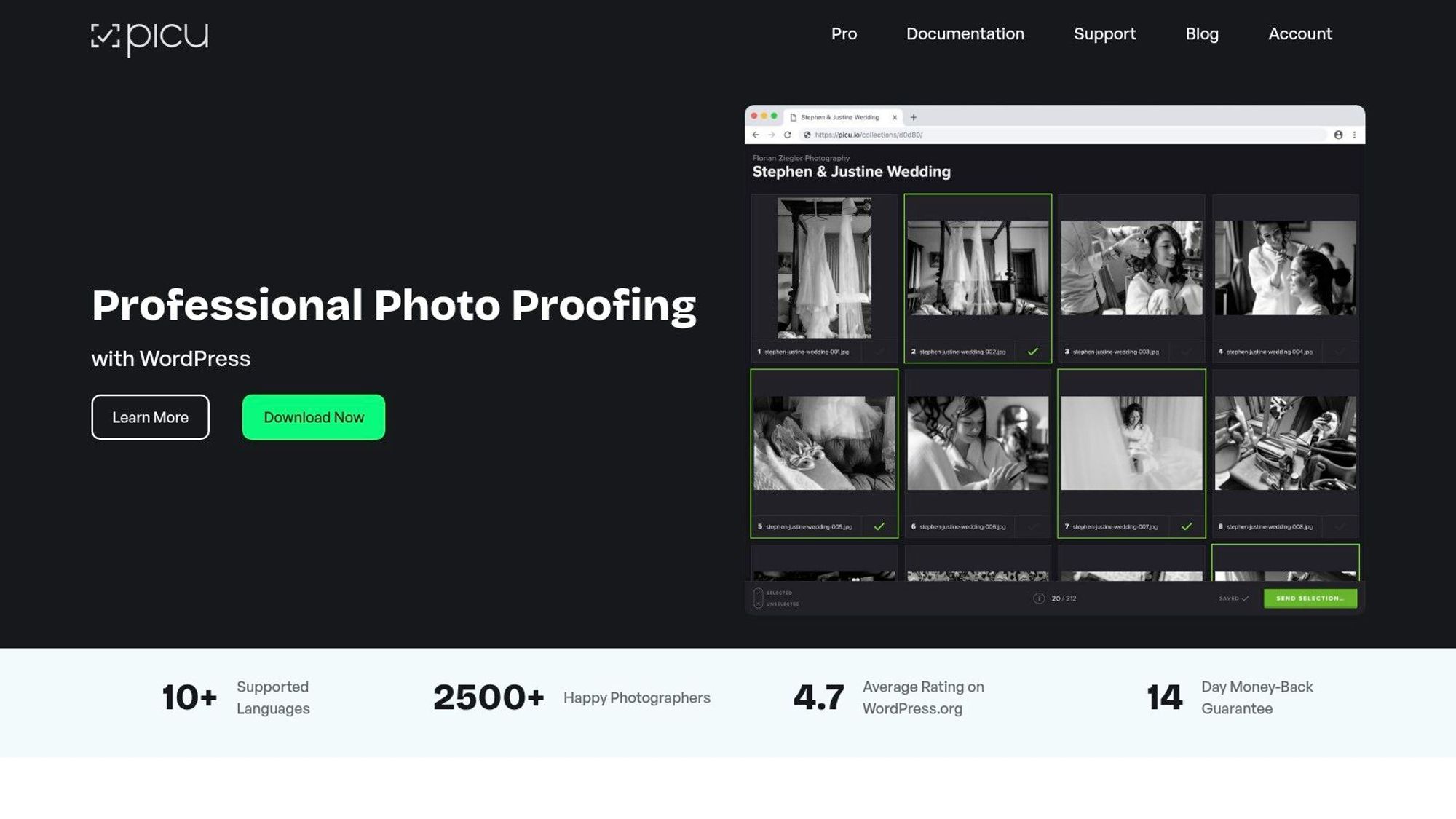
The free version provides the basic system for clients to review and approve images. The paid version adds features like setting selection goals (for example, "choose 25 photos"), watermarking, and approval from multiple clients, which is perfect for weddings or group projects. Because you host it on your own site, you keep complete control over the branding and user experience, ensuring a professional and smooth process from start to finish.
Key Features & Use Case
- Simple Proofing Process: The whole system is designed to reduce communication. Clients visit a simple, branded gallery, make their selections, and approve the collection with a click.
- Self-Hosted Control: Unlike other services, Picu runs on your website, giving you full control over branding and the client experience without outside logos.
- Branding & Communication: Customize galleries and emails with your own branding to provide a consistent and professional experience for your clients.
While Picu doesn’t handle sales directly, it works well with plugins like WooCommerce. The main plugin is free, with premium plans starting at €99 per year for advanced features.
12. Imagify (by WP Media)
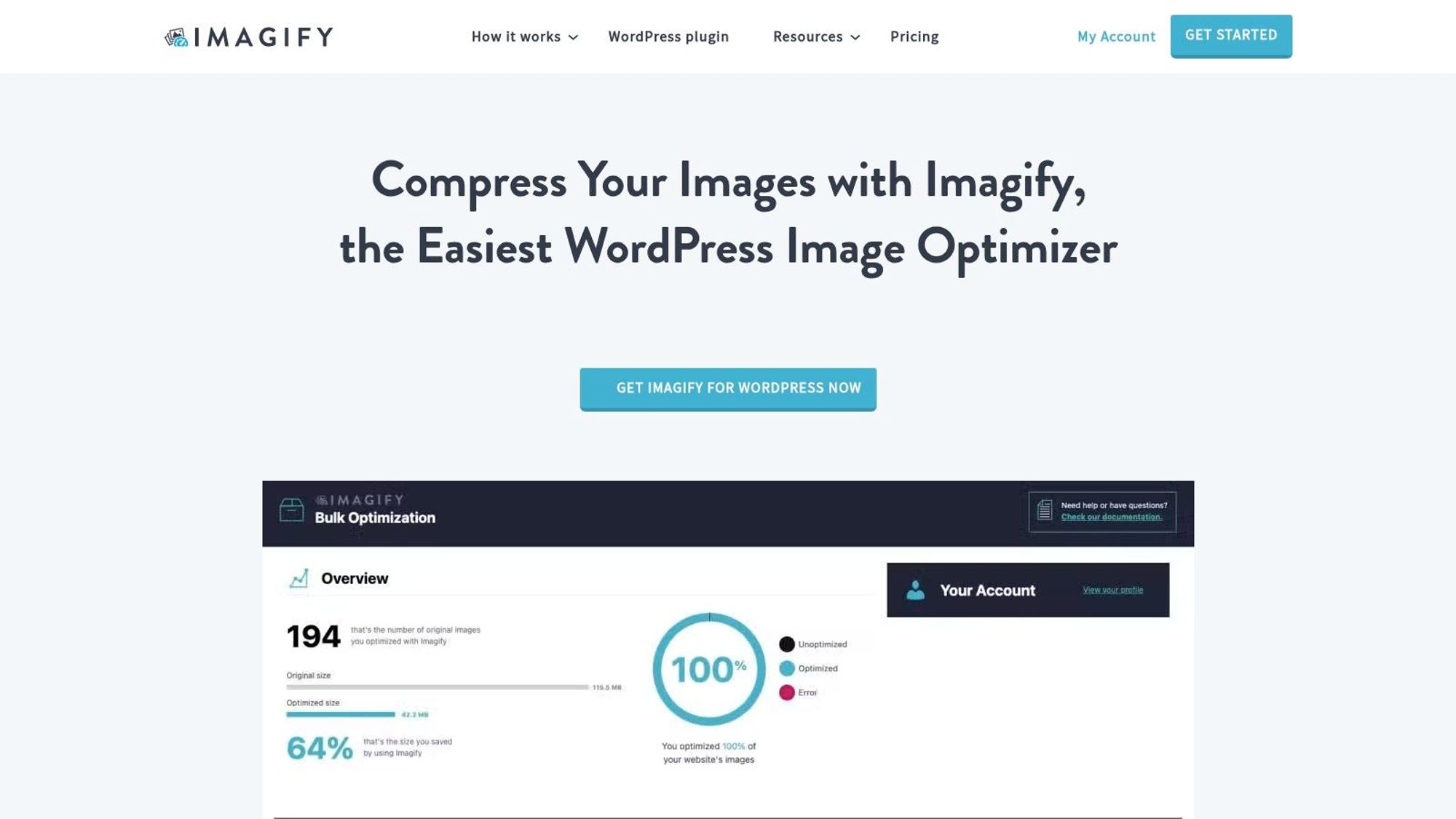
While gallery plugins show your photos, Imagify makes sure they load quickly without losing quality. From the creators of the popular speed plugin WP Rocket, this tool is one of the best WordPress plugins for photographers because it solves a big problem: large image files slowing down your website. A slow portfolio site can turn away potential clients, and Imagify offers an easy, automatic solution.
It connects right into your WordPress media library, automatically making images smaller when you upload them. This helps user experience and search engine rankings. A faster website is a key part of good image SEO, helping your photography business get found more easily.
Key Features & Use Case
- Different Compression Levels: Choose between Normal (no quality loss), Aggressive (some quality loss), and Ultra (stronger quality loss) to find the right balance between file size and image quality.
- WebP & AVIF Conversion: Automatically create and use next-gen image formats, which offer better compression and quality compared to old JPEGs and PNGs.
- Bulk Optimizer: Easily compress your entire existing media library in one go, a huge time-saver for websites with lots of images.
The plugin also includes a handy backup feature, allowing you to restore your original images with a single click if you're not happy with the result. The free plan offers 20MB of optimizations per month, with paid plans starting at around $5 per month for more, making it affordable for photographers at any level.
13. ShortPixel
While gallery plugins display your photos, ShortPixel makes sure they load super-fast without losing quality. This powerful image optimization tool is a must-have for any photographer's website, as large, high-resolution images can seriously slow down page load times. This hurts both user experience and your search ranking. ShortPixel automatically makes images smaller when you upload them, greatly reducing their file size.

What makes ShortPixel one of the best WordPress plugins for photographers is its flexibility. It offers multiple compression levels (lossy, glossy, lossless) so you can choose the perfect balance between file size and image sharpness. It also converts images to newer formats like WebP and AVIF, which modern browsers prefer. This is a key part of technical SEO, and you can learn more by reading about the best free WordPress SEO plugins.
Key Features & Use Case
- Multiple Compression Options: Choose between lossless, glossy (looks lossless), and lossy compression to meet your specific quality needs.
- WebP & AVIF Conversion: Automatically create and use next-generation image formats for faster loading and better performance scores.
- Flexible Plans: Start with a good free plan (100 credits/month) or choose from affordable one-time packages and monthly plans, making it easy to scale for any portfolio size.
The plugin works quietly in the background with nearly all gallery and theme plugins. While it might seem a bit complex at first, its "set it and forget it" nature makes it a tool you can't do without for a fast, professional photography site.
Top 13 WordPress Photography Plugins Comparison
Plugin Name | Core Features | User Experience | Value Proposition | Target Audience | Price Points |
|---|---|---|---|---|---|
Imagely (NextGEN / NextGEN Pro) | Gallery layouts, ecommerce, Lightroom | Full workflow, frequent updates | End-to-end photo workflow | Photographers | Free + Pro premium |
Envira Gallery | Drag-drop galleries, AI tagging | Fast setup, good templates | Speed and ease of use | Photographers | Subscription tiers |
Modula Gallery (WP Modula) | Masonry/justified layouts, AI alt text | Strong performance, optimized | Performance and business tools | Photographers/businesses | Tiered paid plans |
FooPlugins (FooGallery) | Multiple layouts, filtering, WooCommerce | Flexible pricing, clear comparisons | Monetization and flexibility | Photographers/ecommerce | Monthly/annual/lifetime plans |
LPagery | Bulk page creation, local SEO | Easy to use with spreadsheets | Dominate local search | Service-based photographers | Plan-based |
Sunshine Photo Cart | Client proofing, payment gateways | Theme compatible, no marketplace fees | Full sales control | Photographers selling photos | Free + paid add-ons |
WooCommerce.com (Photography) | Photo product types, batch import | Official support, integrated ecommerce | WooCommerce integration | WooCommerce store owners | Annual subscription |
CodeCanyon (Envato Market) | Premium single-purchase plugins | User reviews, sales history | Specialized niche plugins | Developers/photographers | One-time purchase |
Meow Apps | Gutenberg integration, EXIF display | WordPress native UI, Lightroom support | Lightroom workflow focused | Lightroom-heavy photographers | Free + Pro versions |
Picu | Client proofing, approval workflows | Self-hosted, reduces client communication | Proofing-focused | Photographers/proofing | Free + Pro upgrade |
Imagify (by WP Media) | Image compression, WebP/AVIF support | Easy rollback, quota management | Image speed optimization | Photo-heavy sites | Free tier + paid plans |
ShortPixel | Compression, WebP/AVIF, CDN delivery | Flexible plans, multisite support | Powerful optimizer and CDN | Agencies/photographers | Free credits + subscriptions |
Choosing the Right Tools for Your Photography Website
Finding your way around WordPress can feel like a lot, but building a beautiful, fast photography website is something you can definitely do. We’ve looked at over a dozen powerful tools, from complete gallery systems to special plugins for making images smaller and managing clients. The most important thing to remember is that you don't need to install everything at once. The goal is to build a smart toolkit that helps you reach your specific business goals.
Your website is your digital gallery and your main marketing tool. By carefully picking a few of the best WordPress plugins for photographers, you can create a user experience that is both beautiful and very efficient, helping you attract and keep clients.
A Simple Way to Pick Plugins
Instead of getting lost in all the options, start with what's most important. Your first focus should be on showing your work in a beautiful way and making sure your site loads quickly for visitors.
- Start with a Strong Foundation: Begin by choosing one main gallery plugin. For most photographers, a tool like Envira Gallery or Modula offers the perfect mix of beautiful layouts, easy-to-use controls, and good performance. This is the foundation of how your work looks online.
- Make Speed a Priority: Before you even upload your first high-quality gallery, install an image optimization plugin. Tools like Imagify or ShortPixel are a must-have. They work in the background to make your images smaller without losing quality, which is key for keeping page load times fast and improving your search ranking.
- Plan for Growth: Once your main plugins are set up, think about your next business goal. Are you looking to sell prints? A special e-commerce tool like Sunshine Photo Cart or the WooCommerce Photography add-on is your next step. Need to make your client proofing process easier? Picu is designed just for that.
Expanding Your Reach and Business
As your business grows, your website's needs will change too. For photographers who want to be the top choice in their local market, a plugin like LPagery is worth adding. It lets you quickly create specific landing pages for every service (like "wedding photography" or "family portraits") and every location you serve. This approach greatly improves your visibility in local search results, connecting you with clients who are actively looking for your skills.
In the end, the right mix of plugins will turn your website from a simple portfolio into a powerful business tool. By starting with a solid gallery and an optimization tool, then adding solutions for e-commerce, client proofing, or local SEO as needed, you create an online presence that can grow with you. You have the tools and the plan; now it’s time to build the website that your amazing photography deserves.
I've worked in SEO for more than ten years and helped over 100 businesses rank higher, mostly local businesses, e-commerce stores and SaaS companies. As co-founder of LPagery I work on local SEO, programmatic SEO and AI search visibility, and I test the strategies in these articles on our own sites and with our customers.
I've worked in SEO for more than ten years and helped over 100 businesses rank higher, mostly local businesses, e-commerce stores and SaaS companies. As co-founder of LPagery I work on local SEO, programmatic SEO and AI search visibility, and I test the strategies in these articles on our own sites and with our customers.